


Year End Close Checklist and Inventory Count Workbook
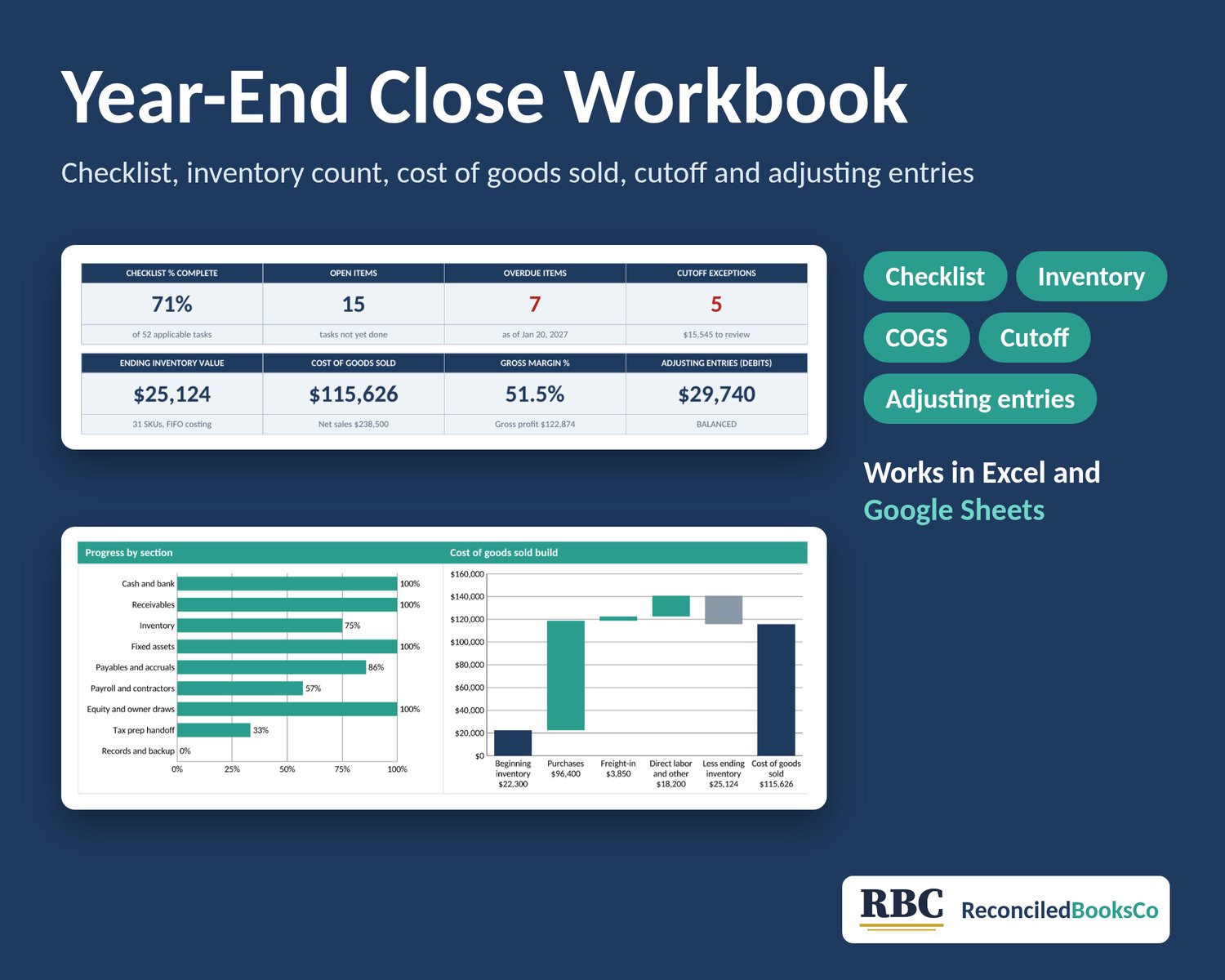
A monthly close usually doesn't cover the year-end jobs. Somebody still has to count the inventory, work out cost of goods sold, check what landed in the wrong year and book the adjustments before your tax preparer asks. This workbook lays out those once-a-year jobs in order, so you can work through them one at a time.
Digital download, nothing ships. One .xlsx file. Works in Excel or Google Sheets on any device. No macros, no add-ons.
WHAT IT DOES
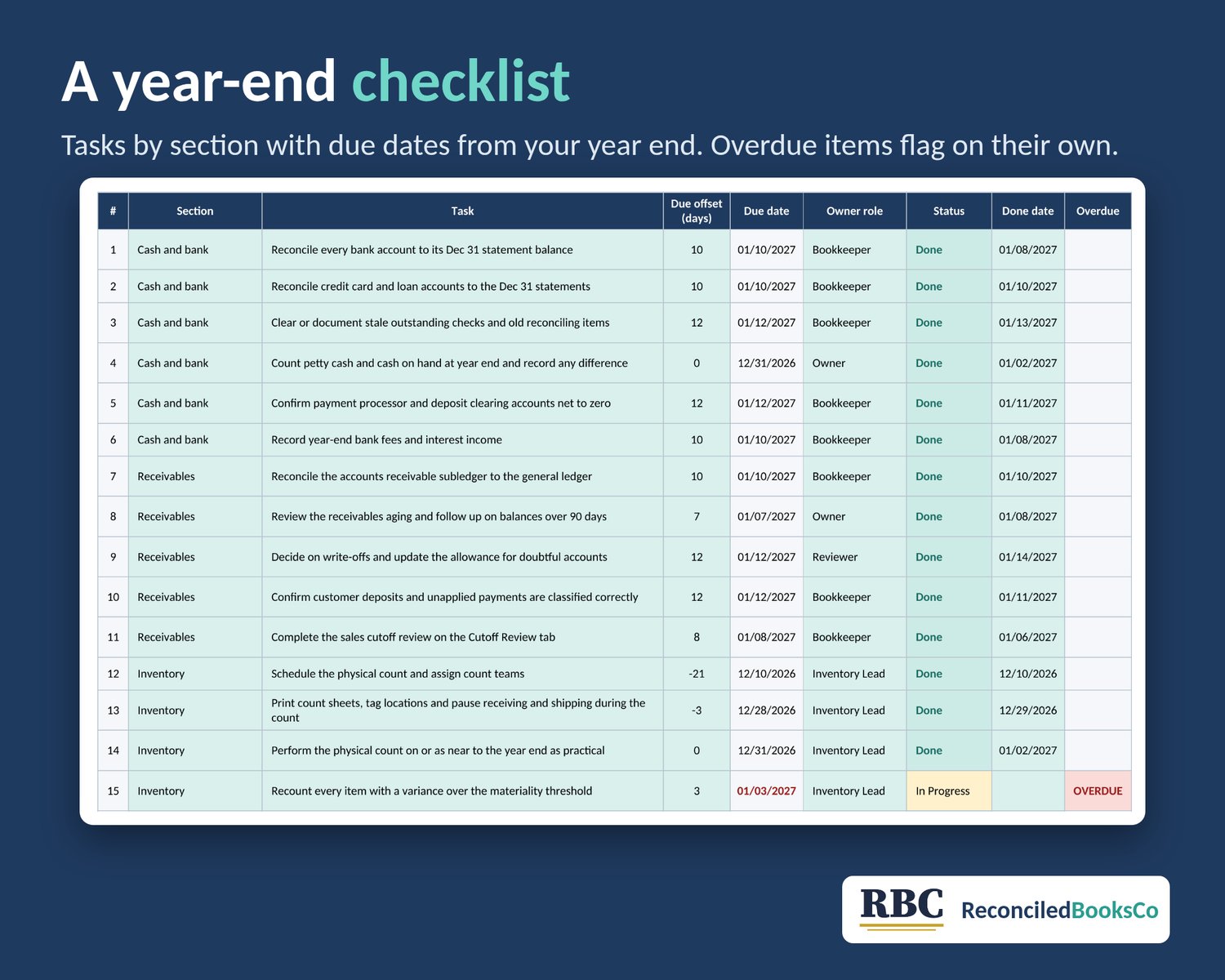
- Year-End Checklist: 53 annual tasks in nine sections (cash and bank, receivables, inventory, fixed assets, payables and accruals, payroll and contractors, equity and owner draws, tax prep handoff, records and backup), each with a due date counted from your fiscal year end, an owner role, a status and an overdue flag
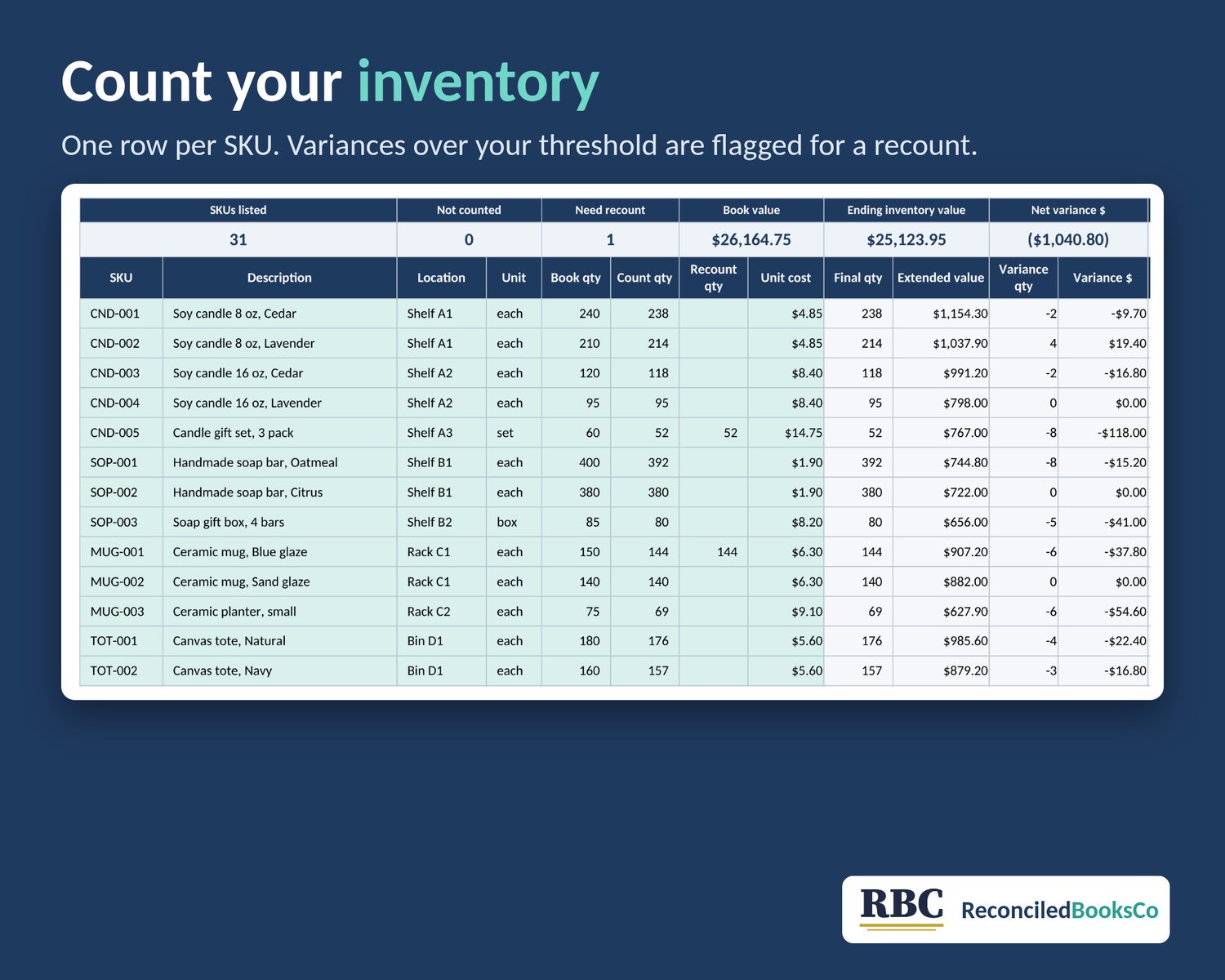
- Inventory Count: count and recount by SKU, extended value (final quantity times the unit cost you enter), and a flag on any variance over the materiality threshold you set
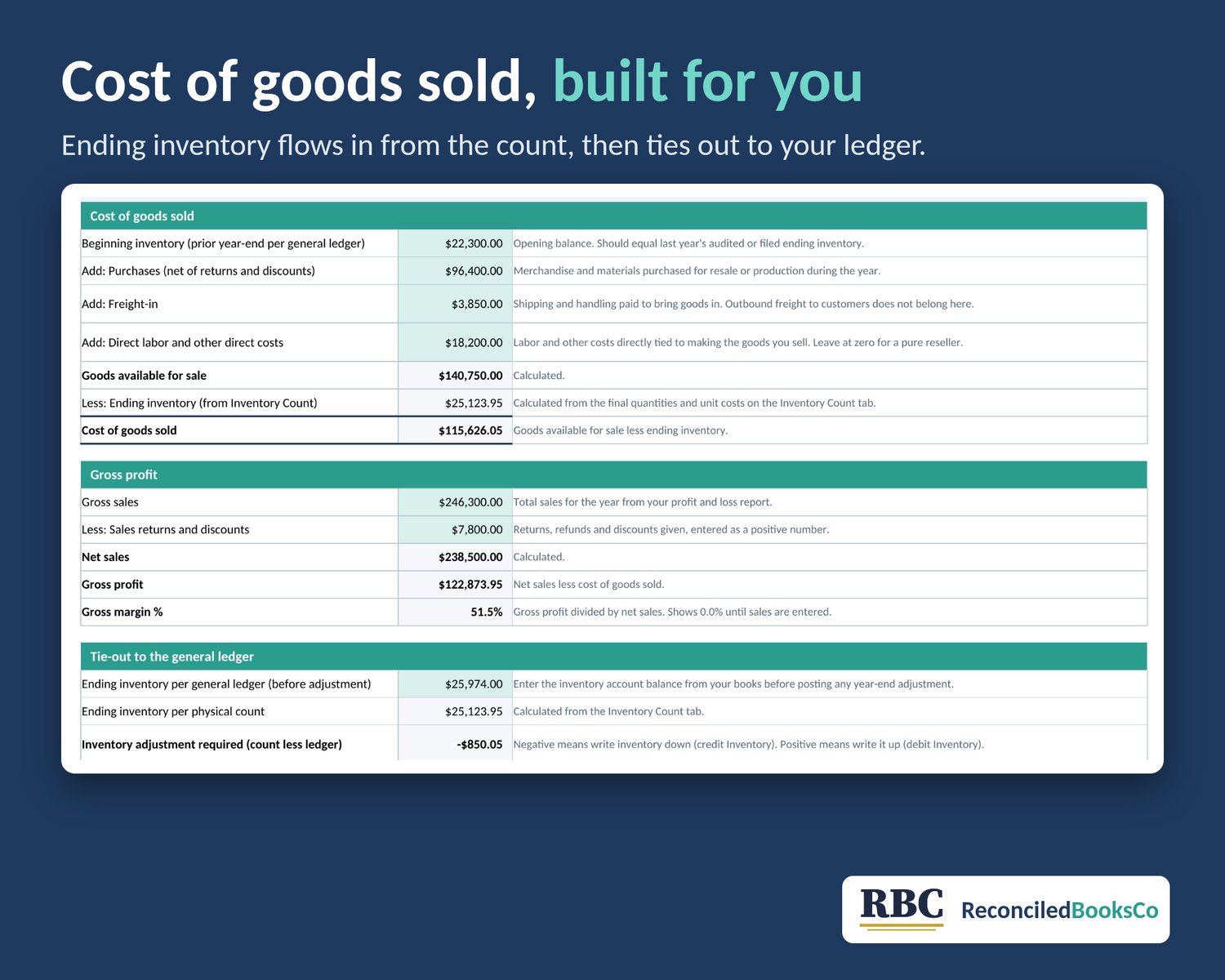
- COGS Calculation: beginning inventory plus purchases, freight-in and direct costs, less ending inventory from your count, plus gross profit and margin
- Ledger tie-out: compares your counted inventory with the balance in your books and shows the adjustment needed
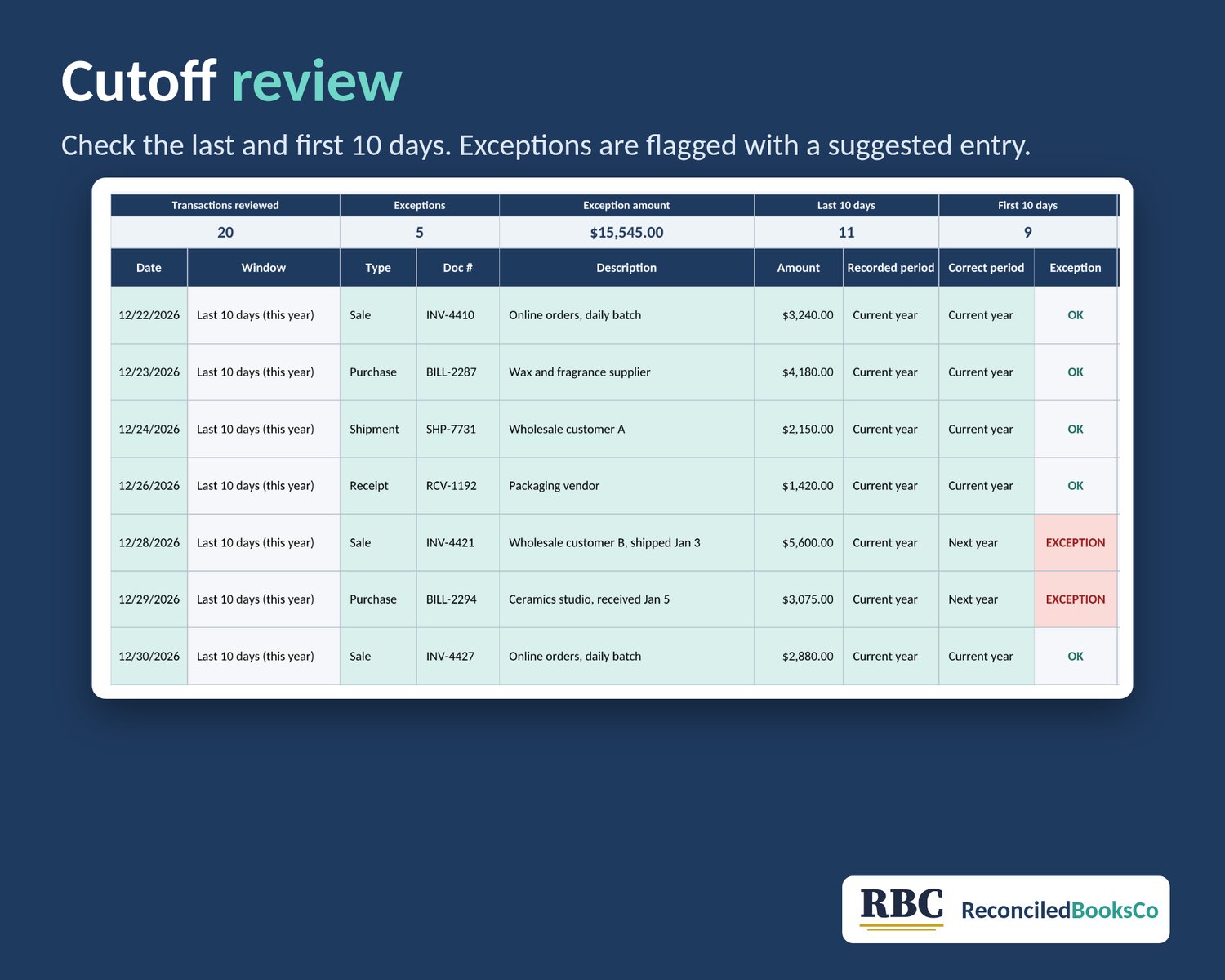
- Cutoff Review: flags transactions from the last and first 10 days that sit in the wrong year, with a suggested entry to review
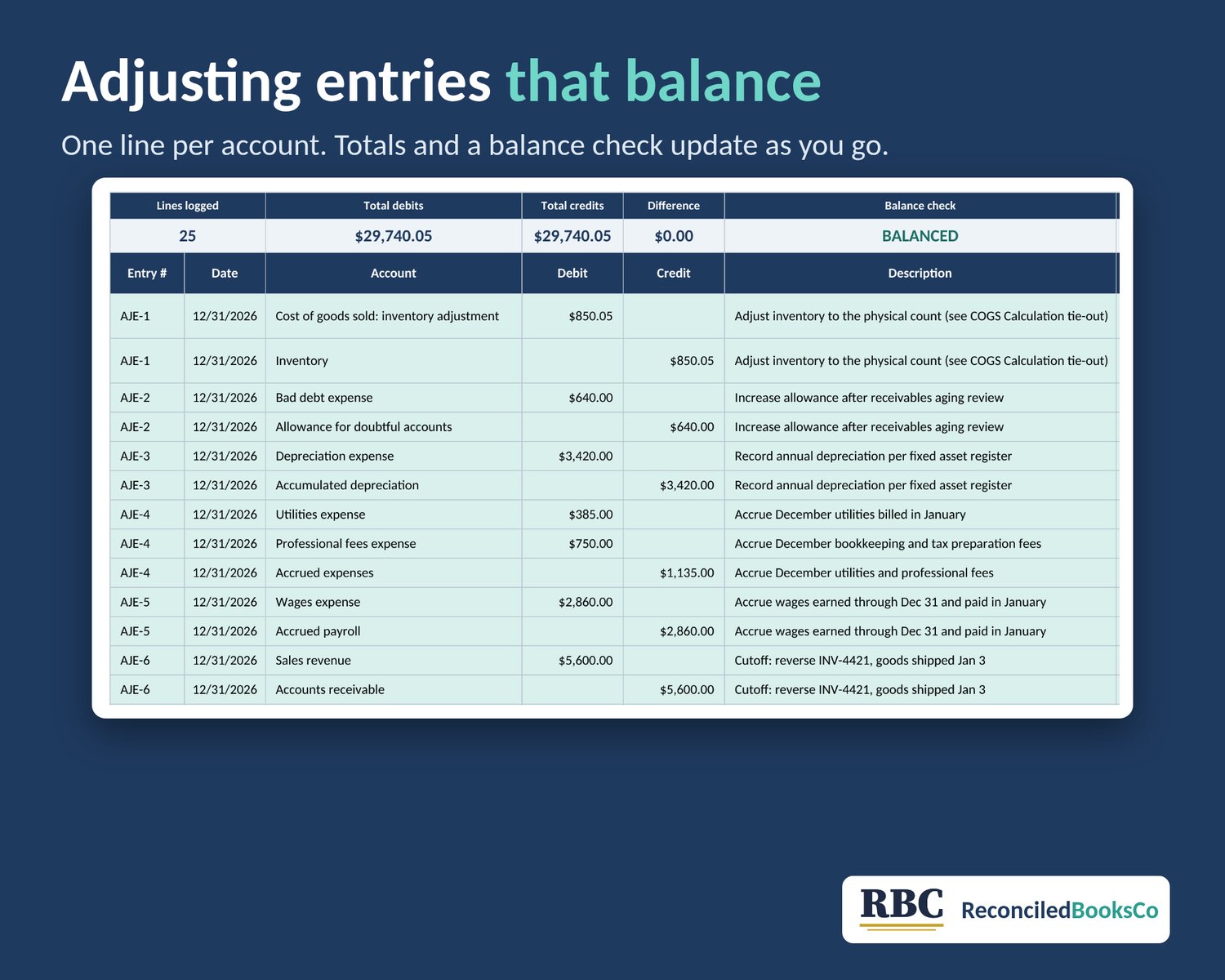
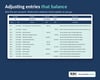
- Adjusting Entries log: checks that each entry's debits equal its credits
WHAT YOU SEE
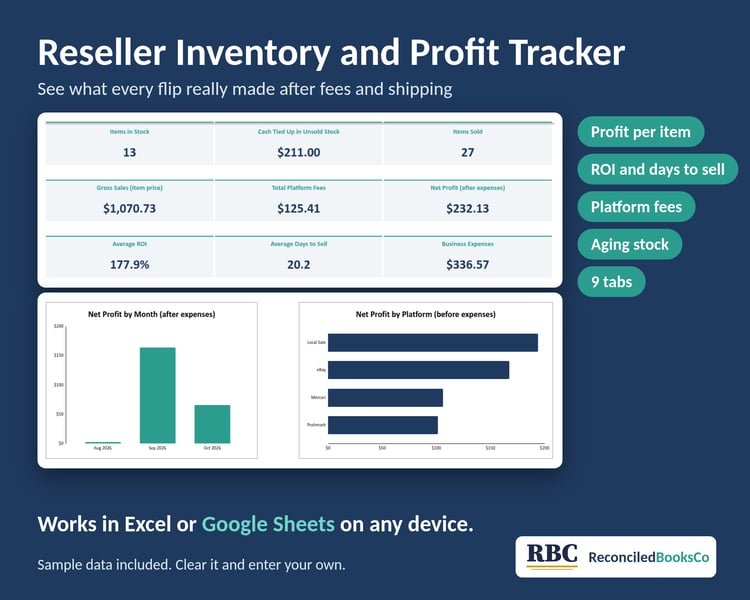
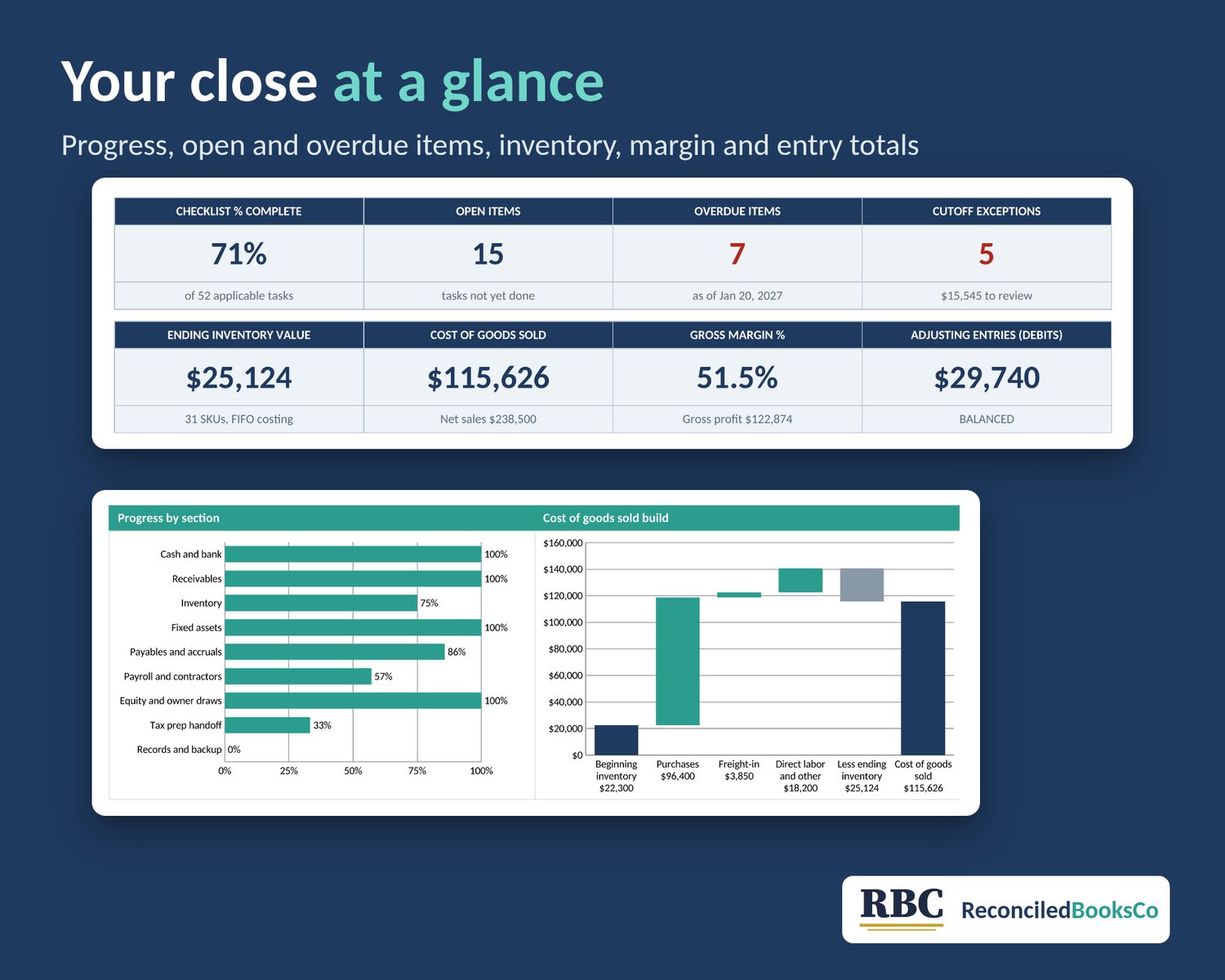
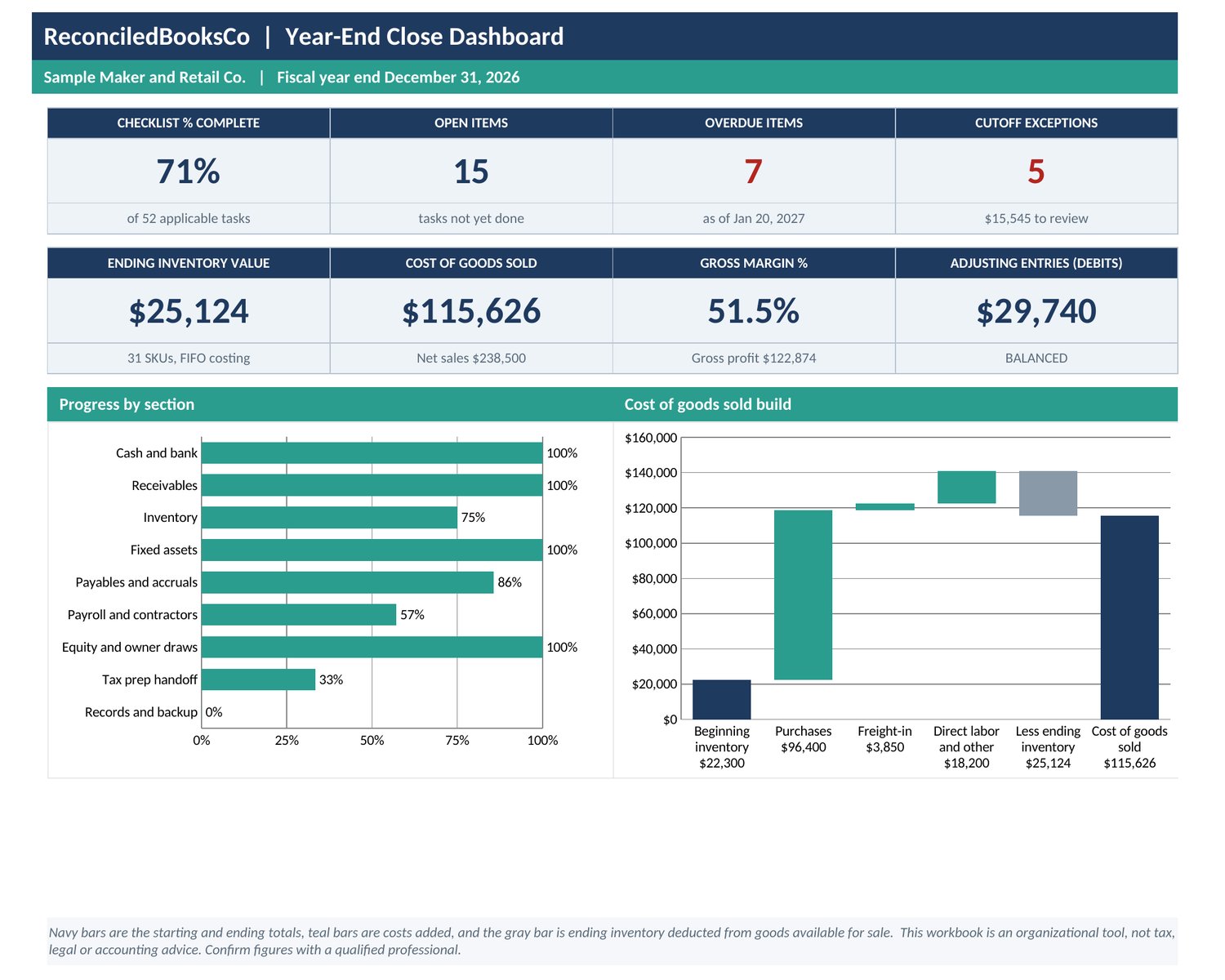
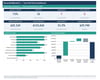
- Dashboard: checklist % complete, open and overdue items, ending inventory, COGS, gross margin, cutoff exceptions and adjusting entry totals, with a progress chart by section and a COGS build chart
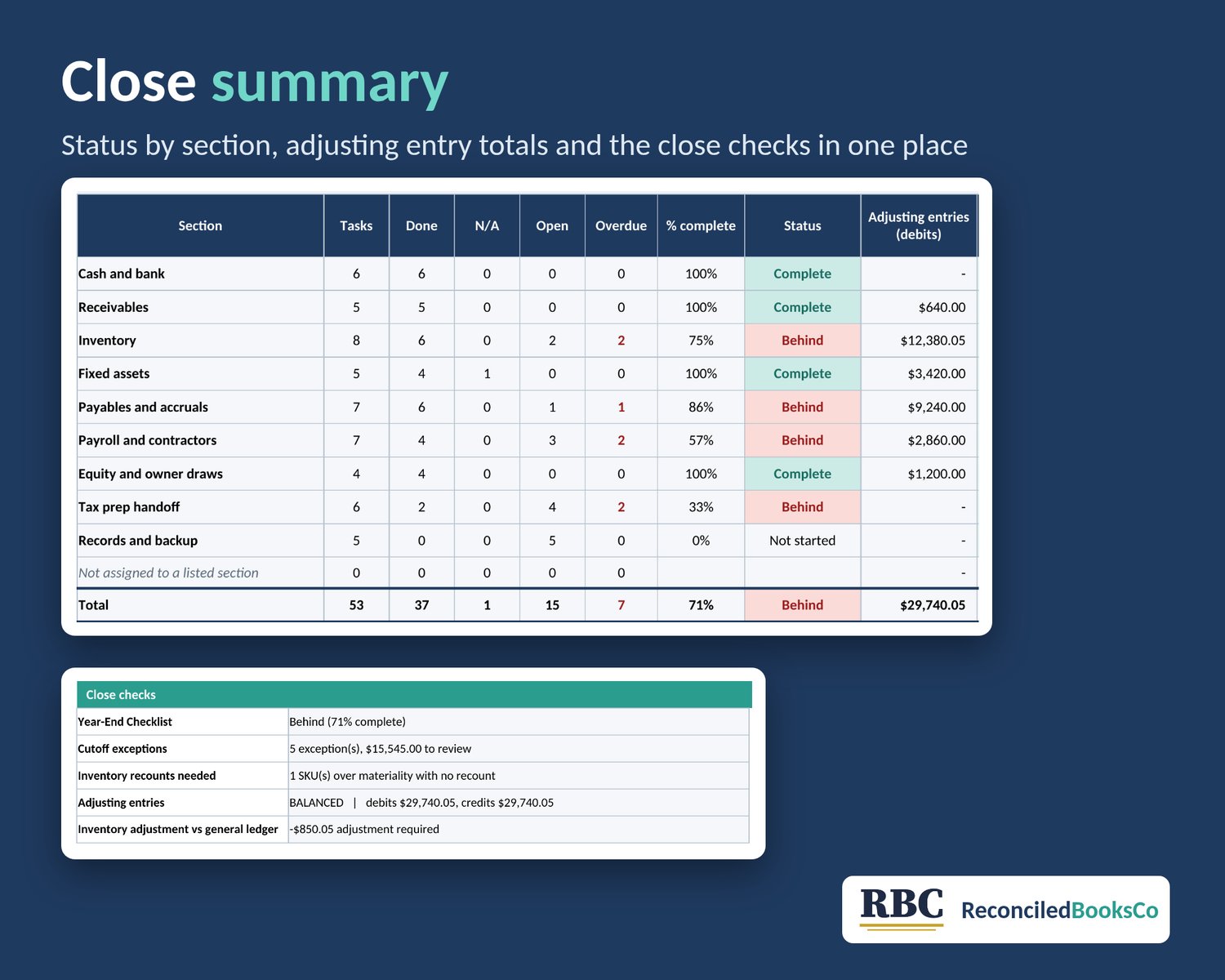
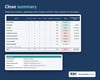
- Close Summary: status by section, with sign-off and date columns for the preparer and reviewer roles
TABS
Dashboard, Close Summary, Start Here, Setup, Year-End Checklist, Inventory Count, COGS Calculation, Cutoff Review, Adjusting Entries
Sample data from a small retail and maker business shows you how it works. Clear it before you start, and Start Here walks you through it. Formula cells are locked, so you won't overwrite them by accident.
WHAT IT DOES NOT DO
- It doesn't value your inventory for you. You enter unit costs, and the costing method you pick on Setup (FIFO, average or specific) is a label only.
- It doesn't connect to accounting software. You enter balances and post entries yourself.
- Suggested cutoff entries are prompts to review, not final entries. Use the goods' cost, not the sale price, for the cost side.
- Holds up to 100 SKUs, 100 cutoff transactions and 100 entry lines, with room for 75 checklist tasks.
GOOD FOR
Small business owners and bookkeepers closing the year for a shop, maker or reseller, and anyone who wants a clean package for their tax preparer.
This is an organizational tool, not tax, legal or accounting advice.
License: for personal use or use in your own business. Please don't resell, share or redistribute the file.