
New to AI & ChatGPT, or tried it and got a long, vague answer you couldn't use?
The problem usually isn't the app. It's the question or the way you ask(prompt) it.
Add 4 simple parts, and the same free app gives you something you can use tonight.
The examples below work the same way in Gemini, Copilot, Claude and other AI apps. You're in good company: 44% of US adults say they have used ChatGPT, up from 18% in 2023, according to a 2026 Pew Research Center survey.
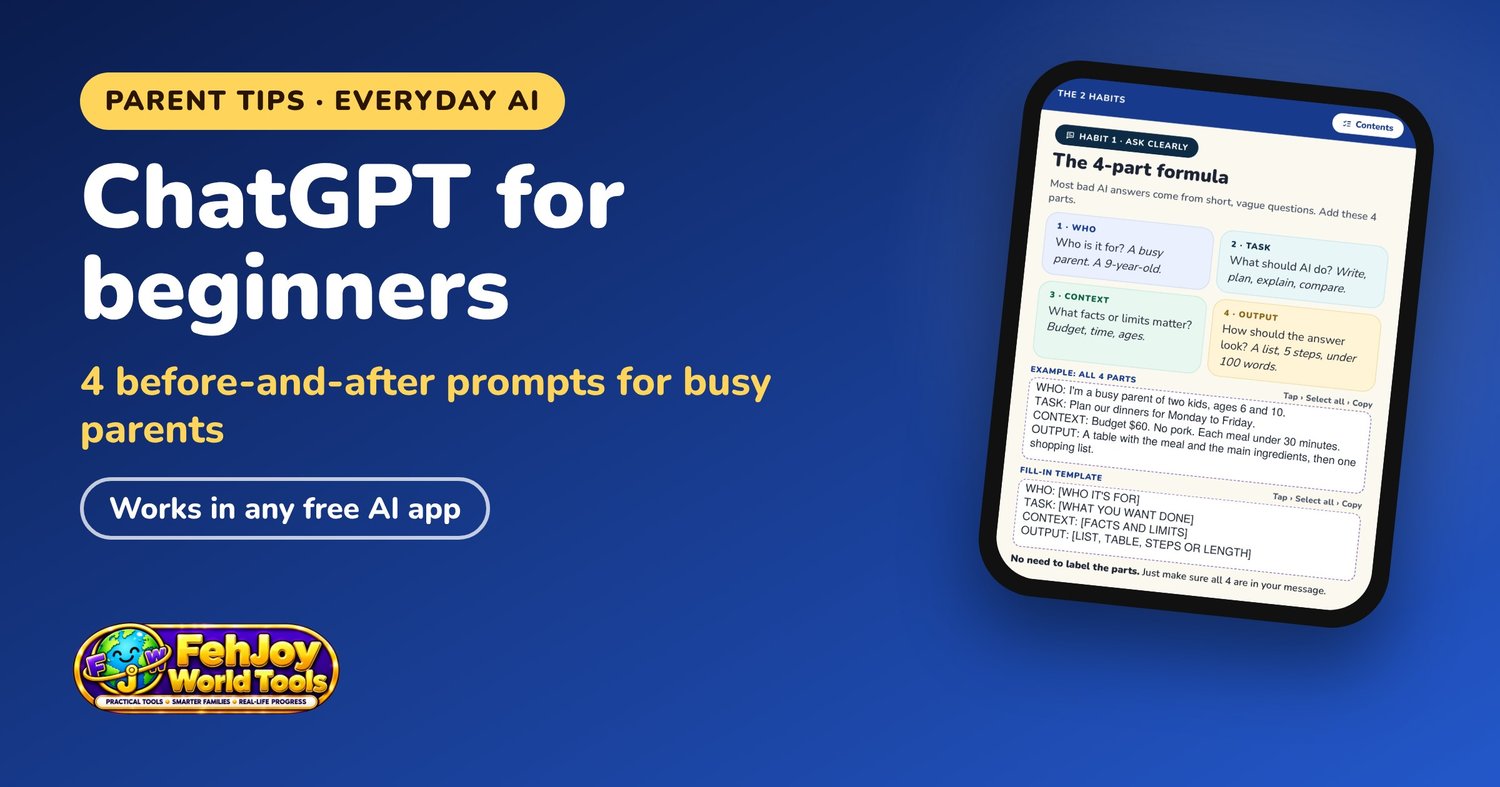
The 4-part formula
Google's own guide to writing prompts names 4 areas: persona, task, context and format.
Here they are in plain words. Put them in your question before you hit send:
- Who: who are you, and who is it for? For example: "I'm a busy parent" or "Explain it for a 9-year-old."
- Task: what should AI do? For example: write, plan, explain or list.
- Context: what facts or limits matter? For example: budget, time, ages or allergies.
- Output: how should the answer look? For example: a short list, 5 steps, or under 100 words.
You don't need all 4 every time, Google says, but using a few helps.
Example 1: Dinner from what's in the fridge
- Before: "Give me dinner ideas."
- After: "I'm a busy parent. Give me 3 dinner ideas for 4 people using chicken and rice. Under 30 minutes, no spicy food. Use a short list."
The first gets you a page of recipes you can't make tonight. The second gets you 3 you can.
Example 2: A messy school notice
- Before: "Summarize this."
- After: "I'm a busy parent. Turn this school notice into a short to-do list. Give me: what it's about in one line, every date and deadline, what my child needs to bring or wear, any forms, money or sign-ups, and questions I should ask the school. Use simple words. Don't guess anything that isn't in the notice."
Then paste the notice, or attach a photo of it. Cover or remove your child's full name first.
Example 3: A friendly email to the teacher
- Before: "Write an email to my kid's teacher."
- After: "Help me write a short, friendly email to my child's teacher. My child is 9 (4th grade, or Year 4) and has been struggling with fractions homework. I'd like to ask what I can practice at home. Keep it under 100 words and polite."
Read it before you send it, and change anything that doesn't sound like you.
Example 4: Planning a busy week
- Before: "Help me plan my week."
- After: "I'm a parent of 2 kids, ages 7 and 11. Make a simple plan for Monday to Friday. Football (soccer) practice is Tuesday and Thursday at 5 PM, piano is Wednesday at 4 PM, and I work until 5:30. Include who drives where and one easy dinner each night. Show it as a table."
Check before you trust it
AI can sound sure and still be wrong. ChatGPT itself shows a reminder that it can make mistakes. Before you use an answer, do 3 quick checks:
- Sense check: did it answer your question? Is anything odd, missing or too long?
- Source check: check dates, prices and rules against the notice, the official website or the person.
- Risk check: for health, money or legal questions, use AI to prepare your questions. A qualified person decides.
A handy follow-up: "What in your answer might be wrong or out of date?"
What never to type into AI
Keep these out of any AI app: passwords, codes, bank or card numbers, ID numbers, your child's full name together with their school and address, and private photos.
Write "my son" instead of his name and "my bank" instead of the account number. AI can still help.
In ChatGPT, you can also stop your chats from being used to train its models by going through: Settings > Data controls > "Improve the model for everyone": turn it OFF. For a one-off private question, use Temporary Chat. It isn't saved to your history or used for training, though OpenAI may keep it for up to 30 days for safety.
Quick answers
Do I need to pay for AI? No. The free versions of ChatGPT, Gemini, Claude and Copilot can handle every example here.
Can I ask in my own language? Yes. The big AI apps understand many languages. Ask in the language you're most comfortable with, and say which language you want the answer in.
Can my kids use AI too? Each app has its own age rules, and they change. Check the app's rules first, and set family rules together, such as "AI can quiz you, but it doesn't do your homework."
Which AI app is best? The one you'll actually use. The 4-part formula works in all of them.
Get your first real win in 10 minutes
Our free Hands-on Everyday AI in 10 Minutes guide puts the 4-part formula, the school-notice prompt, the 3 checks and 3 ready-to-copy prompts for busy parents on your phone. You tap, copy and paste. No paid AI needed. Get the free guide
Want help with everything else? AI for Everyday Life, Simplified ($7.99, 95 pages) walks you through 16 real-life jobs step by step, from grocery budgets and doctor visits to job applications.
It also has privacy setup for ChatGPT, Gemini and Copilot, 100 copy-paste prompts and 5 AI rules for kids. See the toolkit
More Parent Tips
- First Phone for Kids and Online Safety: 7 Parental Controls for iPhone & Android
- How to Remember What You Study: A 10-Minute Method for Kids and Teens
Written by the team behind FehJoy World, the family video page followed by more than 550,000 people. General guidance only, not legal, medical or financial advice. AI apps and their rules change often, so always follow each app's terms.
Sources
- Google Workspace: Writing effective prompts
- Pew Research Center: The share of Americans who say they use ChatGPT has more than doubled since 2023 (June 2026)
- OpenAI: Data controls FAQ
Comments ()