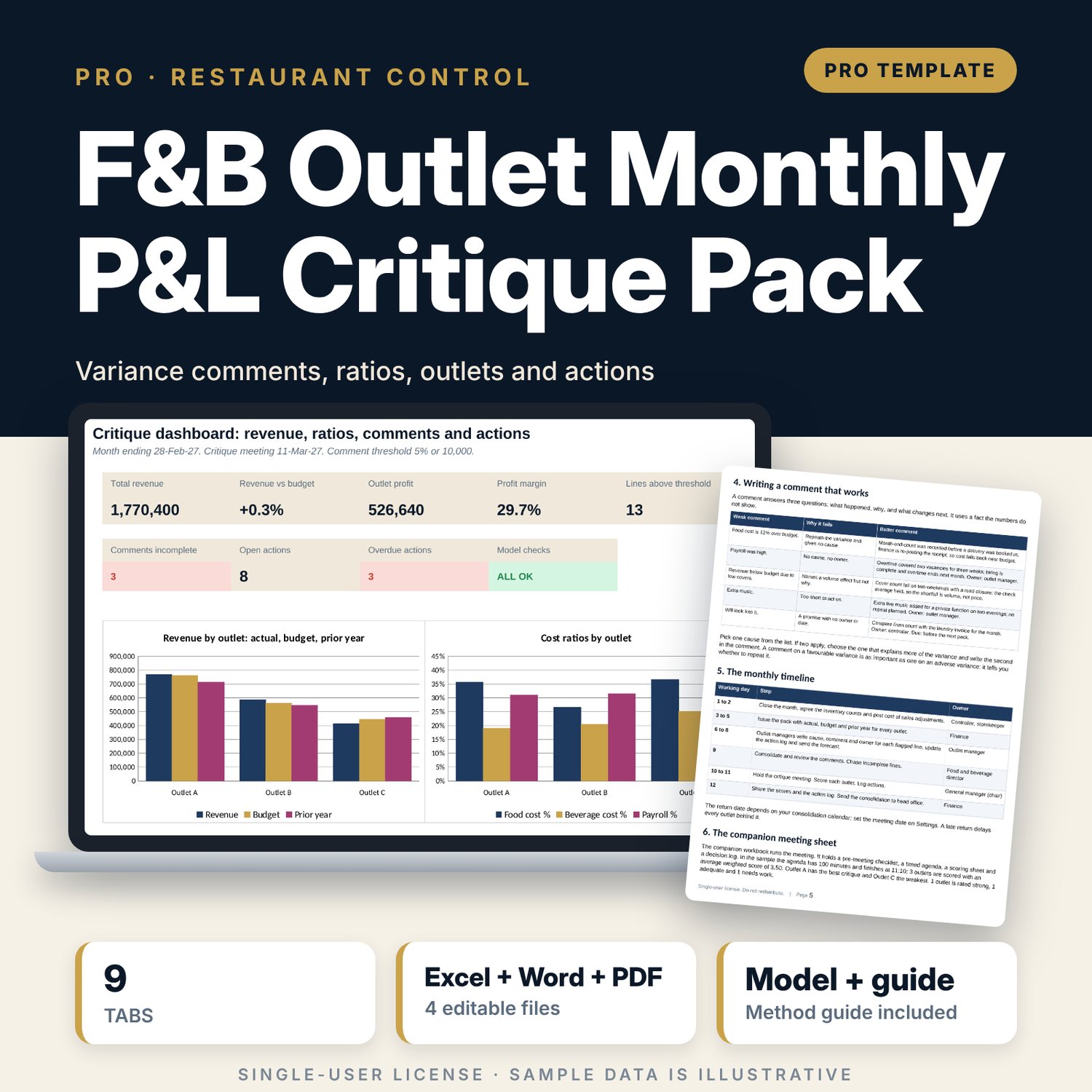


F&B Outlet Monthly P&L Critique Pack: Restaurant Monthly P&L Variance Review, Budget vs Actual Comment Tracker and Critique Meeting Pack for Outlet Managers
Full description
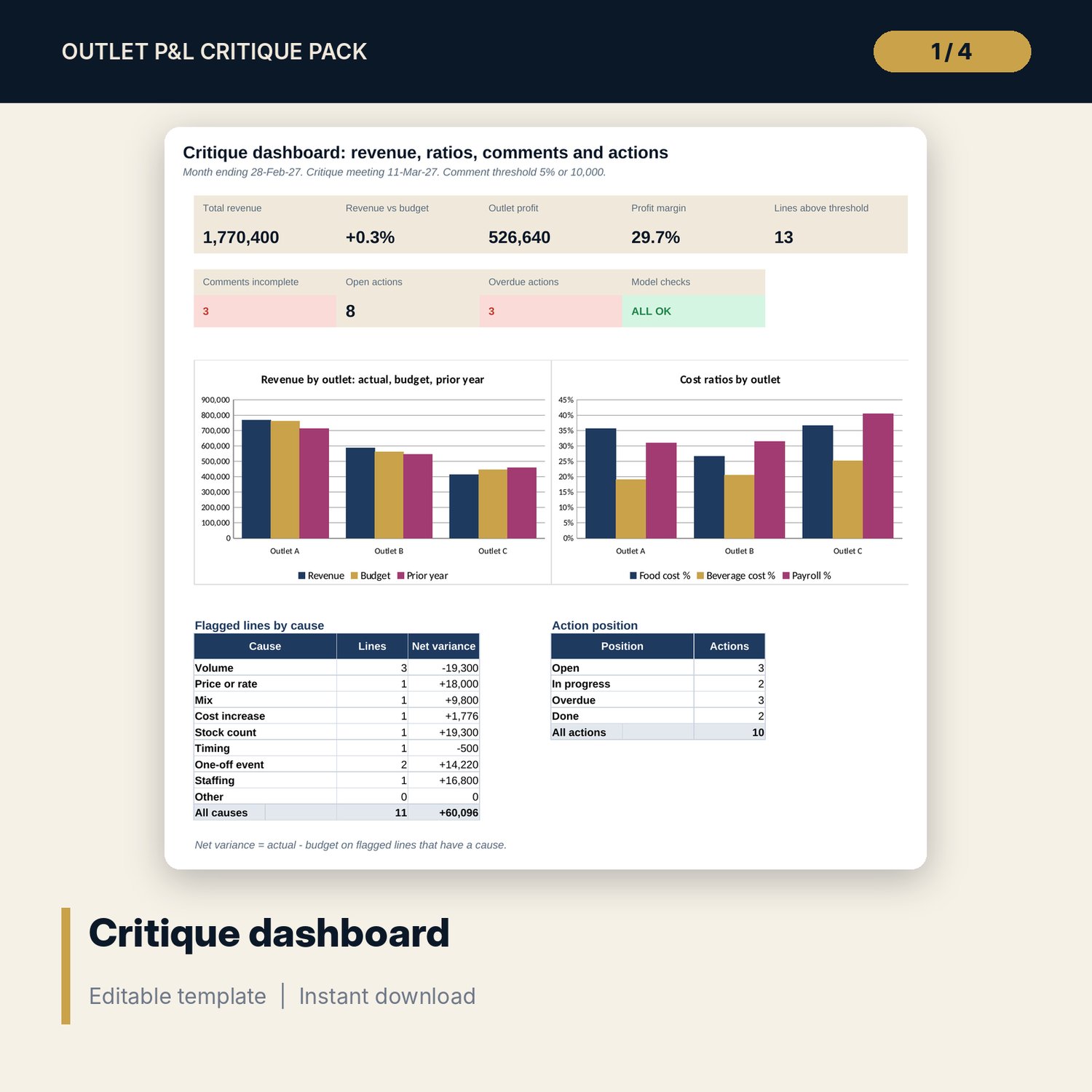
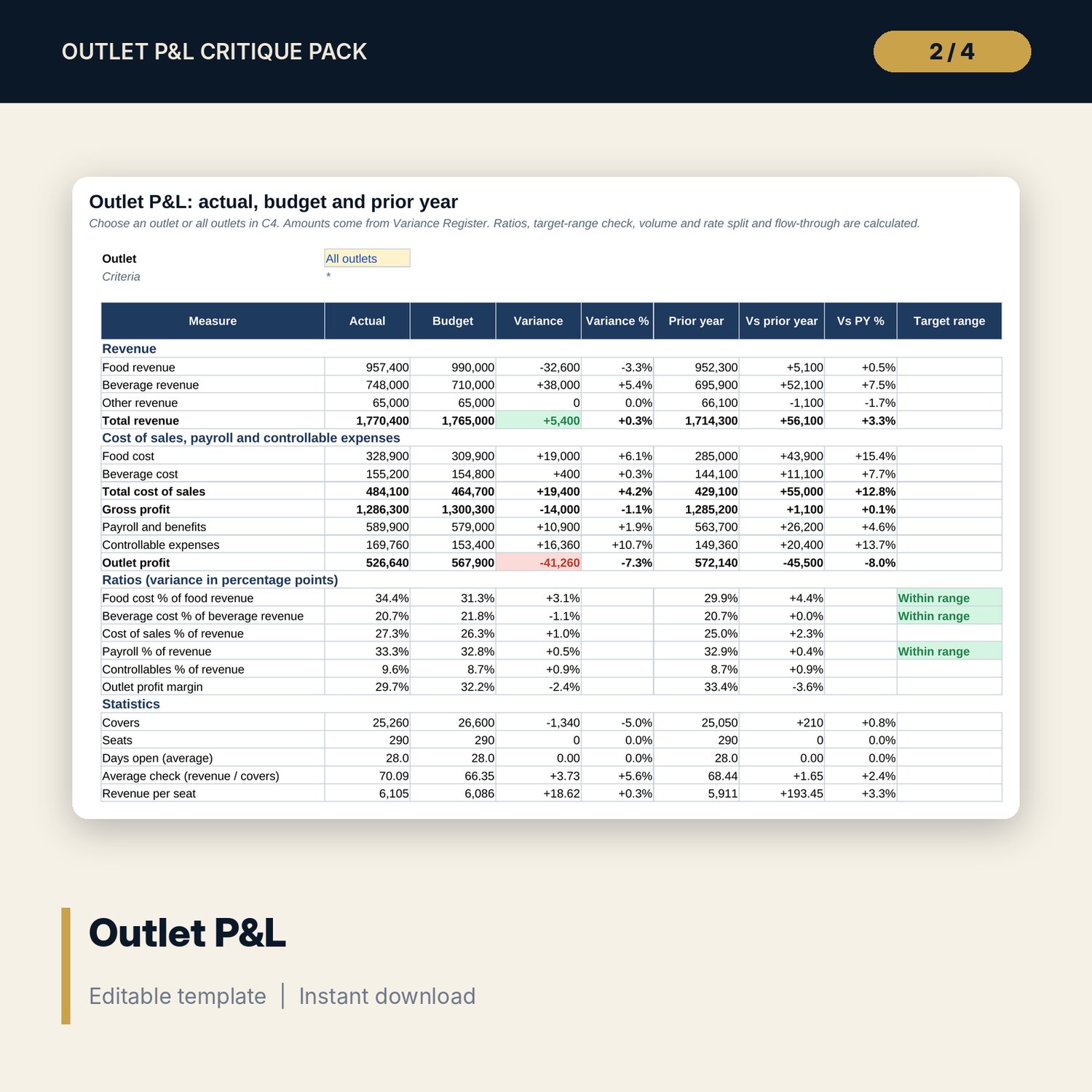
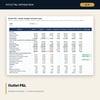
For food and beverage directors, outlet managers, controllers and general managers who hold a monthly P&L critique. The main workbook holds actual, budget and prior year for three outlets and 18 lines each. It calculates the variance, marks favourable or adverse, and flags every line above the percent or amount threshold. A status column checks that each flagged line has a cause, a comment of enough length and an owner. Outlet P&L shows one outlet or all outlets with food, beverage, payroll and controllable ratios against target ranges, productivity measures, a split of the revenue variance into volume and rate, and flow-through to profit. Outlet Comparison puts the outlets side by side. The action log tracks owners and due dates against the meeting date. The companion workbook runs the meeting: a timed agenda, a scoring sheet for the quality of each critique and a decision log.
What is inside
- Outlet_PnL_Critique_Workbook.xlsx: 9 tabs, 893 formulas, 2 native charts, 13 drop-down and input rules, 9 integrity checks
- Variance Register: 54 sample rows (3 outlets x 18 lines) plus 6 spare rows with variance, favourable or adverse, prior-year comparison, comment flag, cause, comment, owner and status
- Outlet P&L: one outlet or all outlets with ratios, target-range check, productivity, volume and rate effect and flow-through; Outlet Comparison: revenue, profit, margin, cost ratios and comment quality by outlet
- Action Log: 10 sample actions plus 8 spare rows with position against the meeting date; Dashboard with 9 tiles and 2 charts; Method with 11 rows
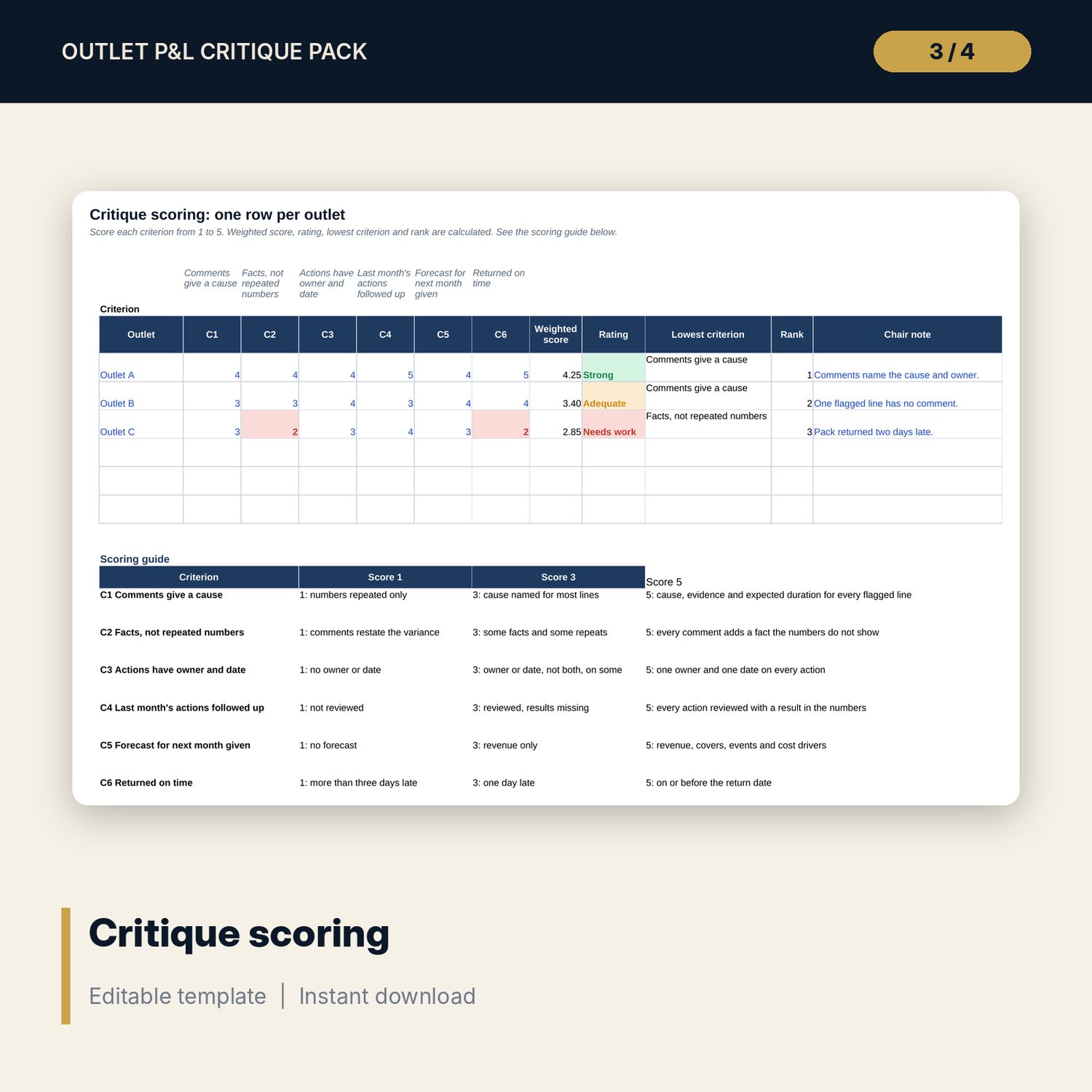
- Critique_Meeting_Agenda_and_Scoring_Sheet.xlsx: 4 tabs, 136 formulas, pre-meeting checklist, timed agenda, weighted scoring of six criteria with ratings and ranks, decision log and 8 checks
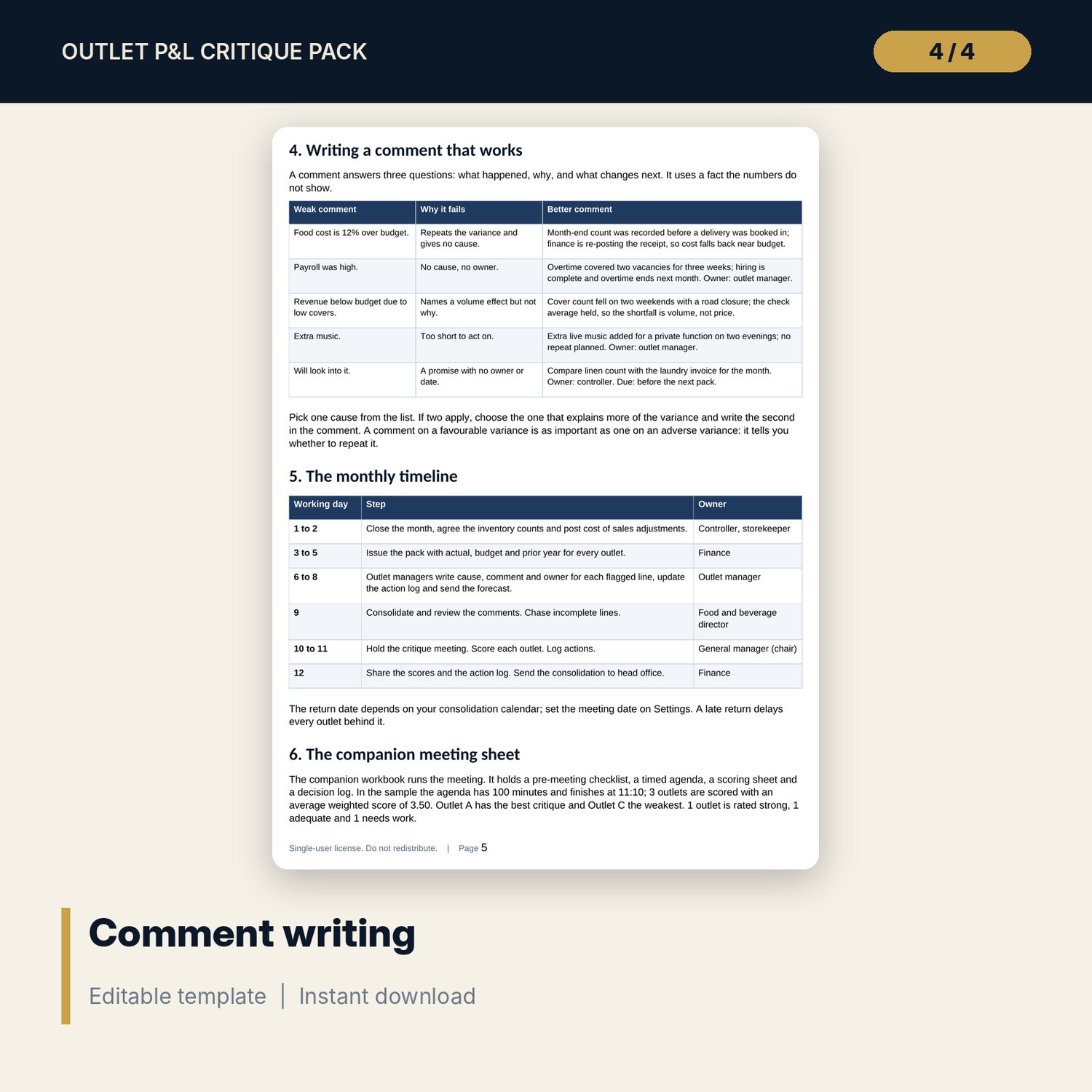
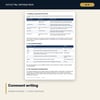
- PnL_Critique_Guide.docx and PDF: 8 pages with 19 critique standards, equations, a worked example from the workbook, comment-writing examples, the monthly timeline and signals
- README.txt and LICENSE-and-Terms.txt
How it works
- Set the month, the meeting date, the comment thresholds and the target ranges on Settings.
- Enter actual, budget and prior year for each outlet and line, including covers and labour hours.
- Have each outlet manager write a cause, a comment and an owner for every flagged line.
- Read the P&L and the comparison, run the meeting with the companion sheet and log every action.
Details
- Formats: 2 Excel workbooks (.xlsx), 1 Word guide (.docx) and PDF, English
- Software: Excel 2016 or later, or LibreOffice Calc 7 or later
- No macros, no external links, no data tables, no array formulas
- 4 files plus README and license; instant digital download
Good to know
- Sample data is illustrative. Replace it with your own figures.
- Amounts, ratios and target ranges are examples: set your own. The workbook does not audit the numbers you enter.
- Single-user license. Do not redistribute.
FAQ
How does a line get flagged?
When the variance percent is above the percent threshold or the variance amount is above the amount threshold on Settings. Statistics such as covers are never flagged.
What does the status column check?
That a flagged line has a comment, a cause, a comment of the minimum length and an owner.
How is the revenue variance explained?
Volume effect is the change in covers at the budget check. Rate effect is the change in check at actual covers. They add up to the revenue variance.
Can I add outlets or lines?
Yes. The register has 6 spare rows. Add a label to the outlet list or the line list on Settings.
Do I need macros?
No. Every result is a standard worksheet formula.