
Vacation Rental Nightly Pricing Calendar: Dynamic Pricing Spreadsheet for Short-Term Rentals
Full description
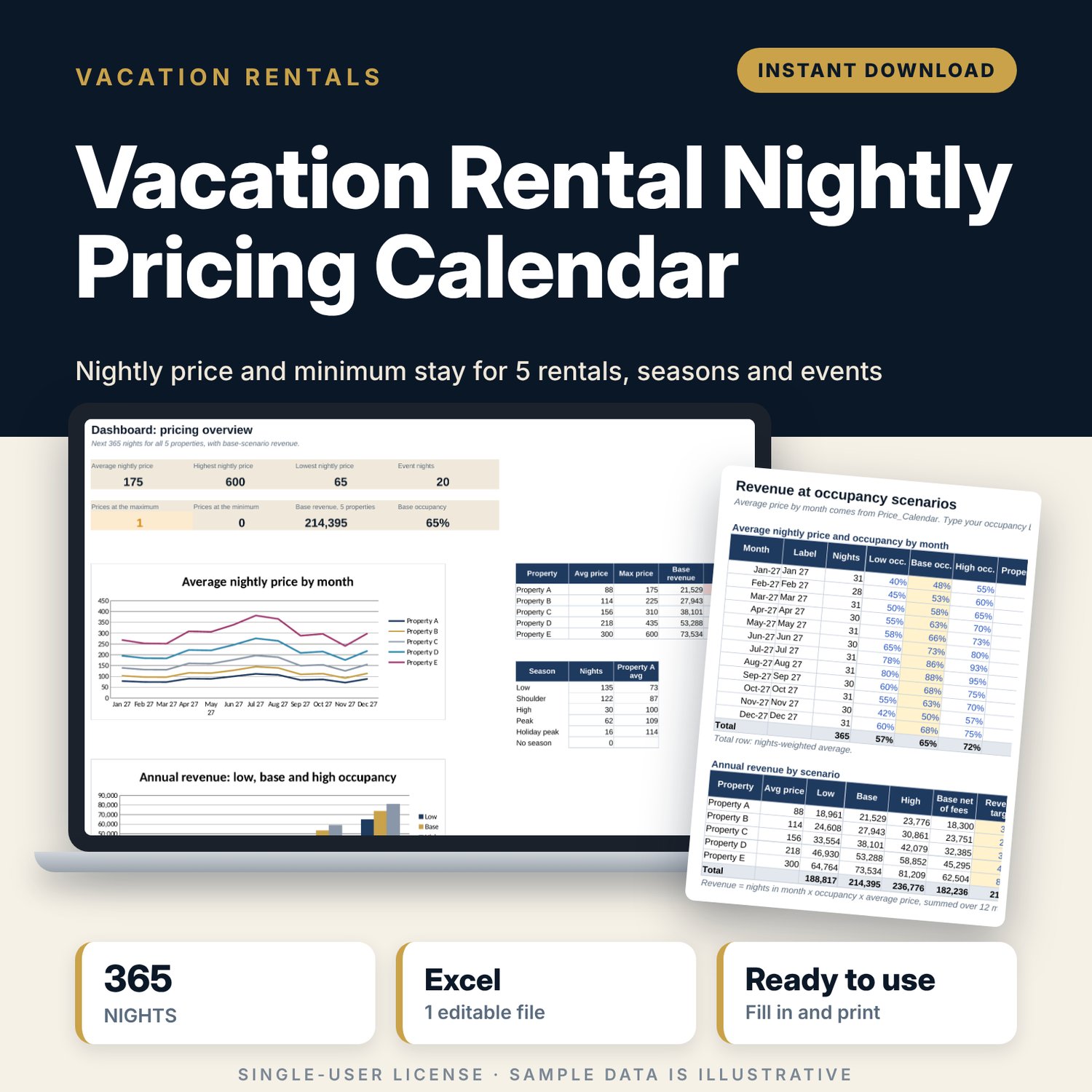
For hosts and small property managers who set their own nightly rates and want a consistent method instead of guessing. You enter a base rate, a minimum and maximum price for each property, then your seasons, day-of-week uplifts, local events and lead-time rules. The workbook prices every night of the next 365 days for 5 properties, sets the minimum stay, prices open gap nights and shows the revenue you can expect at low, base and high occupancy.
Save with a bundle: this template is also in the Vacation Rental Business Bundle, 10 templates for $29 instead of $69. All 141 templates are in the All-Access Hospitality Template Library for $79.
What is inside
- Vacation_Rental_Nightly_Pricing_Calendar.xlsx: 8 tabs, 6,574 formulas, 2 native charts, 10 drop-down or number rules.
- Settings: pricing date, calendar start, default minimum stay, gap-night rule and discount, channel fee %, 5 properties with base rate, minimum price, maximum price and rounding, 7 day-of-week adjustments, 4 lead-time bands for last-minute and early-bird pricing.
- Seasons_Events: 15 season slots (8 sample ranges) with rate adjustment and minimum stay, and 20 event slots (7 sample events) with uplift and minimum stay, each with an overlap or date check.
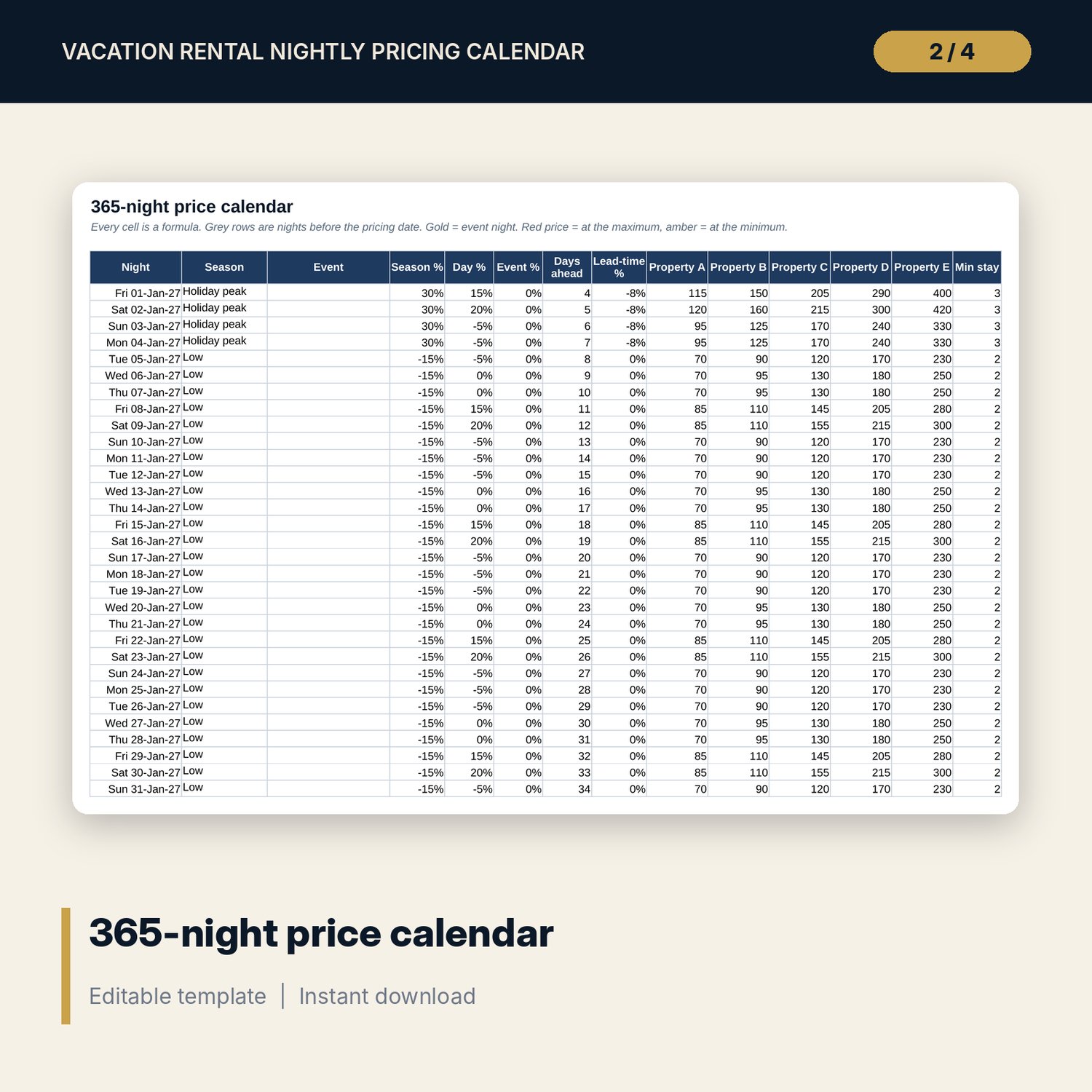
- Price_Calendar: 365 nights with season, event, season %, day %, event %, days ahead, lead-time %, the price for each of the 5 properties and the minimum stay.
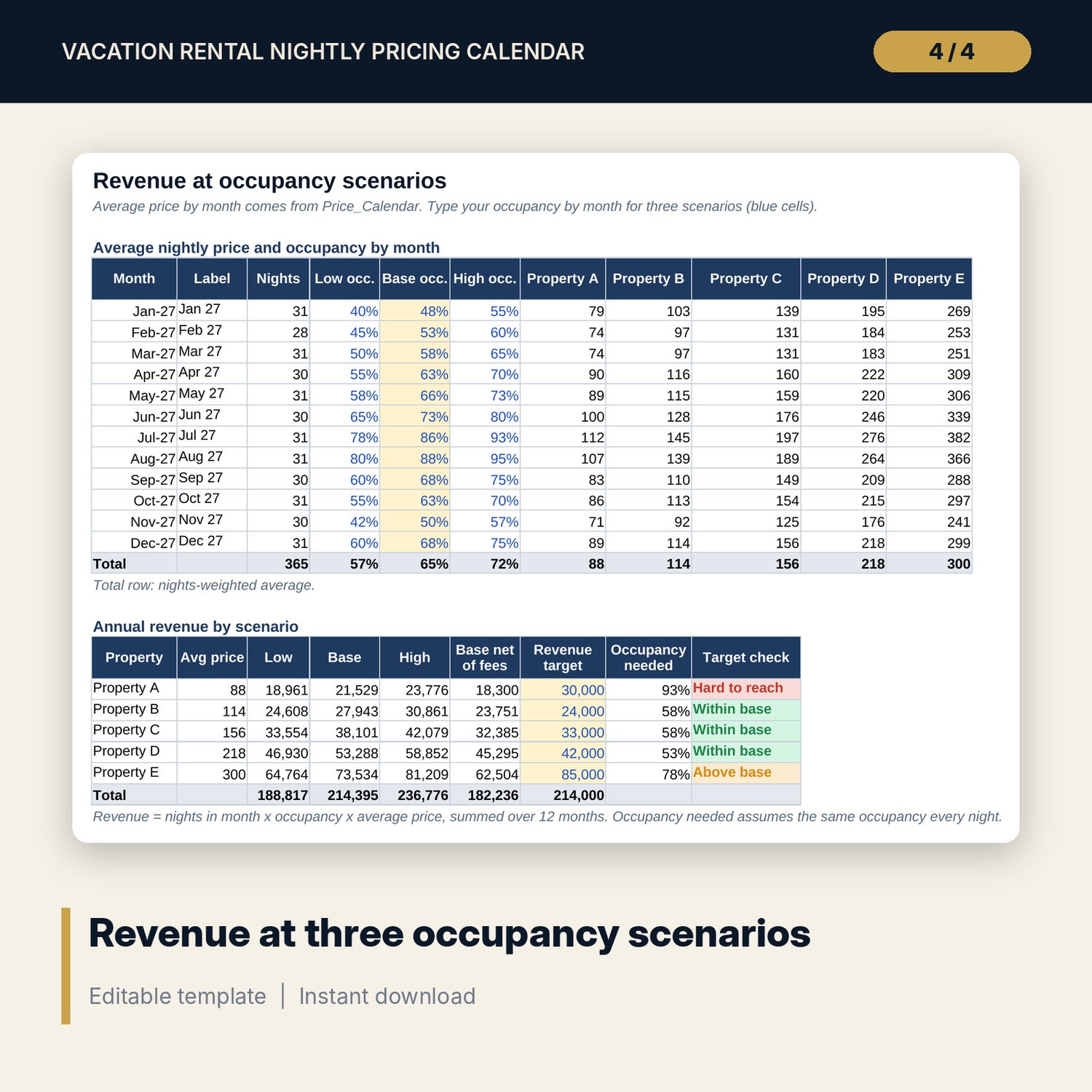
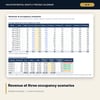
- Revenue_Scenarios: average price by month for each property, occupancy by month for low, base and high scenarios, annual revenue, revenue net of channel fees and the occupancy needed for your target.
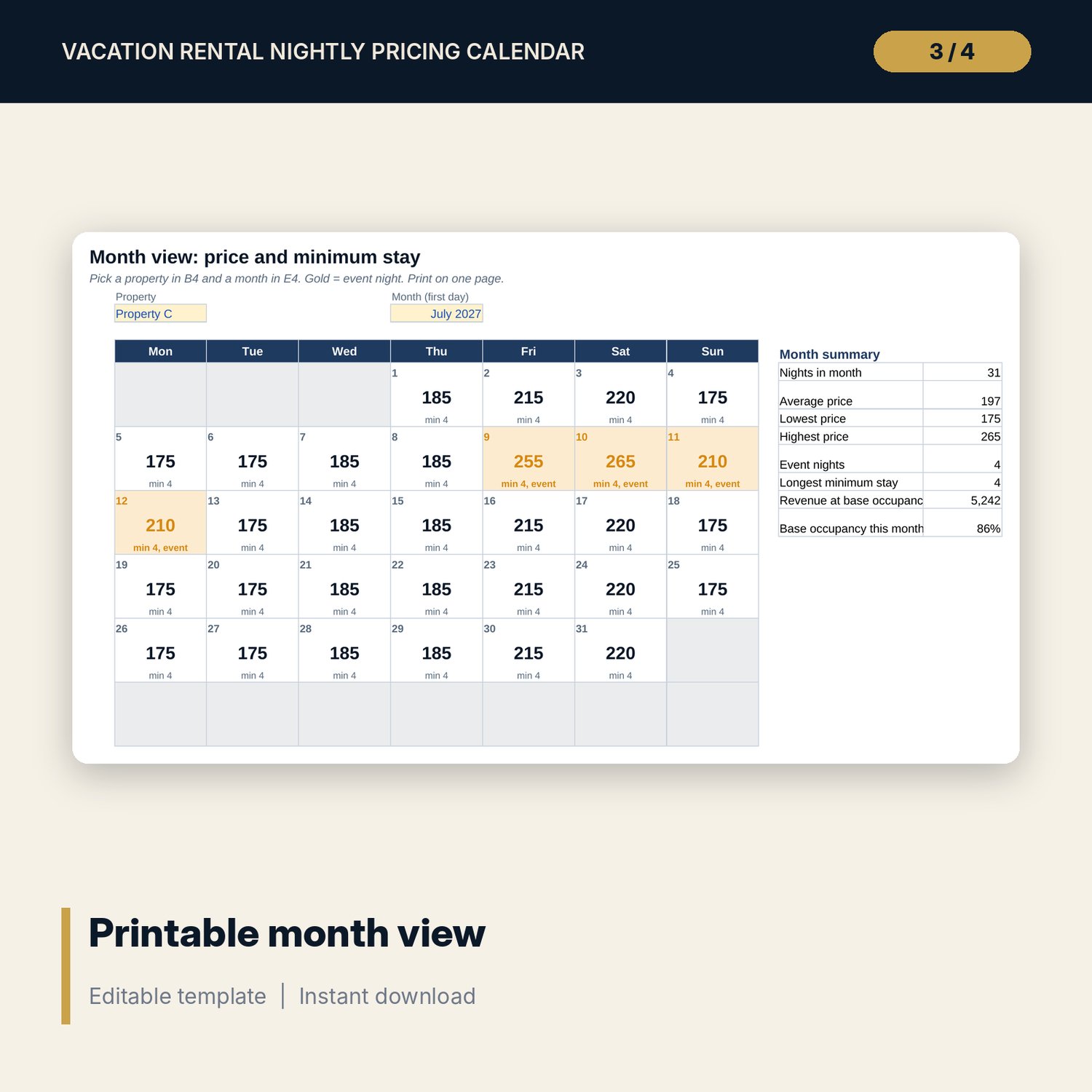
- Month_View: pick a property and a month to print a calendar grid with the price and minimum stay for every night, plus 8 summary figures.
- Gap_Nights: room for 40 open gaps (8 sample rows) with gap price, revenue if filled and a check that your minimum stay does not block the gap.
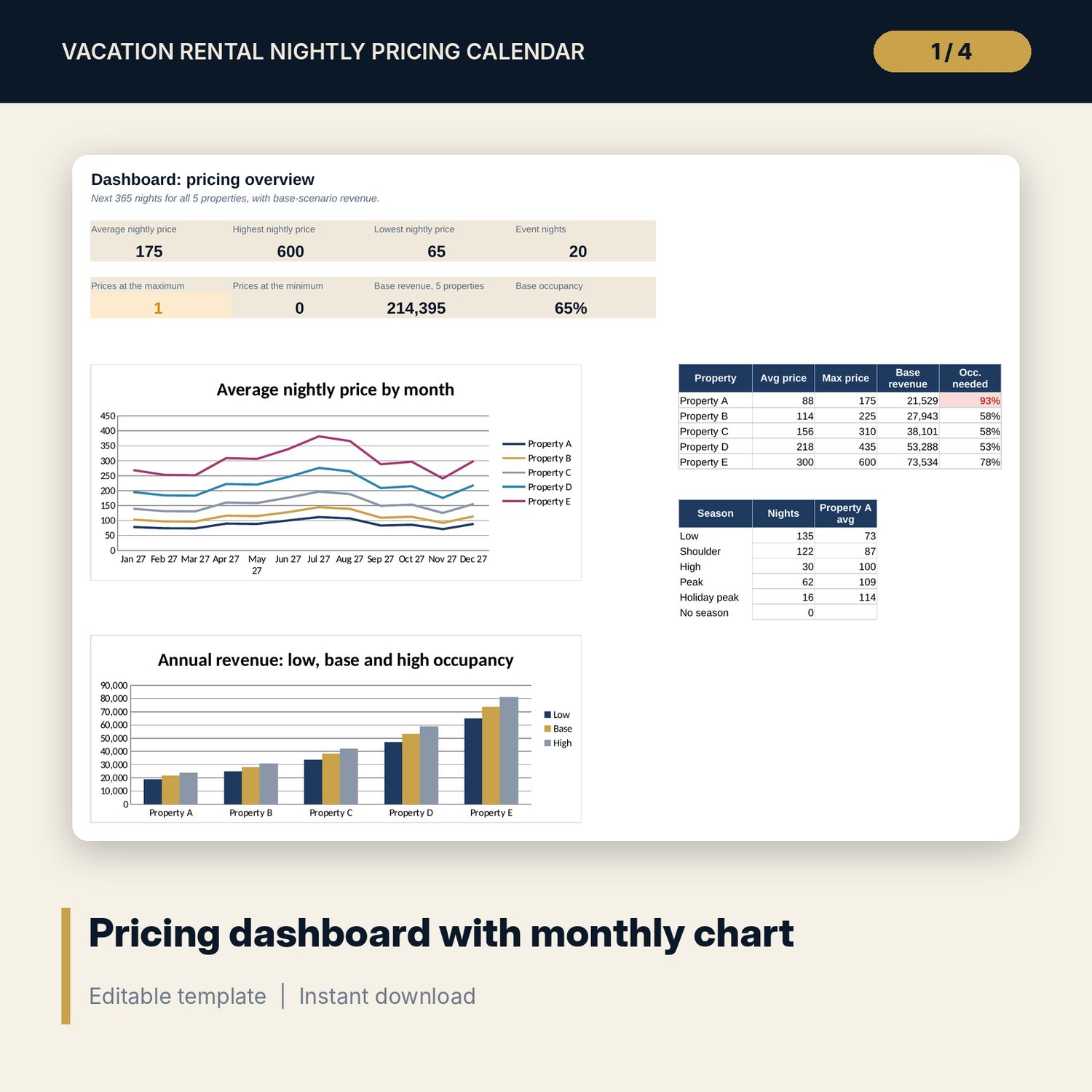
- Dashboard: 8 KPI tiles, a property table, a season table, a price by month chart and a revenue by scenario chart.
- README.txt and LICENSE-and-Terms.txt.
How it works
- Enter today's date, the first night of the calendar and your 5 properties with base, minimum and maximum price on Settings.
- Set the weekday and weekend uplifts, last-minute and early-bird bands and the gap-night discount.
- Enter your season date ranges and the local events that lift demand on Seasons_Events.
- Read the prices on Price_Calendar or print Month_View, then update your booking channels.
- Set occupancy by month on Revenue_Scenarios and check the occupancy you need for your target.
Details
- Format: Excel workbook (.xlsx). No macros.
- Language: English. Currency is a label you choose.
- Software: Excel 2016 or later, or Google Sheets.
- Delivery: instant digital download. Nothing is shipped.
Good to know
- All sample rates, seasons, events and occupancy figures are illustrative. Replace them with your own.
- Event dates change every year. Verify local event dates and demand before you publish prices.
- The workbook applies your rules. It does not read market data or competitor prices.
- Single-user license. Do not share or resell the files.
FAQ
How is the nightly price calculated?
Base rate x (1 + season %) x (1 + day %) x (1 + event %) x (1 + lead-time %), rounded to your step, then kept between the minimum and maximum price you set.
Can I price more than 5 properties?
The calendar prices 5 properties. For more units, use a second copy of the workbook.
What is a gap night?
A short run of empty nights between two bookings. Gap_Nights applies your gap discount and tells you if your minimum stay stops guests from booking it.
Does it update prices on my booking channels?
No. It calculates the prices. You copy them into your booking channels or channel manager.
Is this a physical product?
No. It is a digital download. Refund terms follow the store policy at the time of purchase.