Hotel Gift Voucher Program Tracker: Gift Voucher Register and Liability Spreadsheet
Full description
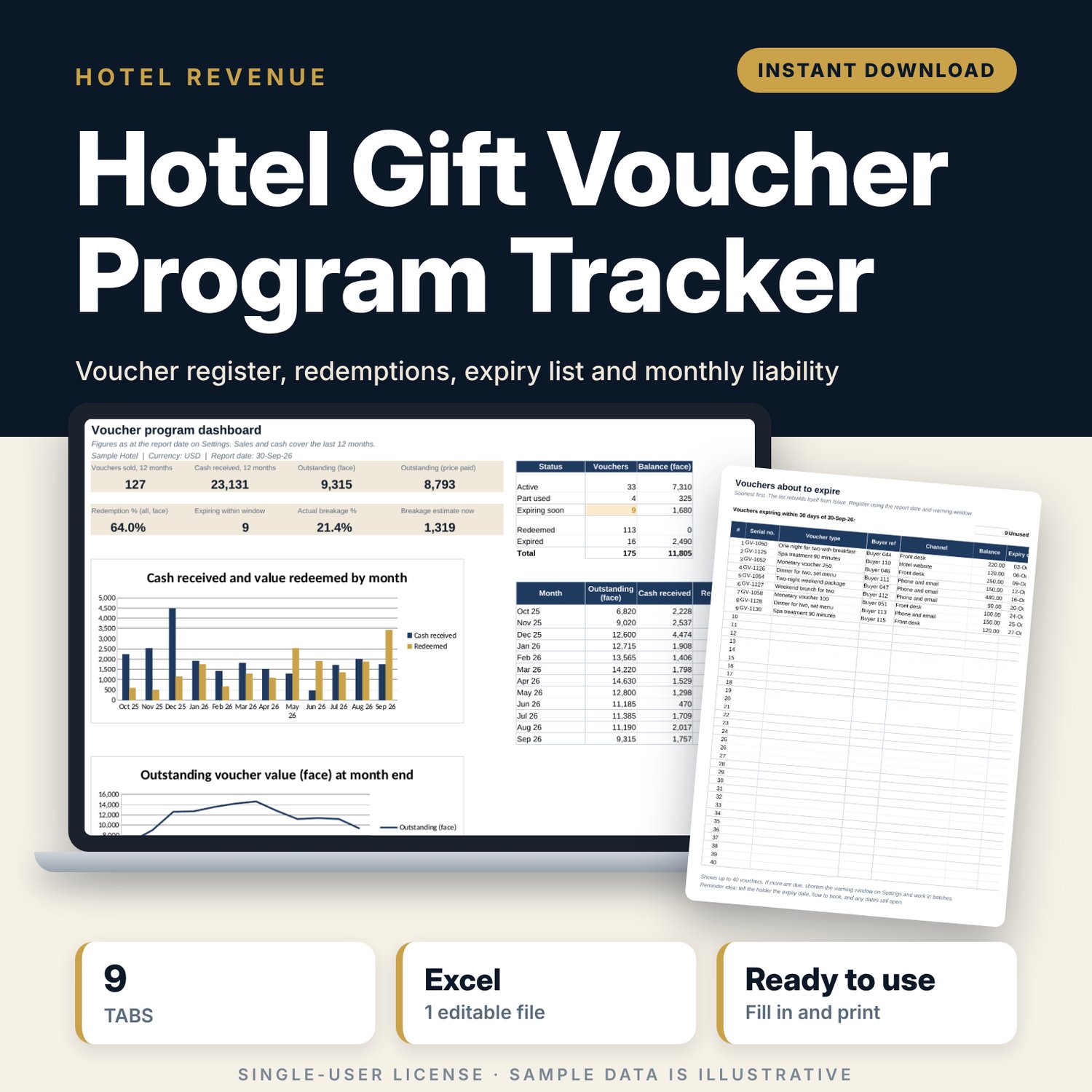
For hotel general managers, finance teams and front office or sales managers who sell gift vouchers for stays, dining and spa. You log each voucher once when you sell or issue it, and each use when a guest redeems it. The workbook calculates value, price paid, expiry date, balance and status for every serial number. It lists the vouchers about to expire so you can remind buyers, shows the outstanding value at each month end at face value and at price paid, compares actual breakage with your estimate, and shows which sales channels and voucher types perform.
Save with a bundle: this template is also in the Hotel Sales, Marketing & Revenue Bundle, 14 templates for $39 instead of $100. All 141 templates are in the All-Access Hospitality Template Library for $79.
What is inside
- Hotel_Gift_Voucher_Program_Tracker.xlsx: 9 tabs, 10,262 formulas, 4 native charts, 11 drop-down or number rules.
- Settings: report date, expiry warning window, expected breakage %, serial prefix with next-serial suggestion, 9 sample voucher types plus 3 blank rows (value, sale price, validity in months), 6 sales channels, payment methods and outlets.
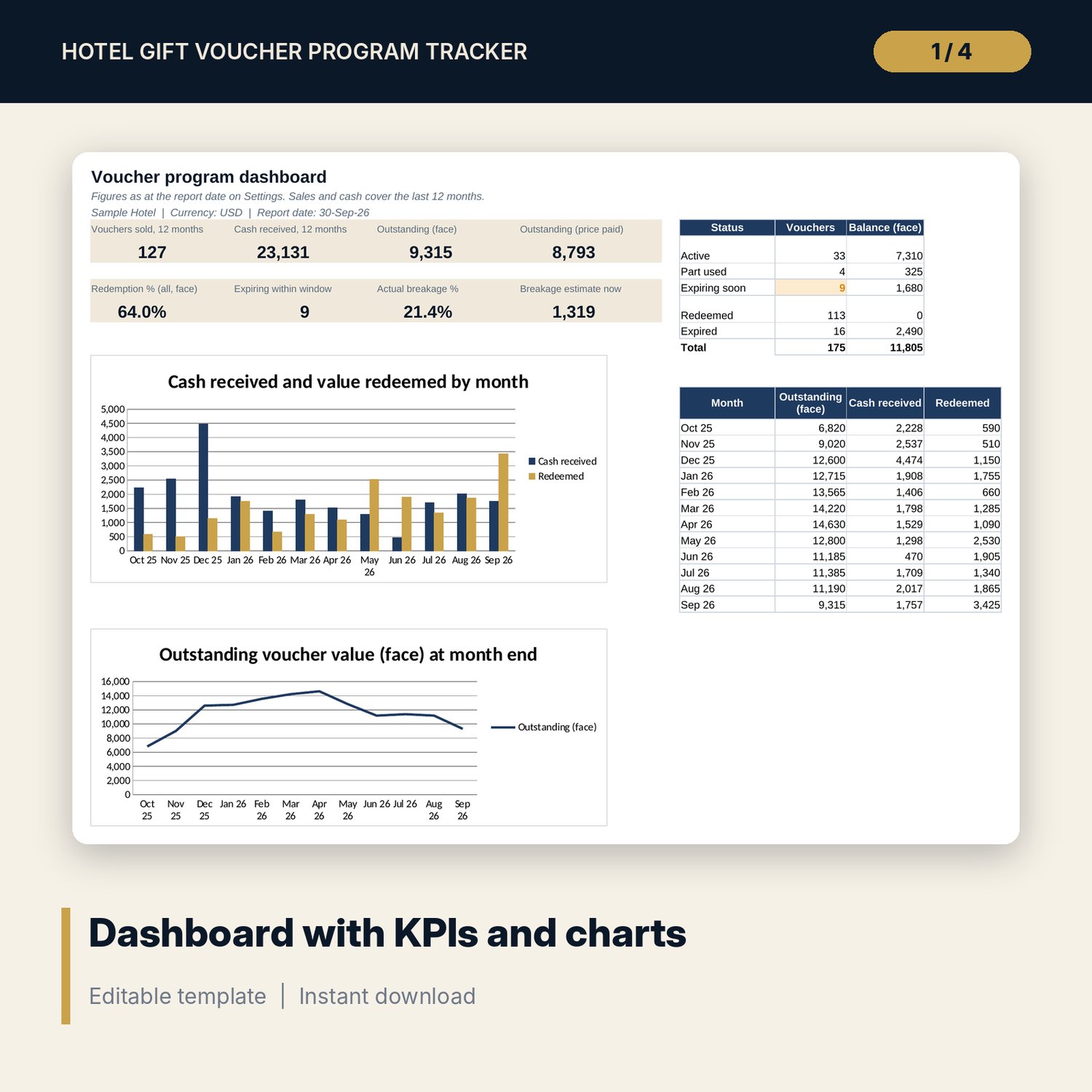
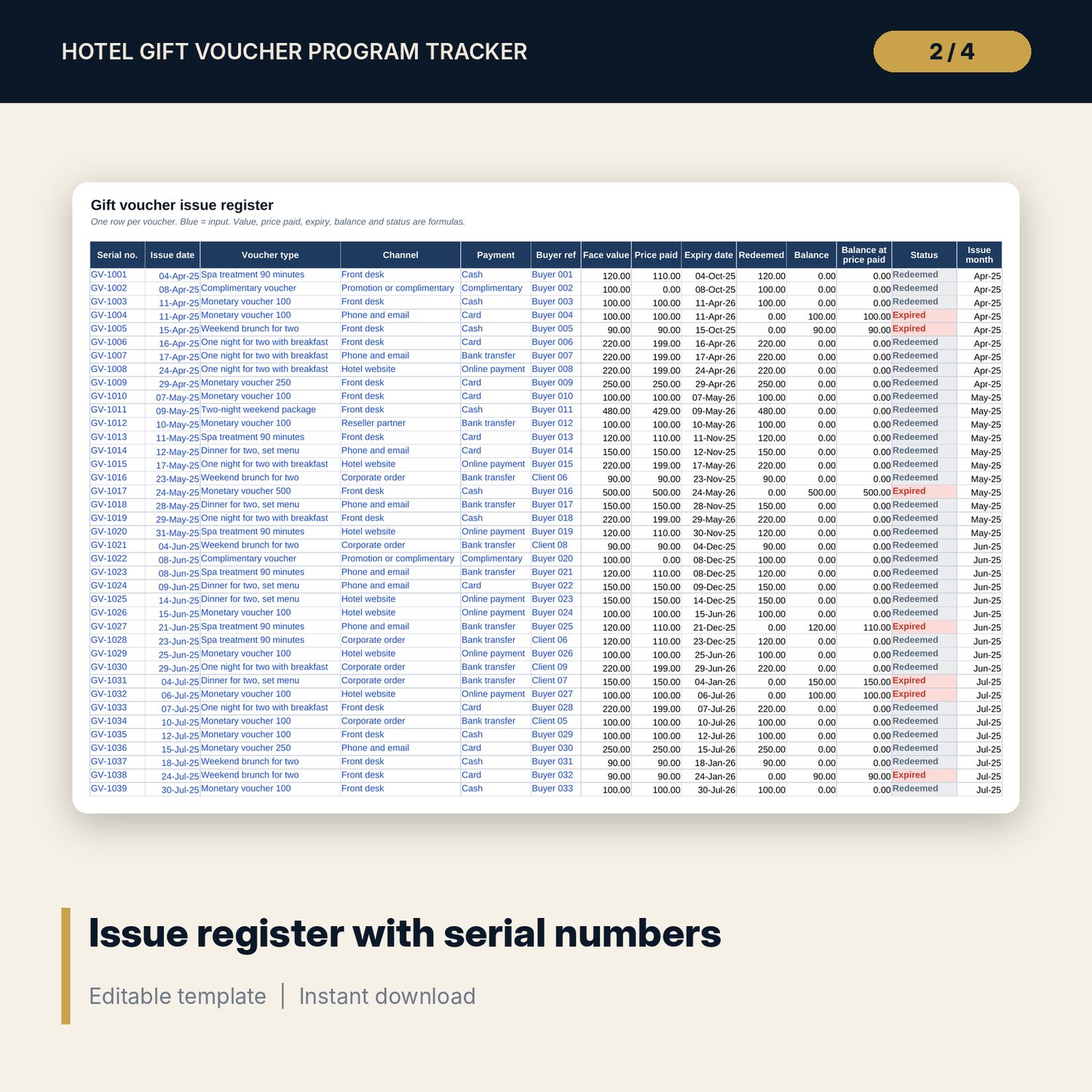
- Issue_Register: room for 500 vouchers (175 sample rows). Face value, price paid, expiry date, amount redeemed, balance, balance at price paid and status calculate. Duplicate serials, expired and expiring vouchers are flagged.
- Redemption_Log: room for 1,000 uses (142 sample rows), full or part use. A Check column flags unknown serials, use after expiry, use before issue and use above face value.
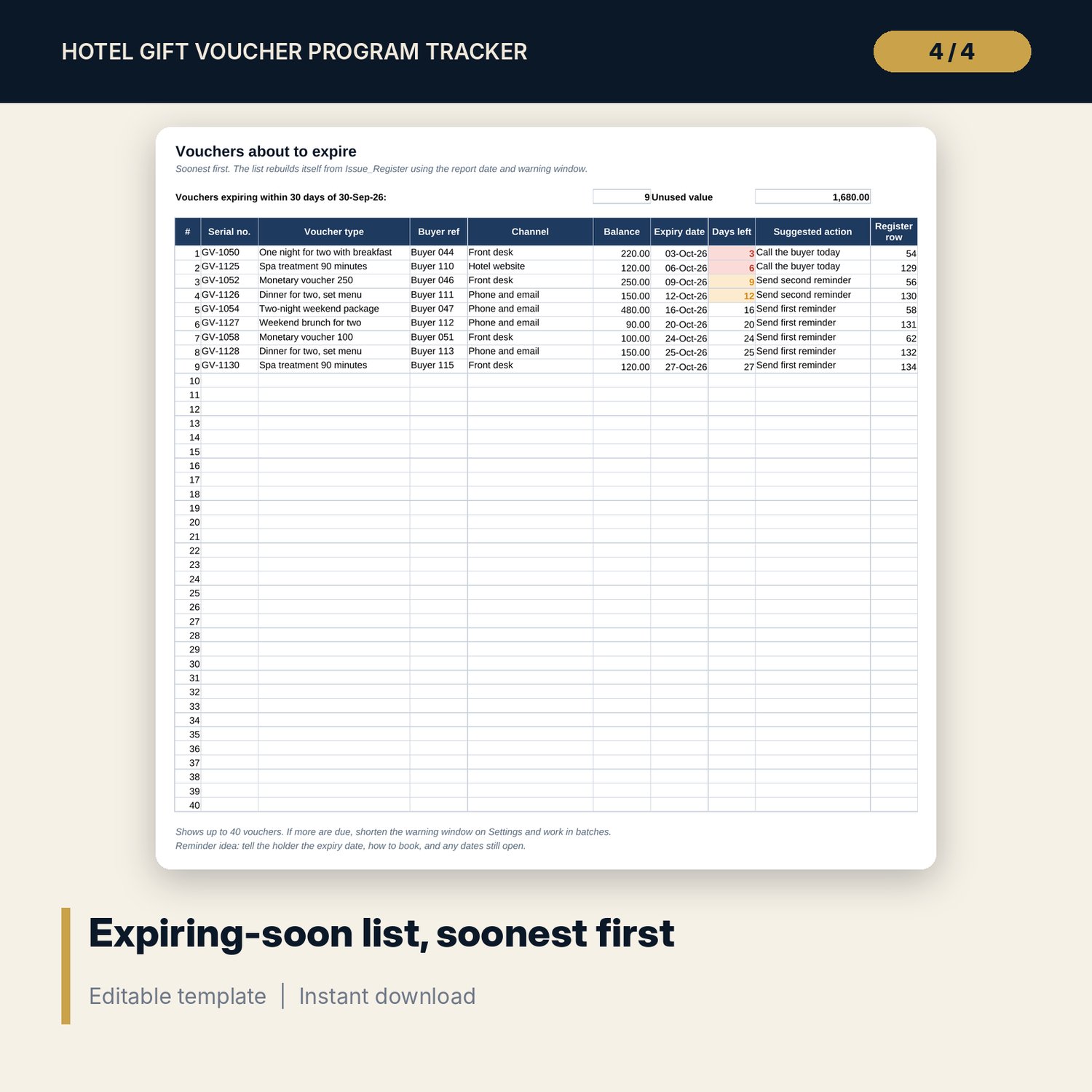
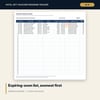
- Expiring_Soon: automatic list of up to 40 vouchers due to expire in the warning window, soonest first, with days left and a suggested action.
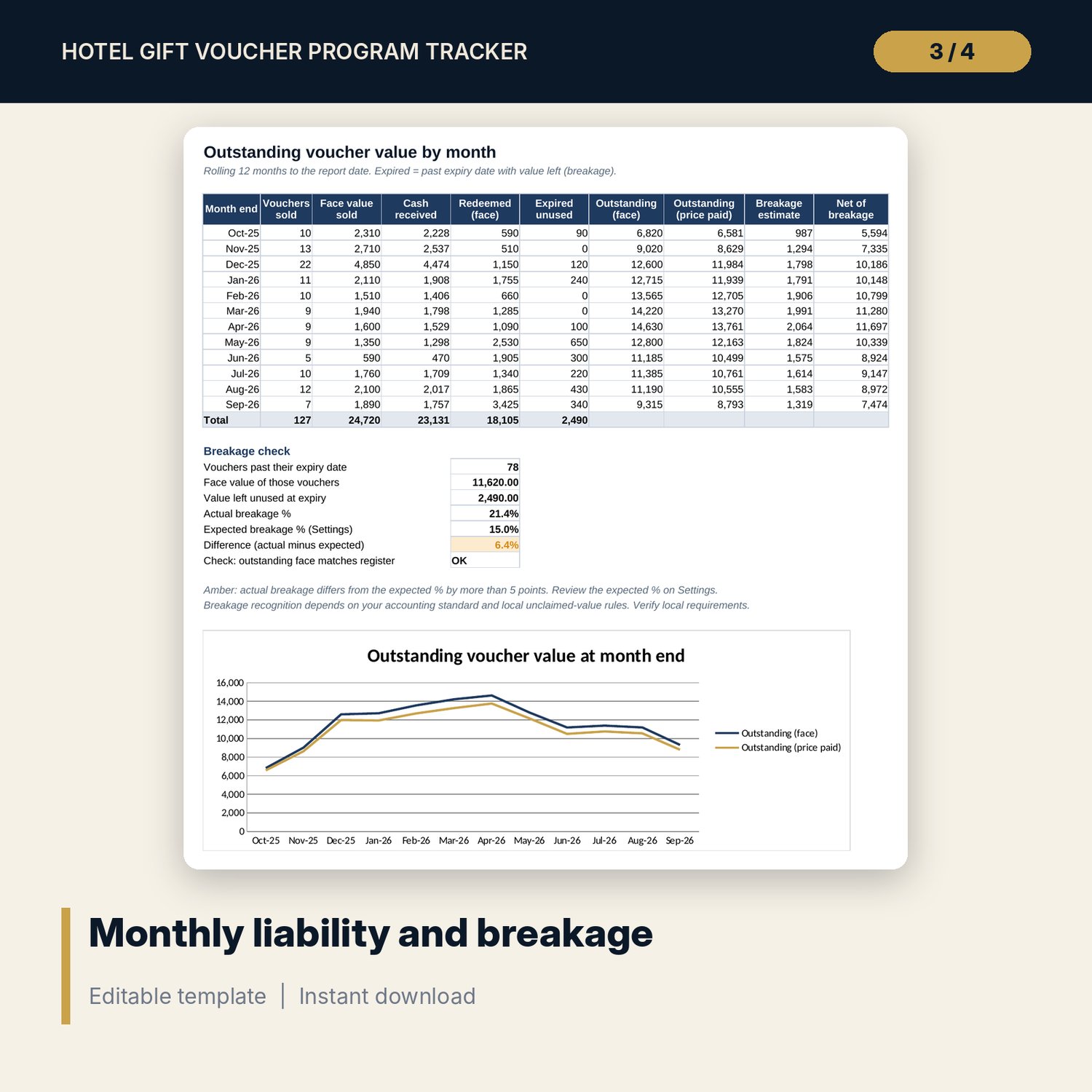
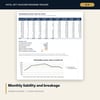
- Liability_by_Month: rolling 12 months of vouchers sold, cash received, value redeemed, expired unused value, outstanding value at face and at price paid, breakage estimate, plus an actual vs expected breakage check and a chart.
- Channel_Summary: vouchers, cash, discount, redemption %, unused and expired value by channel and by voucher type, with a chart.
- Dashboard: 8 KPI tiles, vouchers by status and 2 charts on one printable page.
- Terms_Template: 18 editable terms and conditions clauses and 8 fields every voucher should show.
- README.txt and LICENSE-and-Terms.txt.
How it works
- Set the report date, warning window and expected breakage % on Settings, then edit the voucher types.
- Clear the sample rows and log each voucher in Issue_Register when it is sold or given.
- Log each use in Redemption_Log by serial number and fix any row the Check column flags.
- Work through Expiring_Soon each week and send reminders to buyers.
- At month end, review Liability_by_Month and Dashboard and share them with your accountant.
Details
- Format: Excel workbook (.xlsx). No macros.
- Language: English. Currency is a label you choose.
- Software: Excel 2016 or later. Also opens in Google Sheets and LibreOffice.
- Delivery: instant digital download. Nothing is shipped.
Good to know
- All sample vouchers, buyers and amounts are illustrative. Replace them with your own data.
- Breakage accounting and rules on voucher expiry and unclaimed value differ by country. The workbook is a tracking tool, not accounting or legal advice. Verify local requirements.
- The terms template is a starting draft. Have the final text checked against local consumer law.
- Single-user license. Do not share or resell the files.
FAQ
Can a guest use a monetary voucher in several visits?
Yes. Log each use as its own row. The register shows the remaining balance and status.
How is the expiry date set?
Each voucher type has a validity in months on Settings. Expiry = issue date plus that number of months.
Why are there two outstanding values?
Face value is what guests can still spend. Price paid is the cash you received for those vouchers, which many accountants use for the liability. Ask your accountant which one your books use.
Does it work in Google Sheets?
Yes. Formulas and drop-downs work after import. Check the charts once after opening.
Can I add my own voucher types?
Yes. Fill the blank rows in the voucher types table on Settings and they appear in the drop-down.