
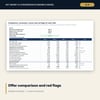
Key Money & Conversion Incentive Economics Model: Hotel Brand Conversion Spreadsheet
Full description
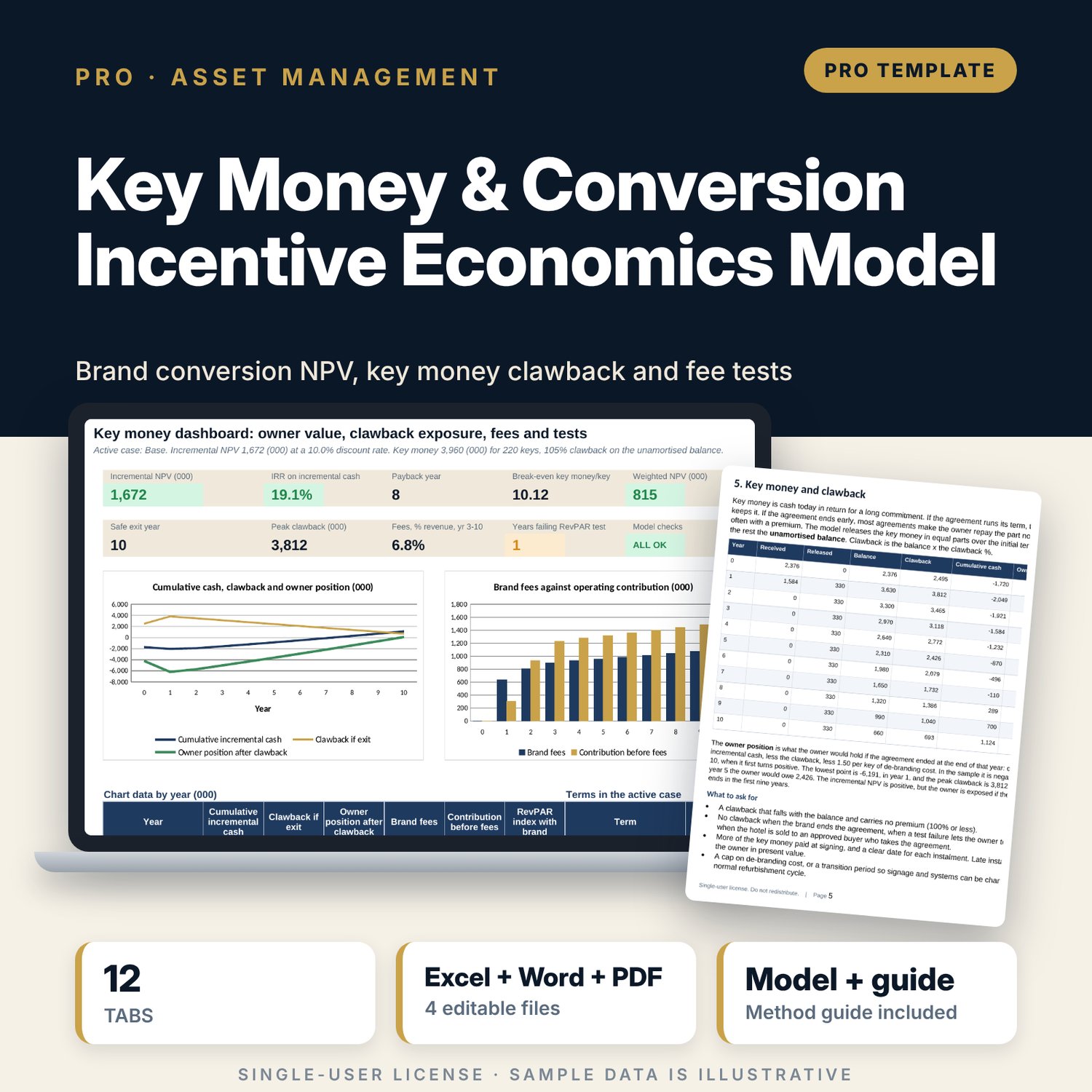
For hotel owners, asset managers and general managers who have a brand conversion offer on the table. The model sets the converted hotel against the same hotel run independently over 10 years and returns the incremental NPV, IRR and payback. It then shows what the key money really costs: the unamortised balance, the clawback if the agreement ends early, the owner position by exit year and the first year the owner can leave without a loss. Brand fees are split into 5 lines and compared with the contribution the brand brings, a bridge reconciles the result, and performance tests count failed years against the cure period. Three cases and two 5 x 5 grids re-run the whole model one case per row. A companion workbook scores up to 4 offers on 7 criteria with 9 red flags, and a 10-page guide explains the equations with a worked example.
What is inside
- Key_Money_Economics_Model.xlsx: 12 tabs, 3,290 formulas, 2 native charts, 19 drop-down and input rules
- Assumptions with 5 case drivers, a case selector and probability weights; Hotel Baseline and Brand Case with 10 years of cash flow
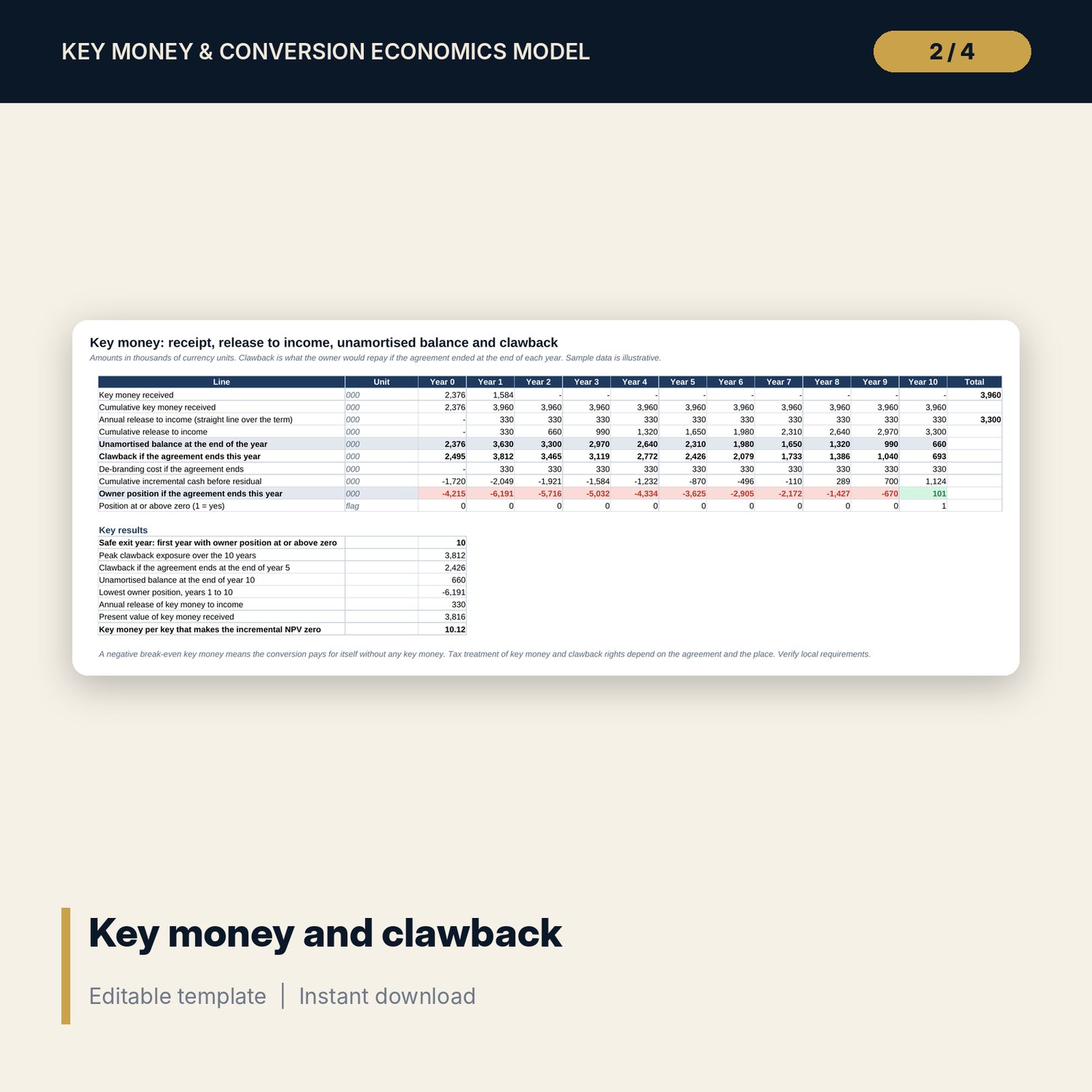
- Key Money: receipt, release to income, balance, clawback, de-branding cost and the owner position for each exit year
- Fees vs Incentive: 5 fee lines, fees as a share of revenue and contribution, and a 5-line bridge to the incremental NPV
- Performance Tests: RevPAR index and occupancy penetration, failed years in a row, cure period and the termination right
- Cases and Sensitivity: 54 engine rows (live row, 3 cases and 50 grid cells), each a full 10-year recalculation
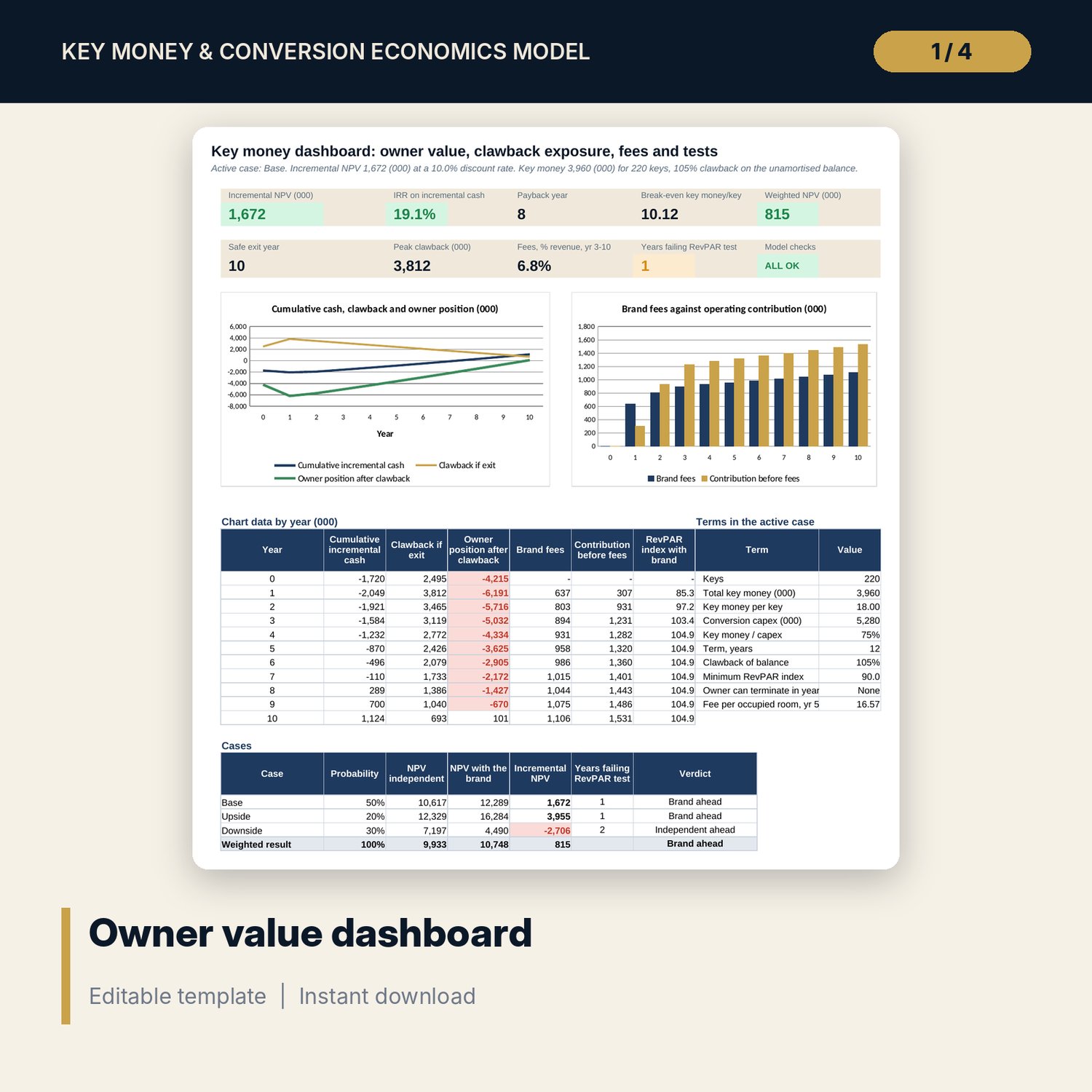
- Dashboard with 9 KPI tiles, a check tile and 2 charts; 12 integrity checks; Method tab with 15 documented calculations
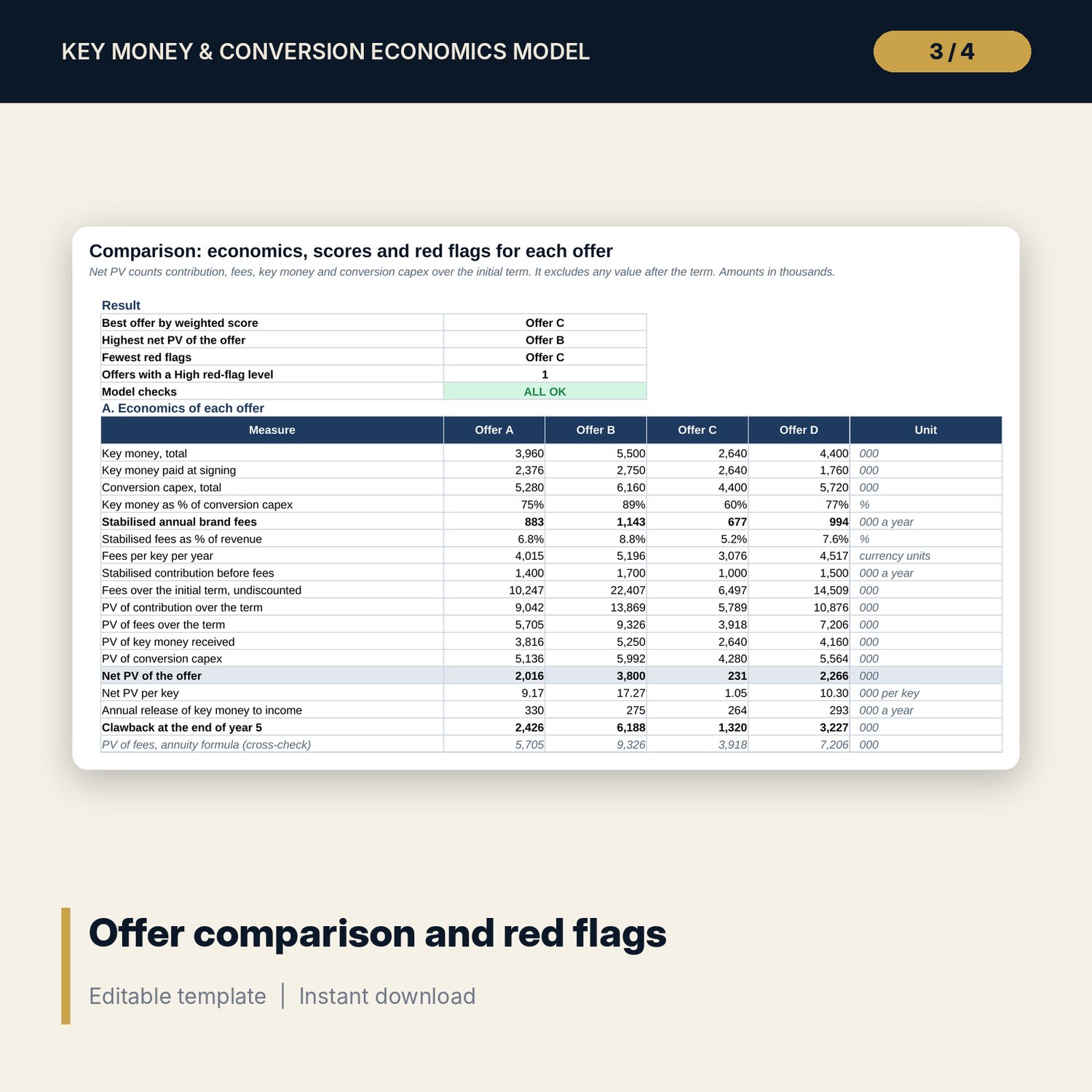
- Key_Money_Term_Comparison.xlsx: 5 tabs, 591 formulas, 1 chart, 16 terms for each of 4 offers, a 25-year discounted schedule and 8 integrity checks
- Key_Money_Economics_Guide.docx and PDF: 10 pages in 12 sections with equations, a worked example read from the workbook, a 10-item negotiation checklist and common mistakes
- README.txt and LICENSE-and-Terms.txt
How it works
- Enter the hotel, brand terms, key money, conversion cost and discount rate on Assumptions.
- Enter the independent occupancy, the uplift ramp and the rooms out of service by year.
- Pick the active case and read the incremental NPV, the clawback exposure, the fee bridge and the test results on the Dashboard and the term tabs.
- Use Cases and Sensitivity to see how far the answer moves, then compare offers in the companion workbook.
Details
- Formats: 2 Excel workbooks (.xlsx), 1 guide in Word (.docx) and PDF, English
- Software: Excel 2016 or later, or LibreOffice Calc 7 or later
- No macros, no external links, no data tables, no array formulas
- 4 files plus README and license; instant digital download
Good to know
- Sample data is illustrative. Replace it with your own figures. Amounts are in thousands of currency units, before tax and financing.
- Agreement terms, the tax treatment of key money and clawback rights differ by contract and place. Verify local requirements and have counsel review any real agreement.
- The model is arithmetic on your inputs. It does not interpret a contract and it is not legal, financial or tax advice.
- Single-user license. Do not redistribute.
FAQ
What is key money?
A payment from the brand to the owner to sign. Most agreements make the owner repay the part not yet earned if the agreement ends early. The Key Money tab shows that balance and the clawback year by year.
How is the owner value worked out?
Both cash flows run for 10 years with a residual value in year 10. Incremental NPV is the NPV with the brand less the NPV independent, at the discount rate you set. A bridge splits it into contribution, fees, key money, conversion cost and residual value.
Does it work for a franchise or a management agreement?
Yes for the economics. The five fee lines are inputs, so set any line that does not apply to zero. The model does not change the legal structure.
Does it include tax or financing?
No. Results are before tax and financing. Add them outside the model with your adviser.
Do I need macros or add-ins?
No. Every result, including the grids, is a standard worksheet formula.