
Benchmarking Gap-to-Potential Model: Hotel Benchmarking and Gap Analysis Template
Full description
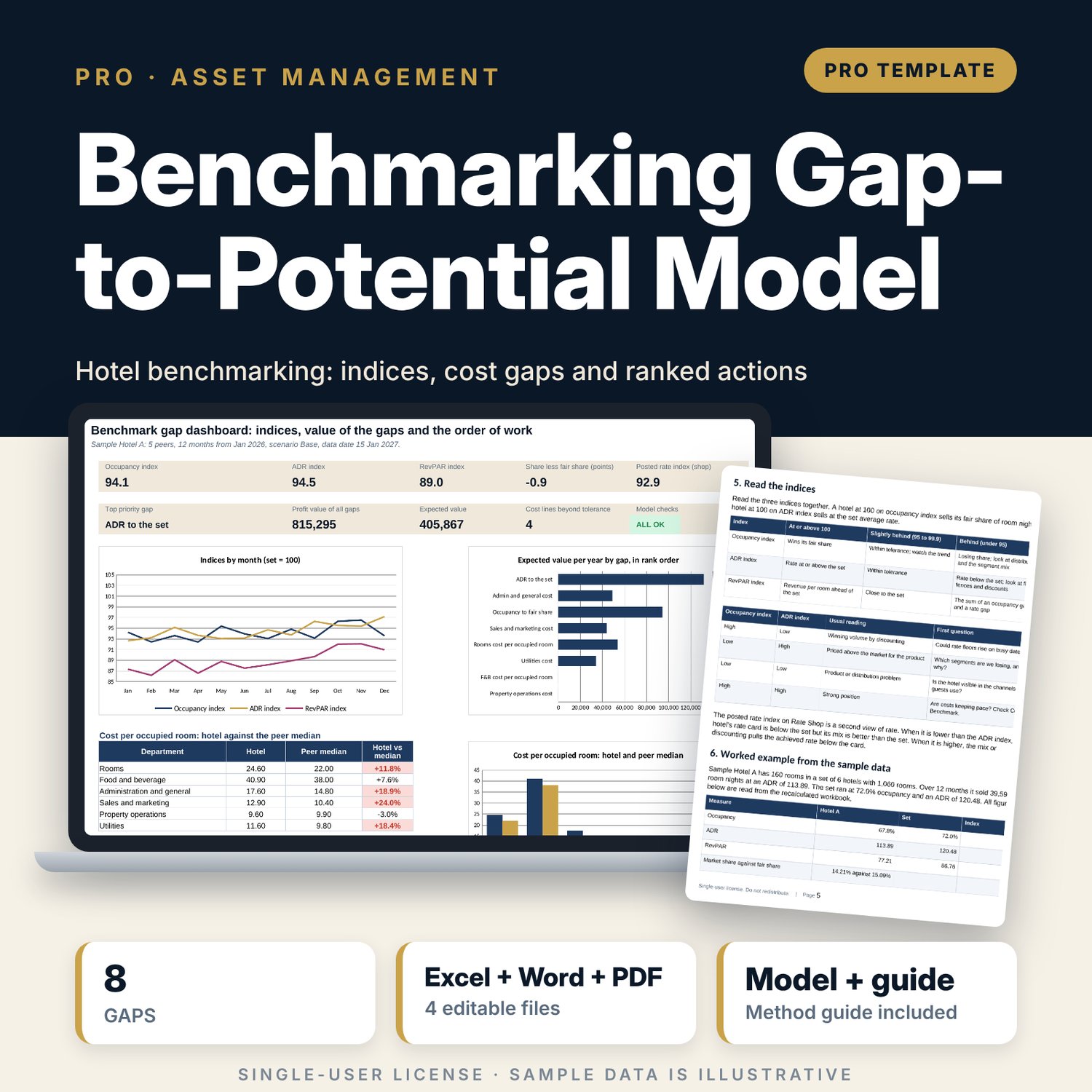
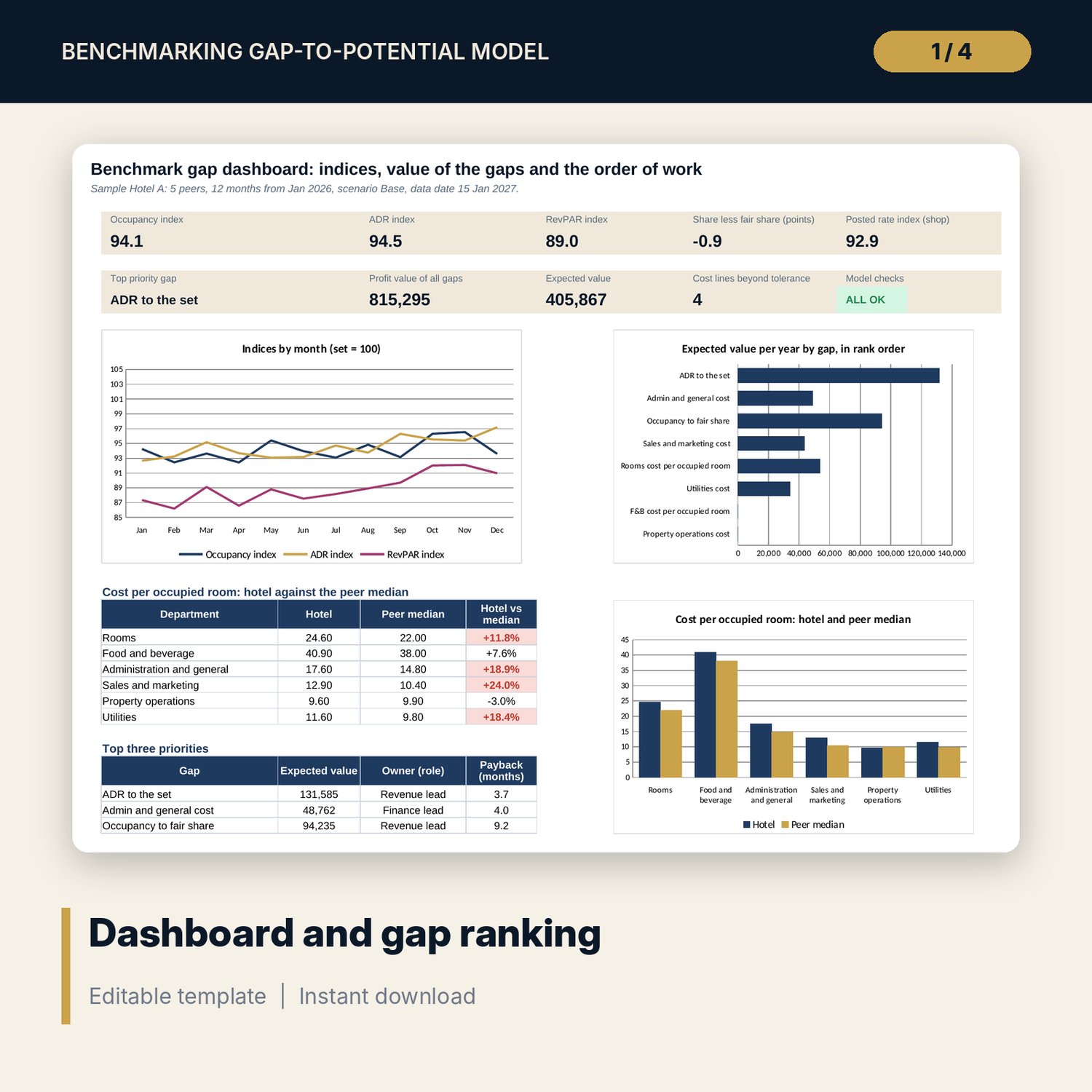
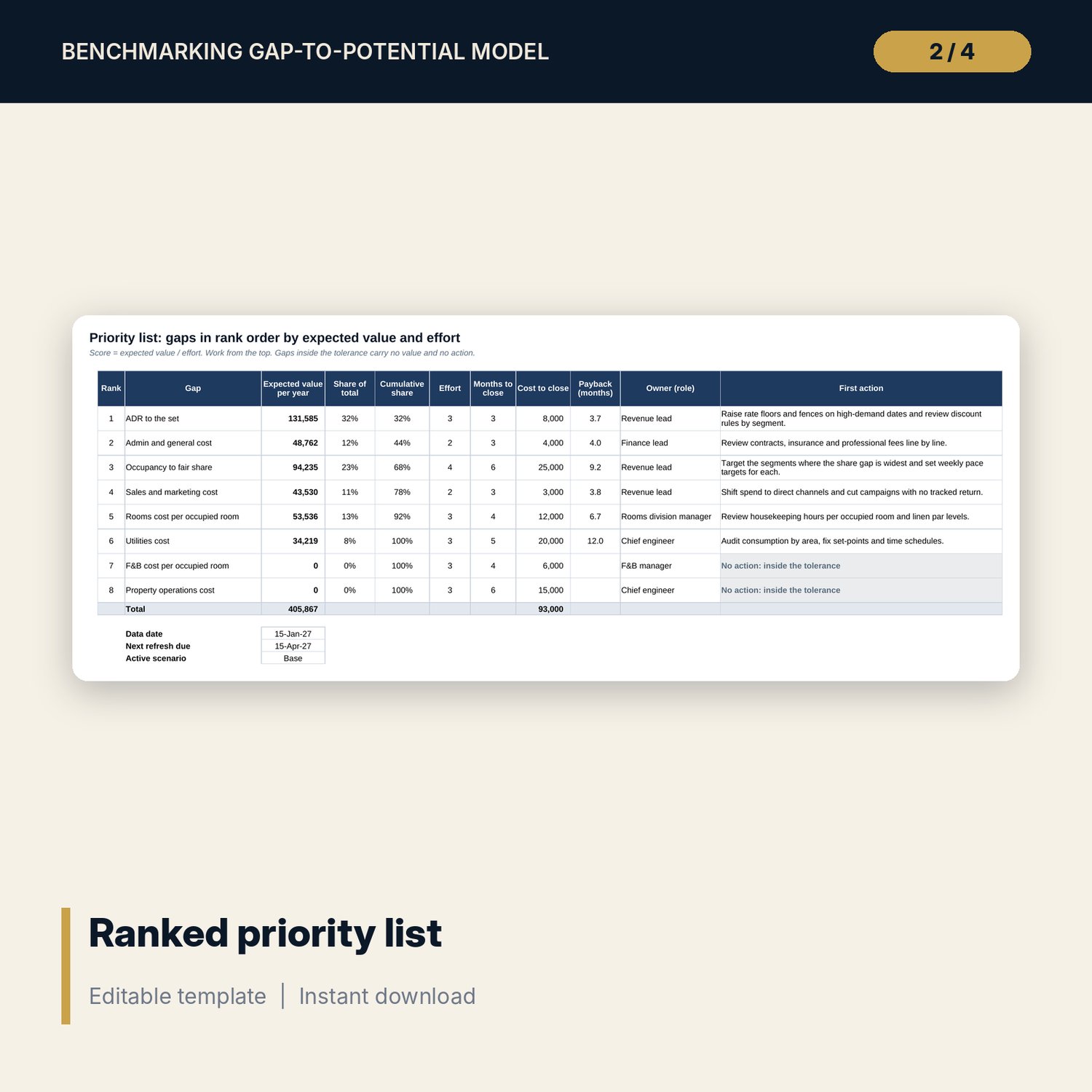
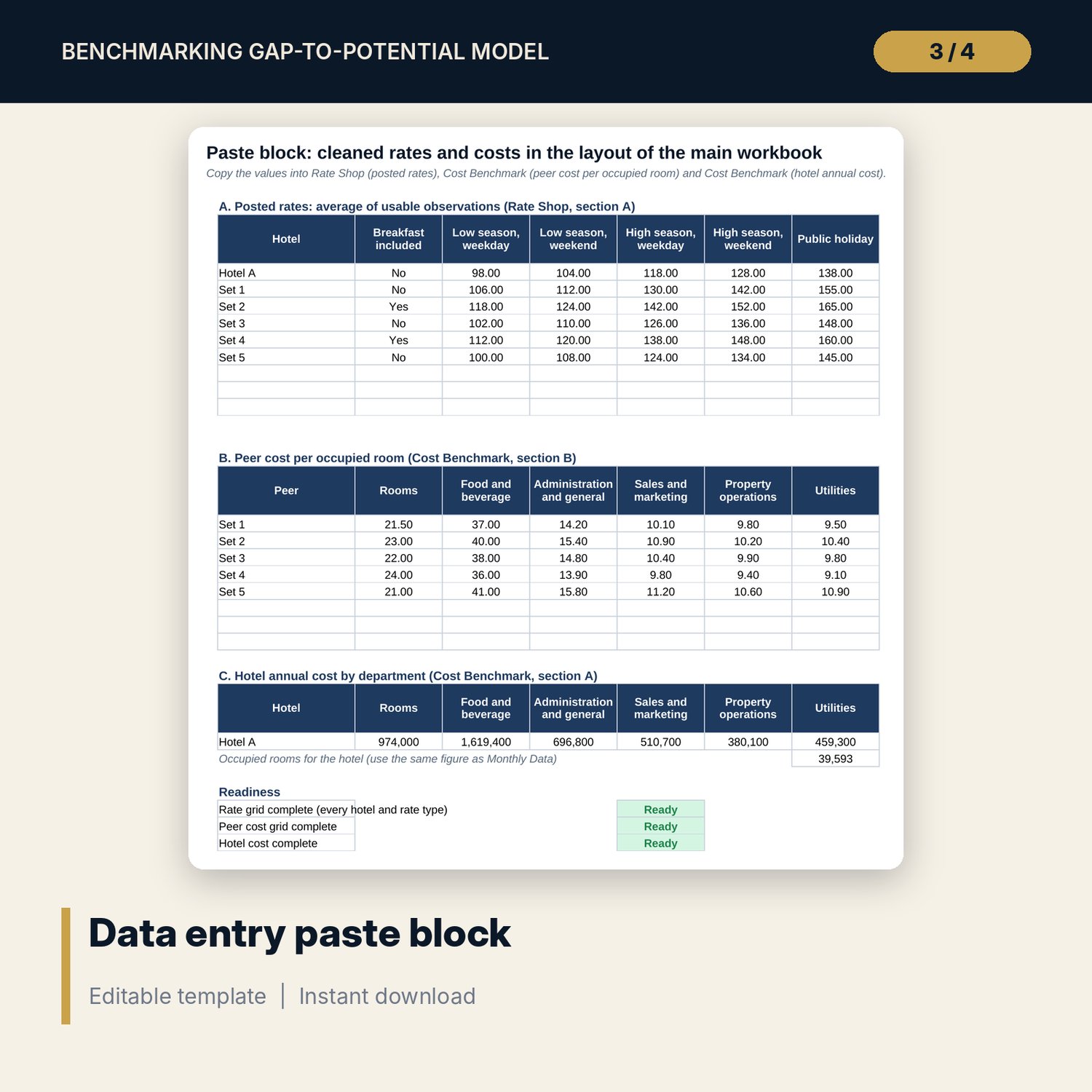
For asset managers, revenue leads and general managers who want to know what the hotel is leaving on the table against its competitive set, and what to do first. The main workbook takes 12 months of room nights and revenue for the hotel and the set, posted rates by rate type and cost per occupied room by department. It computes occupancy, ADR and RevPAR indices, market share against fair share, a posted rate index and 6 cost lines against the peer median. It then values 8 gaps per year, applies flow-through, probability and effort, and ranks them with owner, first action and payback. Three scenarios and a share-by-probability grid show the range. The companion data entry sheet flags blank, TBA, mixed-currency, wrong-room-type and stale rows before you paste. A 10-page Word guide covers the method, set selection, data pitfalls, a worked example and the quarterly refresh.
What is inside
- Benchmark_Gap_Model.xlsx: 12 tabs, 742 formulas, 3 native charts, 13 drop-down and input rules
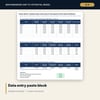
- Benchmark_Data_Entry_Sheet.xlsx: 5 tabs, 599 formulas, 7 validation rules, 6 checks
- Comp Set, Monthly Data and Rate Shop: up to 8 peers, 12 months of sample data for a 6-hotel set, 5 rate types and a breakfast adjustment
- Cost Benchmark and Gap Engine: 6 departments against the peer median, 8 gaps with value, flow-through, probability, effort, score and rank
- Priority List and Scenarios: ranked actions with owner and payback, 3 scenarios and a 5 x 5 sensitivity grid
- Dashboard: 9 tiles, a check tile, 3 charts; 12 integrity checks and 14 method rows
- Benchmark_Gap_Model_Guide.docx and PDF: 10 pages with method, set checklist, data pitfalls, worked example, action plan form and refresh routine
- README.txt and LICENSE-and-Terms.txt
How it works
- Set dates, targets, tolerances and the gap plan on Assumptions, and define the set on Comp Set.
- Enter 12 months of hotel and set room nights and revenue.
- Clean the rates and costs on the companion sheet and copy the paste block into the main workbook.
- Read the indices, the cost flags and the ranked Priority List.
- Agree owners and first actions, and refresh the data every quarter.
Details
- Formats: 2 Excel workbooks (.xlsx), 1 guide in Word (.docx) and PDF, English
- Software: Excel 2016 or later, or LibreOffice Calc 7 or later
- No macros, no external links, no data tables, no array formulas
- 4 files plus README and license; instant digital download
Good to know
- Sample data is illustrative. Replace it with your own figures.
- Targets, tolerances, probabilities and flow-through rates are your judgement and are editable inputs.
- The files are management tools, not legal or financial advice. Verify local requirements and the definitions your data sources use.
- Single-user license. Do not redistribute.
FAQ
Do I need data from a benchmarking provider?
You need 12 months of room nights and room revenue for the hotel and the set, and cost per occupied room for the peers. The workbook does not supply that data.
Why is the hotel inside the set totals?
So market share divided by fair share equals the occupancy index exactly. The peer median for rates and costs uses the peers only.
How are cost gaps valued?
Hotel cost per occupied room minus the peer median, times room nights sold, and only when the line is more than the tolerance above the median. The tolerance is an input.
Can I change the number of peers or gaps?
Peers: up to 8 on Comp Set. The 8 gaps are fixed, but their probabilities, efforts, costs, owners and actions are inputs.
Do I need macros?
No. Every result is a standard worksheet formula.