
Capex Approval Request Pack & Prioritisation Matrix: Capex Request Form and Approval Tracker
Full description
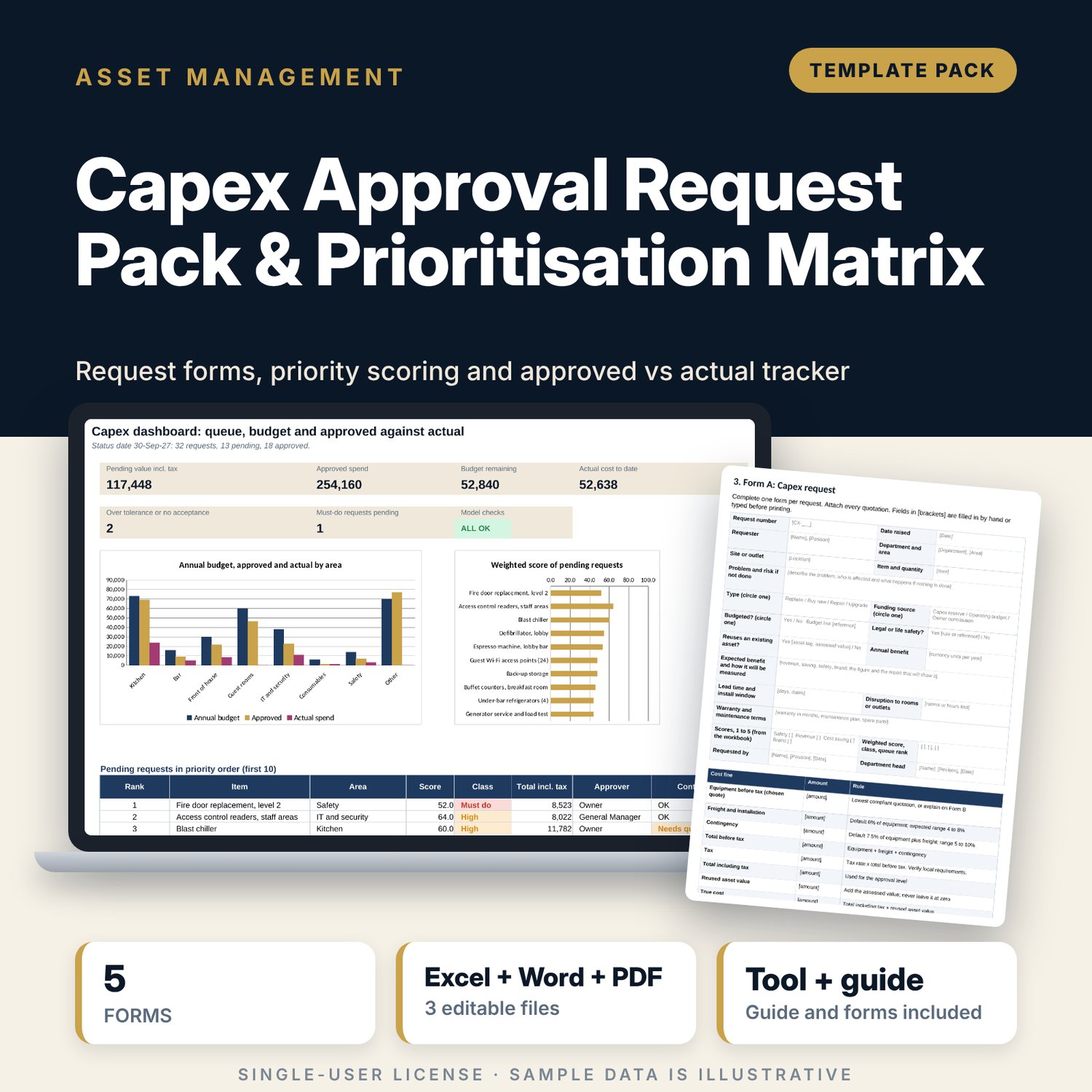
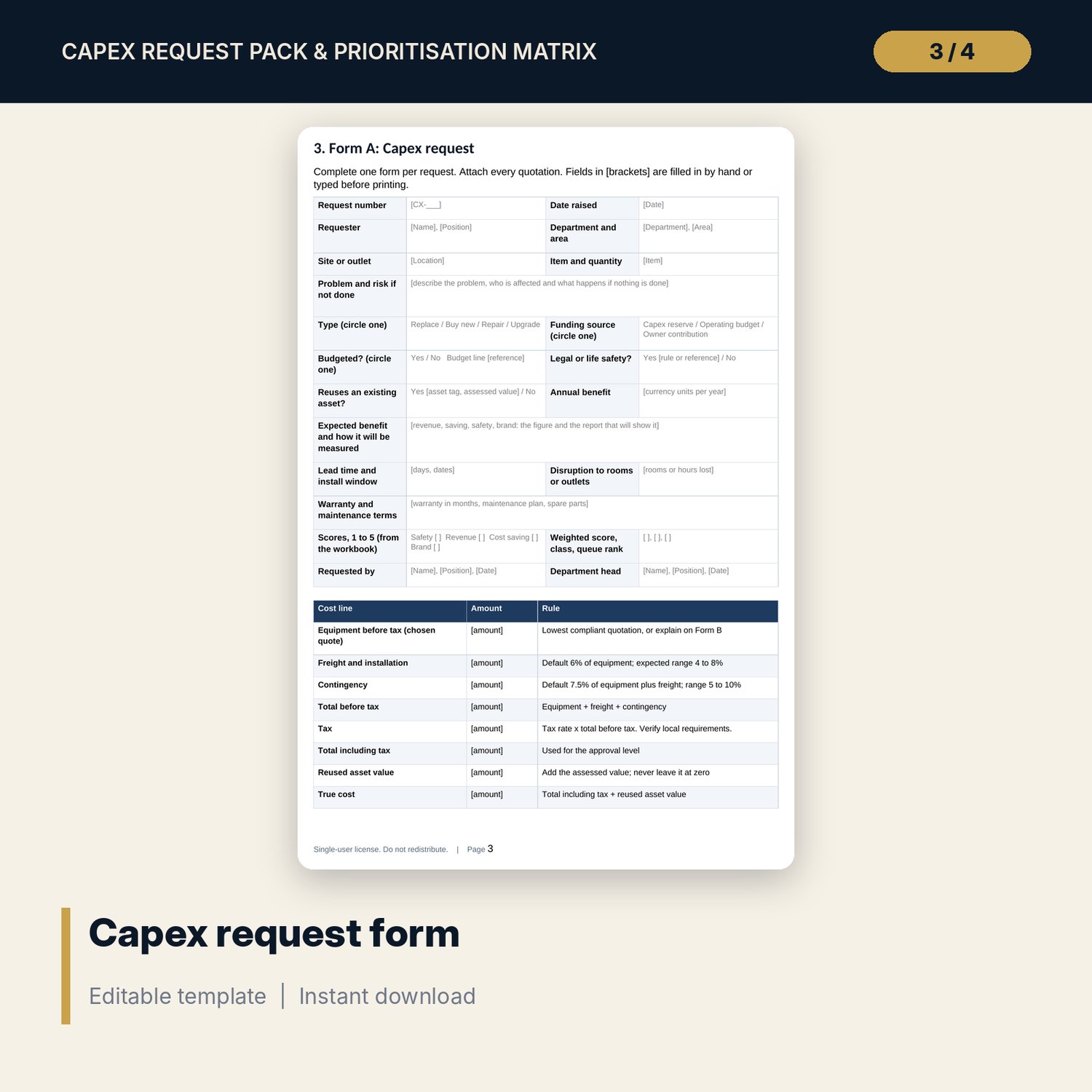
For hotel and restaurant owners, general managers, engineers and finance staff who receive more capital requests than the budget can fund. The workbook builds each request's cost from equipment, freight, contingency and tax, scores it on safety, revenue, cost saving and brand with editable weights, puts legal and life-safety items first, and ranks the rest. Each request gets an approval level from its amount, one level higher if it is unbudgeted. A tracker compares approved with actual cost, flags a variance beyond 5% and a missing acceptance, and shows the budget by area with cost per m2 and per seat. The 9-page Word pack holds the forms that go with the file.
What is inside
- Capex_Request_Tracker.xlsx: 7 tabs, 1,553 formulas, 2 native charts, 16 drop-down and input rules
- Requests: 32 sample requests in 8 areas with room for 18 more; type, funding source, quotes, reused asset, legal flag, four scores and status
- Scoring: cost build-up, weighted score, priority class, queue rank, payback, approval level, approver and control flag for every request
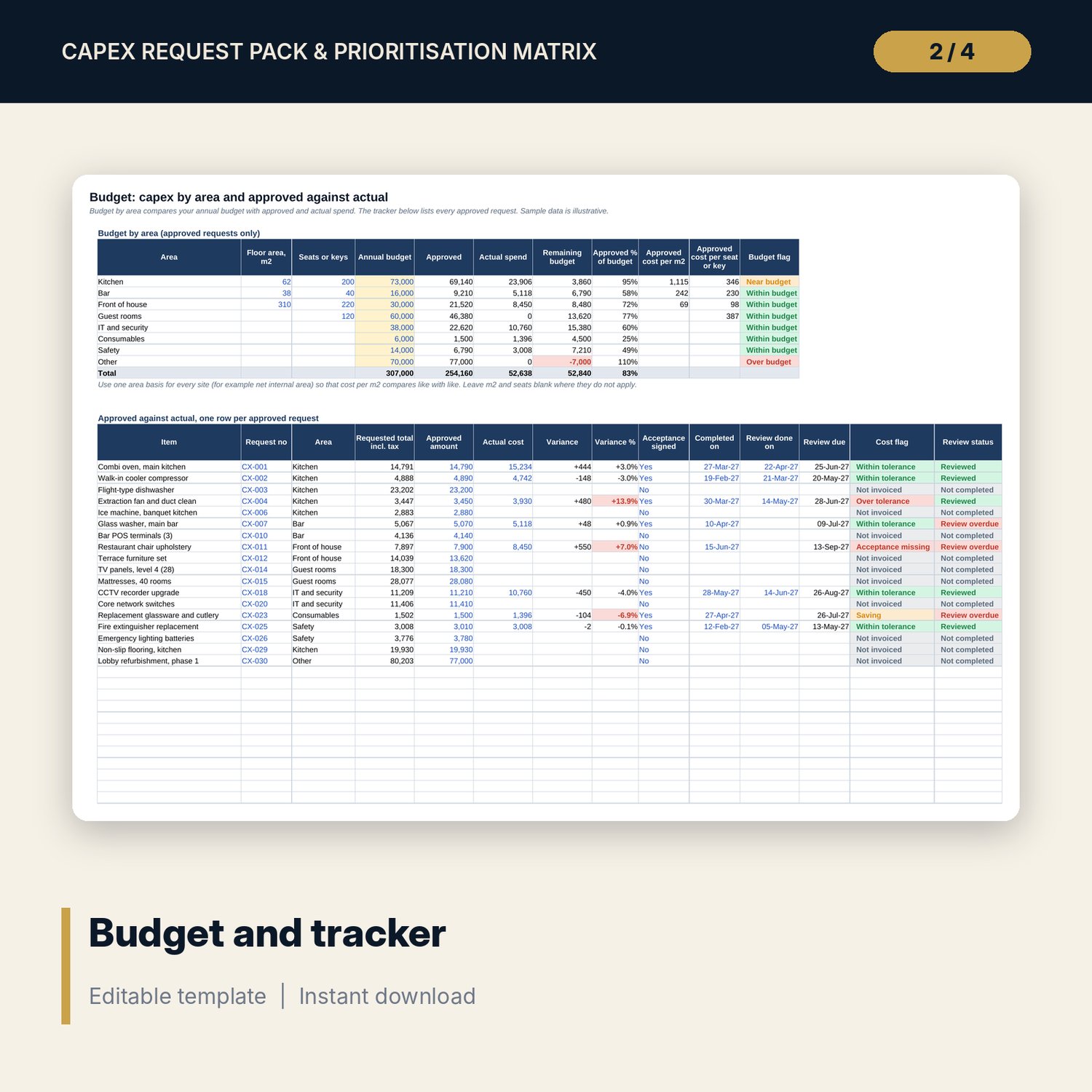
- Budget: annual budget by area with approved, actual, cost per m2 and per seat or key; approved against actual for 18 requests with 12 spare rows
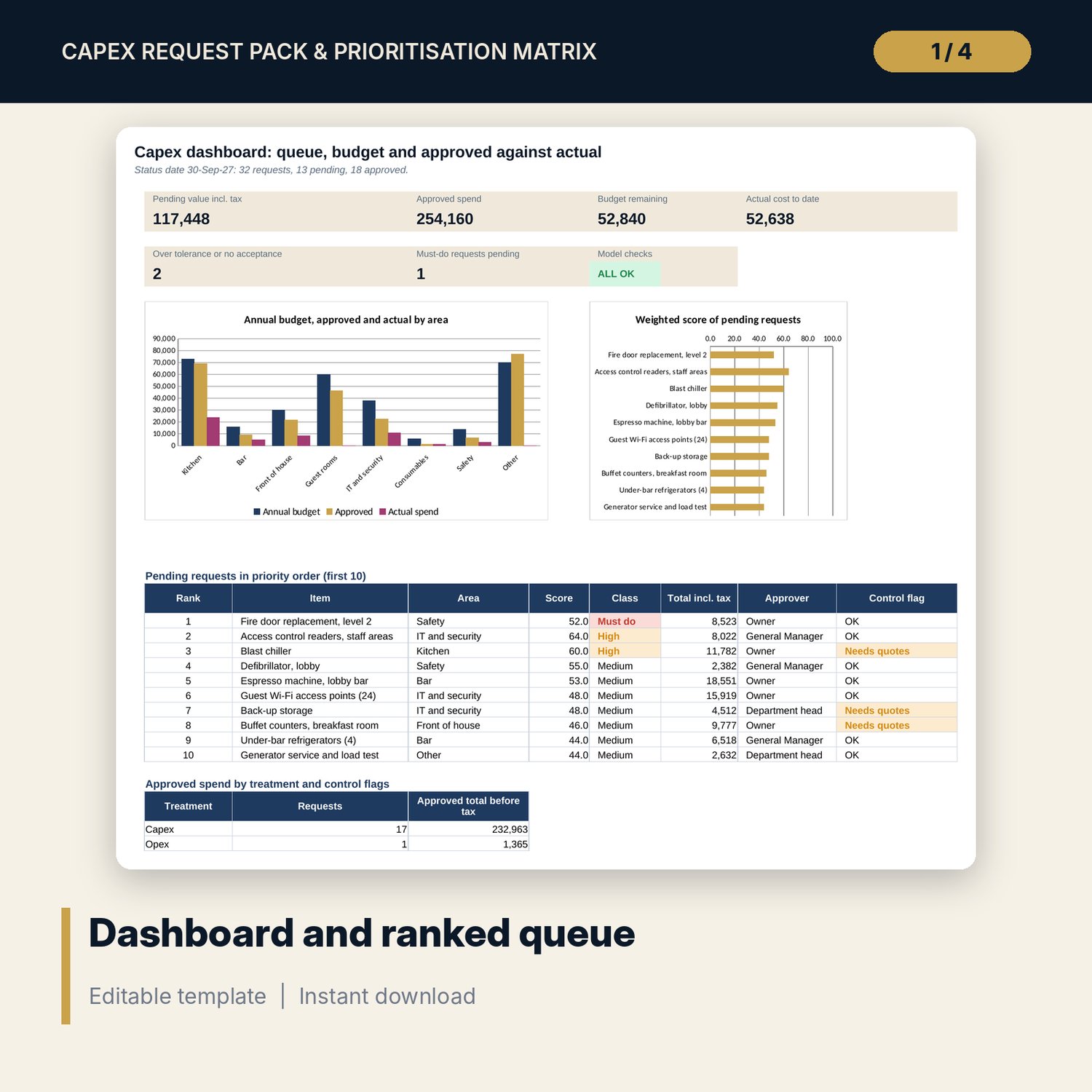
- Dashboard: 6 KPI tiles, a check tile, 2 charts and the ranked queue; 8 integrity checks
- Capex_Request_Forms.docx and PDF: 9 pages with 5 forms (request, quotation comparison, approval record, acceptance and payment proposal, post-completion review), scoring rules with a 1 to 5 scale and a worked example
- README.txt and LICENSE-and-Terms.txt
How it works
- Set the tax rate, capitalisation threshold, score weights, approval limits and quotation rules on Settings.
- Enter each request on Requests. The file adds freight and contingency, applies tax, scores the request and ranks the pending ones.
- Send the request on the route shown on Scoring and sign the approval record.
- After approval, enter the approved amount on the Budget tracker. Add the actual cost, acceptance and completion date when the work ends.
- Read the flags each week: over budget, needs quotes, over tolerance, acceptance missing, review overdue.
Details
- Formats: 1 Excel workbook (.xlsx), 1 forms pack in Word (.docx) and PDF, English
- Software: Excel 2016 or later, or LibreOffice Calc 7 or later
- No macros, no external links, no data tables, no array formulas
- 3 files plus README and license; instant digital download
Good to know
- Sample data is illustrative. Replace it with your own requests.
- Tax rate, capitalisation threshold, approval limits, quotation rules and score weights are examples. Verify local requirements and your own policy.
- These files are management tools, not tax or accounting advice.
- Single-user license. Do not redistribute.
FAQ
How is the priority score calculated?
Each request gets a score from 1 to 5 for safety, revenue, cost saving and brand. The weighted score is the weights (40, 25, 20, 15 by default) times the scores, divided by 5. You can change the weights and the High and Medium cut-offs.
What happens to legal and life-safety items?
Tick the legal flag and the request is classed Must do and ranked ahead of every other request, whatever its score.
How does the approval level work?
The total including tax is compared with two limits you set. Department head, General Manager or owner approves. A request that is not in the budget moves up one level, and the owner level needs more quotations.
Can I use my own area list, statuses and currency?
Yes. Edit the lists on Settings. Amounts are in one currency and the file does not name one.
Do I need macros?
No. Every result is a standard worksheet formula.