Group Rooming List, Pickup & Cut-off Tracker: Group Pickup Tracker and Wash Forecast in Excel
Full description
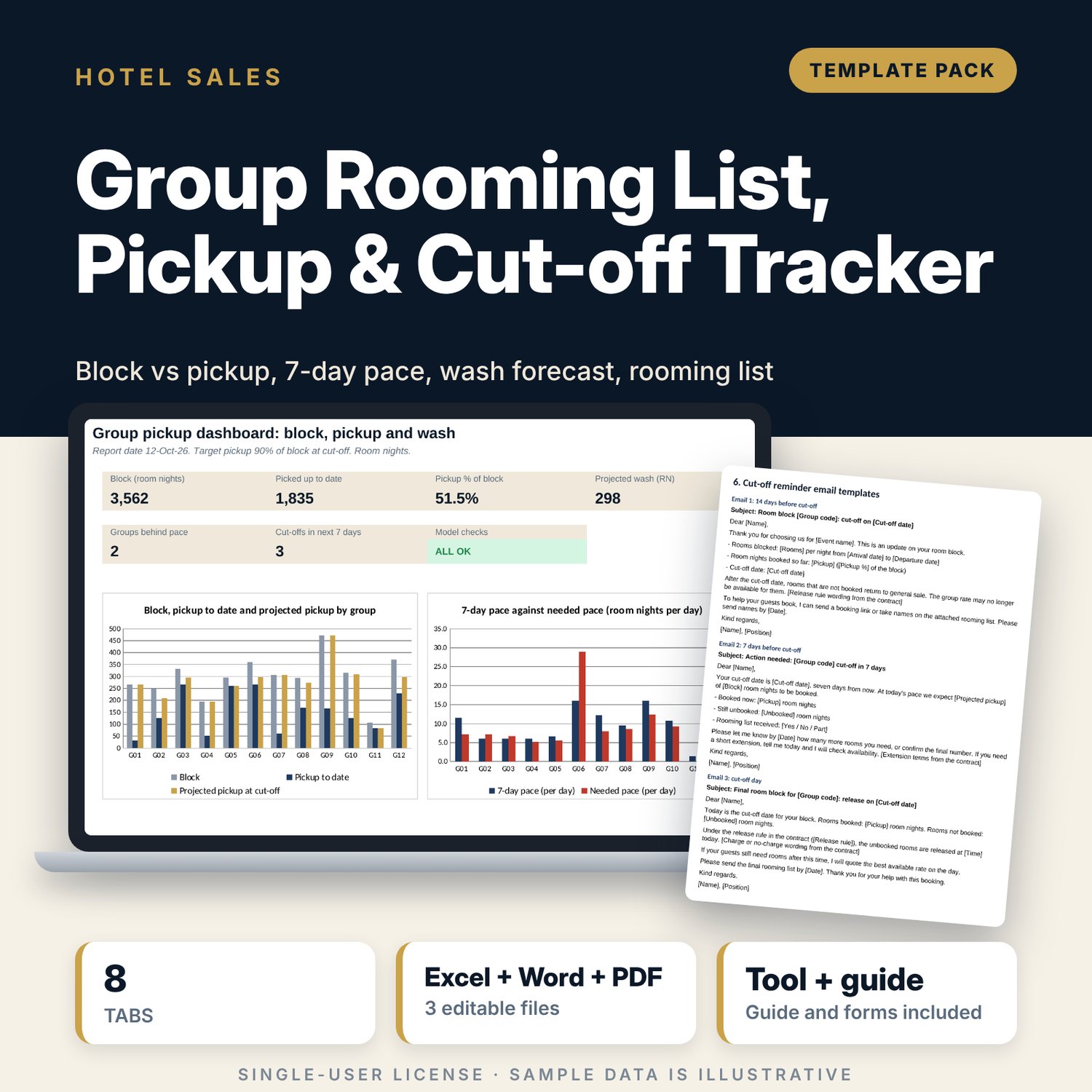
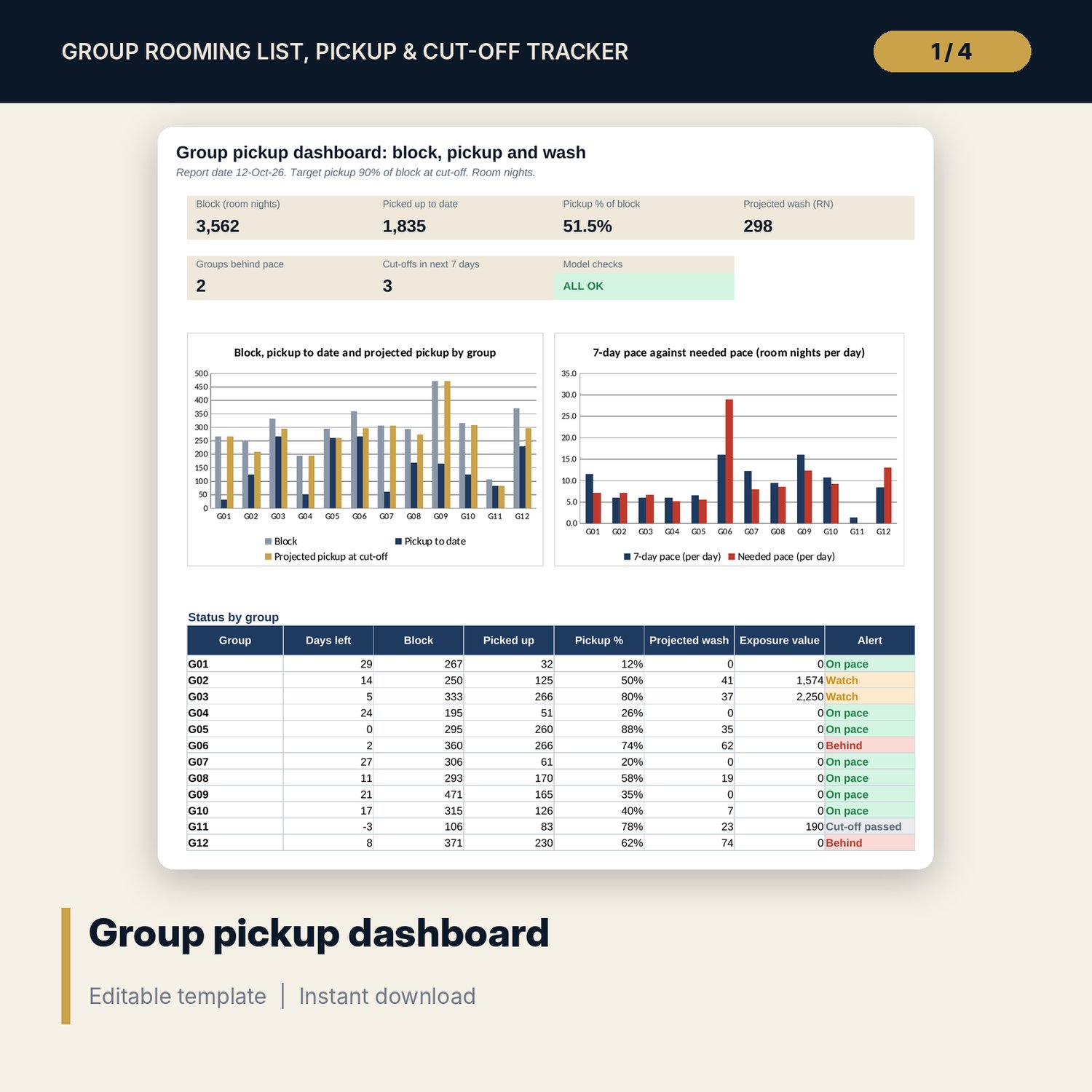
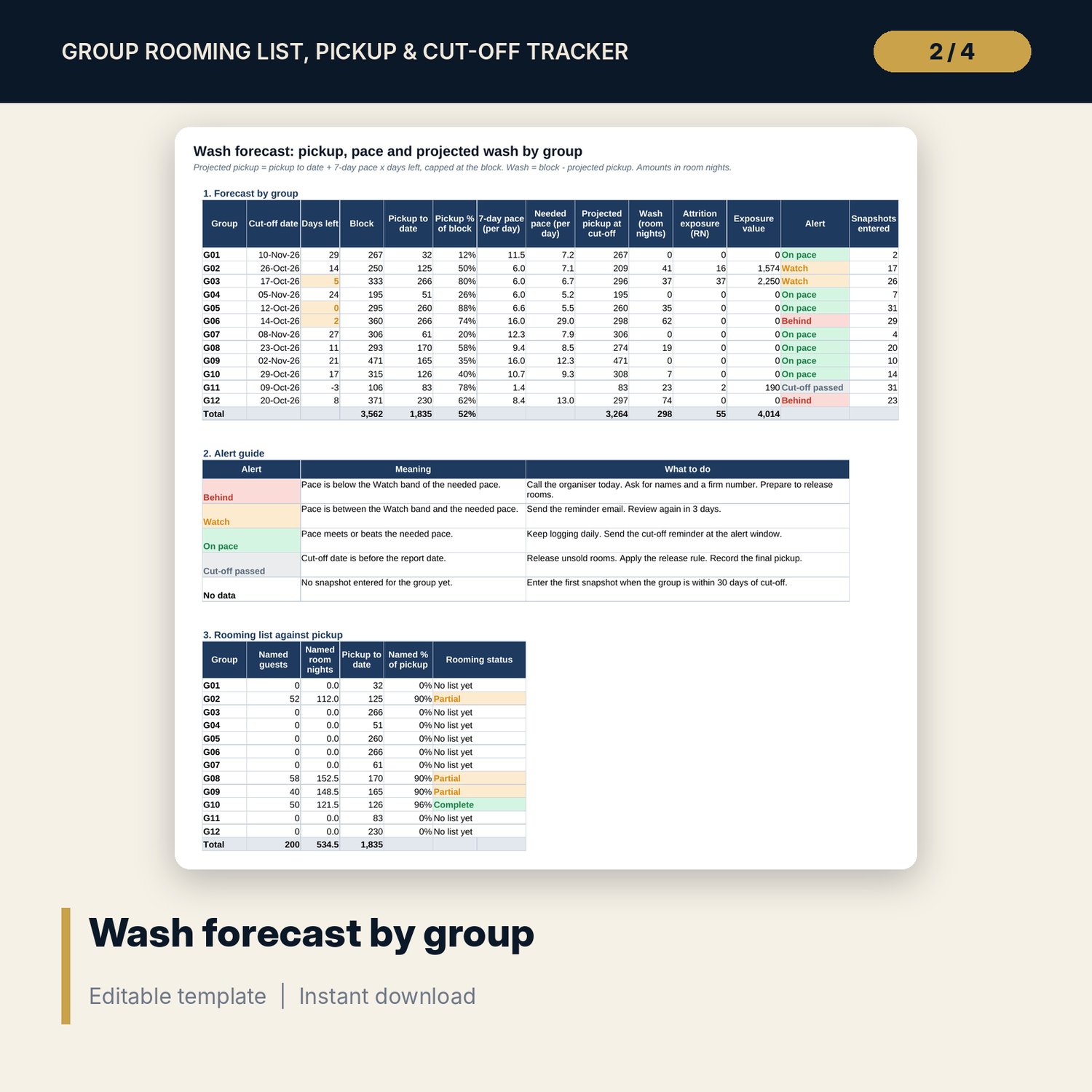
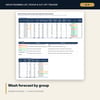
For hotel sales managers, reservations teams and revenue managers who manage group blocks against a cut-off date. The workbook holds the block by night (up to 10 nights per group), a daily snapshot of cumulative room nights for the 30 days before cut-off, and a wash forecast. Projected pickup = pickup to date + the AVERAGE of the last 7 daily pickups x days left, capped at the block; wash = block - projected pickup. It compares that pace with the pace needed to reach your target pickup, marks each group On pace, Watch or Behind, and shows the attrition exposure under each release rule. A rooming list sheet holds 200 guest codes with room type, sharing, dates and special requests. The Word pack has a rooming list template, a 25-item pre-arrival checklist, a one-page group resume and 3 cut-off reminder emails.
What is inside
- Group_Rooming_Pickup_Tracker.xlsx: 8 tabs, 1,647 formulas, 2 native charts, 13 drop-down and input rules
- Groups: 12 sample groups with a block matrix of 10 nights each
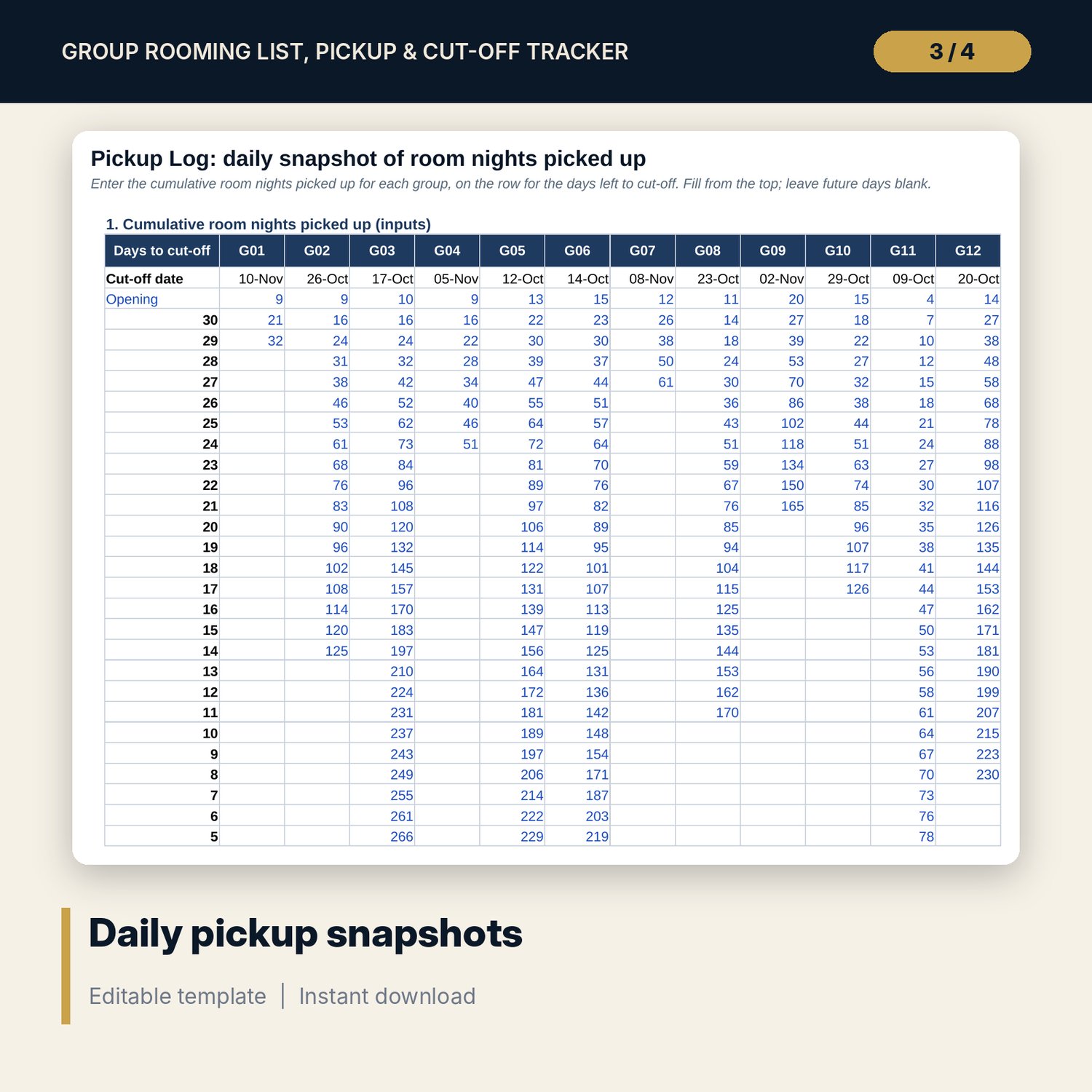
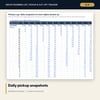
- Pickup Log: 31 daily rows x 12 groups (372 snapshot cells) plus a calculated daily pickup block
- Wash Forecast: pace, needed pace, projected pickup, wash, attrition exposure, alert per group, and rooming completeness
- Rooming List: 200 sample guest codes and 50 spare rows, with a row check
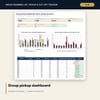
- Dashboard with 6 KPI tiles, a check tile and 2 charts; 6 checks
- Group_Rooming_Pickup_Forms.docx and PDF: 7 pages with rooming list template, 25-item checklist, group resume, 3 email templates, release log and call script
- README.txt and LICENSE-and-Terms.txt
How it works
- Enter the report date, target pickup and alert thresholds on Settings.
- Enter each group, its cut-off date, release rule and rooms per night on Groups.
- Each day, type the cumulative pickup for each group on Pickup Log.
- Read Wash Forecast and Dashboard. Call groups marked Behind and email groups marked Watch.
- Add guest codes to Rooming List and use the Word forms for the resume, checklist and reminders.
Details
- Format: one .xlsx workbook, one .docx and one PDF copy, English
- Software: Excel 2016 or later, or LibreOffice Calc 7 or later
- No macros, no external links, no array formulas
- Instant digital download, 3 files plus README and license
Good to know
- Sample data is illustrative. Replace it with your own figures.
- Release rules, attrition and charges must follow your signed contracts. This is a planning tool, not legal advice. Verify local requirements.
- The forecast uses the recent pace only. It does not know about events, rate changes or the organiser's plans.
- Single-user license. Do not redistribute.
FAQ
Why a 30-day snapshot table?
Pickup behaviour changes as cut-off approaches. The table captures the last 30 days, which is where pace and alerts matter most.
How is needed pace calculated?
Needed pace = (block x target pickup - pickup to date) / days left to cut-off. The target is set on Settings.
Can I change the 7-day window?
Yes. The pace window on Settings is an input from 1 to 14 days.
How many groups and nights can it hold?
12 groups with up to 10 nights each, and 250 rooming list rows.
Does it need macros or add-ins?
No. Every result is a standard worksheet formula.