Asset Management Quarterly Review Pack: Hotel Owner Meeting Agenda, KPI Pack, Action Tracker and Minutes Template
Full description
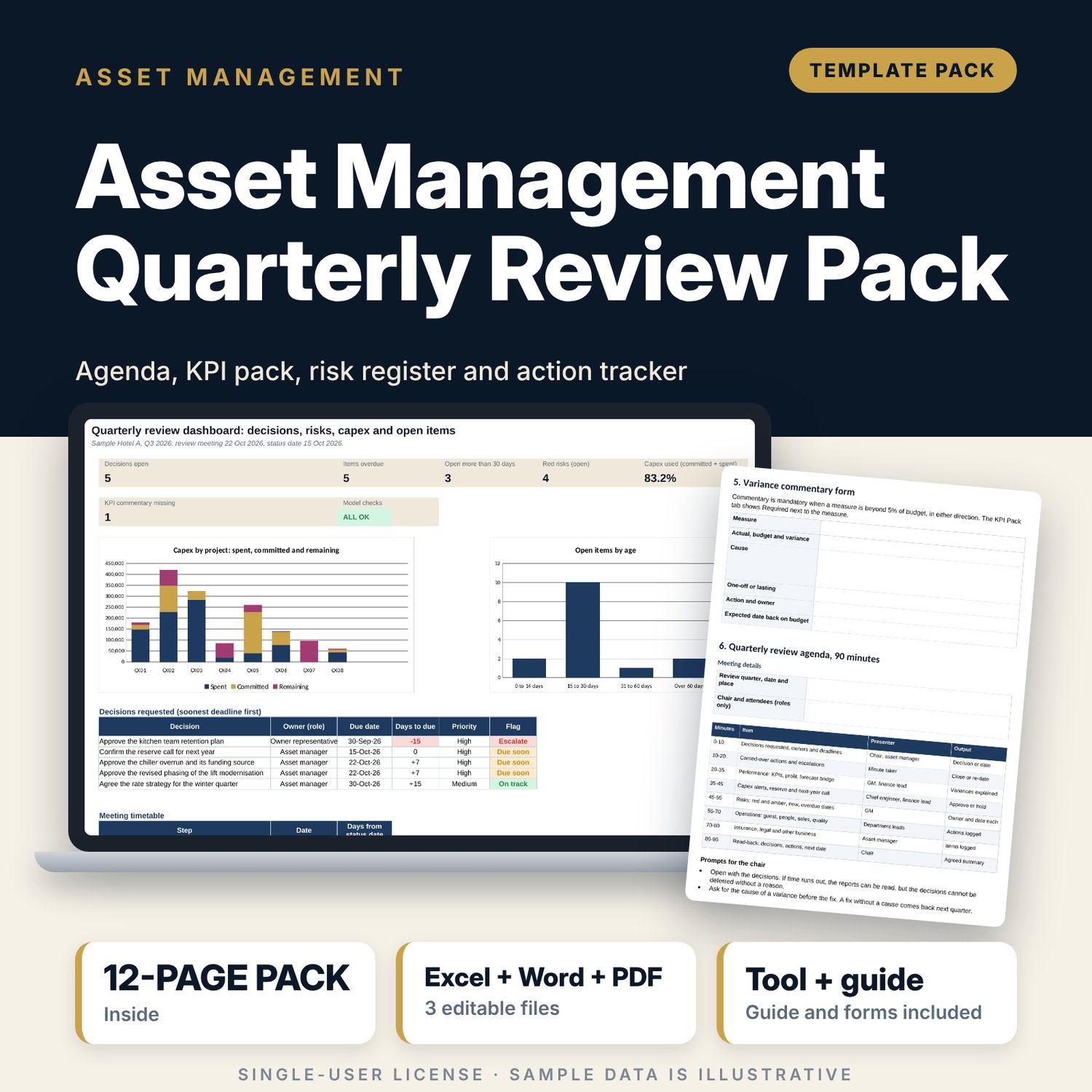
For asset managers, owner representatives and hotel general managers who run a quarterly review and want the pack, the meeting and the follow-up in one place. The workbook holds a KPI pack of 16 measures against budget and last year with a commentary flag beyond 5%, a capex tracker with an alert at 90% of approved, a reserve block, a risk register scored from likelihood and impact with a 5 x 5 matrix, and one tracker for actions and decisions that shows age in days and escalates items older than 30 days. Settings work out the draft, questions and minutes dates from the meeting date. A 7-page Word guide gives the governance calendar, the 12-page pre-read plan, a 90-minute agenda, a decision request form, a variance commentary form, a minutes template and an action carry-over list.
What is inside
- Quarterly_Review_Pack.xlsx: 7 tabs, 454 formulas, 2 native charts, 16 drop-down and input rules
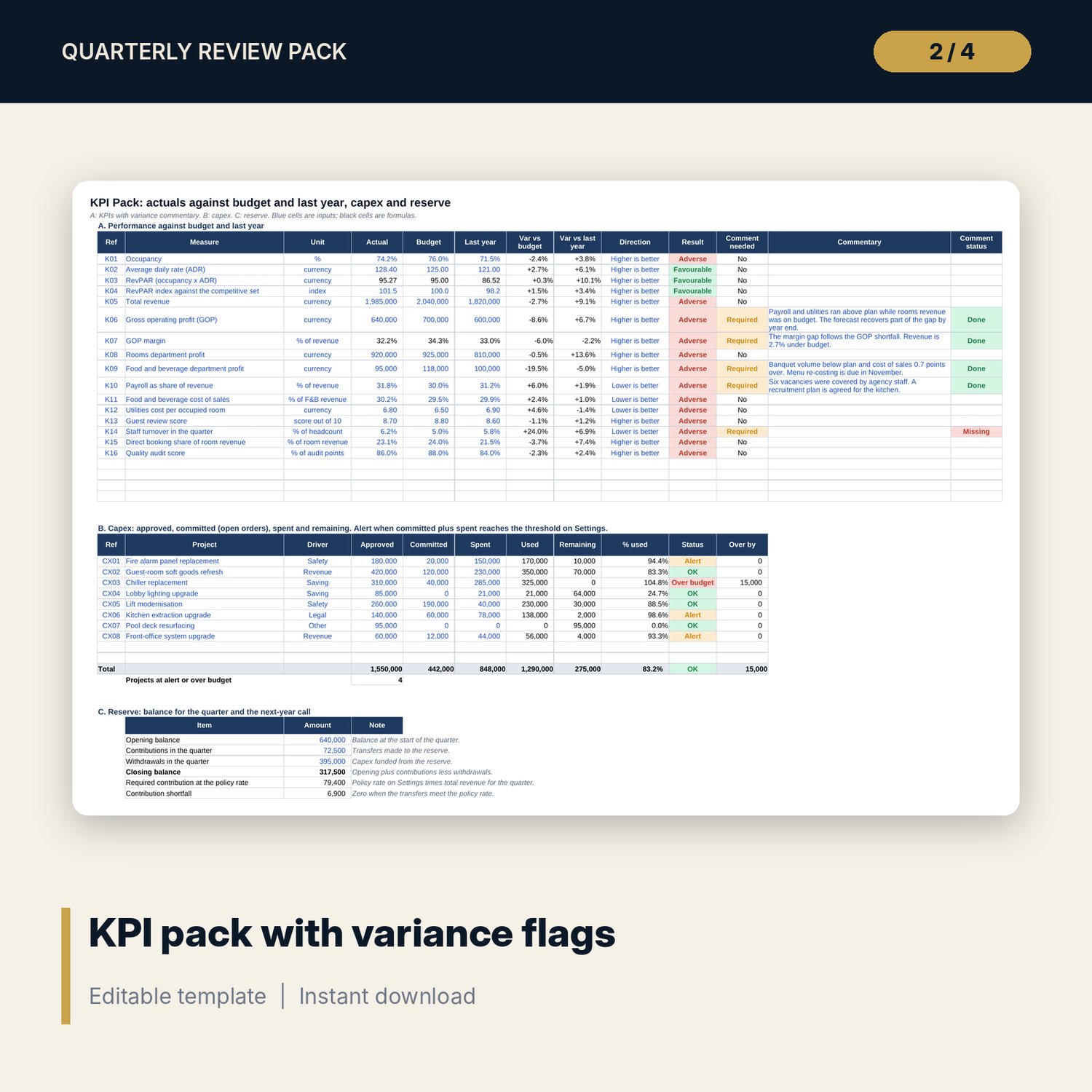
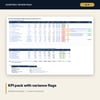
- KPI Pack: 16 measures with variance against budget and last year, comment flag and status; 8 capex projects with approved, committed, spent, remaining and alert; reserve block
- Risk Register: 13 sample risks scored from likelihood x impact, rating, owner, target date and a 5 x 5 matrix
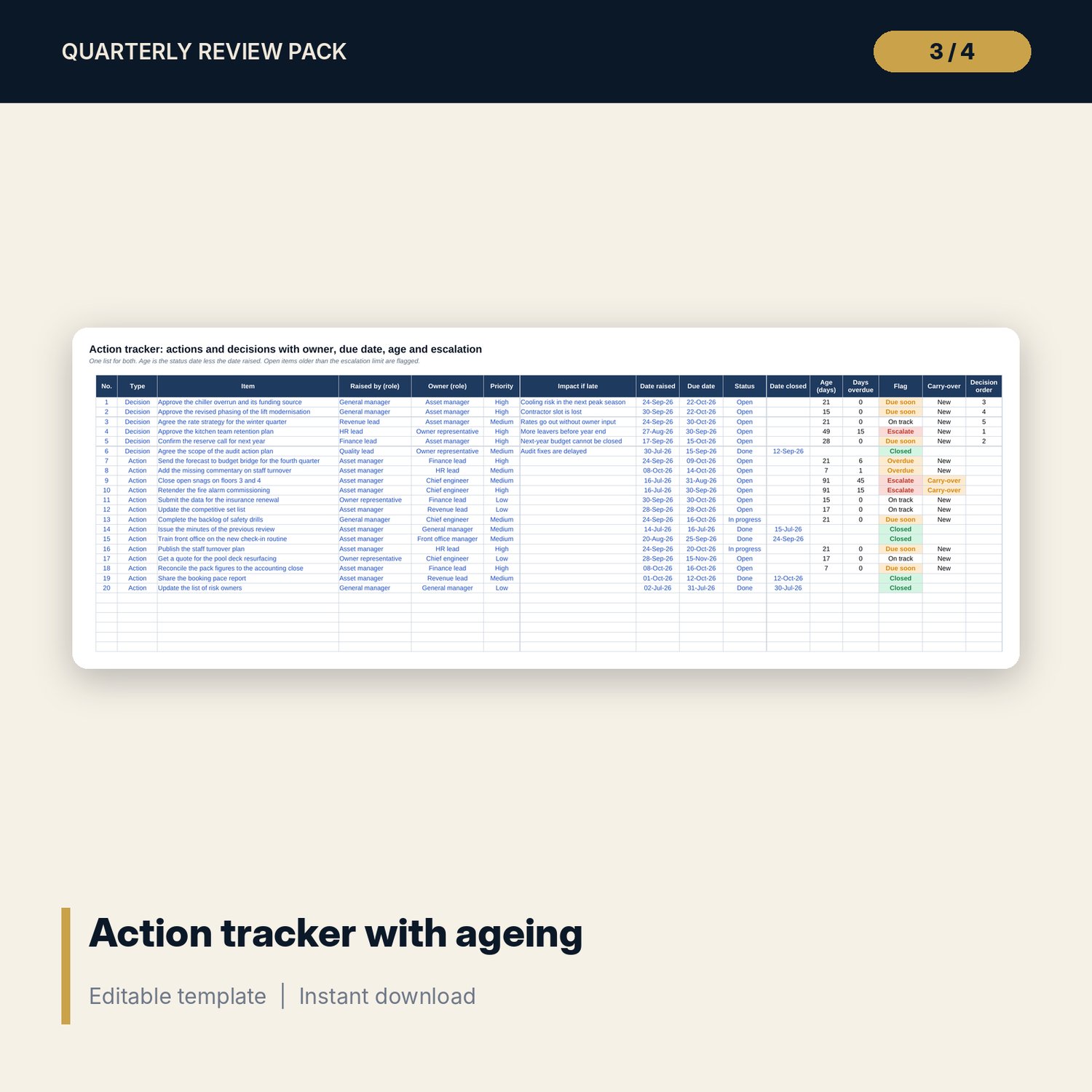
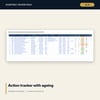
- Action Tracker: 20 sample actions and decisions with age, days overdue, escalation flag, carry-over mark and decision order
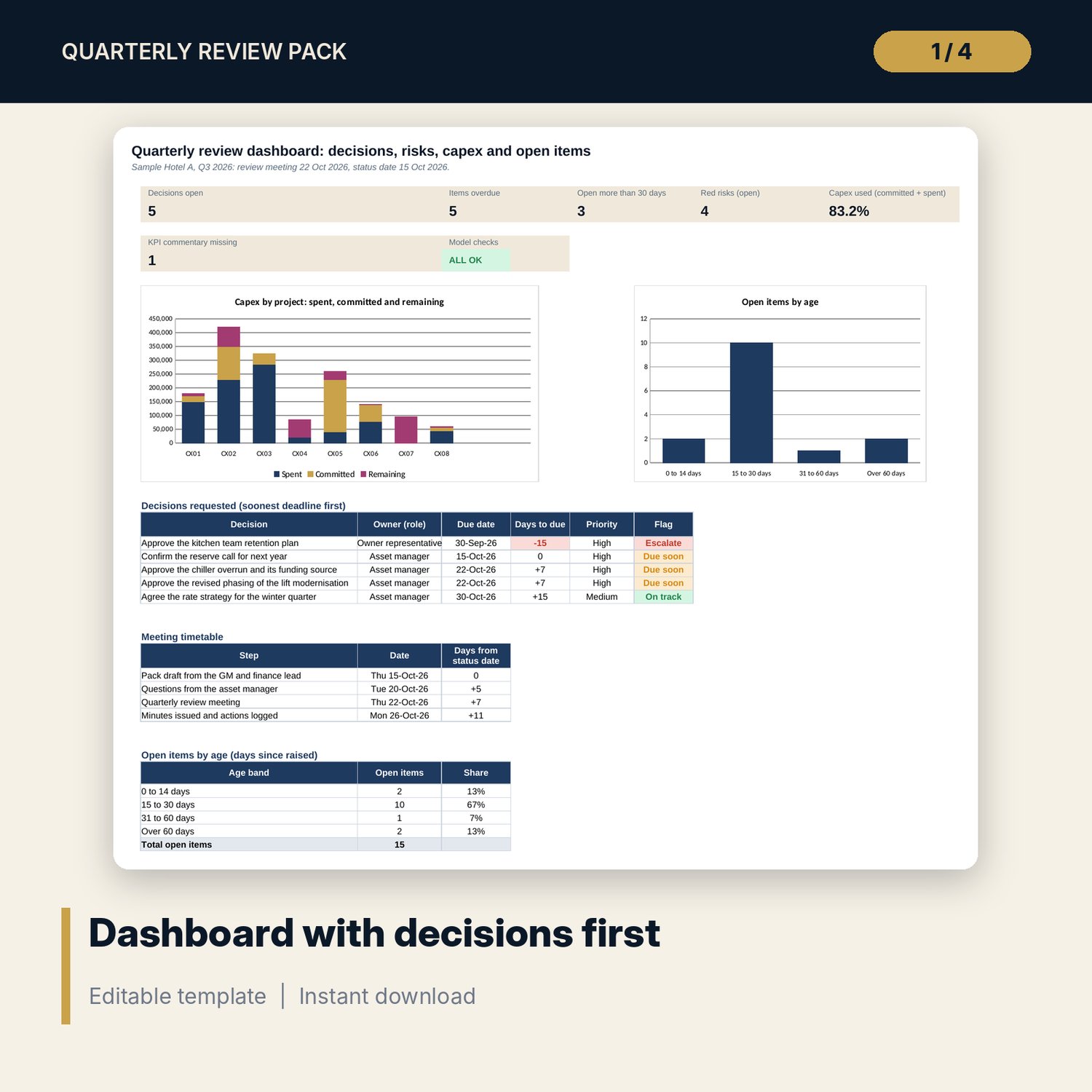
- Dashboard: 6 tiles and a check tile, 2 charts, decisions requested, meeting timetable and open items by age; 8 integrity checks
- Quarterly_Review_Meeting_Guide.docx and PDF: 7 pages with the calendar, timetable, pack plan, agenda, forms, minutes, carry-over list and a worked example
- README.txt and LICENSE-and-Terms.txt
How it works
- Enter the quarter, meeting date and status date on Settings. The timetable dates update.
- Fill the KPI Pack, capex and reserve figures, then write commentary where it is flagged.
- Score the risks and log every action and decision with an owner and a due date.
- Check that Checks shows ALL OK and print the Dashboard with the decisions list.
- Run the meeting with the agenda in the Word guide, issue the minutes within two working days and log the actions.
Details
- Formats: 1 Excel workbook (.xlsx), 1 guide in Word (.docx) and PDF, English
- Software: Excel 2016 or later, or LibreOffice Calc 7 or later
- No macros, no external links, no data tables, no array formulas
- 3 files plus README and license; instant digital download
Good to know
- Sample data is illustrative. Replace it with your own figures.
- Thresholds (risk bands, 30-day escalation, 90% capex alert, 5% variance) are editable defaults. Agree them with the owner.
- The files are management tools, not legal or financial advice. Verify local requirements before using any figure in a contract.
- Single-user license. Do not redistribute.
FAQ
Can I change the thresholds?
Yes. Risk bands, the escalation age, the capex alert, the variance tolerance and the reserve rate are inputs on Settings.
How is the age of an action worked out?
The status date less the date raised. Type =TODAY() in the status date cell to use the current date.
What counts as a carry-over?
An open item raised on or before the previous review meeting date, which you enter on Settings.
Can I add more KPIs, projects, risks or actions?
Yes. Each table has spare rows. Formulas and the dashboard counts pick them up.
Do I need macros?
No. Every result is a standard worksheet formula.