
Sales Call Plan & Territory Coverage Tracker: Hotel Sales Call Planner with Account Coverage Tracking
Full description
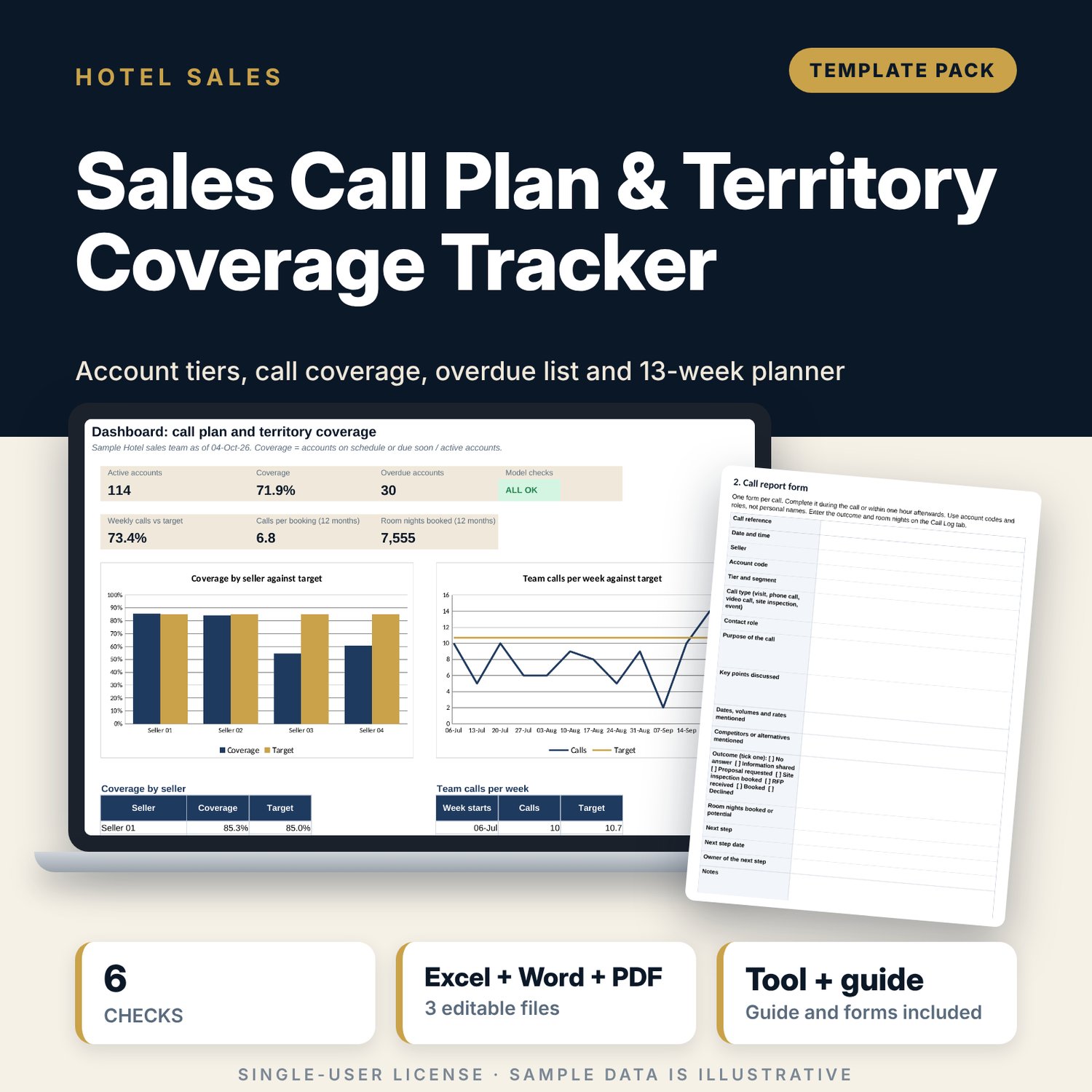
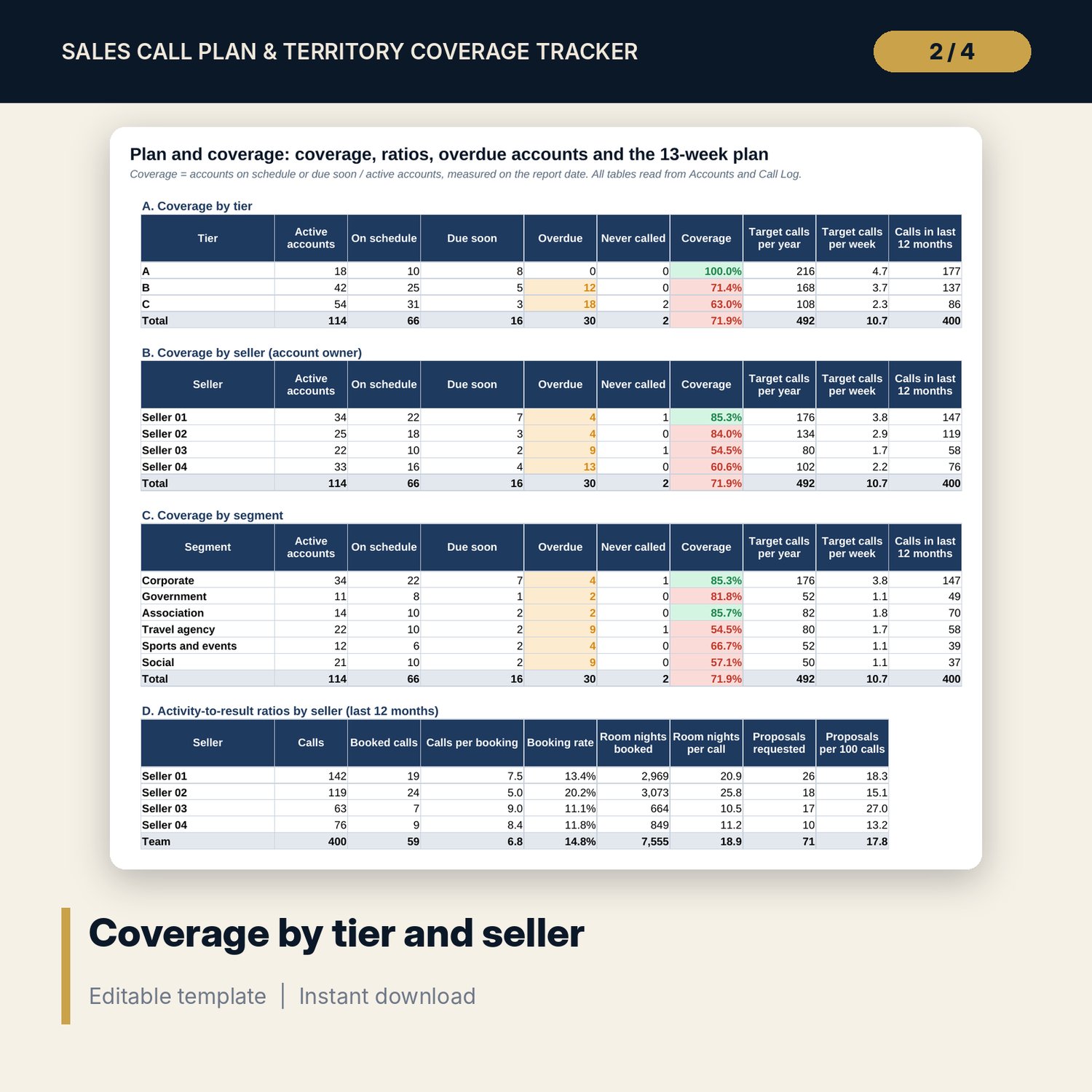
For hotel directors of sales and sales managers who run a small team and need to know which accounts have gone quiet. Each account has a tier with a call frequency. The workbook finds the last call, the next due date and the status on the report date, then reports coverage by tier, seller and segment, calls per week against target, calls per booking, room nights per call and a list of the longest overdue accounts. A 13-week planner counts the calls due each week, including catch-up calls for overdue accounts. The forms document adds a call report form, a territory plan template, a 12-point pre-call checklist and 10 opening lines by segment.
What is inside
- Sales_Call_Plan_Tracker.xlsx: 7 tabs, 6,534 formulas, 2 native charts, 13 data validation rules
- Settings: report date, calls per year for tiers A, B and C, thresholds and drop-down lists
- Accounts: 120 sample accounts (114 active) with room for 150; last call, next due date, status and room nights booked
- Call Log: 400 sample calls with room for 500; type, outcome, next step and room nights
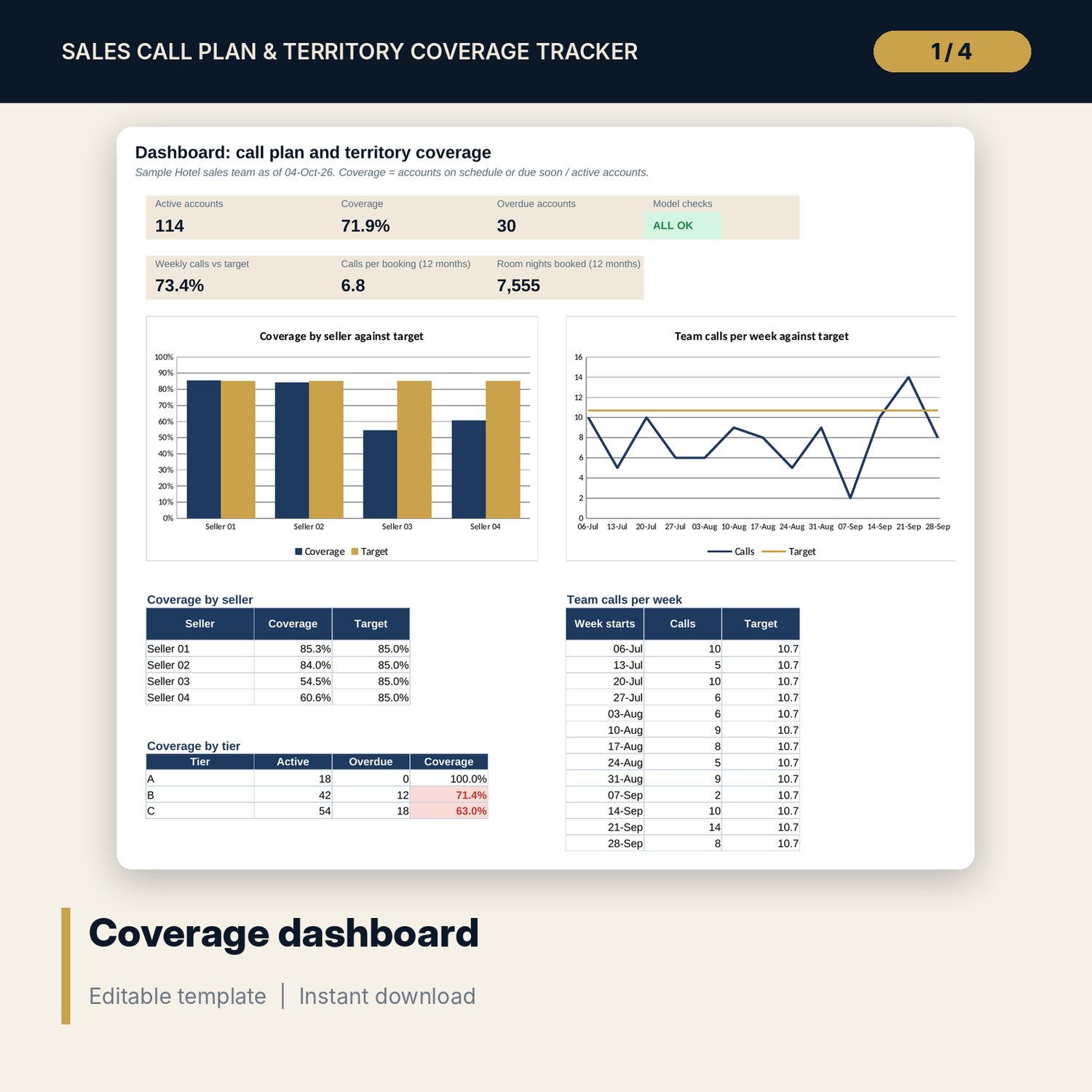
- Plan and Coverage: coverage by tier, seller and segment, activity-to-result ratios, top 15 overdue accounts, 13-week calls against target and a 13-week planner by account
- Dashboard with 6 tiles, a check tile and 2 charts; Checks tab with 6 checks
- Sales_Call_Plan_Tracker_Forms.docx and PDF copy: 7 pages with a call report form, a completed example, a territory plan template, a 12-point pre-call checklist and 10 opening lines
- README.txt and LICENSE-and-Terms.txt
How it works
- Set the report date and the call frequency for each tier on Settings.
- Enter your accounts (tier, segment, owner, active) and your calls (date, account, outcome, room nights).
- Read coverage, overdue accounts and the weekly plan on Plan and Coverage.
- Check the Dashboard and confirm that Checks shows ALL OK.
- Use the forms to prepare calls and to write the quarterly territory plan for each seller.
Details
- Format: 1 .xlsx workbook, 1 .docx forms document and its PDF copy (3 files), English
- Software: Excel 2016 or later, or LibreOffice Calc 7 or later
- No macros, no external links, no data tables, no array formulas
- Instant digital download
Good to know
- Sample data is illustrative. Replace it with your own figures.
- Tiers, call frequencies and targets are examples. Set them on Settings to match your own standards.
- The workbook holds 150 accounts, 500 calls and four sellers. Rename the sellers on Settings.
- Single-user license. Do not redistribute.
FAQ
How is coverage calculated?
Coverage is the number of accounts called within their own cycle, plus accounts due soon, divided by active accounts on the report date.
Can I change how often each tier is called?
Yes. Change calls per year for tiers A, B and C on Settings. Days between calls, next due dates, targets and the planner update at once.
Does it show which calls led to bookings?
Yes. Each call has an outcome. Calls with the outcome Booked carry room nights, and the workbook shows calls per booking and room nights per call by seller.
Can I run it live every day?
Yes. Enter =TODAY() as the report date on Settings, or type a date to freeze a report.
Do I need macros or add-ins?
No. Every result is a standard worksheet formula.