
Travel Agent, Wholesaler & Consortia Programme Tracker: Agency, Wholesaler and Consortium Contract Tracker for Hotels
Full description
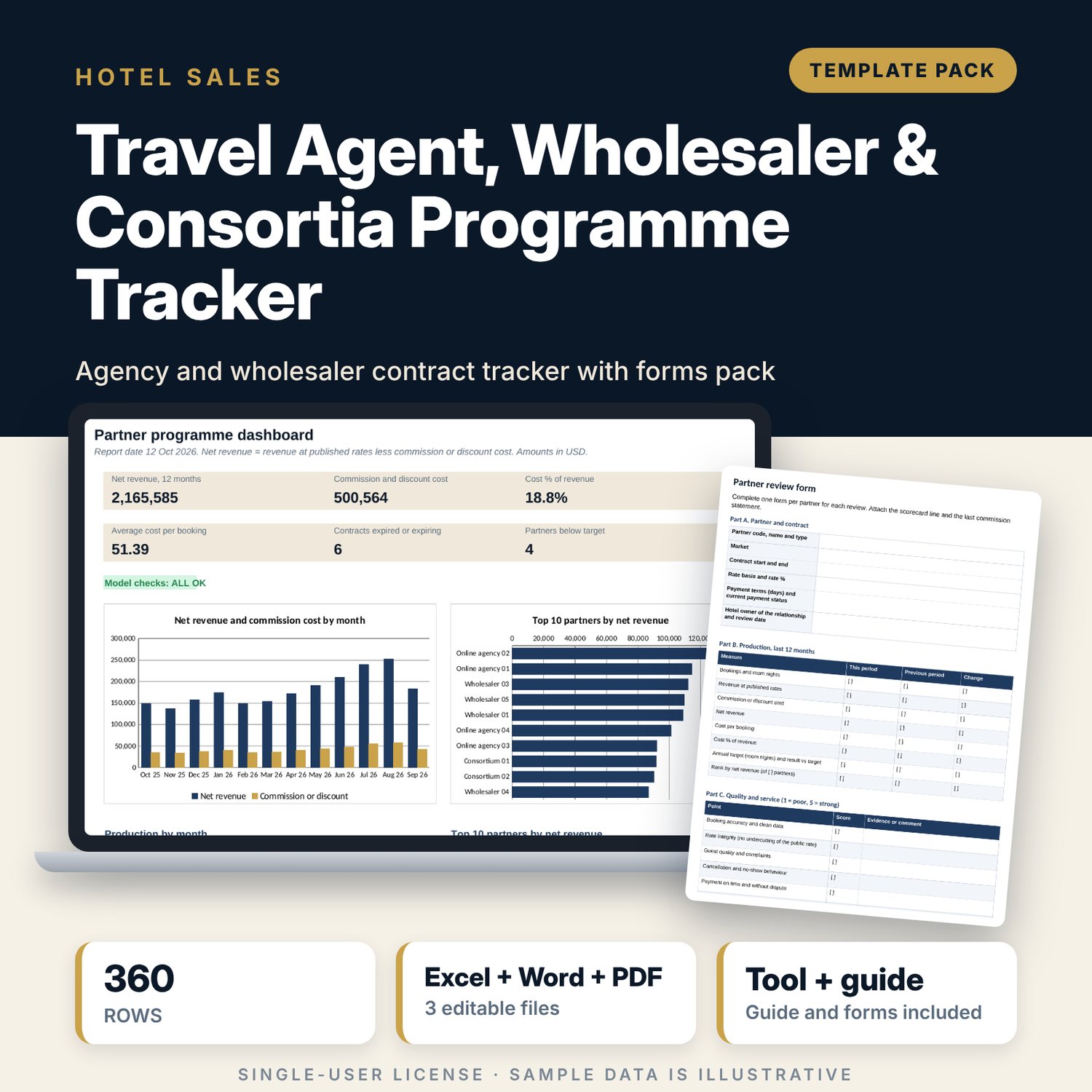
For hotel sales managers, directors of sales and revenue managers who sign contracts with travel agencies, wholesalers, tour operators and consortia and need to know what each one earns and costs. The workbook holds a register of 30 sample contracts with rate basis, term, payment terms and status, and 360 rows of monthly production for 12 months. It calculates commission or net-rate discount cost, net revenue, cost per booking, result against room-night target, rank by net revenue and share of net revenue by partner type. Expiry alerts use a 60-day window that you can change. The Word pack gives you the review form, a 15-item renewal checklist, a commission statement and a dispute note.
What is inside
- Travel_Agent_Partner_Tracker.xlsx: 8 tabs, 3,255 formulas, 2 native charts, 15 drop-down and input rules
- Partner Register: 30 sample partners plus spare rows, with days to expiry and an Expired or Expiring alert
- Monthly Production: 360 sample rows (30 partners by 12 months) with cost, net revenue and cost per booking calculated on each row
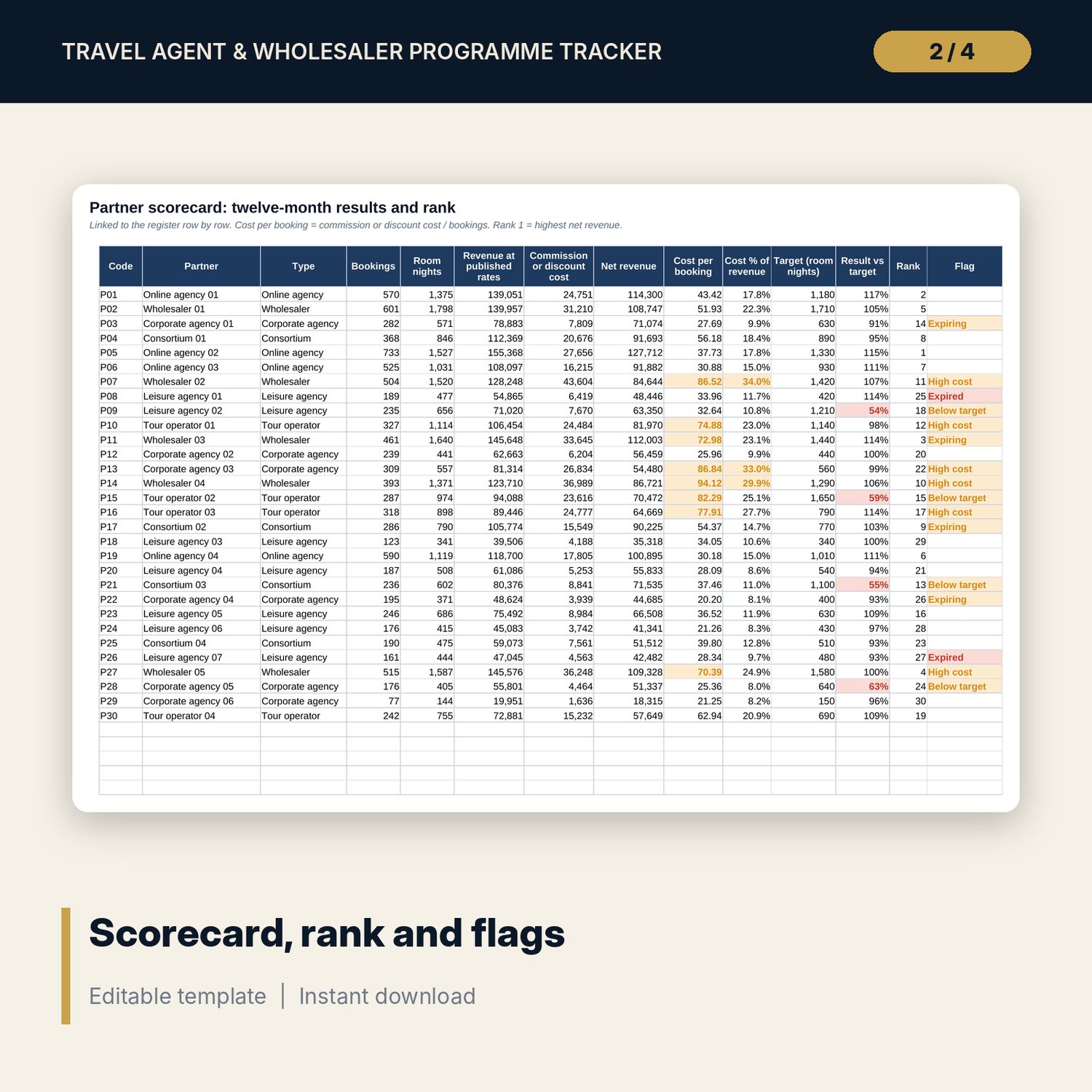
- Partner Scorecard: twelve-month totals, cost per booking, cost % of revenue, result against target, rank and one flag per partner
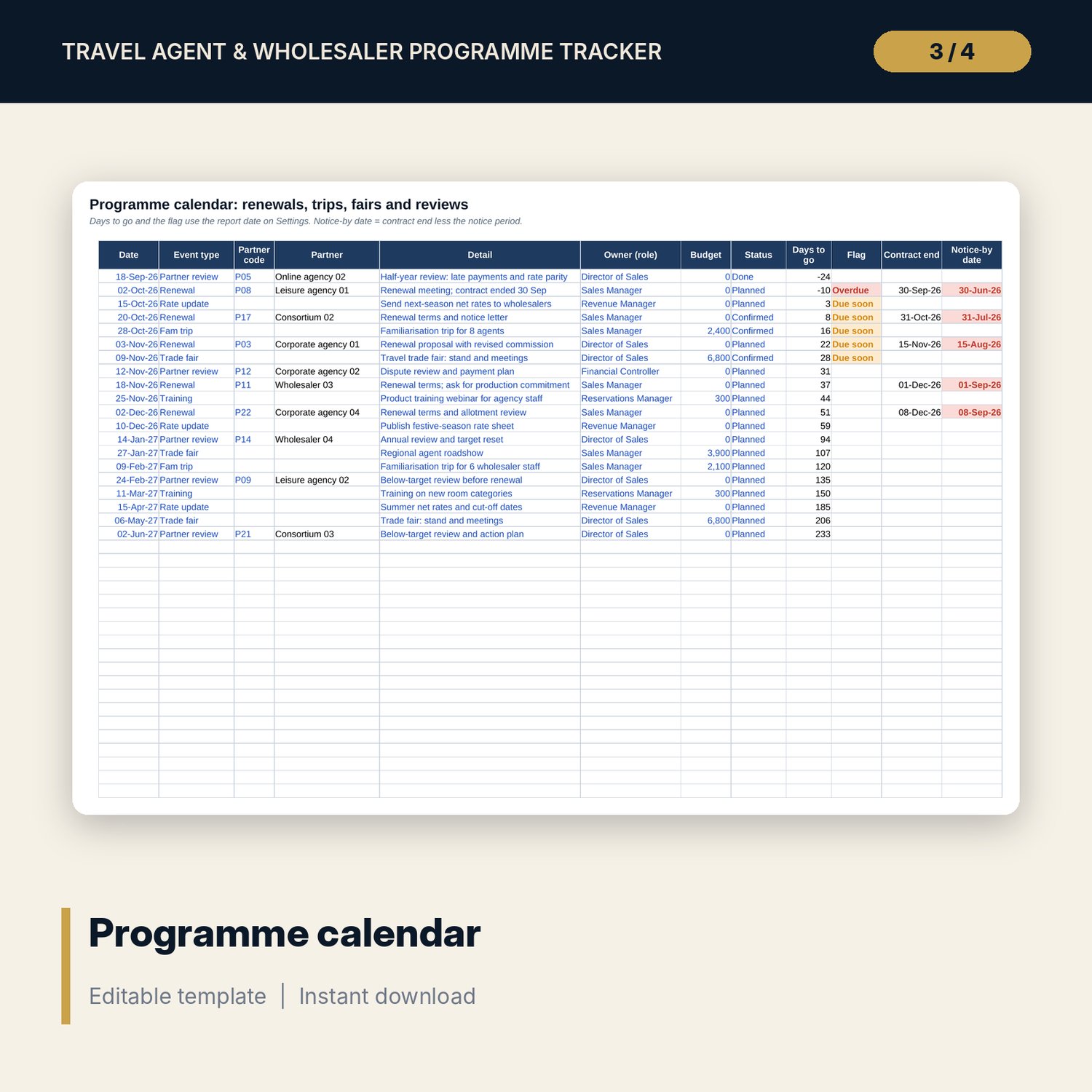
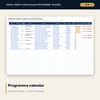
- Programme Calendar: 20 sample events for renewals, familiarisation trips, trade fairs, reviews and rate updates, with notice-by dates
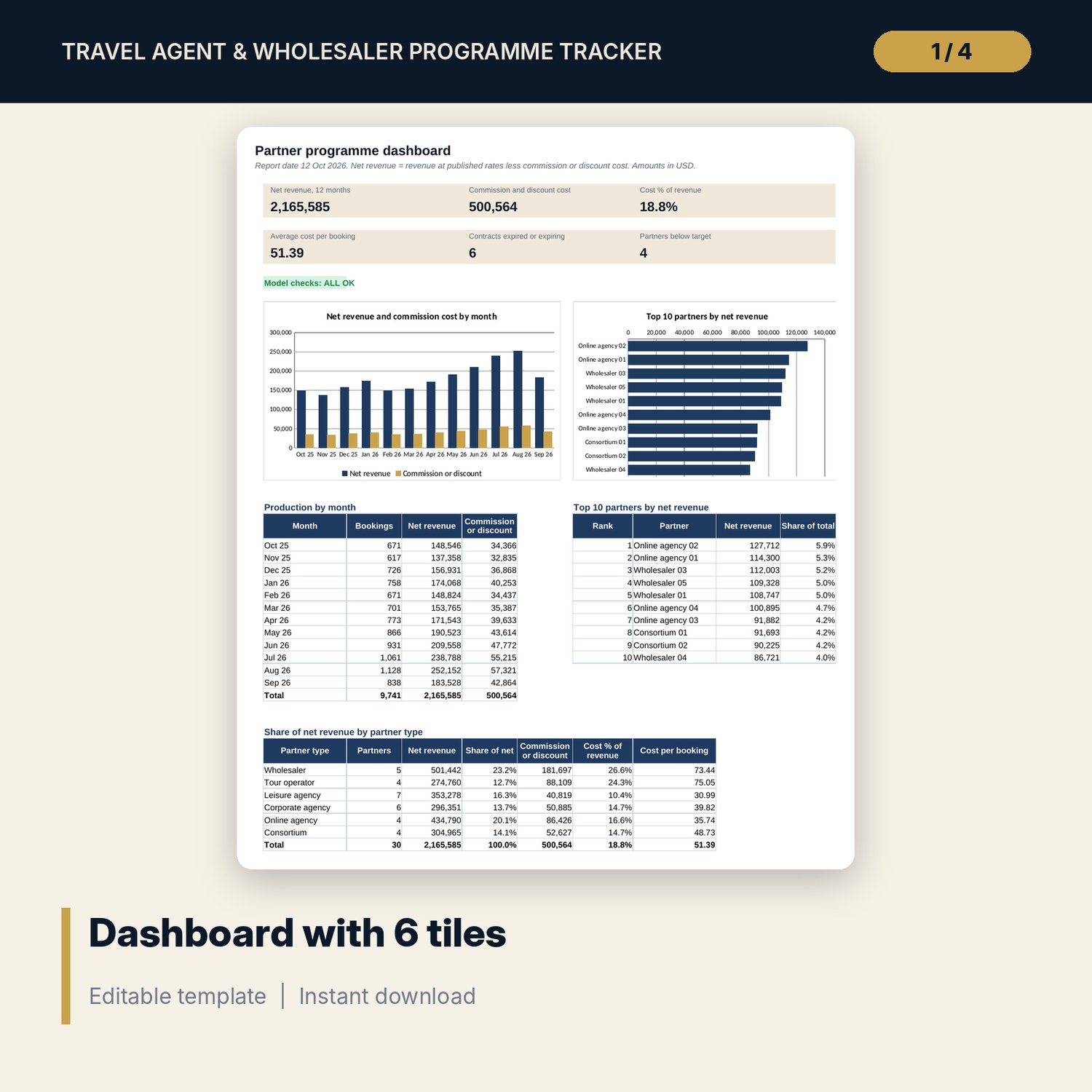
- Dashboard with 6 tiles, 2 charts, a top 10 table and a share-by-type table; 6 checks
- Travel_Agent_Partner_Tracker_Forms.docx: 7 pages with the partner review form, a 15-item renewal checklist, a commission statement template and a dispute note template (DOCX and PDF)
- README.txt and LICENSE-and-Terms.txt
How it works
- Set the report date, first production month and alert thresholds on Settings.
- Enter your contracts on Partner Register and your monthly bookings, room nights and revenue on Monthly Production.
- Read the scorecard flags: Expired, Expiring, Below target and High cost.
- Add renewals, trips and fairs to Programme Calendar and watch the notice-by dates.
- Use the forms in the Word pack for reviews, renewals, statements and disputes.
Details
- Formats: one .xlsx workbook, one .docx forms pack and its PDF copy, English
- Software: Excel 2016 or later, or LibreOffice Calc 7 or later; any word processor that opens .docx
- No macros, no external links, no pivot tables, no array formulas
- 3 files plus README and licence; instant digital download
Good to know
- Sample data is illustrative. Replace it with your own figures.
- Commission rates, payment terms and notice periods come from your contracts. This is not legal advice. Verify local requirements and your own agreements.
- Net-rate contracts: enter revenue at published rates and the discount as Rate %.
- Single-user license. Do not redistribute.
FAQ
Can I track net-rate wholesalers as well as commission agencies?
Yes. Choose Net rate or Commission for each partner. Enter revenue at published rates and the discount or commission as Rate %. The cost per booking works the same way.
How are expiry alerts set?
A contract shows Expiring when its end date falls inside the alert window on Settings (60 days in the sample). It shows Expired when the end date is before the report date.
How many partners and months does it hold?
The register has room for 50 partners and Monthly Production for 420 rows (the sample uses 360). Dashboard totals cover 12 months from the first month you set.
Does it need macros or add-ins?
No. Every result is a standard worksheet formula.
Can I change the thresholds?
Yes. Target thresholds, cost per booking, cost % alert and the expiry window are inputs on Settings.