


MEP Asset Remaining Useful Life & Replacement Planner: asset remaining useful life and 15-year capex plan in Excel
Full description
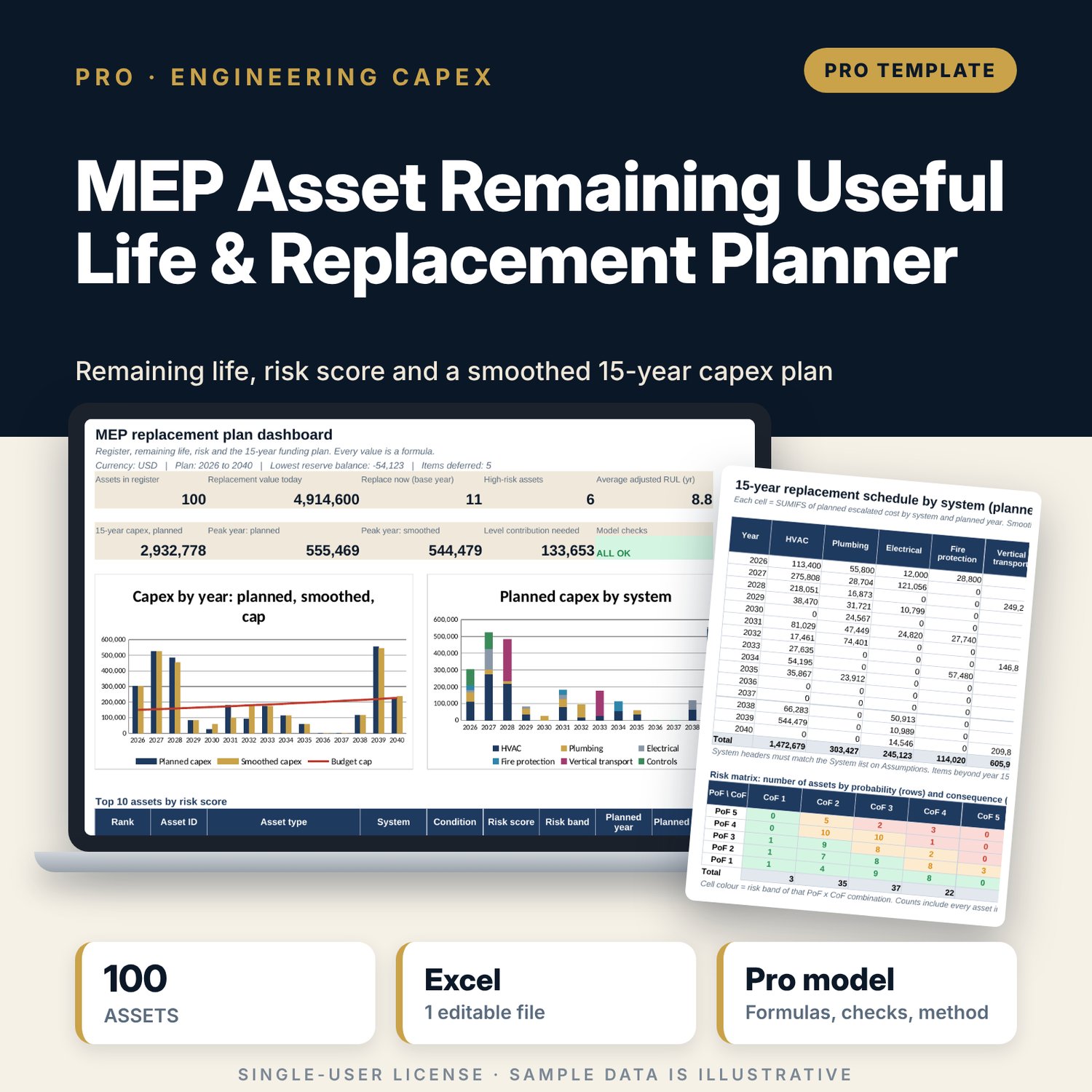
For chief engineers, directors of engineering, asset managers and general managers who must defend a replacement budget to owners. You list each mechanical, electrical, plumbing, fire and lift asset with its install year, condition score (1 to 5), running hours, criticality and cost today. The workbook calculates effective age (age x usage factor from actual vs design running hours), age-based remaining useful life, and a condition-adjusted RUL from a rating table you can edit. That gives a replacement year and an escalated cost per asset. Each asset also gets a probability of failure from life consumed and condition, a consequence score from criticality and standby units, and a 1 to 25 risk score. A 15-year schedule shows capex by system and year. The funding view compares it with an annual budget cap, defers low-risk items out of years above the cap, re-escalates them, and rolls a reserve fund forward with the level annual contribution needed.
Save with a bundle: this workbook is also in the Hotel Engineering & MEP Pro Bundle, 25 workbooks for $59 instead of $319. All 100 Pro workbooks are in the Pro Library for $119, and all 241 templates and workbooks are in the Ultimate Hospitality Library for $149.
What is inside
- MEP_Asset_RUL_Replacement_Planner.xlsx: 12 tabs, 5,646 formulas, 5 native charts, 15 integrity checks, 19-row Method tab
- Asset_Register: 150 rows with 100 illustrative sample assets across 6 systems
- Asset_Library: design life and design running hours for 31 asset types, plus 14 blank rows
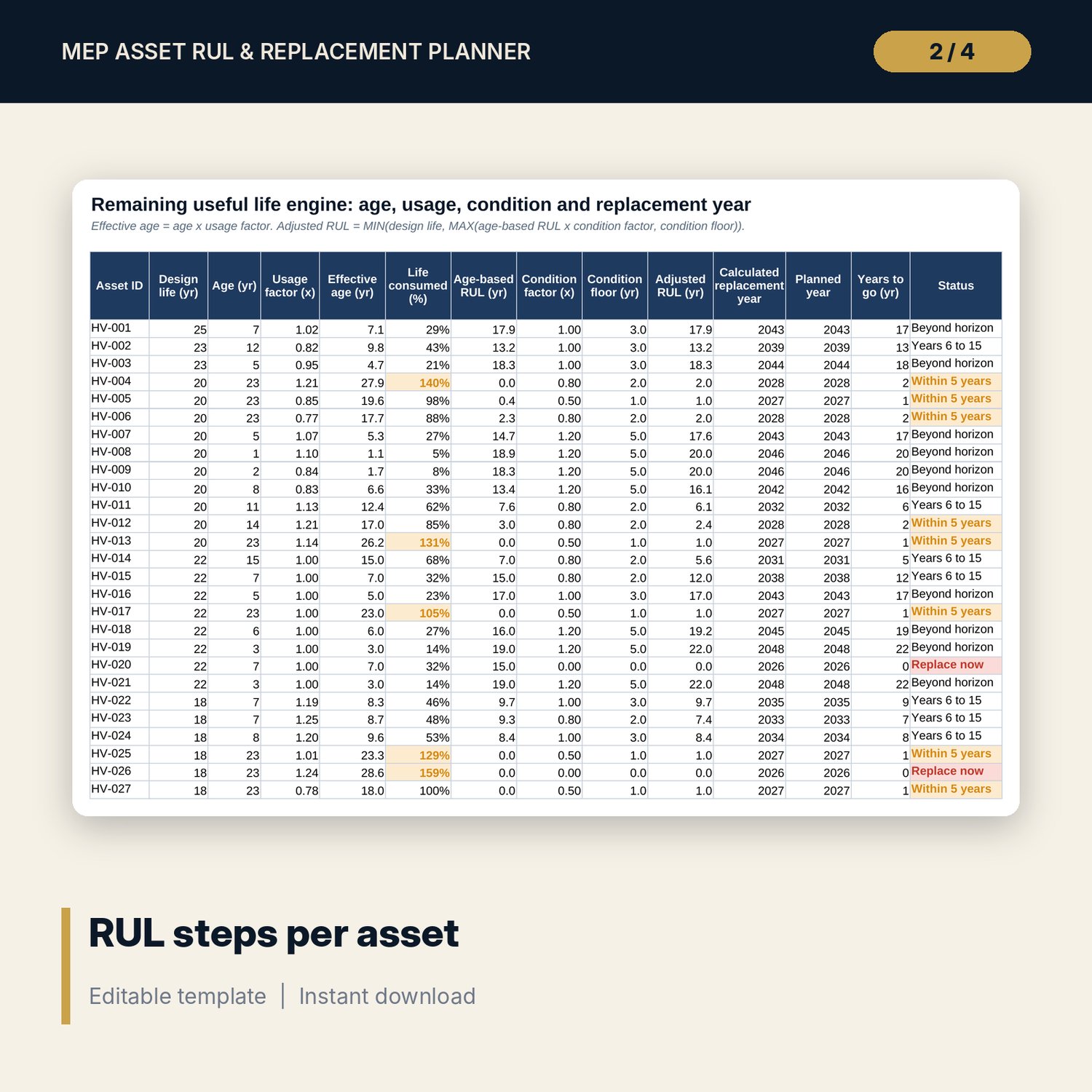
- RUL_Engine: 14 columns per asset (age, usage factor, effective age, life consumed, age-based RUL, condition factor and floor, adjusted RUL, replacement year, status)
- Risk_Smoothing: 18 columns per asset (escalated cost, PoF, CoF, risk score and band, deferral test, smoothed year and cost)
- Assumptions: 19 editable inputs with units, a 5-level condition rating table and life-consumed PoF bands
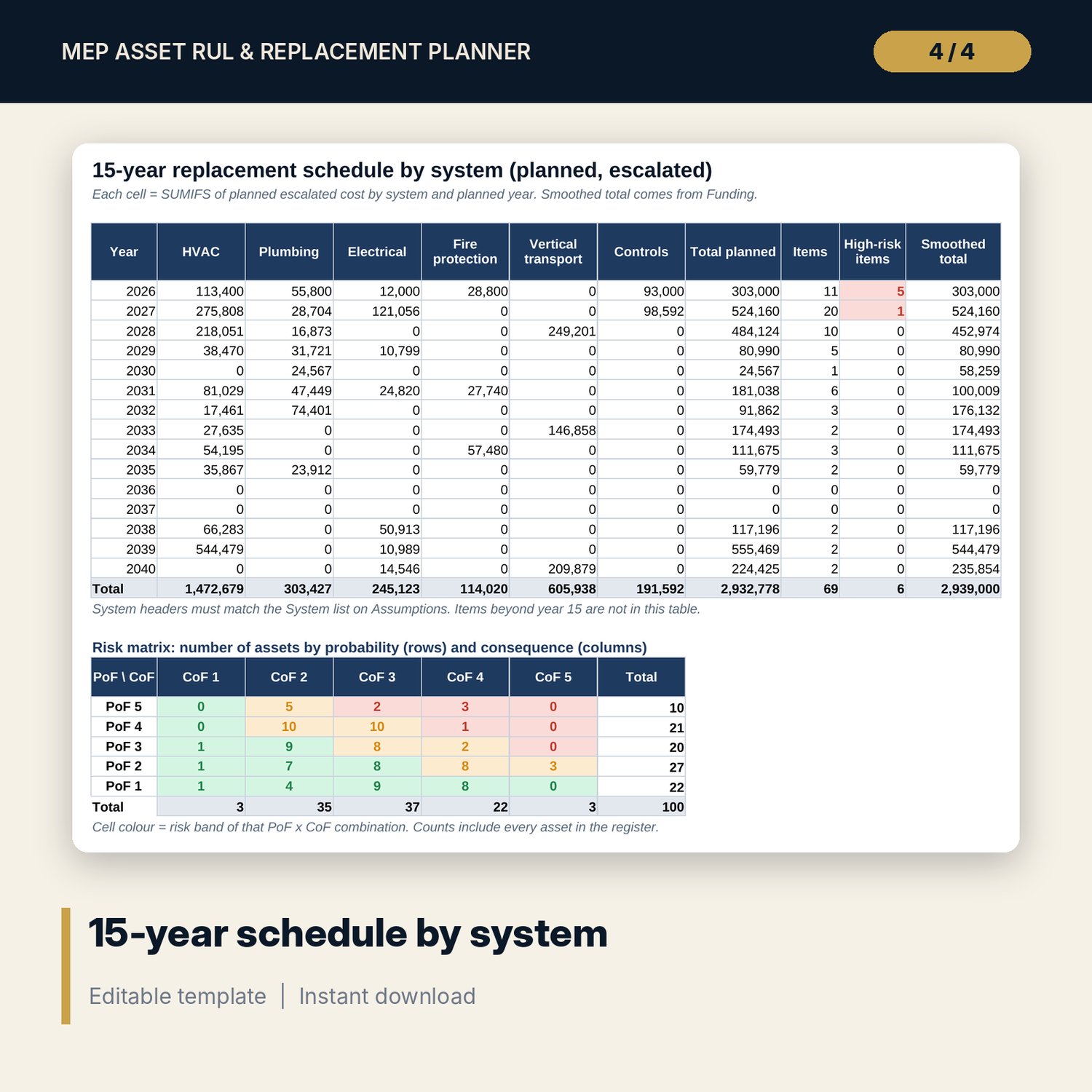
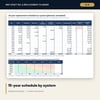
- Schedule_15yr: 15 years x 6 systems, high-risk item counts, a 5 x 5 risk matrix and a stacked chart
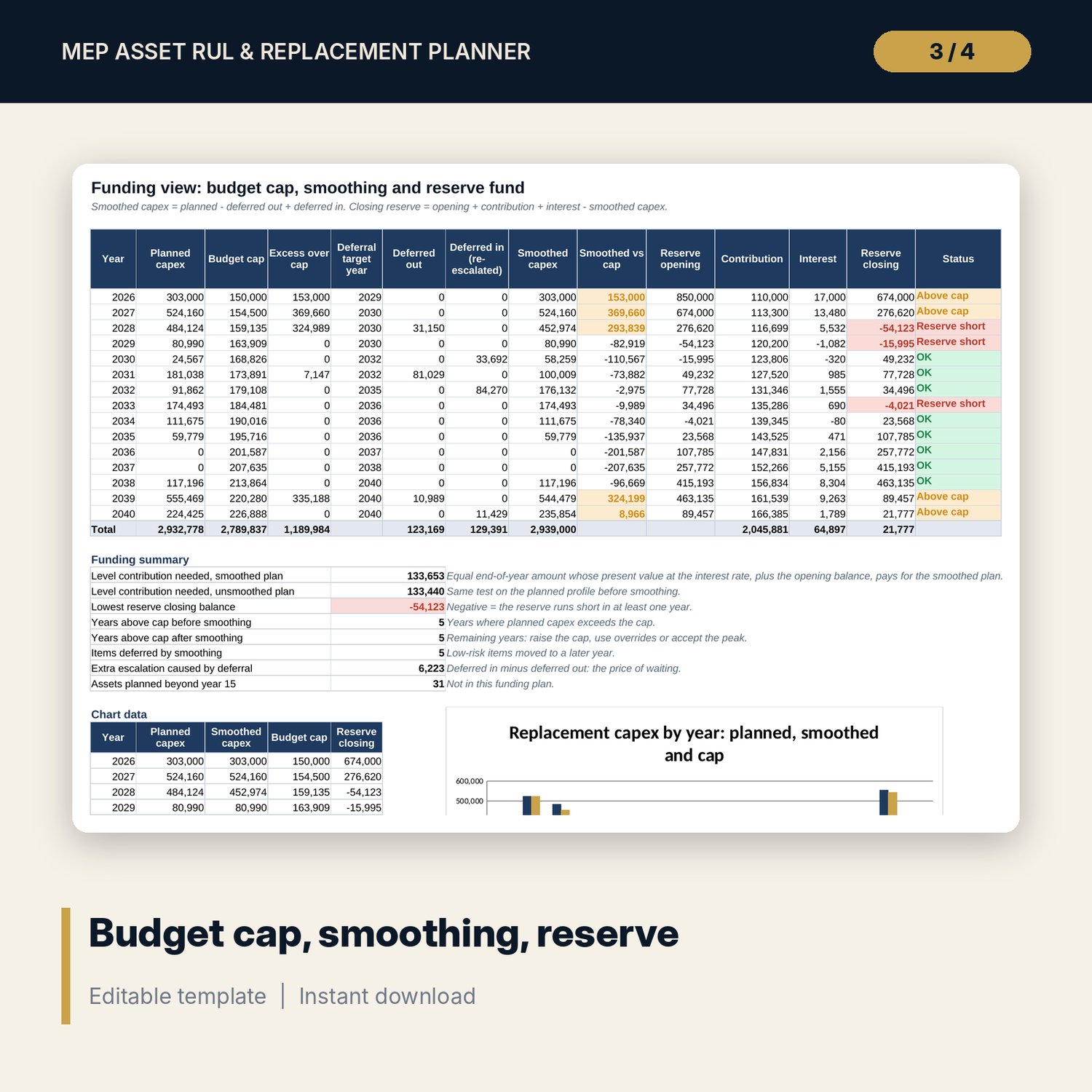
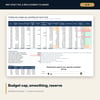
- Funding: budget cap, deferrals, smoothed capex, reserve fund roll-forward and an 8-line funding summary
- Sensitivity: two 6 x 6 grids for 15-year capex and level contribution
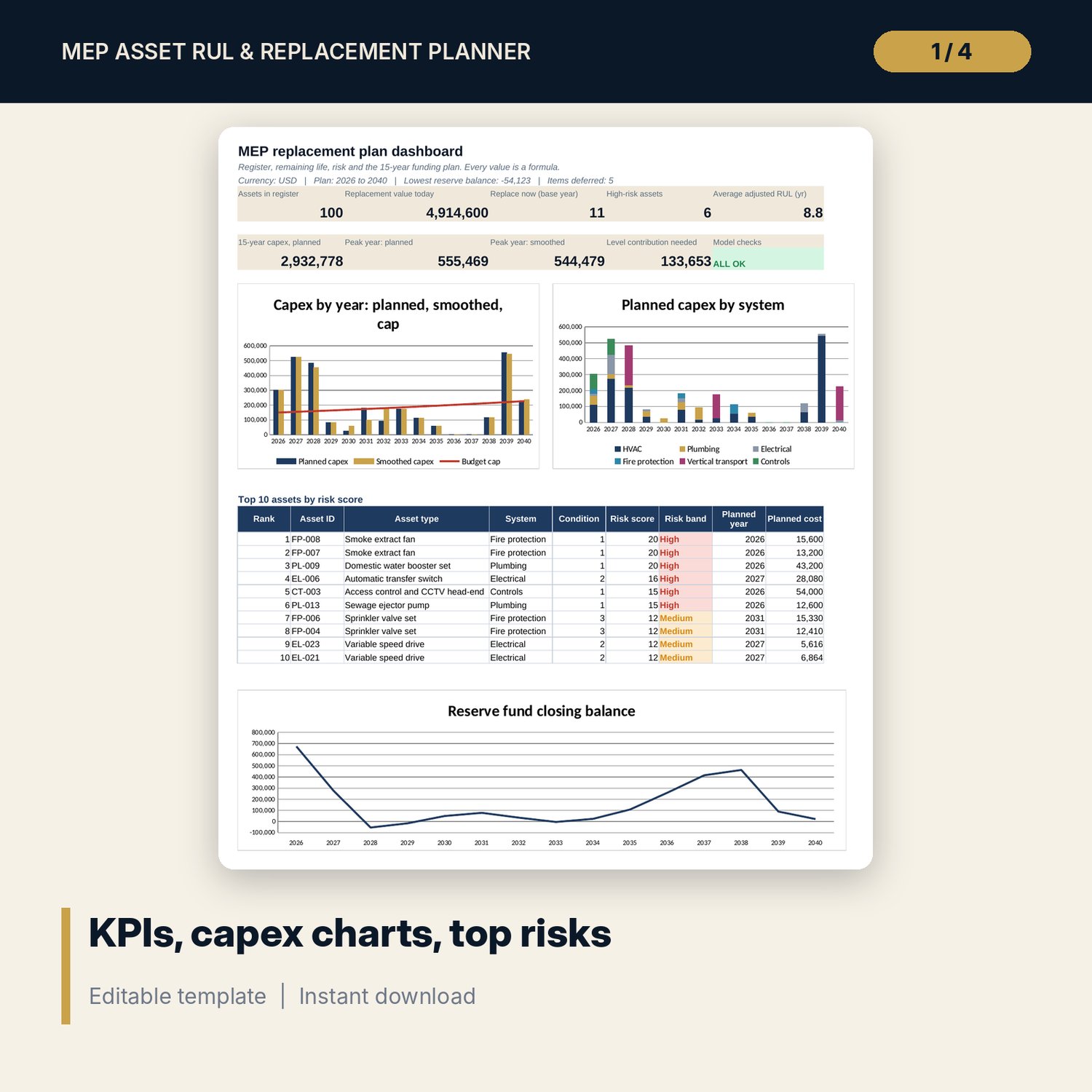
- Dashboard: 9 KPI tiles, check status, 3 charts and the top 10 assets by risk on one page
- README.txt and LICENSE-and-Terms.txt
How it works
- Set the base year, escalation, uplift, budget cap, deferral rules and reserve fund inputs on Assumptions.
- Check the design lives on Asset_Library and enter your assets on Asset_Register after a condition survey.
- Read remaining life and replacement year on RUL_Engine, and risk scores on Risk_Smoothing.
- Review the 15-year schedule by system and the funding view with smoothing and the reserve balance.
- Use the Sensitivity grids and the Dashboard to agree the annual contribution with owners.
Details
- Format: one XLSX workbook
- Language: English
- Units: years, hours per year, scores 1 to 5, money in the currency you set
- Software: Excel 2016 or later (Windows or Mac) or LibreOffice Calc; also opens in Google Sheets, where chart styling may differ
- No macros, no array formulas, no external links
- Delivery: instant download
Good to know
- Sample data is illustrative. Replace it with your own register and costs.
- This is a planning tool, not engineering advice or certification. Confirm critical assets with a specialist inspection.
- Design lives, condition factors, escalation, costs and risk thresholds are editable inputs. Verify them with manufacturers, suppliers, your cost adviser and local requirements.
- Smoothing is a transparent one-pass rule, not an optimiser. Years that stay above the cap are flagged for your decision.
- Single-user license.
FAQ
How does condition change the remaining life?
Age-based RUL is multiplied by a factor for the condition score, with a minimum floor per score. Score 1 gives zero, so the asset is planned for the base year. You can edit the factors and floors.
Why do running hours matter?
The usage factor is actual hours divided by the design hours in the library. A standby generator that runs little ages more slowly than its calendar age; a pump that runs harder than designed ages faster.
Can I force a replacement year?
Yes. Enter a planned year override on the register, for example a lift upgrade already in the budget. Overridden items are never moved by smoothing.
Which items does smoothing move?
Only Low-risk items in acceptable condition, in years where planned capex is above the cap. They move to the lightest year within the deferral window and pick up extra escalation.
Can I add more assets or new asset types?
Yes. The register has 150 rows and the library has blank rows for your own asset types.