
Baker's Percentage Formula Scaler & Dough Calculator: Bread Formula and Dough Temperature Spreadsheet
Full description
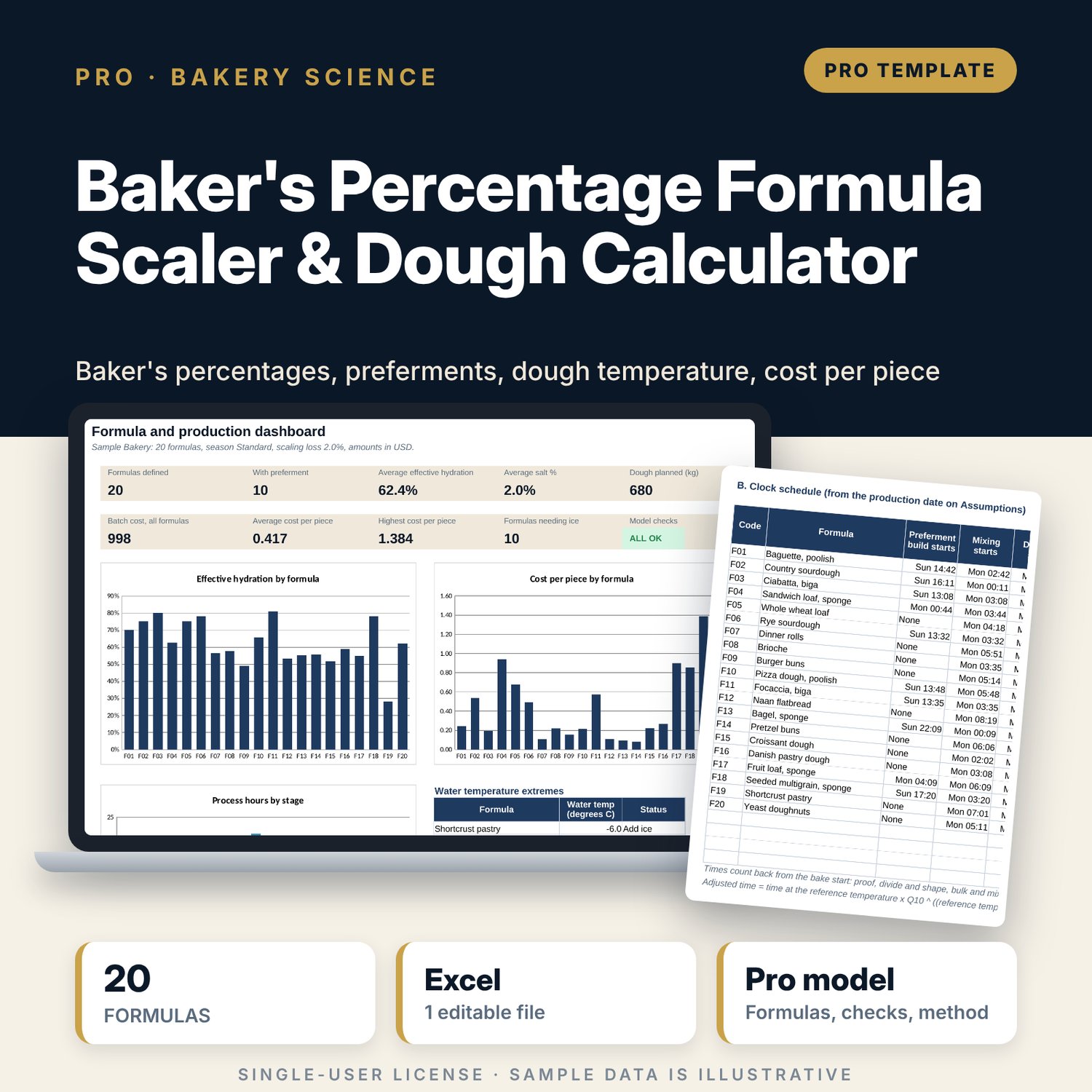
For head bakers, pastry chefs, bakery owners and food and beverage managers who write formulas in baker's percentages and need them scaled, costed and planned. Each formula holds the flour split, hydration, salt, yeast, sugar, fat, milk, egg and add-ins as a share of total flour, plus an optional preferment (poolish, levain, sponge or biga) with its own flour share, hydration and yeast. The workbook calculates effective hydration, scales to a number of pieces or a dough weight with scaling loss, and gives every ingredient weight, batch cost and cost per piece. A desired dough temperature calculation returns the water temperature by the three-factor or four-factor method and the ice needed by heat balance, with a friction factor calibration. A fermentation plan counts back from the bake start with times adjusted to temperature.
Save with a bundle: this workbook is also in the F&B Control & Audit Pro Bundle, 25 workbooks for $59 instead of $310. All 100 Pro workbooks are in the Pro Library for $119, and all 241 templates and workbooks are in the Ultimate Hospitality Library for $149.
What is inside
- Bakers_Percentage_Formula_Scaler_and_Dough_Calculator.xlsx: 11 tabs, 2,010 formulas, 3 native charts, 24 drop-down and input rules
- Formulas: 20 sample formulas (lean, sourdough, whole grain, enriched, pizza and flatbread, laminated, pastry) with room for 24
- Formula_Engine: 19 step columns from preferment shares to cost per kg of dough
- Scaler: pieces or dough kg in, 11 ingredient weights, batch cost and cost per piece out
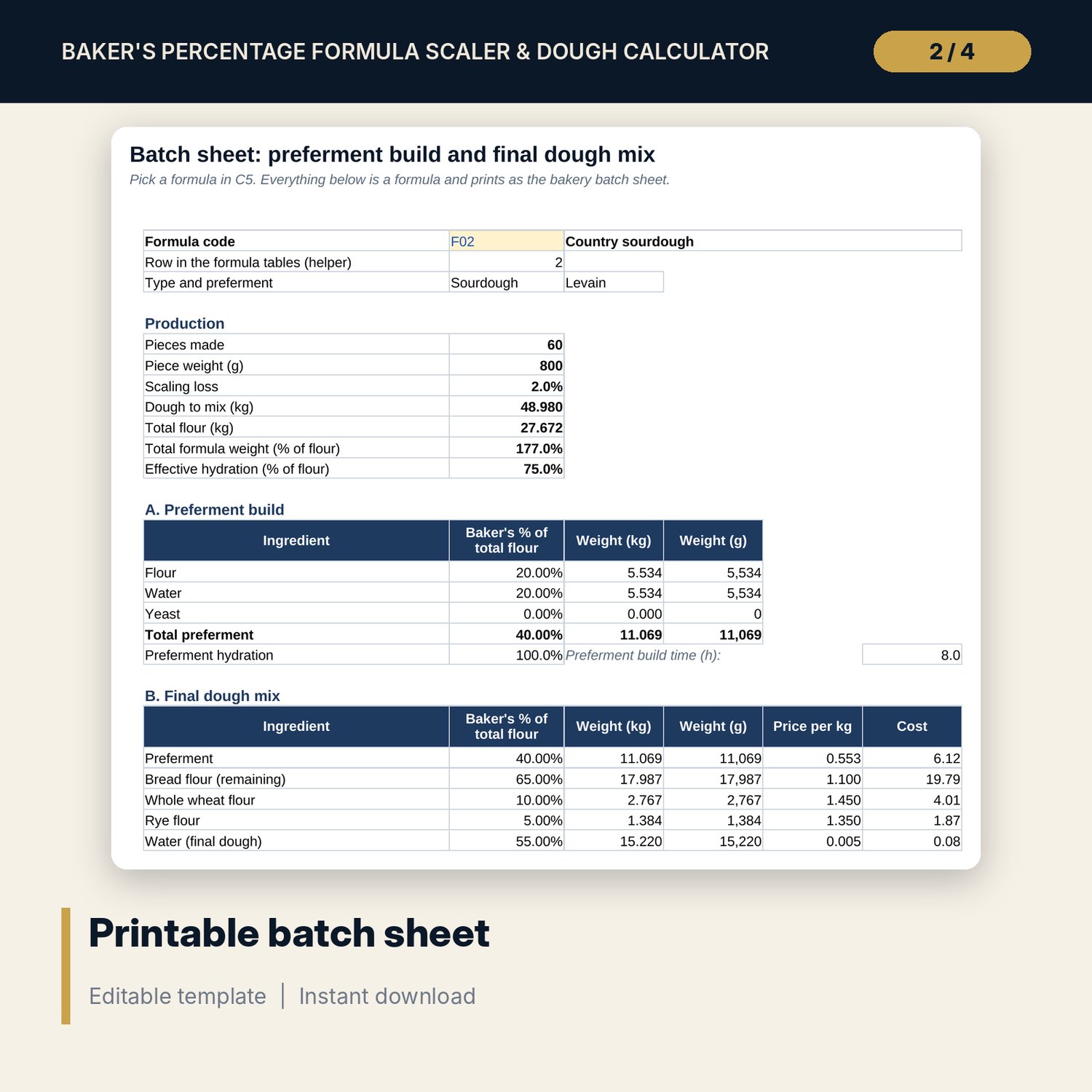
- Batch_Sheet: printable batch sheet with preferment build, final dough mix, cost, water temperature, schedule and a cost sensitivity grid
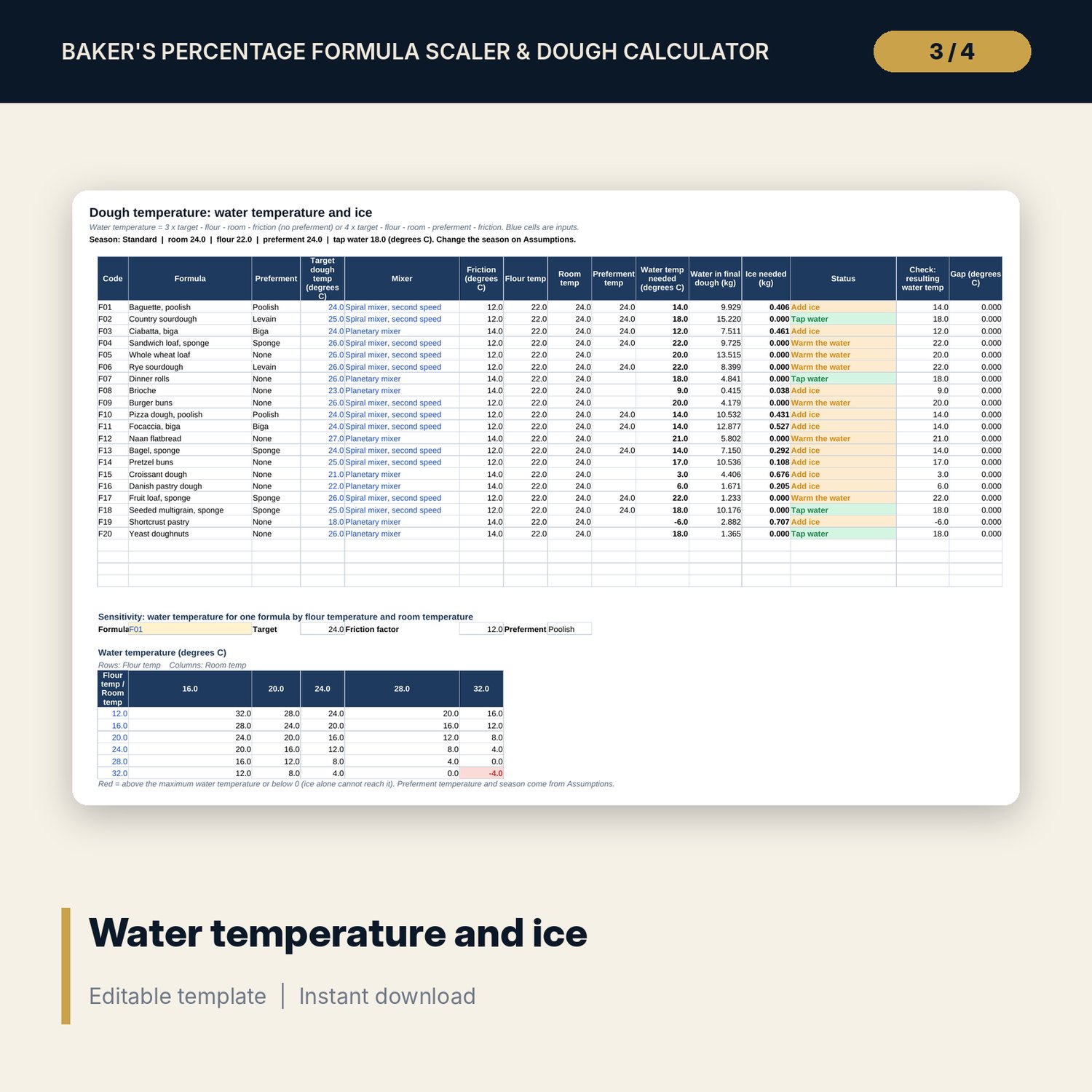
- Dough_Temp: water temperature and ice for every formula, a flour and room temperature grid and a friction factor calibration table
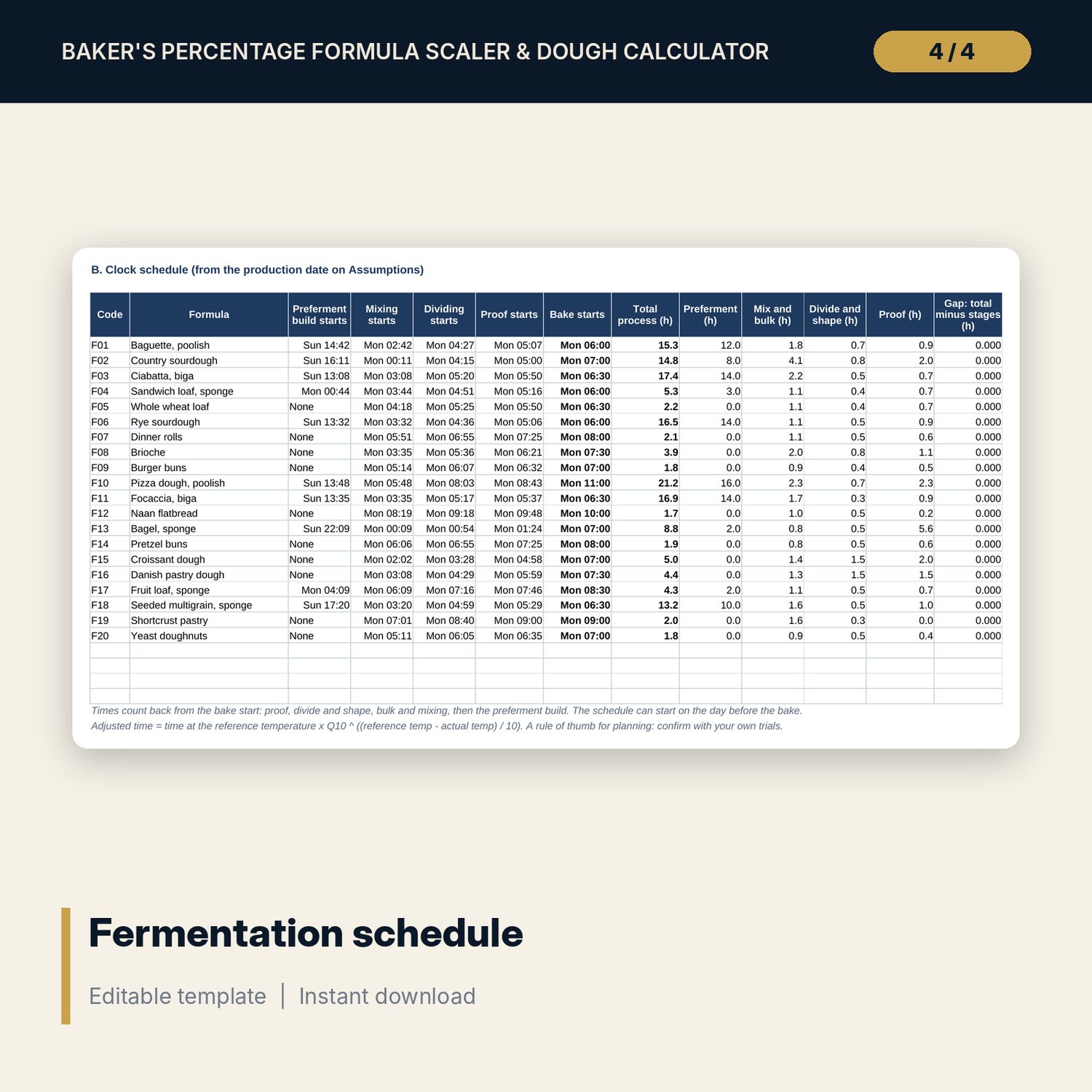
- Ferment_Plan: stage times, Q10 adjustment and clock times for every formula
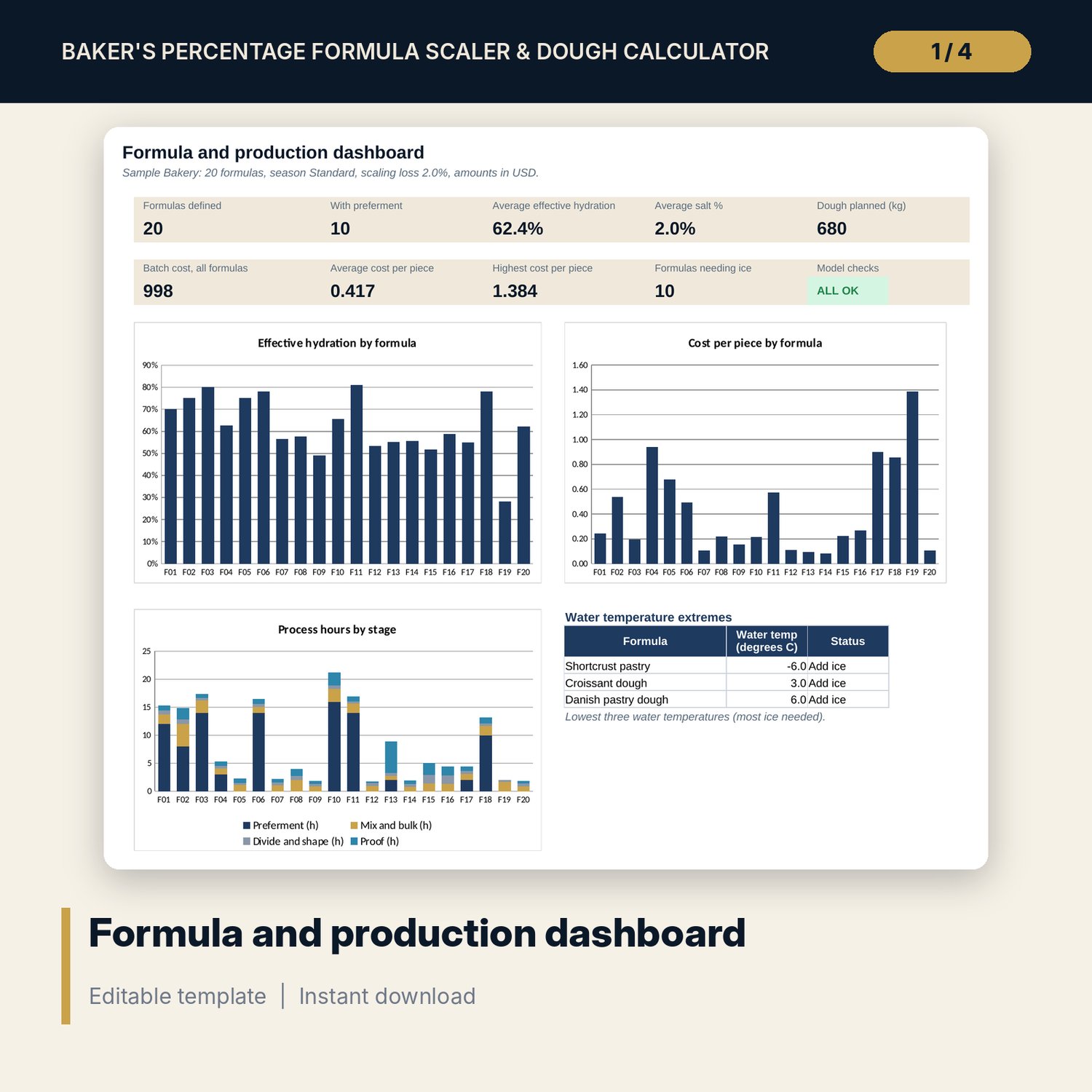
- Dashboard (one printed page), 13 integrity checks and a Method tab with 18 documented calculations
- README.txt and LICENSE-and-Terms.txt
How it works
- Set the scaling loss, the season temperatures, the mixer friction factors and the ingredient prices on Assumptions.
- Enter each formula in baker's percentages on Formulas and choose a preferment type if it has one.
- Enter pieces or dough kg and the piece weight on Scaler to get weights, batch cost and cost per piece.
- Enter the target dough temperature and mixer on Dough_Temp to get the water temperature and ice.
- Enter stage times and the bake start on Ferment_Plan, then print Batch_Sheet for the formula you are mixing.
Details
- Format: one .xlsx workbook, English
- Software: Excel 2016 or later, or LibreOffice Calc 7 or later
- No macros, no external links, no data tables, no array formulas
- Instant digital download
Good to know
- Sample data is illustrative. The sample formulas are starting points, not tested recipes. Replace them with your own.
- Fermentation times and temperature rules are planning aids. Confirm them with your own trials, flour and equipment.
- The workbook supports formulation and costing. It is not food-safety advice; follow your own HACCP plan.
- Single-user license. Do not redistribute.
FAQ
Does it handle preferments?
Yes. Poolish, levain, sponge and biga are defined by their flour share, hydration and yeast. Their flour and water count inside the total flour and total hydration.
How is hydration calculated?
Total hydration is water over total flour. Effective hydration adds the water in milk, egg and fat, using water contents you can edit.
How does the water temperature calculation work?
Water temperature = 3 x target - flour - room - friction without a preferment, and 4 x target - flour - room - preferment - friction with one. If the answer is below tap temperature, ice replaces part of the water by heat balance.
Can I scale by weight instead of pieces?
Yes. Choose Dough kg on Scaler and enter the dough weight. The workbook returns the number of pieces at your piece weight and scaling loss.
Can I add my own formulas?
Yes. There are 4 spare rows on every formula tab. Each tab reads the same row order.