
Boiler & Domestic Hot Water System Log: boiler efficiency log and hot water temperature log in Excel
Full description
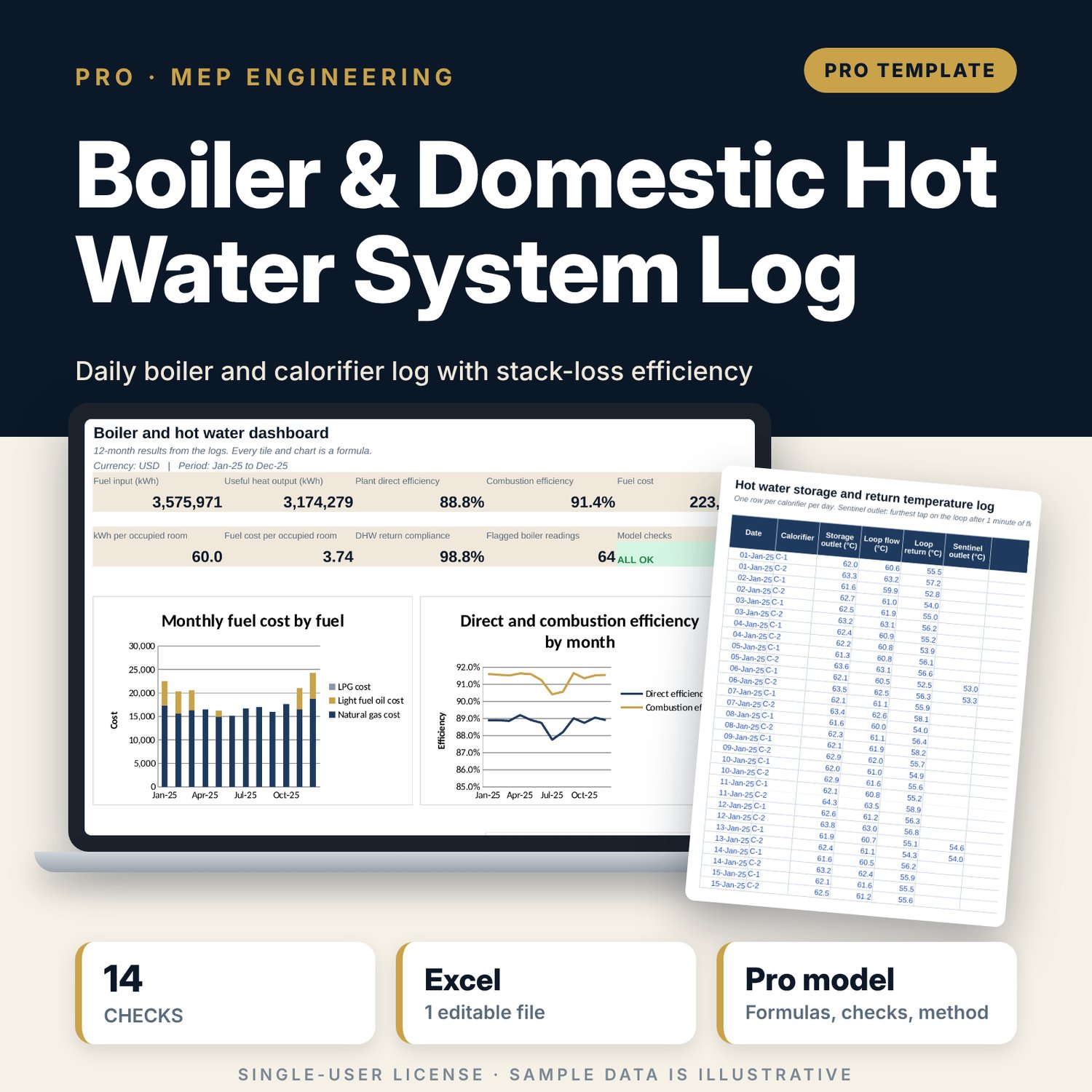
For chief engineers, engineering managers and general managers of hotels with steam or hot water boilers and hot water calorifiers. You log one row per boiler per day: run hours, fuel used, heat meter or steam pressure, feedwater and blowdown, combustion air and stack temperatures, and flue O2, CO2 and CO. The workbook converts fuel to kWh with the net calorific value, then calculates excess air, stack loss by the stack-loss method in its O2 form and its CO2 form, and combustion efficiency against each boiler's design value. Steam output comes from feedwater minus blowdown and the steam enthalpy interpolated from a saturated steam table, so you get direct efficiency, blowdown rate against the rate your water TDS requires, and blowdown heat loss. A calorifier log tests storage, return and sentinel temperatures against limits you set. Daily and monthly roll-ups give kWh and fuel cost per occupied room, fuel cost by fuel, hot water return compliance and an efficiency trend per boiler with flags. Fuel constants, prices and hot water limits are editable inputs.
Save with a bundle: this workbook is also in the Hotel Engineering & MEP Pro Bundle, 25 workbooks for $59 instead of $319. All 100 Pro workbooks are in the Pro Library for $119, and all 241 templates and workbooks are in the Ultimate Hospitality Library for $149.
What is inside
- Boiler_and_Hot_Water_System_Log.xlsx: 12 tabs, 36,315 formulas, 4 native charts, 14 integrity checks, 18-row Method tab
- Boiler_Log: 1,000 rows, with 881 illustrative sample readings for 3 boilers (1 steam, 2 hot water) over 12 months
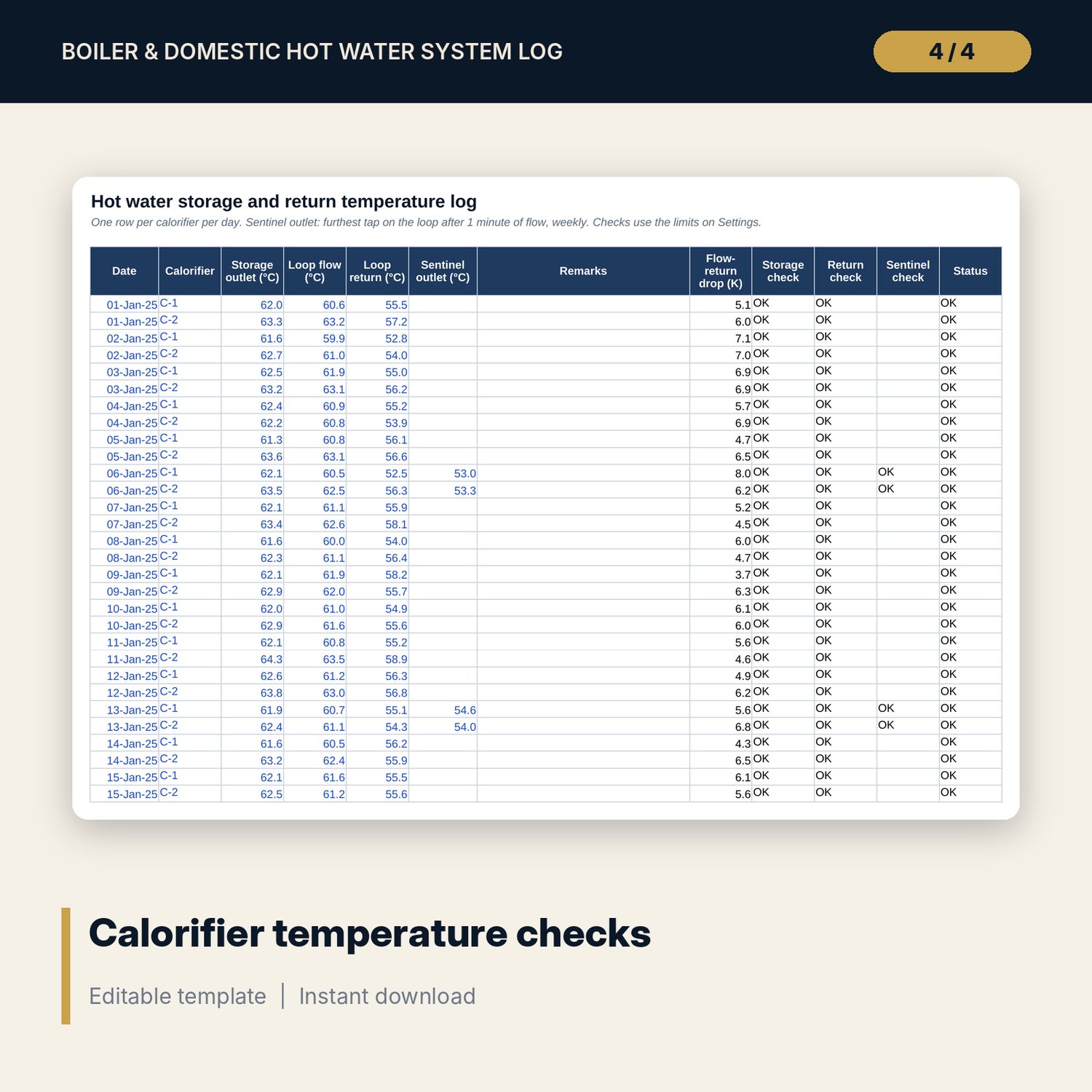
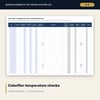
- DHW_Log: 760 rows, with 730 sample readings for 2 calorifiers, and 4 checks per row (storage, return, sentinel, status)
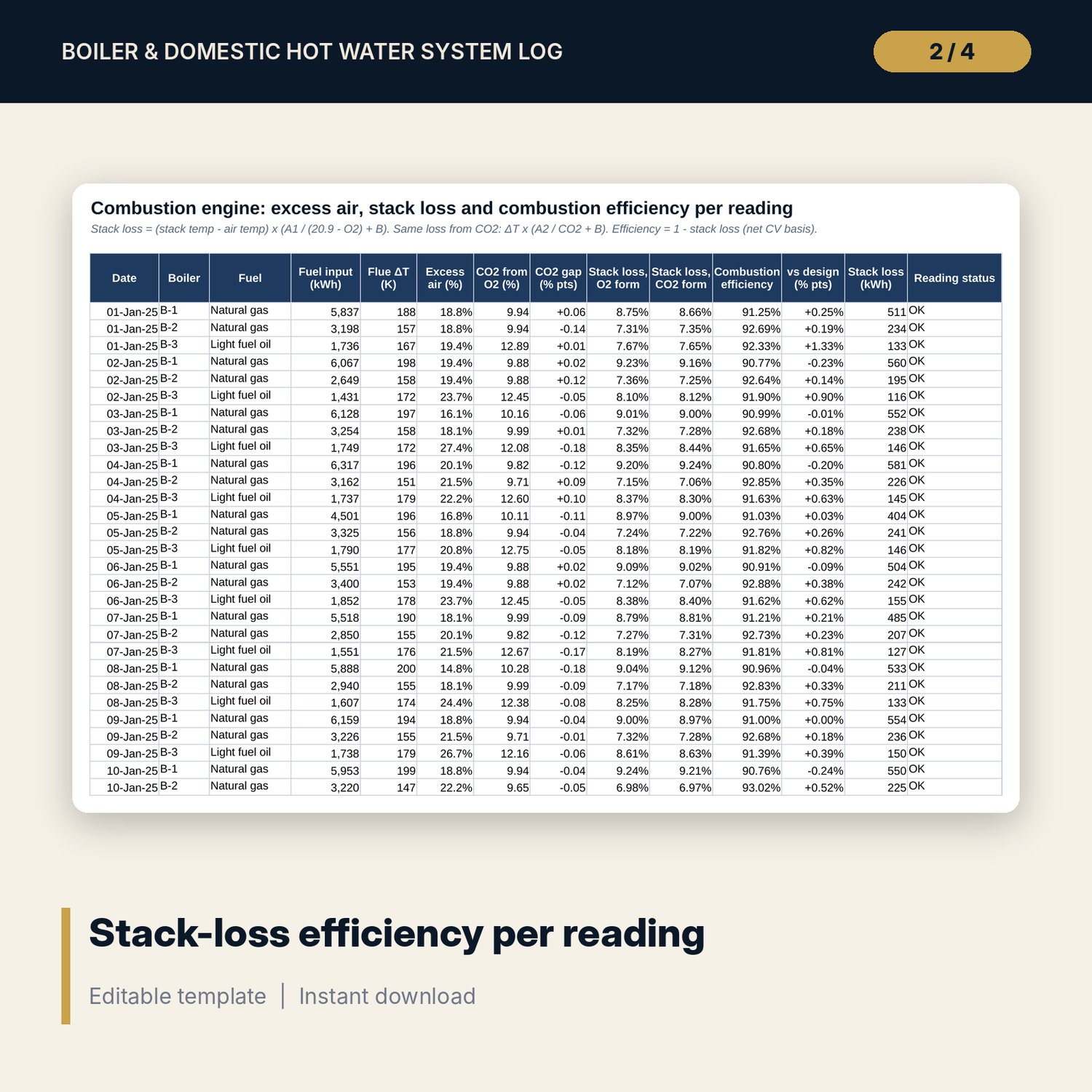
- Combustion_Calc engine: 14 columns per reading (fuel kWh, flue ΔT, excess air, CO2 from O2, CO2 gap, stack loss in 2 forms, efficiency, status)
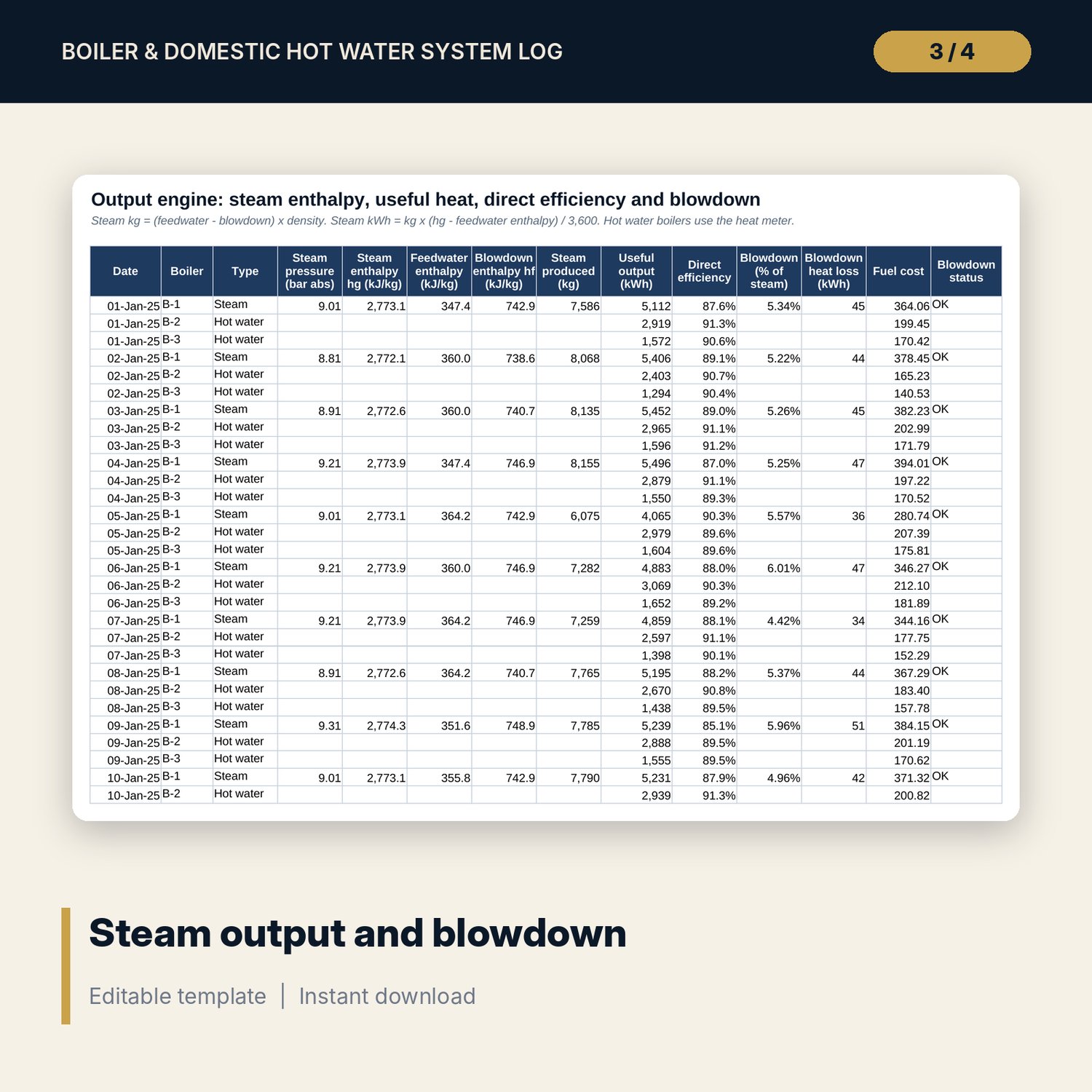
- Heat_Output engine: 14 columns per reading (steam enthalpy, feedwater enthalpy, steam kg, useful kWh, direct efficiency, blowdown %, blowdown loss, fuel cost)
- Settings: 16 editable inputs with units, fuel table for 3 fuels, 4 boiler rows, 3 calorifier rows, 12-month fuel prices, 14-row steam table
- Daily (366 rows), Monthly (12 months with totals), Boiler_Summary (per boiler, per fuel, per calorifier, monthly trend by boiler)
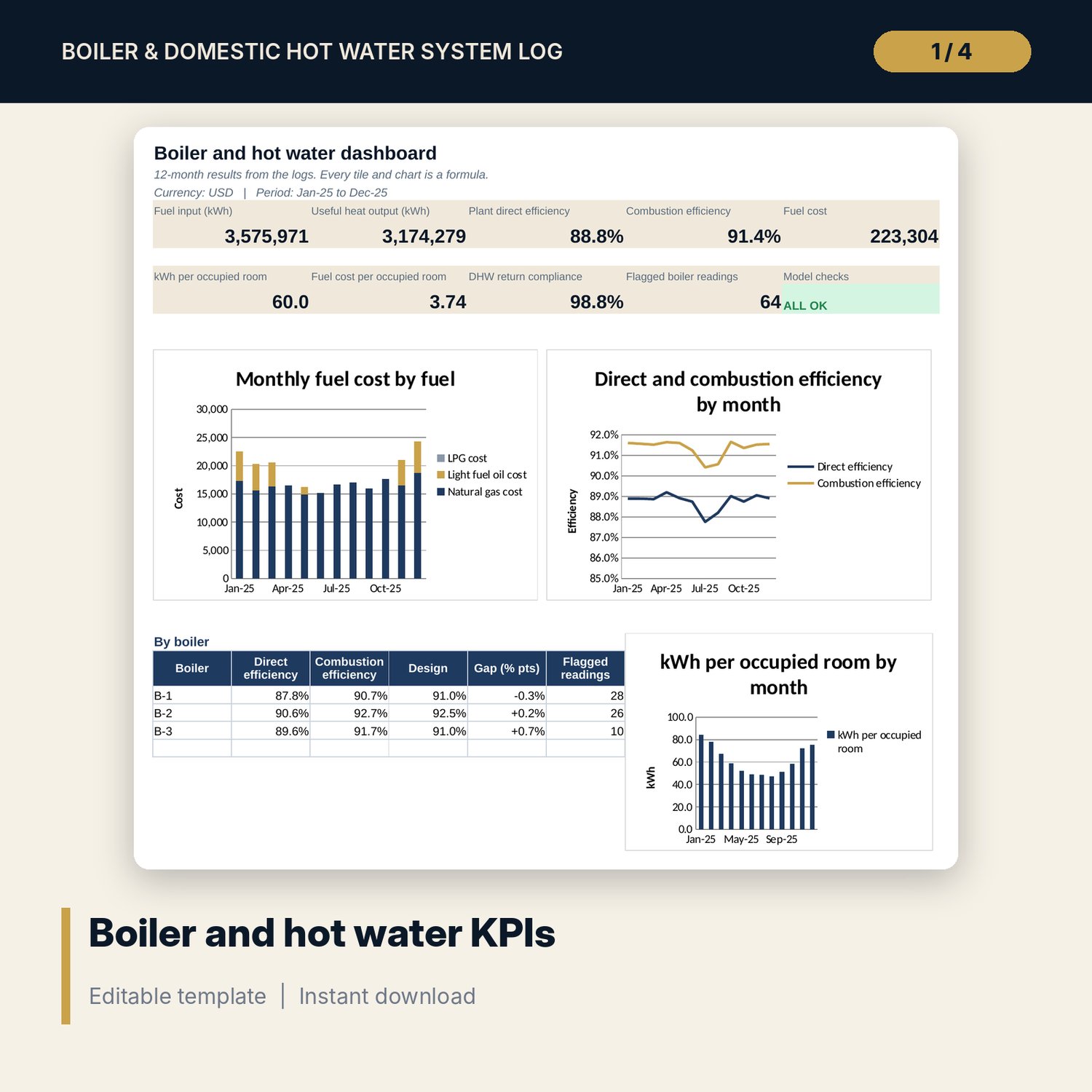
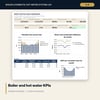
- Dashboard: 9 KPI tiles, check status, 3 charts and a per-boiler table on one page
- README.txt and LICENSE-and-Terms.txt
How it works
- Enter fuel constants, fuel prices, boilers, calorifiers, water treatment values and hot water limits on Settings.
- Log each running boiler every day on Boiler_Log and each calorifier on DHW_Log. Enter occupied rooms on Daily.
- Read the status columns: Low efficiency, O2 out of band, High stack temp, Check analyzer, High CO, blowdown Low or High, hot water Low.
- Review Monthly, Boiler_Summary and the Dashboard for efficiency trends, fuel per occupied room and monthly fuel cost.
- Confirm the Checks tab shows ALL OK before you report the month.
Details
- Format: one XLSX workbook
- Language: English
- Units: °C, bar g, L, m³, kg, kWh, % by volume; conversion factors for °F, psi, ft³ and US gallons on Settings
- Software: Excel 2016 or later (Windows or Mac) or LibreOffice Calc; also opens in Google Sheets, where chart styling may differ
- No macros, no array formulas, no external links
- Delivery: instant download
Good to know
- Sample data is illustrative. Replace it with your own readings.
- This is an operating log, not engineering advice or a combustion test certificate. Results depend on calibrated meters and analyzers.
- Fuel constants, calorific values, prices, water treatment values and hot water temperature limits are editable inputs. Verify local requirements and check values with your suppliers.
- Combustion efficiency uses the net calorific value basis. It does not include radiation, blowdown or standing losses; the direct efficiency does.
- Single-user license.
FAQ
Which fuels does it handle?
Natural gas, light fuel oil and LPG are set up on Settings. You can replace any row with another fuel if you enter its calorific value, stack-loss constants, CO2 max and O2 band.
My boiler has no steam meter. How is steam output measured?
Steam is feedwater minus blowdown, converted to kg with the feedwater density. If you have a steam meter, enter its reading as feedwater and enter blowdown as zero.
Why are there two stack-loss columns?
One uses O2 and one uses the measured CO2. They agree when the analyzer and fuel constants are right. A gap above the tolerance flags Check analyzer.
Can I use °F, psi or US gallons?
The workbook calculates in metric units. Convert before entry with the factors on Settings: °C = (°F - 32) / 1.8, 1 bar = 14.50 psi, 1 US gal = 3.785 L.
Which hot water temperatures should I set?
The sample uses 60 °C storage and 50 °C return, which are common practice. Codes differ by country, so enter the values your local requirements set.