




Webcam for Gravity Forms
ANNUAL LICENSE OPTION
Annual subscription plans are available for this product, with 1-site, 3-site, 10-site, and Agency options.Prefer annual billing? Choose your site tier:
Annual Tiers
Webcam for Gravity Forms
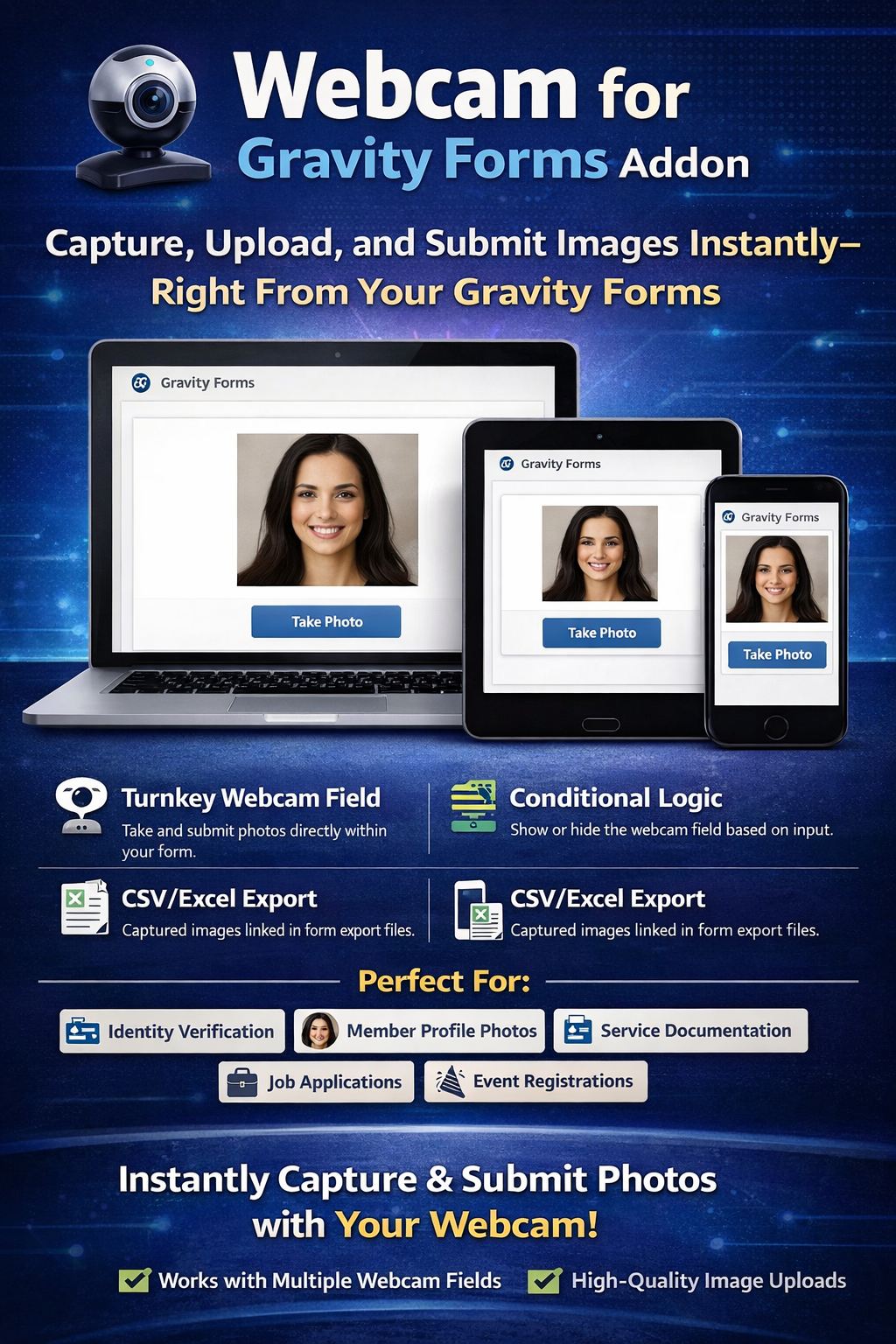
Let visitors take a photo directly from their browser and submit it with a Gravity Forms entry—without relying on an external photo-capture service.
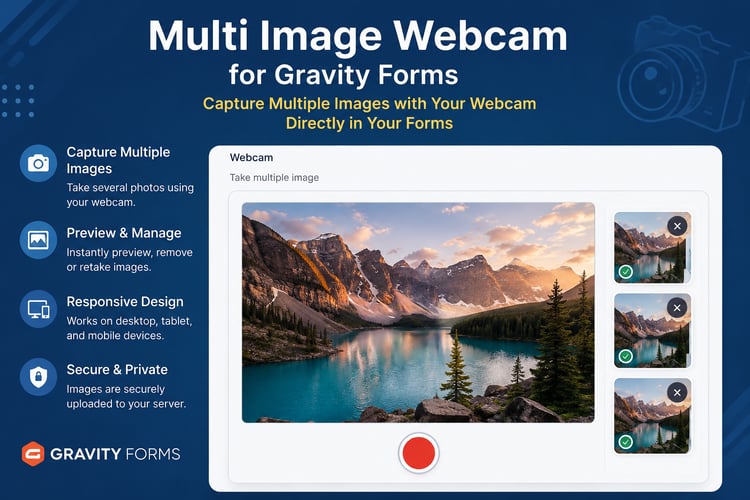
Webcam Photo Capture for Gravity Forms adds a ready-to-use Webcam field to the Gravity Forms editor. Visitors can open their device camera, view a live preview, capture a photo, review or crop it, and submit the selected image with the form.
The captured image is uploaded directly to your WordPress uploads directory, and its URL is saved with the Gravity Forms entry. This keeps photo collection inside your existing WordPress and Gravity Forms workflow.
KEY BENEFITS
• Add a dedicated Webcam field to Gravity Forms
• Capture one final photo per Webcam field
• Display a live camera preview before capture
• Let visitors retake photos before submitting
• Preview, select, crop, or remove a captured image
• Add multiple Webcam fields when a form requires several separate photos
• Use Gravity Forms conditional logic to show or hide the field
• Mark the Webcam field as required
• Save the selected image URL with the Gravity Forms entry
• Include captured-image links in CSV and Excel exports
• Responsive, mobile-friendly interface
• Works with supported modern desktop and mobile browsers
• Uploads images directly to your WordPress uploads directory
• No separate third-party photo-capture service required
HOW IT WORKS
When a visitor opens a form containing the Webcam field:
- The browser requests permission to access the device camera.
- A live camera preview appears inside the form.
- The visitor captures a photo using the snapshot button.
- A preview of the captured image appears beside or below the camera.
- The visitor can review, crop, select, remove, or retake the photo.
- The selected image is uploaded to the WordPress uploads directory.
- The image URL is saved as part of the Gravity Forms entry.
Each Webcam field saves one selected photo with the submitted entry. Visitors may take multiple shots while completing the form, but only the selected image is stored as that field’s final value.
If your form requires several separate photos, simply add multiple Webcam fields.
IDEAL USE CASES
Webcam Photo Capture for Gravity Forms is useful for forms that need a current photo from the person completing the form, including:
• Profile and account photos
• Registration and application forms
• Employee or member onboarding
• Photo-based check-ins
• Attendance forms
• Delivery or collection confirmation
• Proof-of-condition submissions
• Service completion records
• Contest and event entries
• Supporting photos for verification workflows
• Custom workflows that require a browser-captured image
This addon collects photos but does not independently verify a person’s identity or provide regulatory compliance.
MULTIPLE WEBCAM FIELDS
You can add multiple Webcam fields to the same Gravity Form.
For example, a form could request:
• A front-facing photo
• A supporting document photo
• A proof-of-condition photo
• A completion or confirmation photo
Each field operates independently and stores one selected image URL with the entry.
CONDITIONAL LOGIC
The Webcam field supports Gravity Forms conditional logic.
This allows you to display the camera only when it is relevant. For example, you can show the Webcam field when a visitor:
• Selects a specific service
• Chooses an option that requires photo evidence
• Answers “Yes” to a verification question
• Reaches a particular step in a multi-page form
• Selects a registration or application type that requires a photo
RESPONSIVE AND MOBILE FRIENDLY
The camera interface automatically adapts to smaller screens. On supported mobile devices, visitors can grant camera permission and capture a photo without leaving the form.
The available camera and permission experience depends on the visitor’s browser, device, and security settings.
IMAGE STORAGE AND EXPORTS
Captured images are uploaded to your WordPress uploads directory. The selected image URL is then saved as the Webcam field value in the Gravity Forms entry.
Because the entry contains the image URL, captured-image links can also appear when Gravity Forms entries are exported to CSV or opened in compatible spreadsheet software such as Microsoft Excel.
Your website administrator remains responsible for image access, backups, retention, privacy notices, and any consent required for collecting visitor photos.
LIVE DEMO
Try the addon before purchasing:
DEMO VIDEO
REFUND POLICY
A 7-day refund policy applies.
Refunds are not provided for a change of mind. Before purchasing, please review the product description, requirements, compatibility information, license option, and live demonstration carefully.
If you experience a technical problem, please provide details about your WordPress version, Gravity Forms version, browser, device, and the issue encountered.
IMPORTANT NOTES
• Camera access requires visitor permission.
• HTTPS/SSL is normally required for browser camera access.
• Each Webcam field saves one selected image with the entry.
• Camera quality depends on the visitor’s device.
• This addon does not provide identity verification by itself.
• It does not guarantee compatibility with every browser, device, caching system, security plugin, or customized Gravity Forms setup.
• Test the addon in a staging environment when using heavily customized forms or third-party form integrations.
RELATED ADDONS
Multi Image Cam for Gravity Forms
Allow visitors to work with the available cameras on their device.
Multi-Photo Webcam Capture for Gravity Forms
Capture and submit multiple webcam photos through a single field.