


Outlet Cashier Till, Cash Drop & Over/Short Log: Cashier Till Over and Short Log, Cash Drops and Closing Count in Excel and Word
Full description
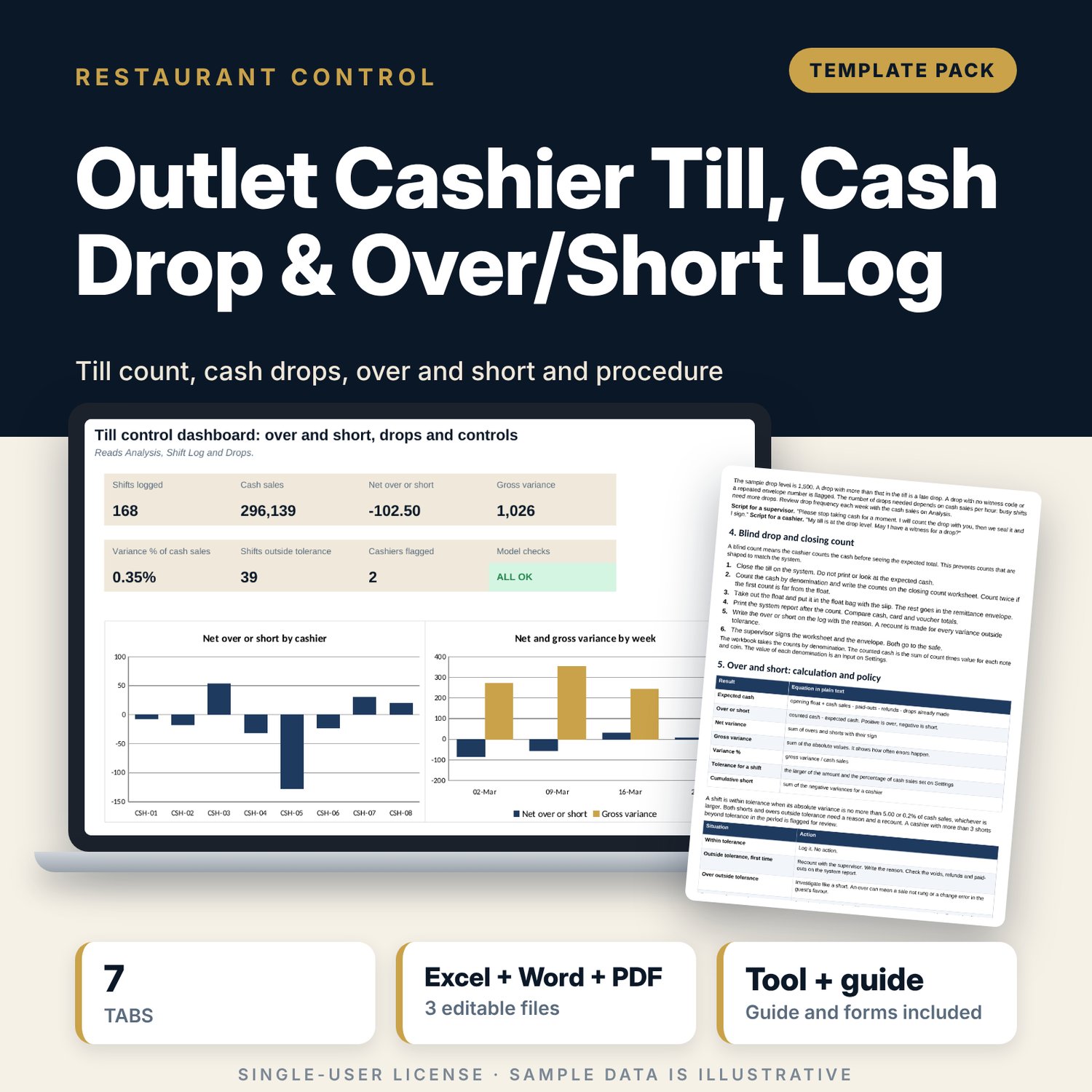
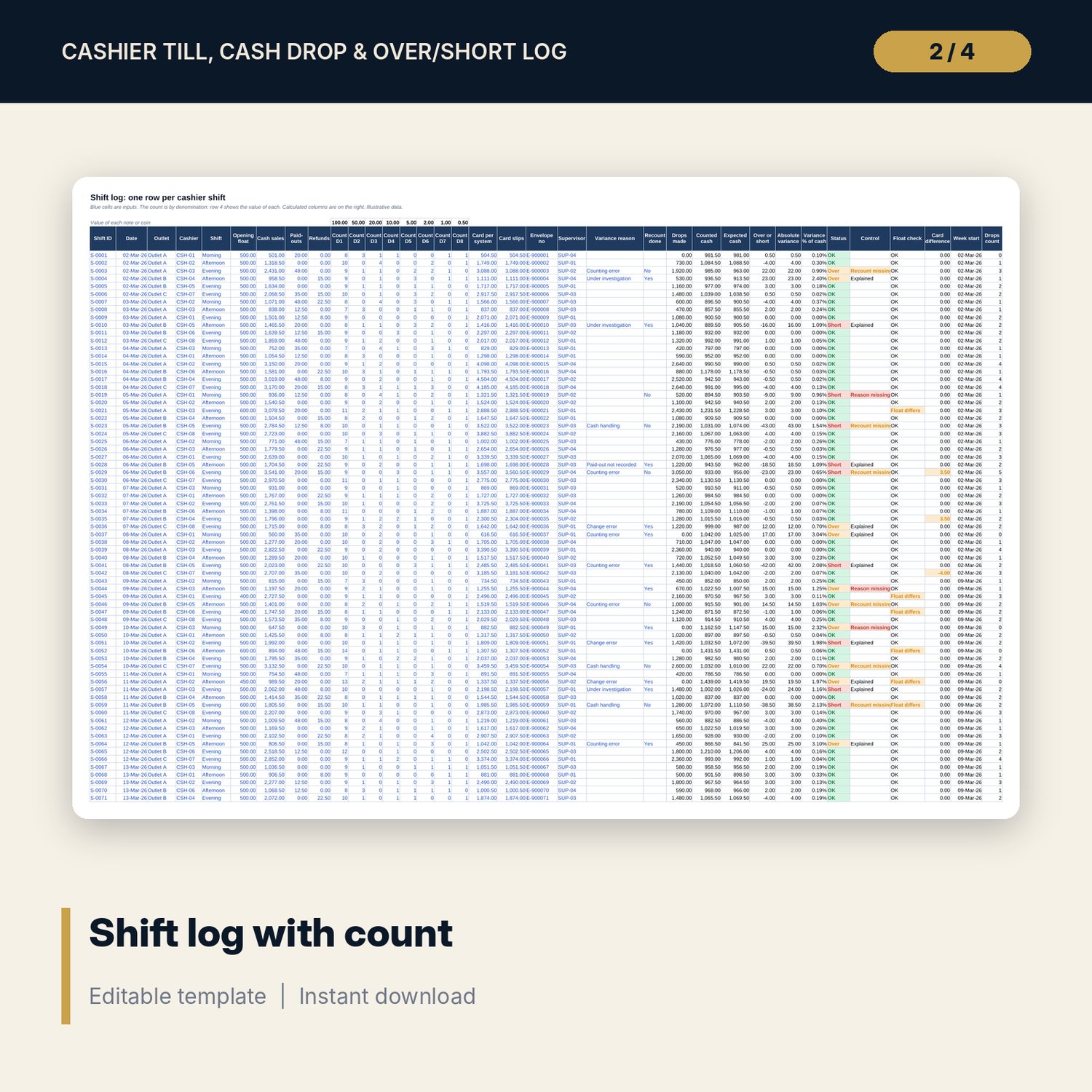
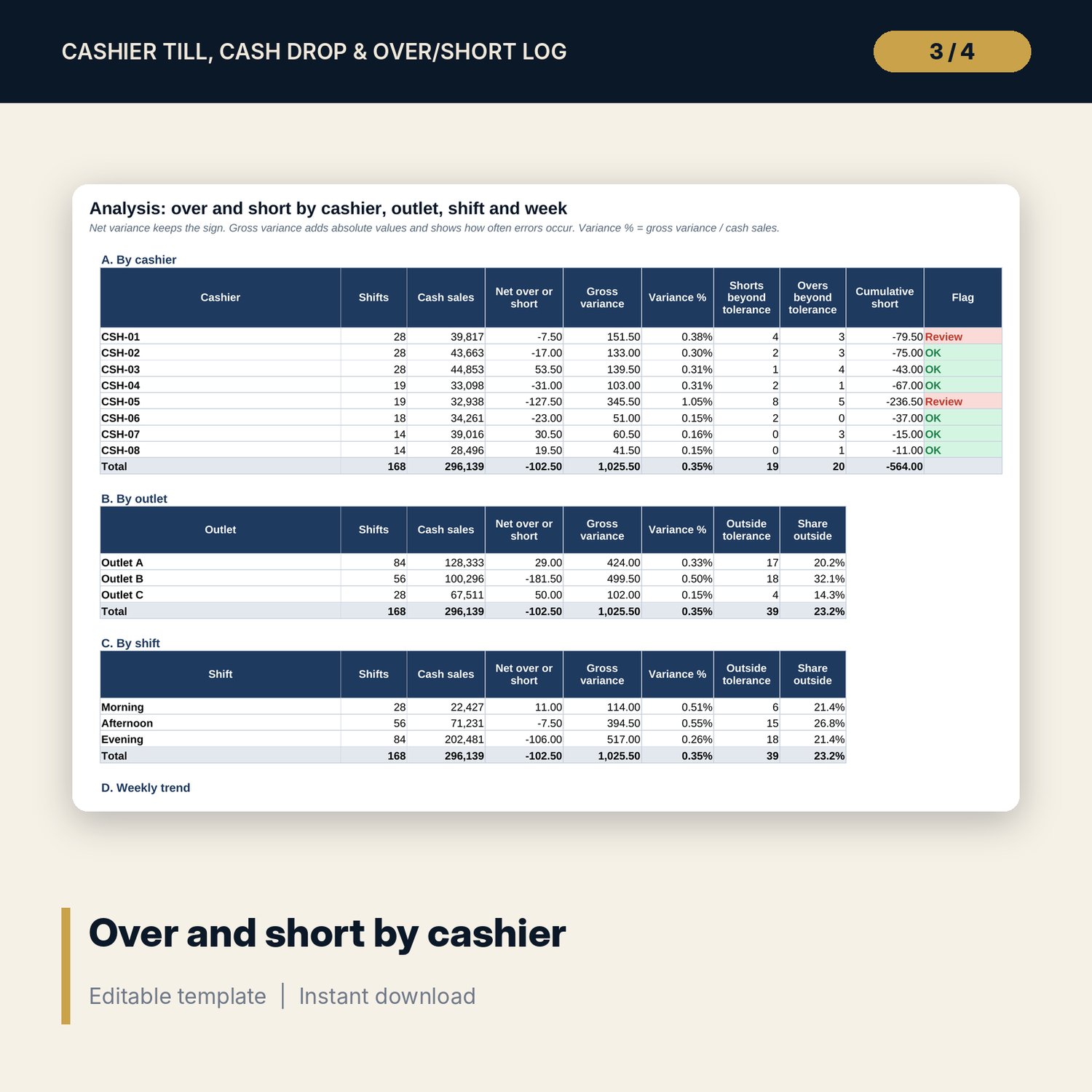
For restaurant and bar managers, cashiers, supervisors and finance teams who want every till counted, every drop witnessed and every variance explained. The workbook logs each cashier shift (168 sample shifts over four weeks) with the opening float, system cash sales, paid-outs and refunds and the closing count by denomination. It calculates expected cash, counted cash and over or short, compares it with a tolerance (an amount or a percentage of cash sales, whichever is larger) and flags shifts with no reason or no recount. A drop log records each cash drop with the cash in the till, the envelope number and the witness and flags late drops, missing witnesses and repeated envelope numbers. Analysis shows net and gross variance by cashier, outlet, shift and week, variance bands, cumulative short and cashiers flagged for repeated shorts. The Word procedure sets the float issue, the drop rule, the blind count, the over and short policy, remittance and deposit steps, a worked example read from the workbook and printable forms.
What is inside
- Cashier_Till_Over_Short_Log.xlsx: 7 tabs, 4,223 formulas, 2 native charts, 17 drop-down and input rules, 10 integrity checks
- Shift Log: 168 sample shifts plus 30 spare rows, 35 columns with a count by 8 denominations, counted and expected cash, over or short, status and control flags
- Drops: 320 sample drops plus 60 spare rows with level, envelope, witness and status
- Analysis: 6 tables by cashier, outlet, shift, week, variance band and control counts
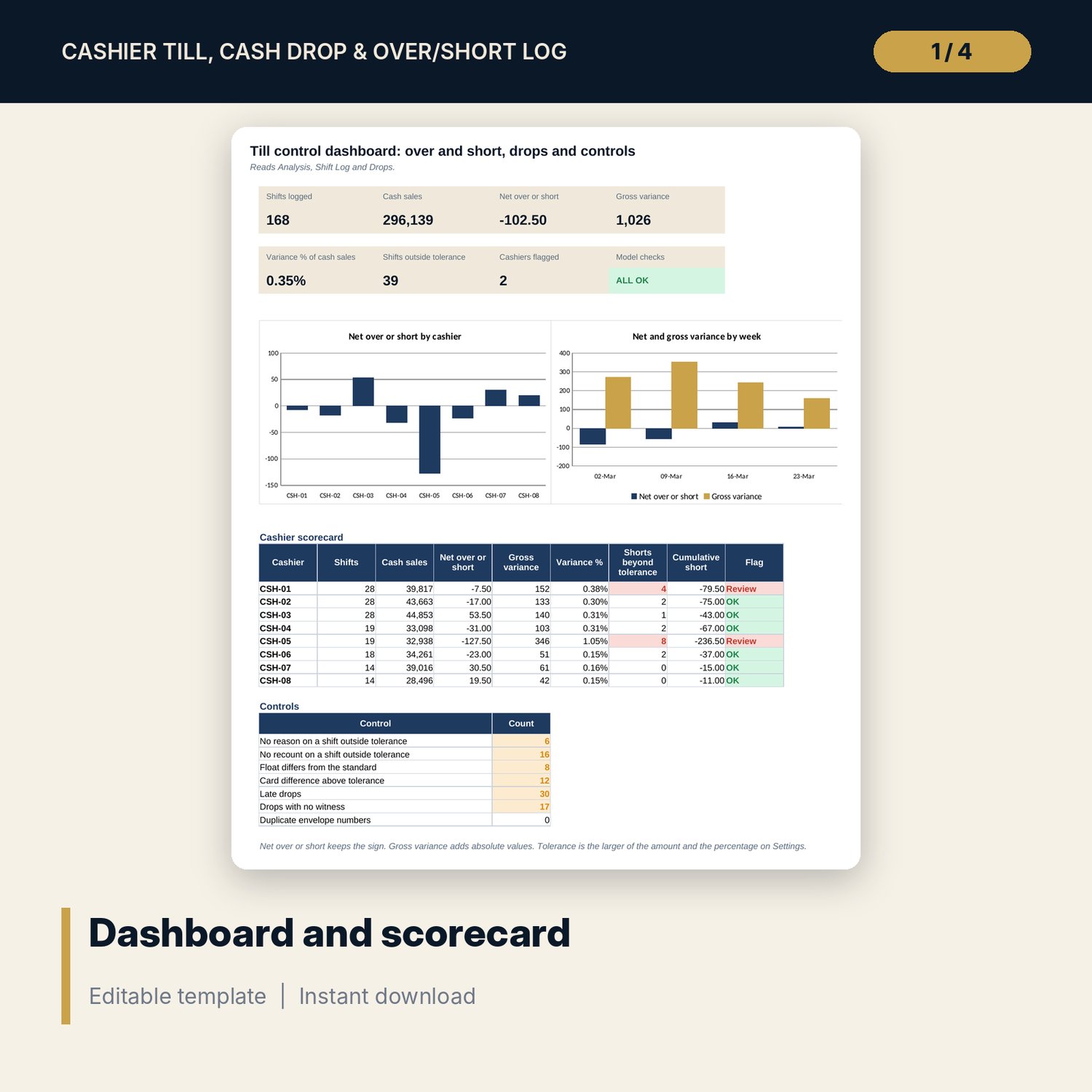
- Dashboard: 8 KPI tiles, a cashier scorecard, a controls table and 2 charts
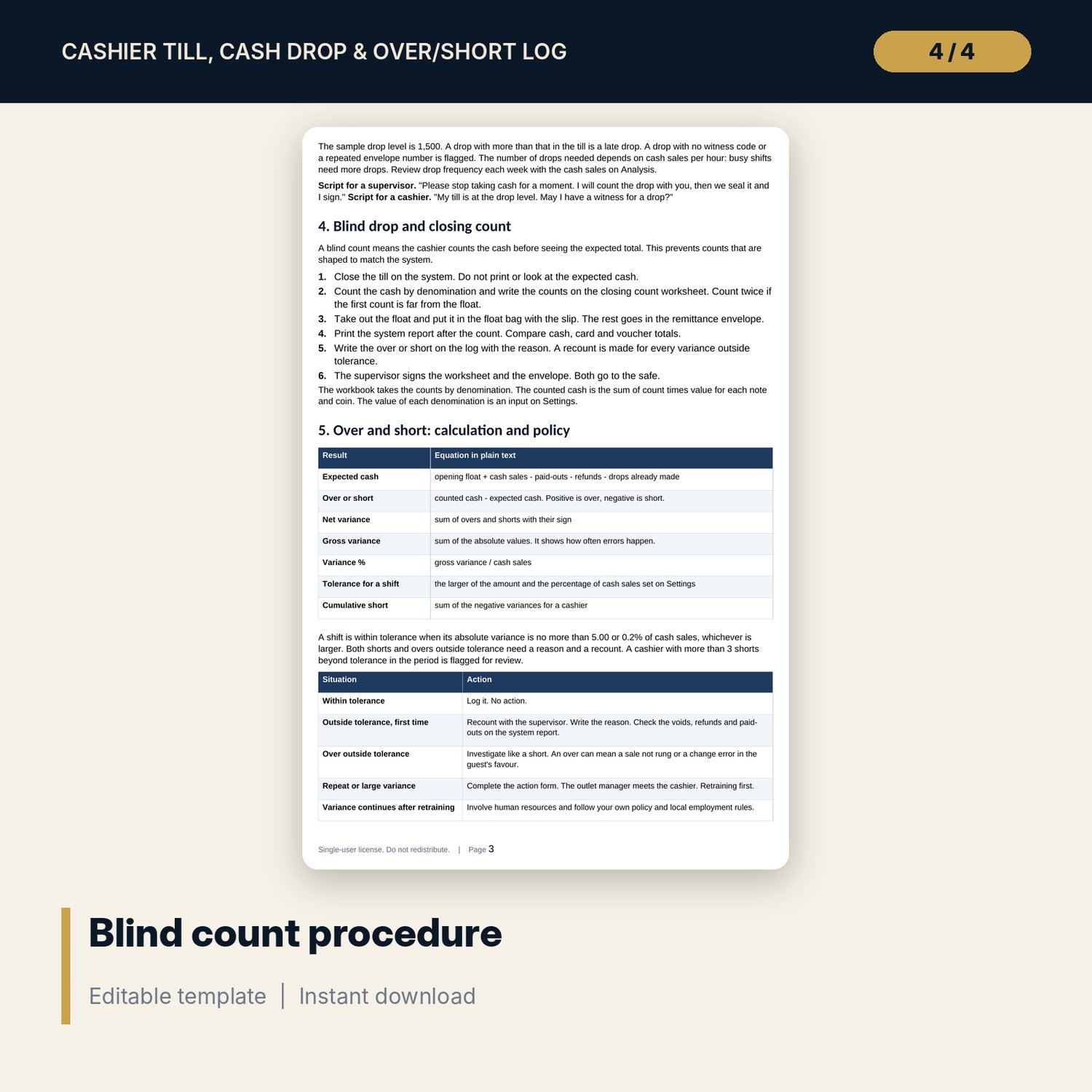
- Till_Handling_Procedure.docx and PDF: 9 pages with float and drop rules, blind count steps, over and short policy, a 21-item till checklist and 4 forms
- README.txt and LICENSE-and-Terms.txt
How it works
- Enter the tolerance, the standard float, the drop level and the denominations on Settings.
- Log each shift with the closing count by denomination, and each drop with its envelope and witness.
- Read over and short by cashier, outlet, shift and week on the Dashboard.
- Write a reason and a recount for every shift outside tolerance; run the weekly review from the Word procedure.
Details
- Formats: 1 Excel workbook (.xlsx), 1 Word procedure (.docx) and PDF, English
- Software: Excel 2016 or later, or LibreOffice Calc 7 or later
- No macros, no external links, no data tables, no array formulas
- 3 files plus README and license; instant digital download
Good to know
- Sample data is illustrative. Replace it with your own figures.
- Tolerance, drop level and action steps are examples. Use your own policy and verify local requirements.
- Use cashier and supervisor codes, not names. Single-user license. Do not redistribute.
FAQ
How is over or short calculated?
Counted cash from the denominations minus expected cash. Expected cash is the opening float plus cash sales, less paid-outs, refunds and the drops made.
Can I use my own currency and denominations?
Yes. The value of each of the 8 denominations is an input on Settings. The workbook does not assume a currency.
What is the tolerance?
For each shift the larger of a fixed amount and a percentage of cash sales. Both are inputs on Settings.
How many shifts can the log hold?
The sample has 168 shifts and 30 spare rows. Insert rows above the last row to add more; formulas copy down.
Do I need macros?
No. Every result is a standard worksheet formula.