Engineering Spare Parts Min-Max & Reorder Point Calculator: spare parts safety stock, reorder point and ABC VED analysis
Full description
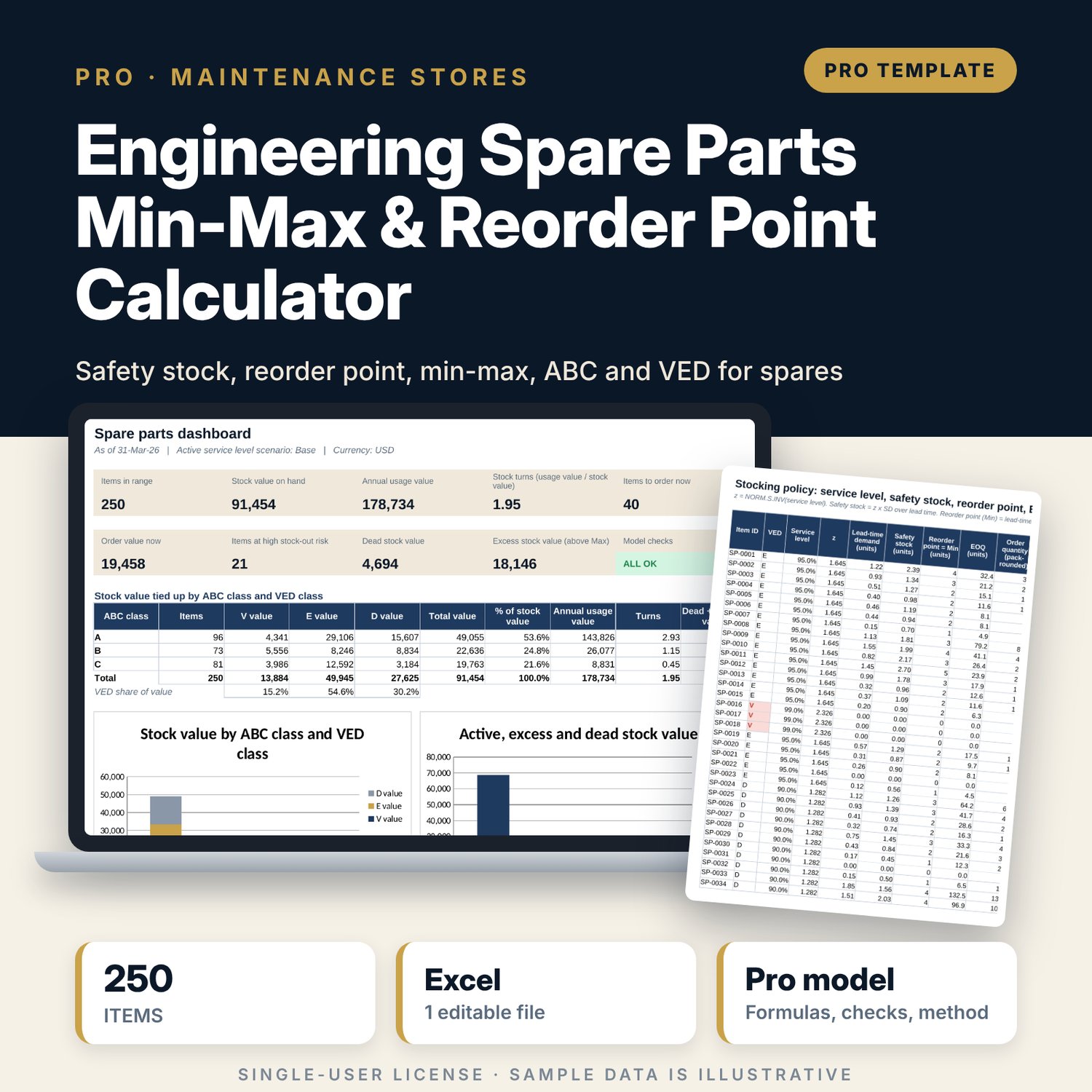
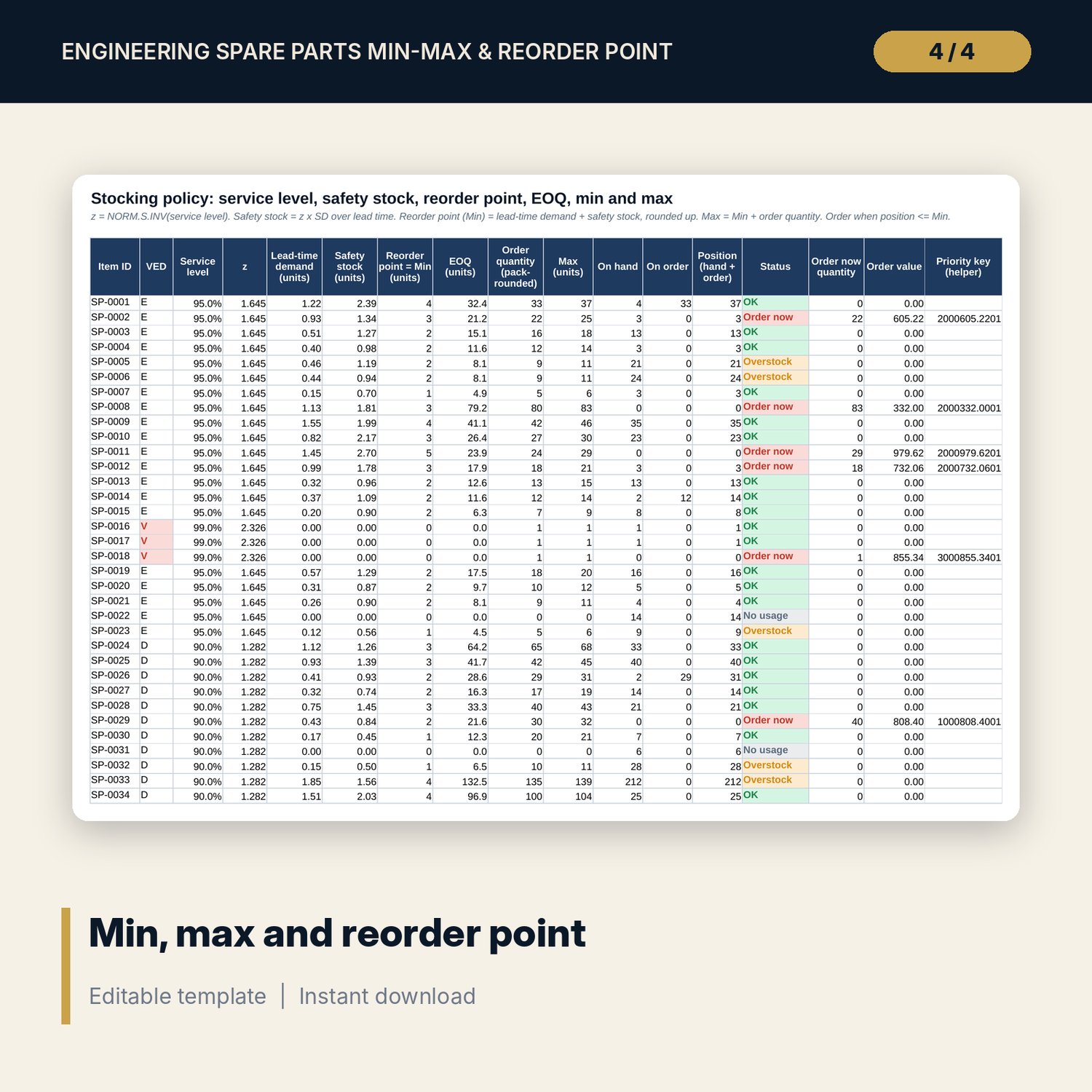
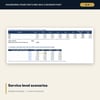
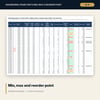
For chief engineers, maintenance stores controllers, purchasing managers and financial controllers who need to keep critical spares on the shelf without tying up cash in stock that never moves. Enter 24 months of issues for each item with its lead time, unit cost, pack size, VED class and stock on hand. The workbook calculates the average and standard deviation of usage, the standard deviation of demand over the supplier lead time, a service level by VED class turned into z with NORM.S.INV, the safety stock, the reorder point (Min), the economic order quantity and the Max. It then classes items by ABC on annual usage value, flags stock-out risk from cover days, finds dead stock and excess stock, and builds a reorder list sorted by criticality and value. Three service level scenarios and a sensitivity grid show what safety stock costs at other service levels.
Save with a bundle: this workbook is also in the Hotel Engineering & MEP Pro Bundle, 25 workbooks for $59 instead of $319. All 100 Pro workbooks are in the Pro Library for $119, and all 241 templates and workbooks are in the Ultimate Hospitality Library for $149.
What is inside
- Spare_Parts_Min_Max_Reorder_Calculator.xlsx: 12 tabs, 16,307 formulas, 4 native charts, 8 data validation rules, 15 integrity checks and a Method tab with 16 calculation notes.
- Sample data (illustrative): 250 items in 11 categories with 12 suppliers, 24 months of issues for every item (6,000 usage values), 40 items at or below their reorder point.
- Spare rows for your data: 50 extra items with formulas already in place.
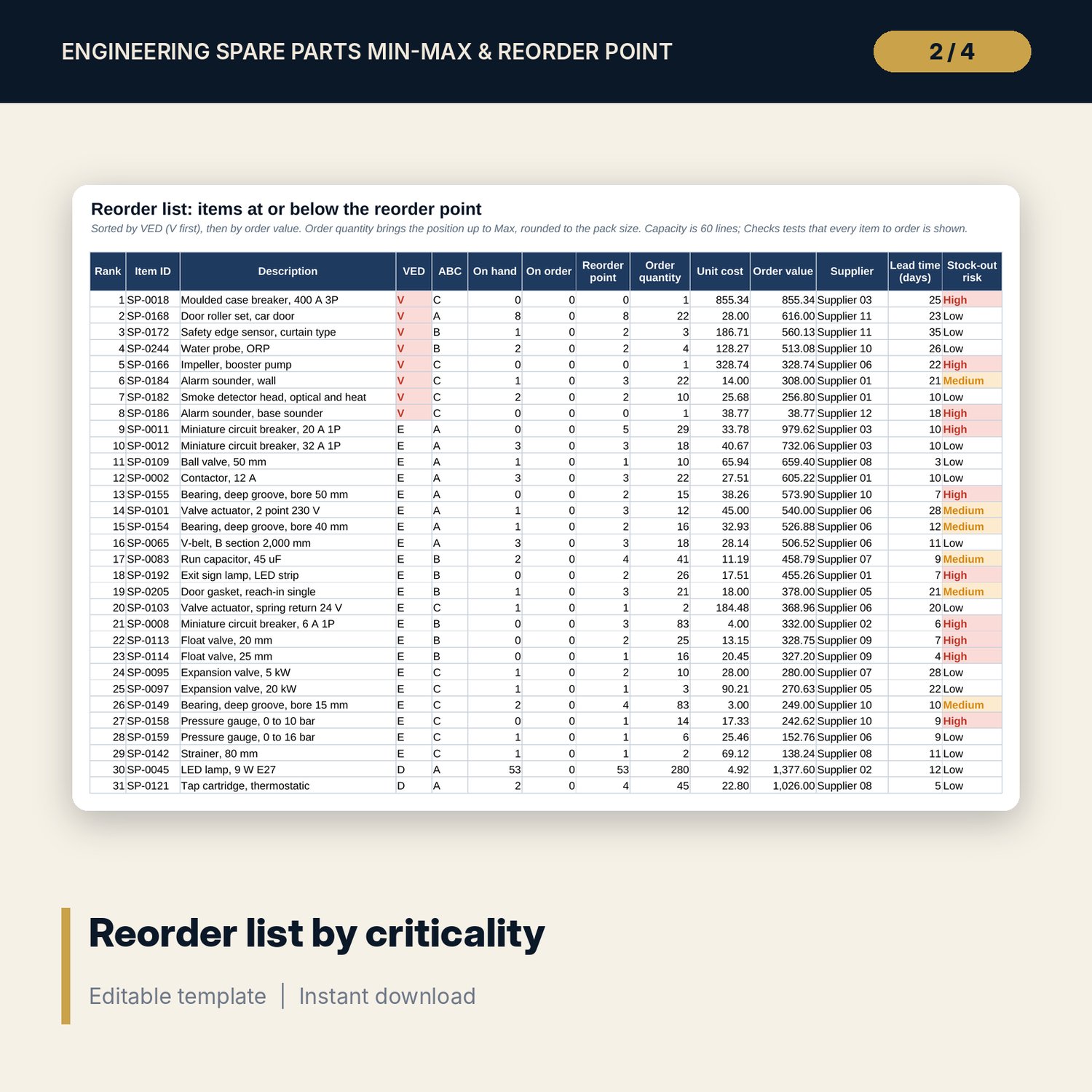
- Reorder list of up to 60 lines with order value by supplier.
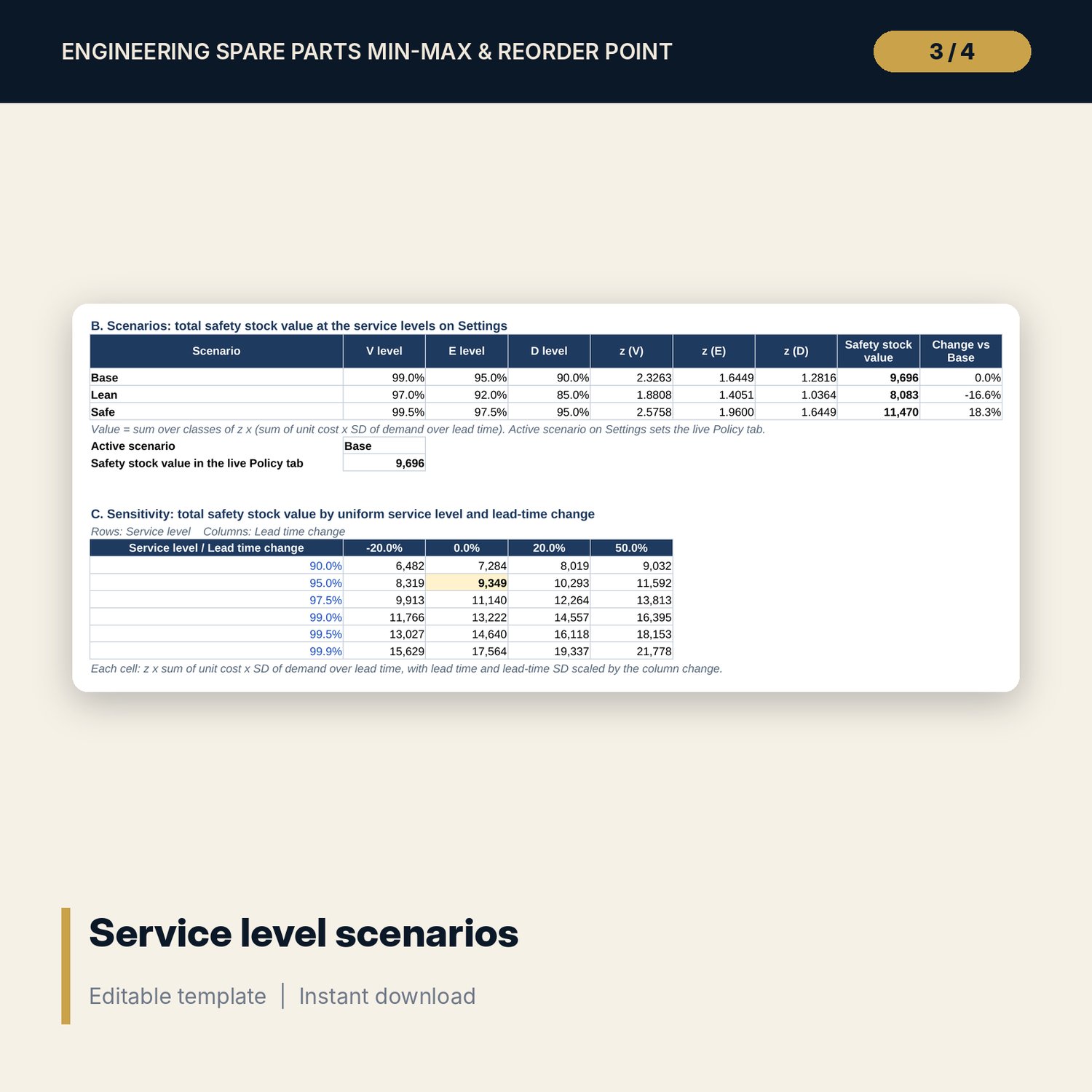
- Service_Level tab: an item calculator that shows every step, three scenarios (Base, Lean, Safe) and a sensitivity grid of safety stock value by service level and lead-time change.
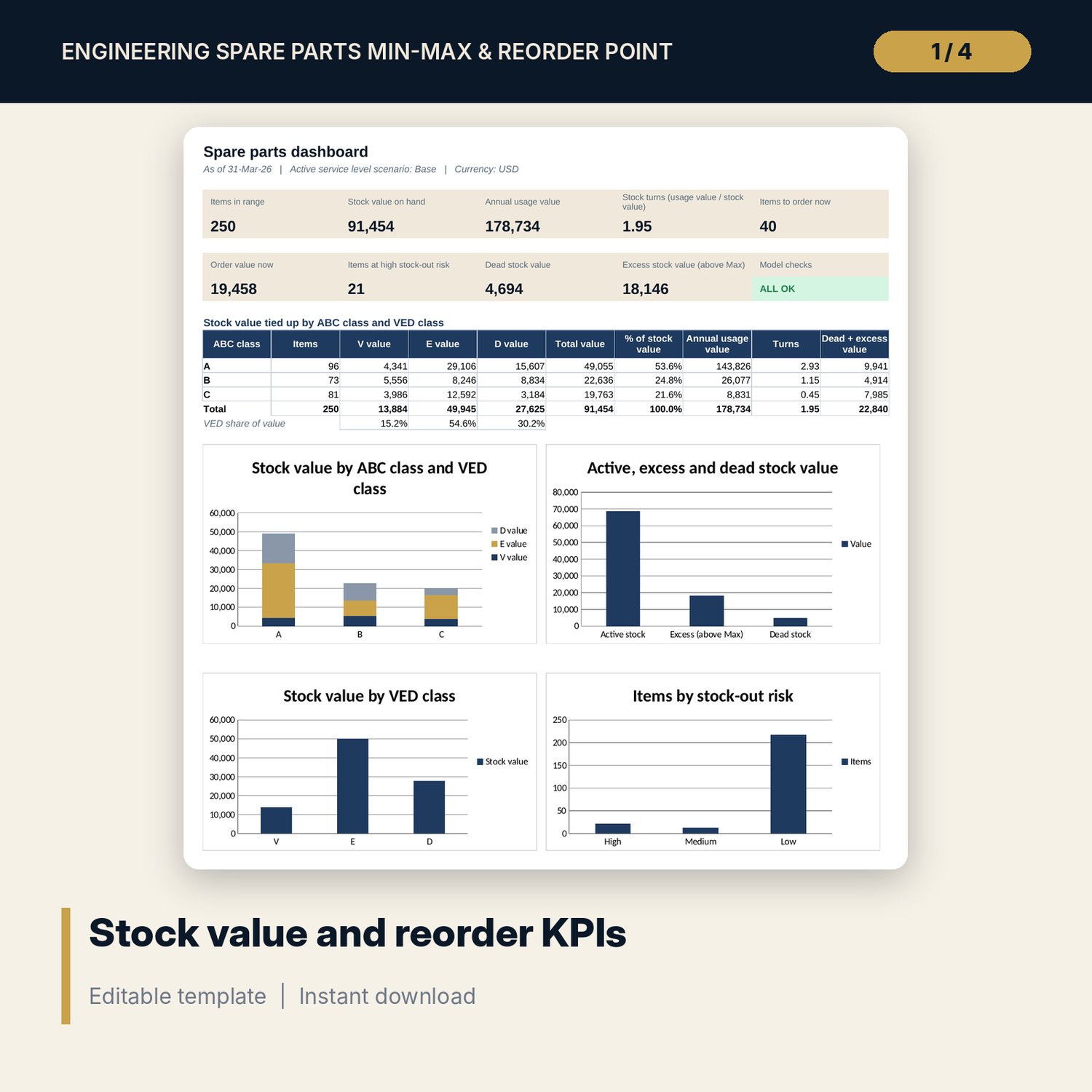
- Dashboard: nine KPI tiles, a check tile, stock value by ABC and VED class and four charts, printable on one page.
- README.txt and LICENSE-and-Terms.txt.
How it works
- Enter cost per order, holding cost rate, ABC cut-offs, dead stock months and service levels on Settings.
- Load items and 24 months of usage.
- Read the reorder point, Min, Max and order status for every item on Policy.
- Place orders from the Reorder list; review Stock_Risk for high-risk items, dead stock and excess.
- Compare service level scenarios and confirm the Checks tab shows ALL OK.
Details
- Format: XLSX workbook, one file.
- Language: English.
- Software: Excel 2016 or later, or LibreOffice Calc. No macros, no add-ins.
- Capacity: 300 items with 24 months of usage each.
- Delivery: instant download.
Good to know
- Sample data is illustrative and does not describe any real stores. Replace it with your own.
- Lead times, order cost, holding cost and service levels are inputs. Verify them with your suppliers and finance team.
- Min and Max are calculated levels. Review them against shelf space, shelf life and supplier minimums. The workbook is not financial or engineering advice.
- Single-user license.
FAQ
How is safety stock calculated?
Safety stock is z times the standard deviation of demand over the lead time. z comes from NORM.S.INV of the service level, and the standard deviation combines demand variability and lead time variability.
What do V, E and D mean?
V is vital: a stock-out stops a critical system or creates a safety risk. E is essential: a stock-out disrupts service but a workaround exists. D is desirable: a delay is tolerable. Each class has its own service level.
What happens to a vital spare that is never used?
It keeps a minimum holding set on Settings and is shown as an insurance spare, not as dead stock.
Does it work for items with lumpy or very low demand?
It uses the average and standard deviation of 24 months, which suits most engineering spares. For items used once or twice in two years, treat the output as a starting point and keep the minimum holding rule.
Can I change the order of the reorder list?
The list is sorted by VED and then by order value. The full ranked data is on Policy, where you can filter by supplier or status.