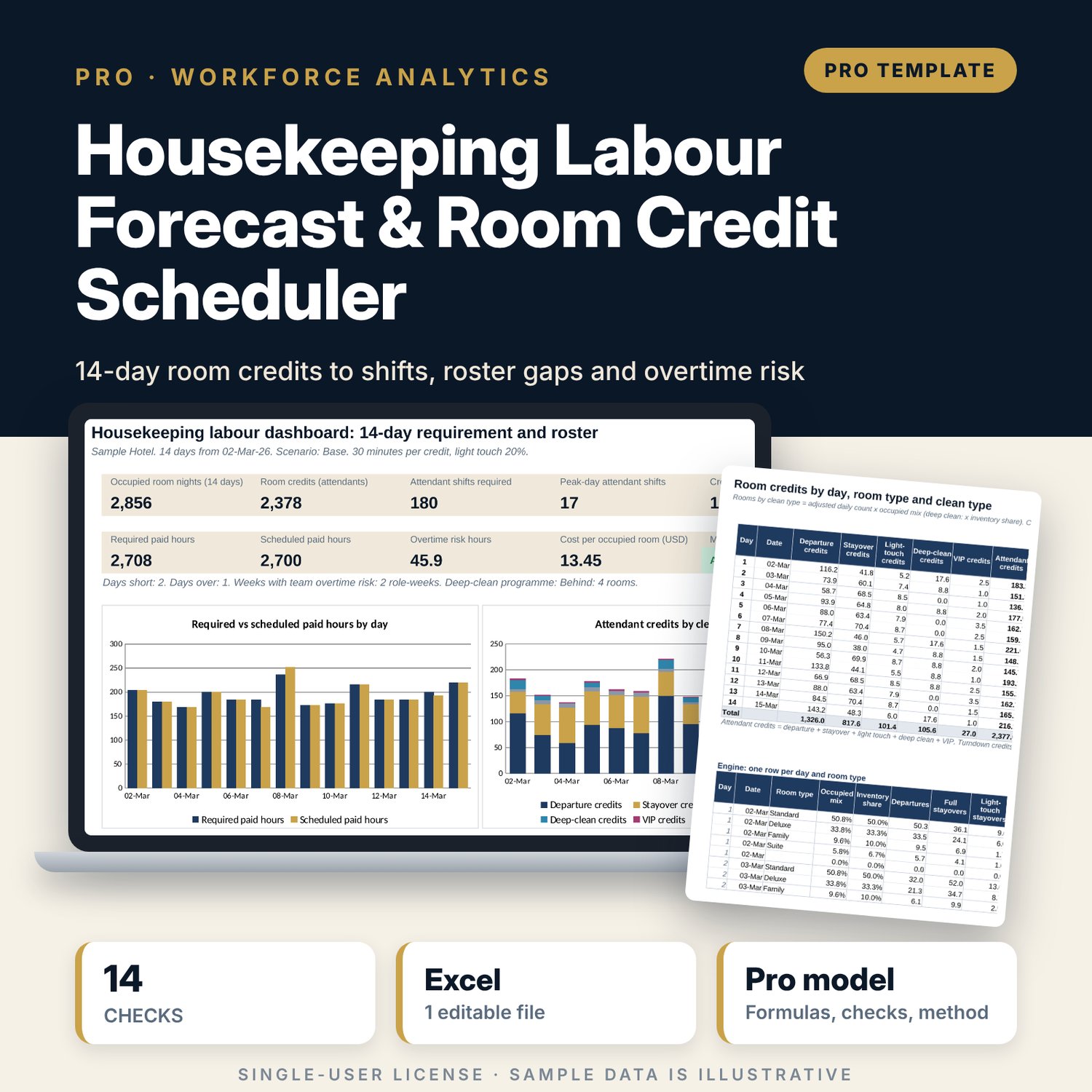
Housekeeping Labour Forecast & Room Credit Scheduler: Housekeeping Staffing Calculator with Room Credits
Full description
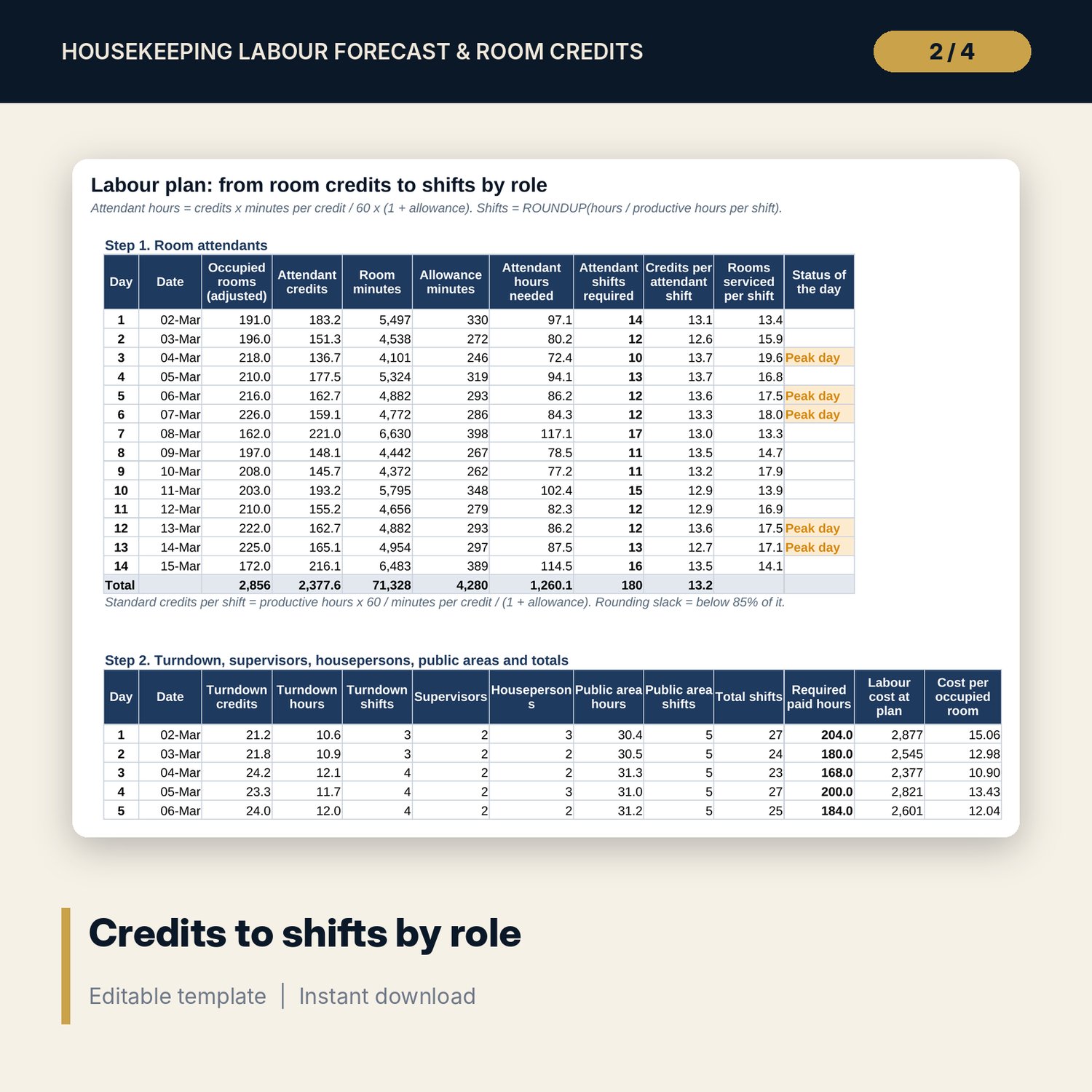
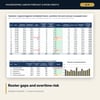
For executive housekeepers, rooms division managers, general managers and financial controllers who plan housekeeping labour two weeks ahead. You enter rooms occupied tonight and departures for 14 days, VIP arrivals and planned deep cleans. The workbook derives stayovers and arrivals, splits every day by room type with an occupied mix, and applies room credits per clean type (departure, stayover, light touch for guests who decline service, turndown, deep clean) plus VIP set-up credits. Attendant hours = credits x minutes per credit / 60 x (1 + non-room allowance), and shifts are rounded up from productive hours per shift. Supervisors and housepersons follow your ratios; public areas follow a fixed plus per-room standard. The roster is then tested day by day (Short or Over, overtime to finish rooms) and week by week against the team's contracted hours, with labour cost per occupied room. A scenario switch and two closed-form sensitivity grids show what occupancy, the light-touch share and minutes per credit do to the plan.
Save with a bundle: this workbook is also in the Hotel Revenue & Data Analytics Pro Bundle, 25 workbooks for $59 instead of $319. All 100 Pro workbooks are in the Pro Library for $119, and all 241 templates and workbooks are in the Ultimate Hospitality Library for $149.
What is inside
- Housekeeping_Labour_Forecast_Room_Credits.xlsx: 11 tabs, 2,060 formulas, 4 native charts, 14 integrity checks, 12 drop-down and input rules
- Sample plan (illustrative): 240 rooms in 4 room types (1 spare slot), 14 forecast days, 3 scenarios
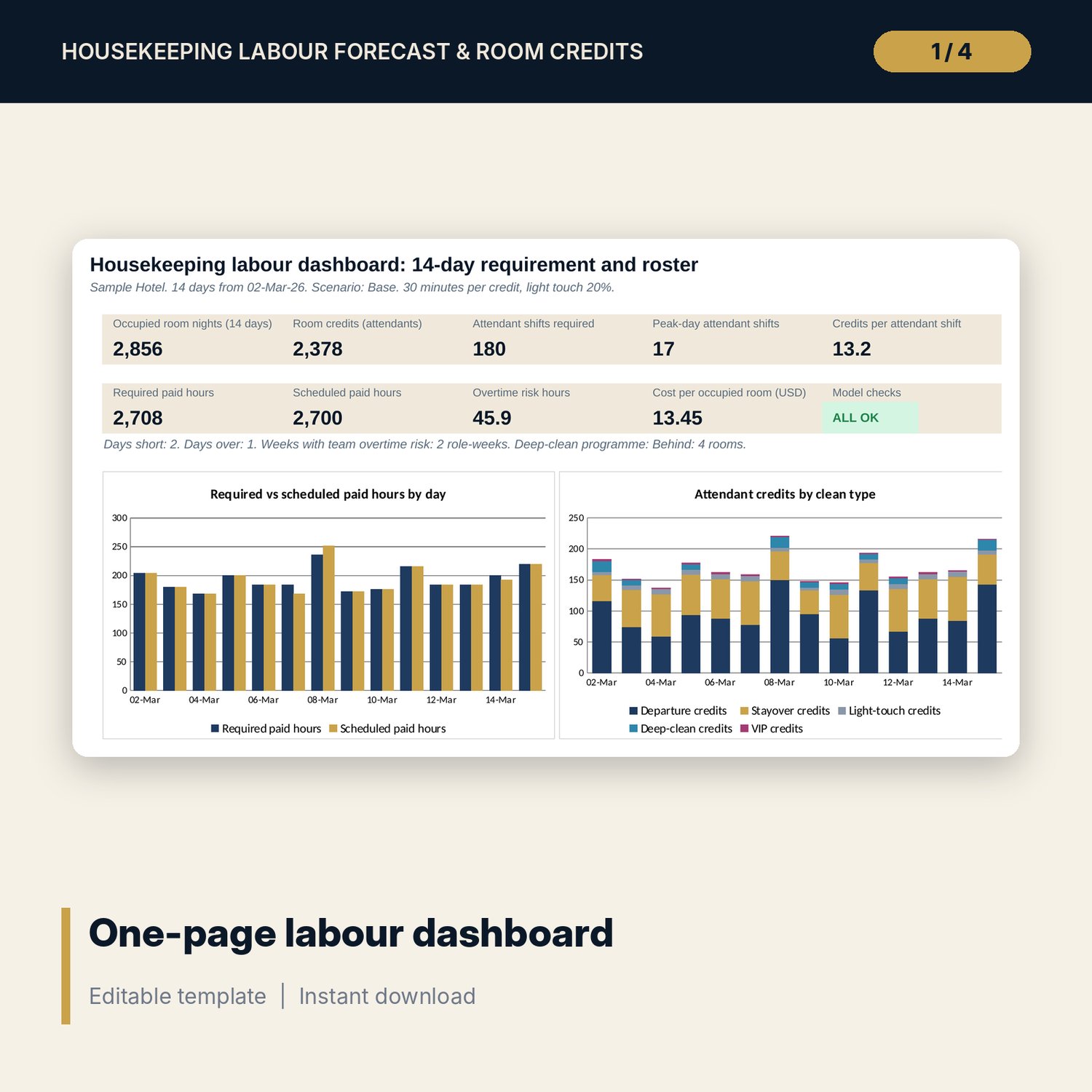
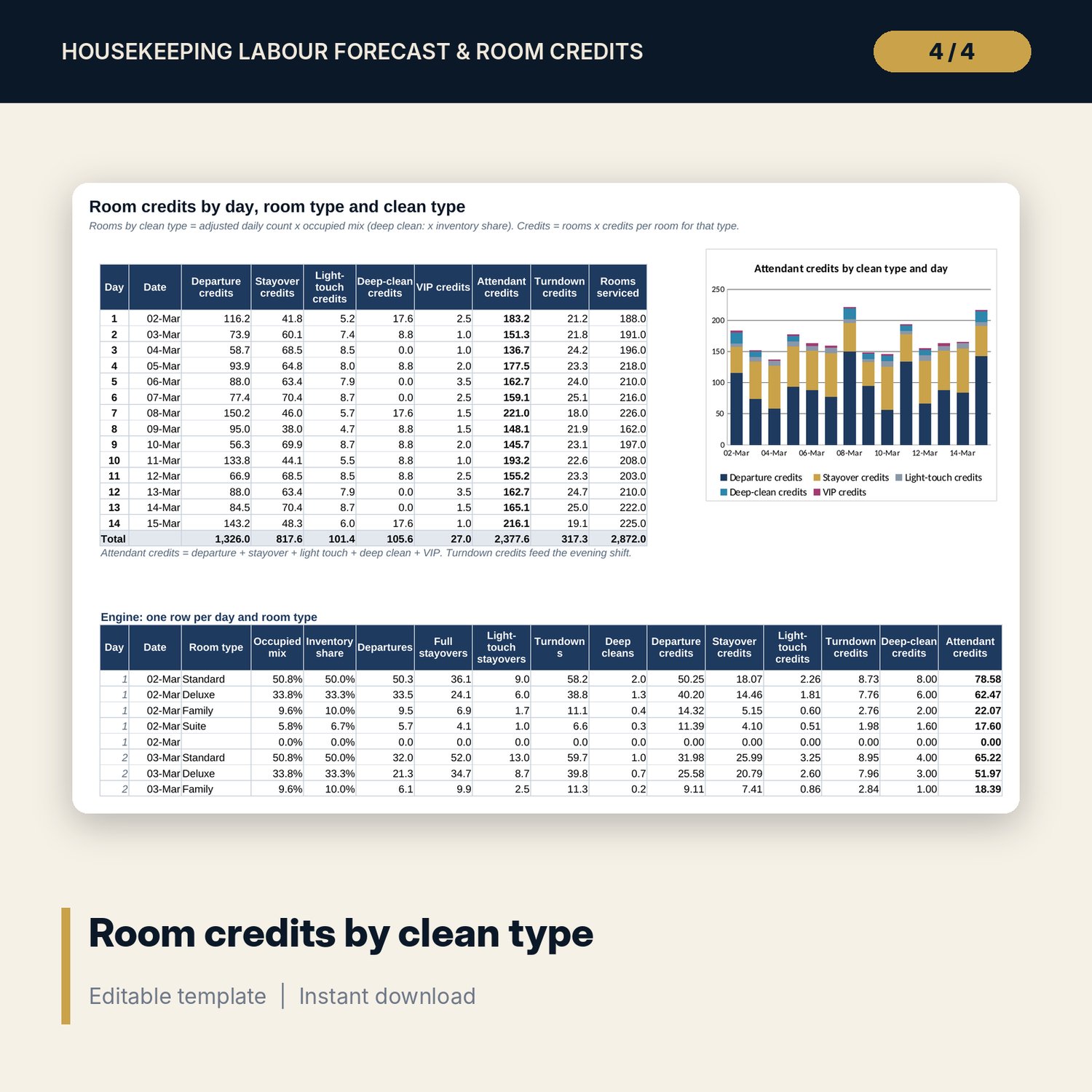
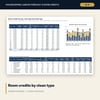
- Credit_Engine: 70 day and room type rows with rooms and credits for 5 clean types, plus a daily summary and a stacked chart
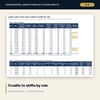
- Labour_Plan: attendant hours, shifts, credits per shift, turndown, supervisor, houseperson and public area shifts, required paid hours and cost by day
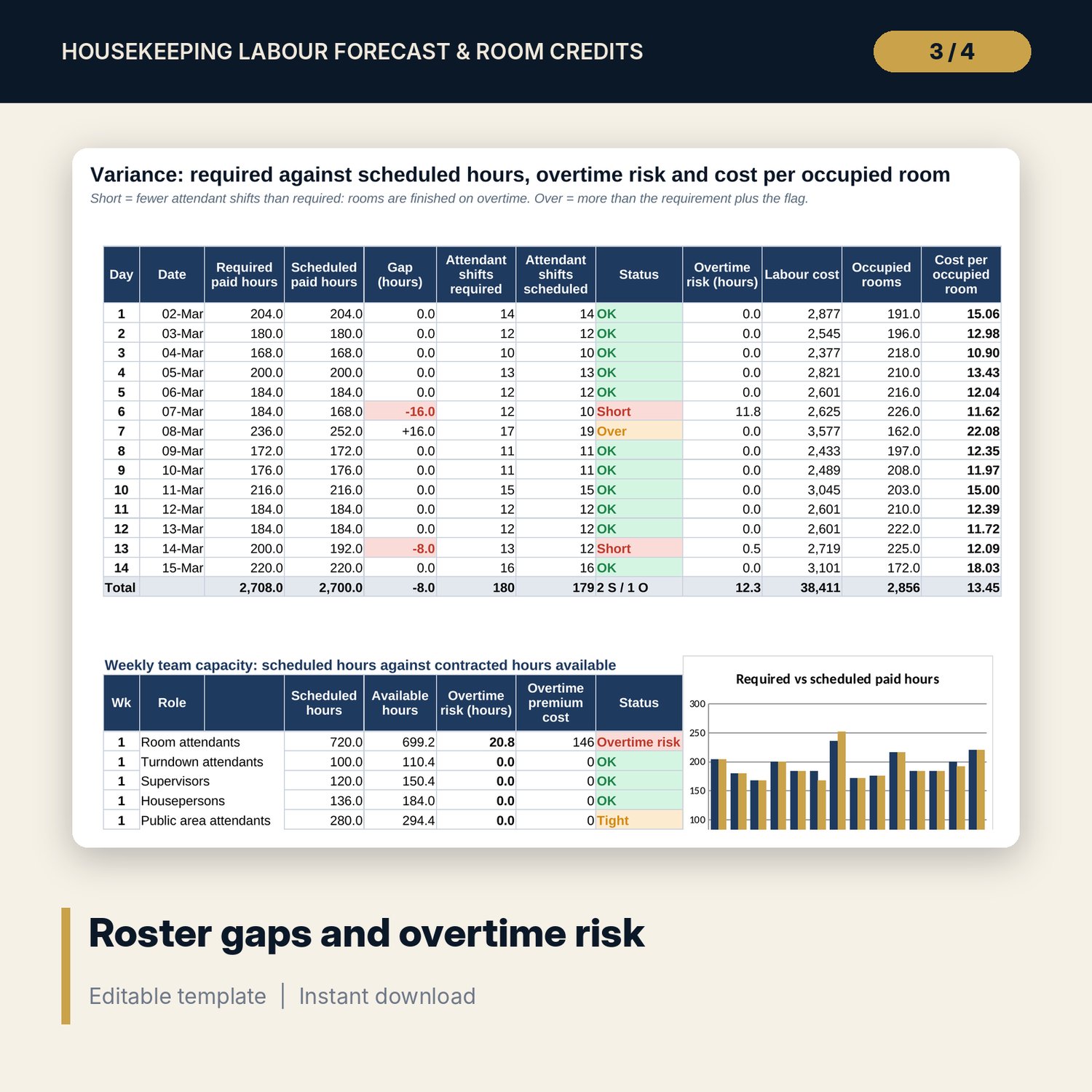
- Roster and Variance: scheduled shifts by role, Short and Over days, overtime risk by day and by role-week, cost per occupied room, chart of required against scheduled hours
- Sensitivity: 35 cases of 14-day attendant hours and 25 cases of peak-day shifts, all closed-form formulas
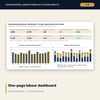
- Dashboard (one printed page) and a Method tab with 18 documented calculations
- README.txt and LICENSE-and-Terms.txt
How it works
- Enter room types, credits per clean type, minutes per credit, shift lengths, ratios and wages on Assumptions, and pick a scenario.
- Paste the 14-day forecast of rooms occupied and departures, with VIP arrivals and deep cleans planned.
- Read credits by clean type and the shifts each role needs on Credit_Engine and Labour_Plan.
- Enter your roster and team; Variance shows Short and Over days, overtime risk and cost per occupied room.
- Test changes on Sensitivity and confirm the Checks tab shows ALL OK before you publish the rota.
Details
- Format: one .xlsx workbook, English
- Software: Excel 2016 or later, or LibreOffice Calc 7 or later
- No macros, no external links, no data tables, no array formulas
- Instant digital download
Good to know
- Sample data is illustrative. Replace it with your own figures.
- Credits and minutes per credit are standards you set; time them on your own rooms before you rely on them.
- Wages, overtime rules and working time limits are inputs: verify local requirements.
- Single-user license. Do not redistribute.
FAQ
What is a room credit?
The work in one standard departure clean. Other cleans are expressed against it: a stayover is about half a credit, a suite departure about two. Minutes per credit turns credits into hours.
Can I use my own room types and credit values?
Yes. There are 5 room type slots. Enter rooms, an occupancy index and credits for each clean type.
How does it treat guests who decline daily service?
The light-touch share moves stayovers from full service to a lighter clean with its own credits. Grid 2 shows the effect on peak-day shifts.
How is overtime risk measured?
Two ways: hours needed to finish rooms on short days, and weekly scheduled hours above the team's contracted hours after absence.
Does it build the individual rota?
It gives the shifts needed per role per day and tests your planned numbers. Assigning named people stays in your rota tool.