


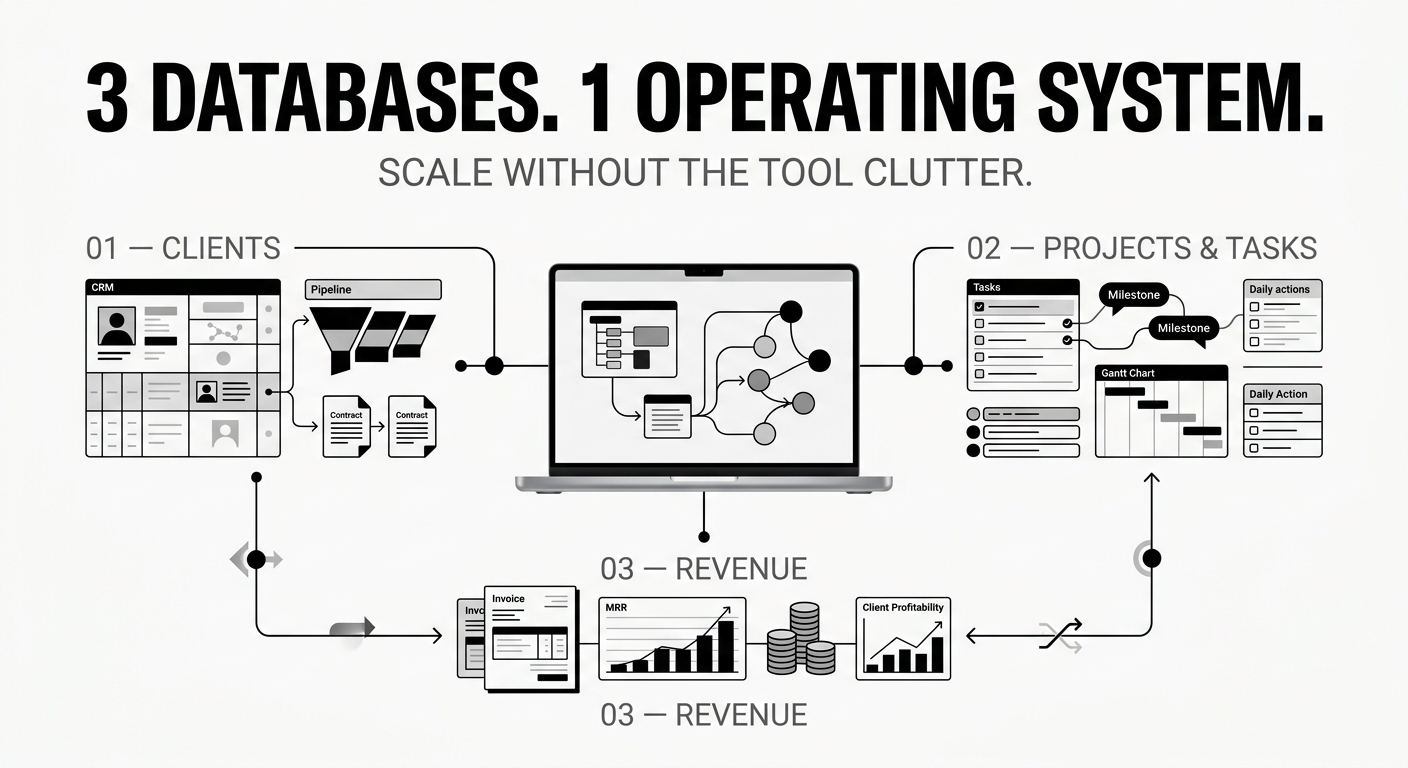
Running a solopreneur business usually starts with simplicity, but as your client roster grows, tool fragmentation quietly kills your productivity. Toggling between a dedicated CRM app, a separate project board, scattered email threads, and manual revenue spreadsheets creates a heavy context-switching tax that drains hours every week.
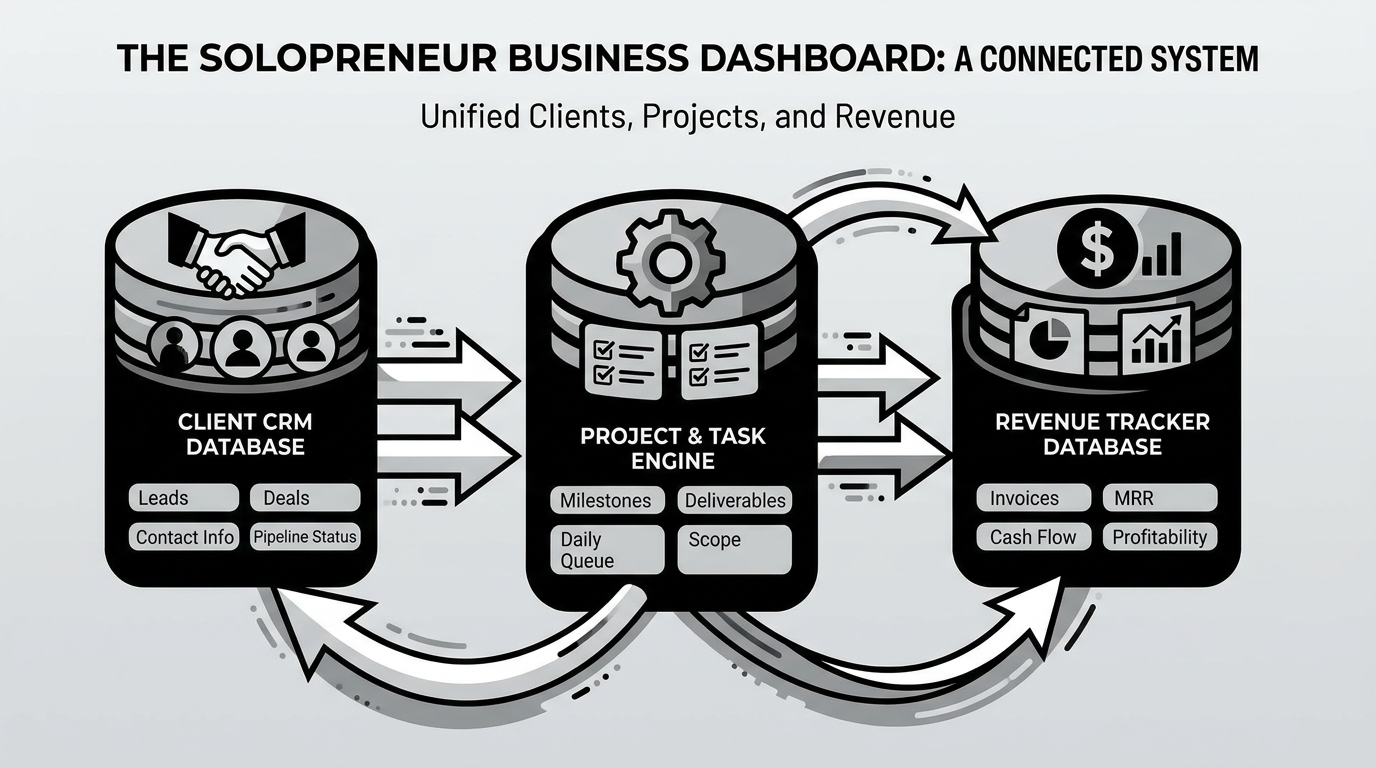
To build a scalable operating system without software clutter, you only need three connected databases working in sync: Clients, Projects/Tasks, and Revenue.
1. The Client CRM Database
Your client database serves as the single source of truth for every contact, pipeline stage, and communication history. Instead of digging through inbox search bars, every account holds a clear view of:
- Pipeline Status: Categorize leads into Prospect, Proposal Sent, Active, or Offboarded.
- Contract Details: Store target deal values, signed scope documents, and primary point-of-contact details.
- Interaction Logs: Keep meeting summary notes and key feedback directly inside the client's dedicated account page.
2. The Project & Task Engine
Disconnecting day-to-day tasks from client accounts leads to missed deliverables and scope creep. By building a relational project database, every individual task feeds into a parent project, which links directly back to the respective client entry in your CRM.
- Project Milestones: Break large client retainers into distinct phases with explicit target dates.
- Daily Action Queue: Filter daily views to show only tasks due today, grouped by project priority.
- Scope Tracking: Flag high-effort task additions before they push you past your agreed billable terms.
3. The Revenue & Retainer Tracker
Financial tracking often gets neglected until tax season, leaving freelancers guessing their true monthly cash flow. A unified financial database gives you real-time visibility into your pipeline:
- Monthly Recurring Revenue (MRR): Track active retainers versus one-off project contracts.
- Invoice Status: Monitor payments tagged as Drafted, Sent, Paid, or Overdue.
- Revenue Rollups: Automatically sum completed project values per client to highlight your most profitable client relationships.
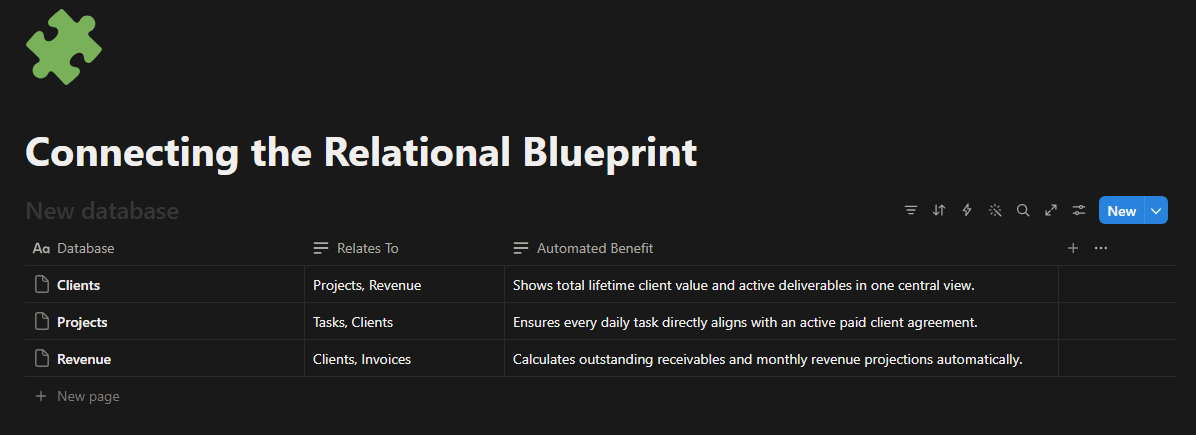
Connecting the Relational Blueprint
The magic happens when these three systems talk to one another through database relations and rollups.
The 15-Minute Weekly Operations Review
A powerful dashboard is useless without a regular maintenance routine. Set aside 15 minutes every Friday afternoon to run this brief check:
- Update Pipelines: Move qualified leads forward or archive cold inquiries in your Client CRM.
- Reconcile Invoices: Mark received payments as Paid and send quick reminders for pending balances.
- Set Next Week's Queue: Review upcoming project milestones and queue up key tasks for Monday morning.
Eliminating administrative overhead starts with unifying your workflow. When your leads, project deliverables, and cash flow exist in a single connected ecosystem, prioritization becomes instant and scaling your freelance business becomes manageable.
Ready to streamline your workflow? Customize your database relations today, or duplicate this central Solopreneur Business Dashboard framework to start managing your entire business from one place.








Comments ()