


Hotel Development Budget & Construction Draw Schedule: hotel development cost budget with S-curve construction draws
Full description
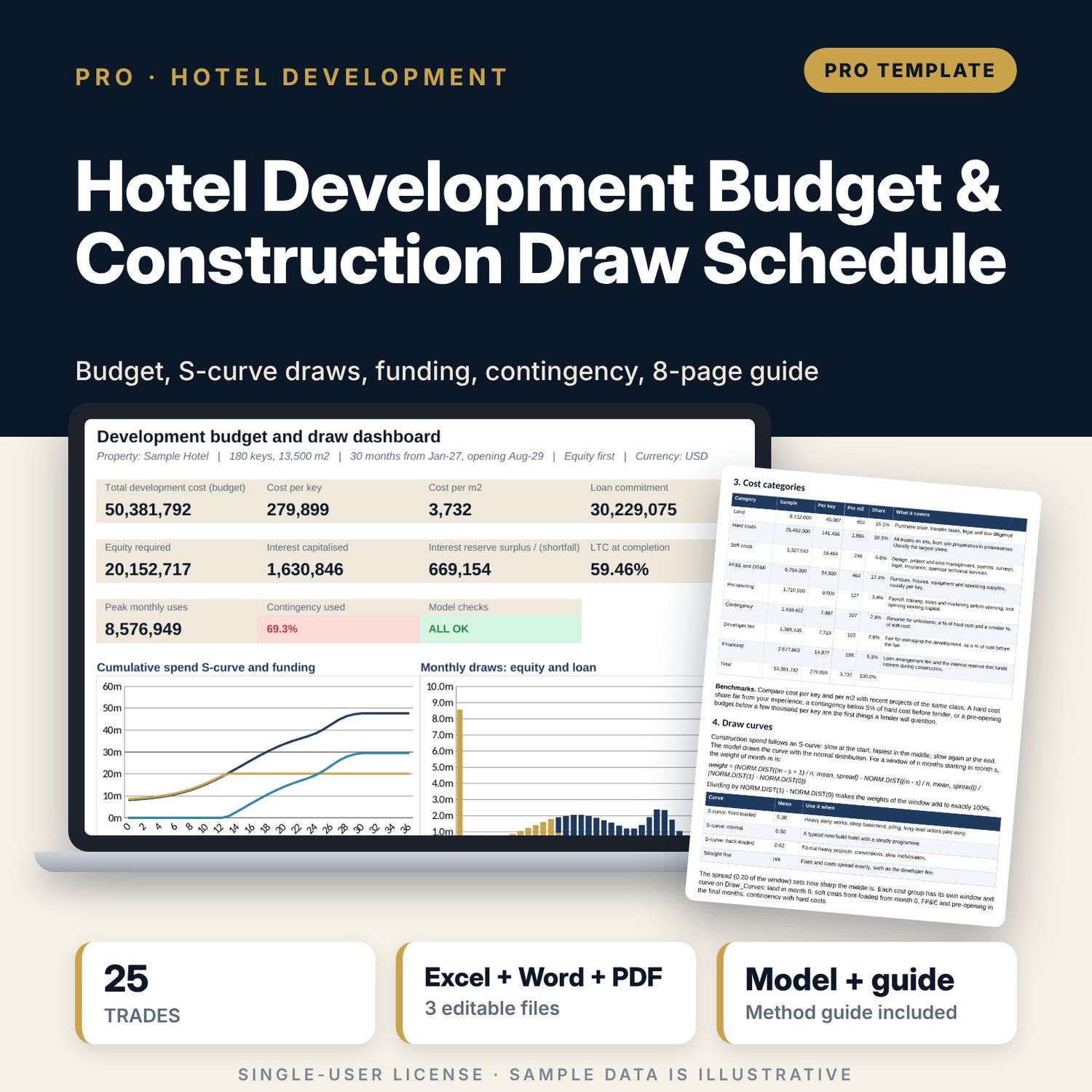
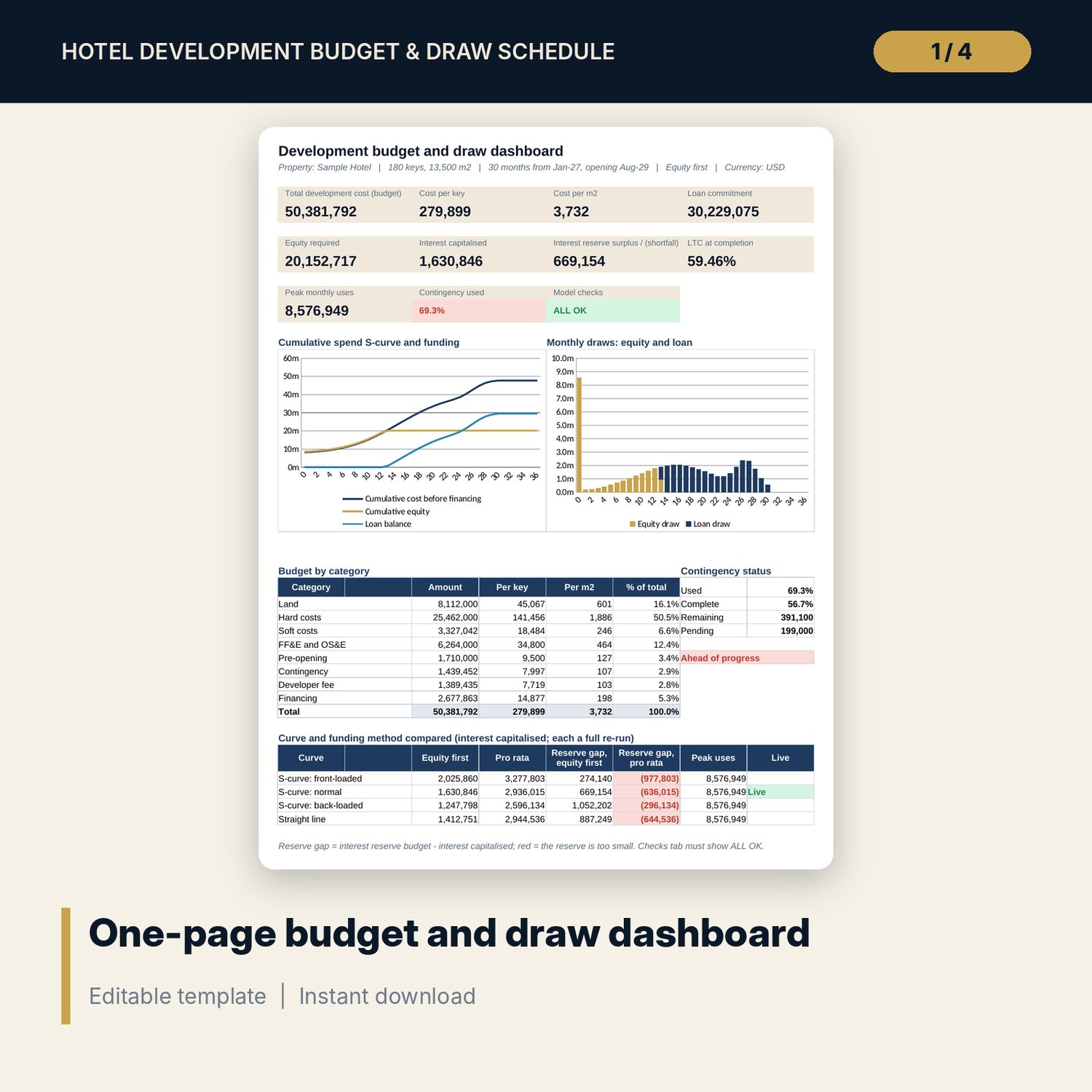
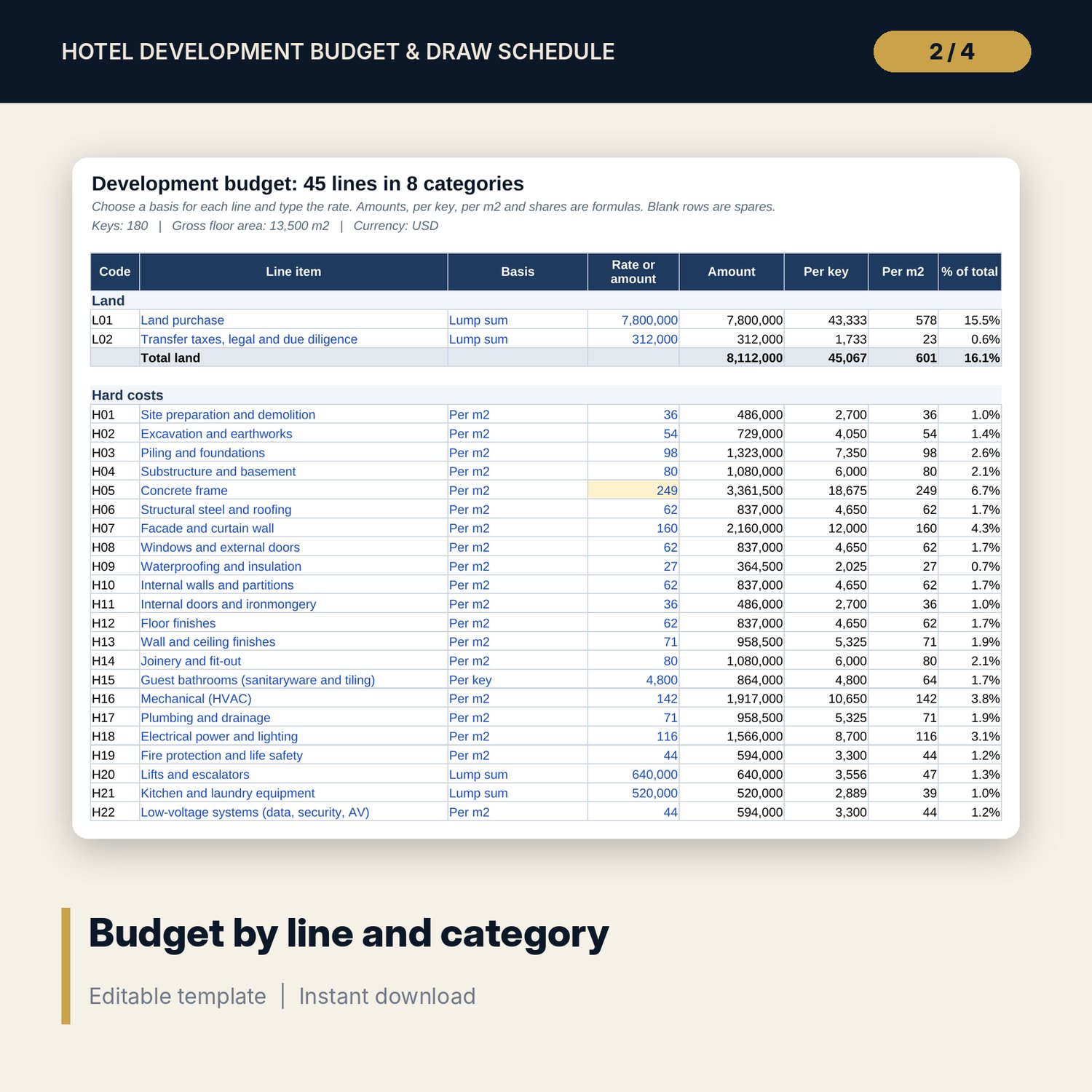
For developers, owners, project managers and financial controllers planning a new hotel. You build the total development cost line by line: land, 25 hard cost trades, soft costs, FF&E and OS&E per key, pre-opening, contingency, developer fee and financing, each with its own basis (lump sum, per key, per m2 or a share of a subtotal). Each cost group is spread over its own window with a NORM.DIST S-curve (front-loaded, normal or back-loaded) or a straight line over a 24 to 36 month build. The funding tab draws equity first or pro rata, sizes the construction loan as a share of the total budget with a closed-form arrangement fee, and charges interest on the opening balance each month, capitalised by a loan draw, so there is no circular reference. You get cost per key and per m2, monthly sources and uses, loan to cost, the interest reserve gap, a case table for 4 curves x 2 funding methods, and a contingency tracker that compares contingency used with construction progress and flags trades over budget.
Save with a bundle: this workbook is also in the Hotel Finance & Investment Pro Bundle, 25 workbooks for $59 instead of $329. All 100 Pro workbooks are in the Pro Library for $119, and all 241 templates and workbooks are in the Ultimate Hospitality Library for $149.
What is inside
- Hotel_Development_Budget_Draw_Schedule.xlsx: 12 tabs, 4,331 formulas, 3 native charts, 14 integrity checks, a Method tab with 17 calculation notes.
- Sample budget (illustrative): 180 keys, 13,500 m2, 45 budget lines in 8 categories including 25 hard cost trades, with spare rows.
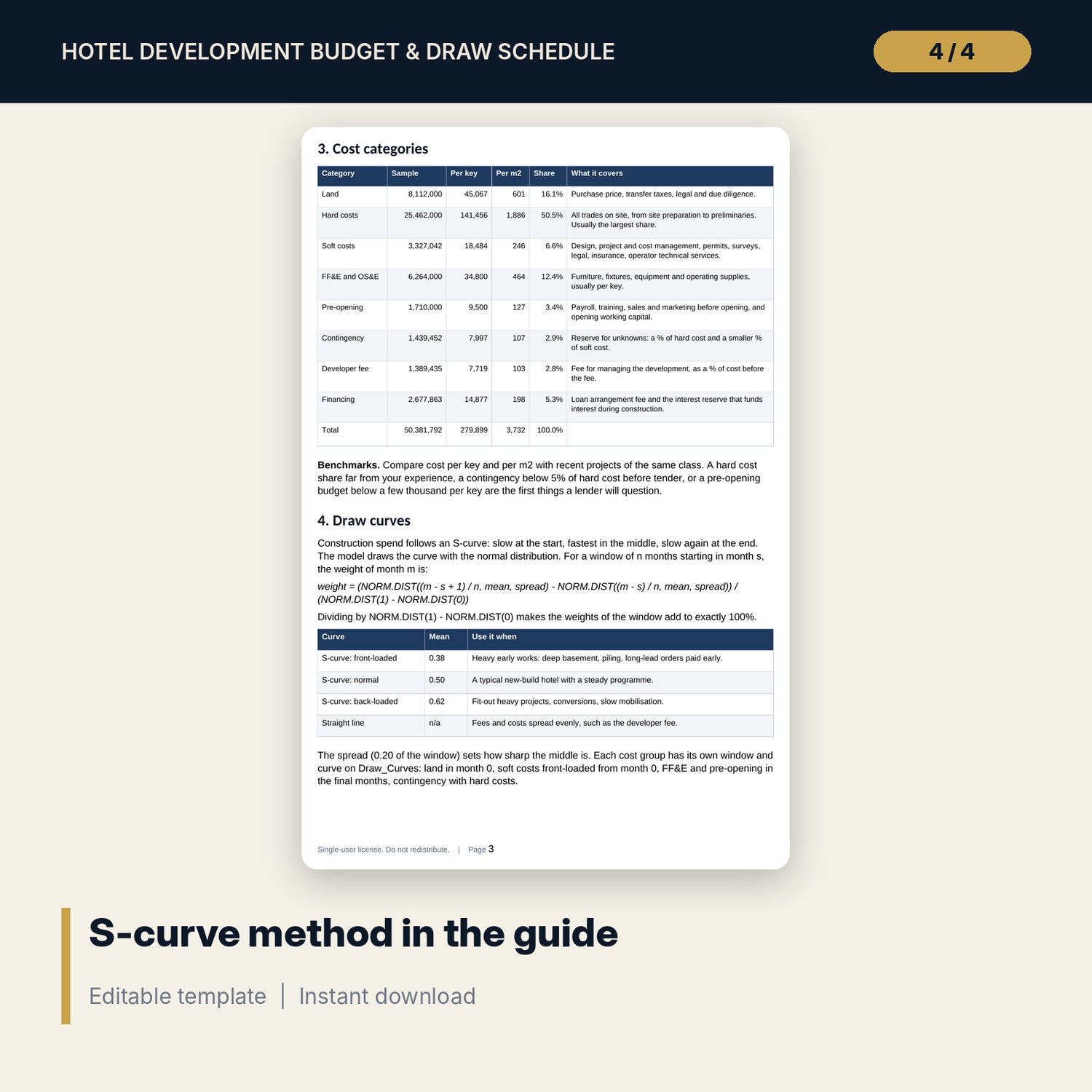
- Draw schedule: 37 months (month 0 to 36), 7 cost groups with their own windows, 4 curve shapes.
- Funding: monthly loan fee, interest, equity and loan draws, loan balance, LTC to date and flags; results at completion.
- Case engine: 8 full re-runs (4 curves x 2 funding methods) for interest, equity, LTC and peak monthly uses.
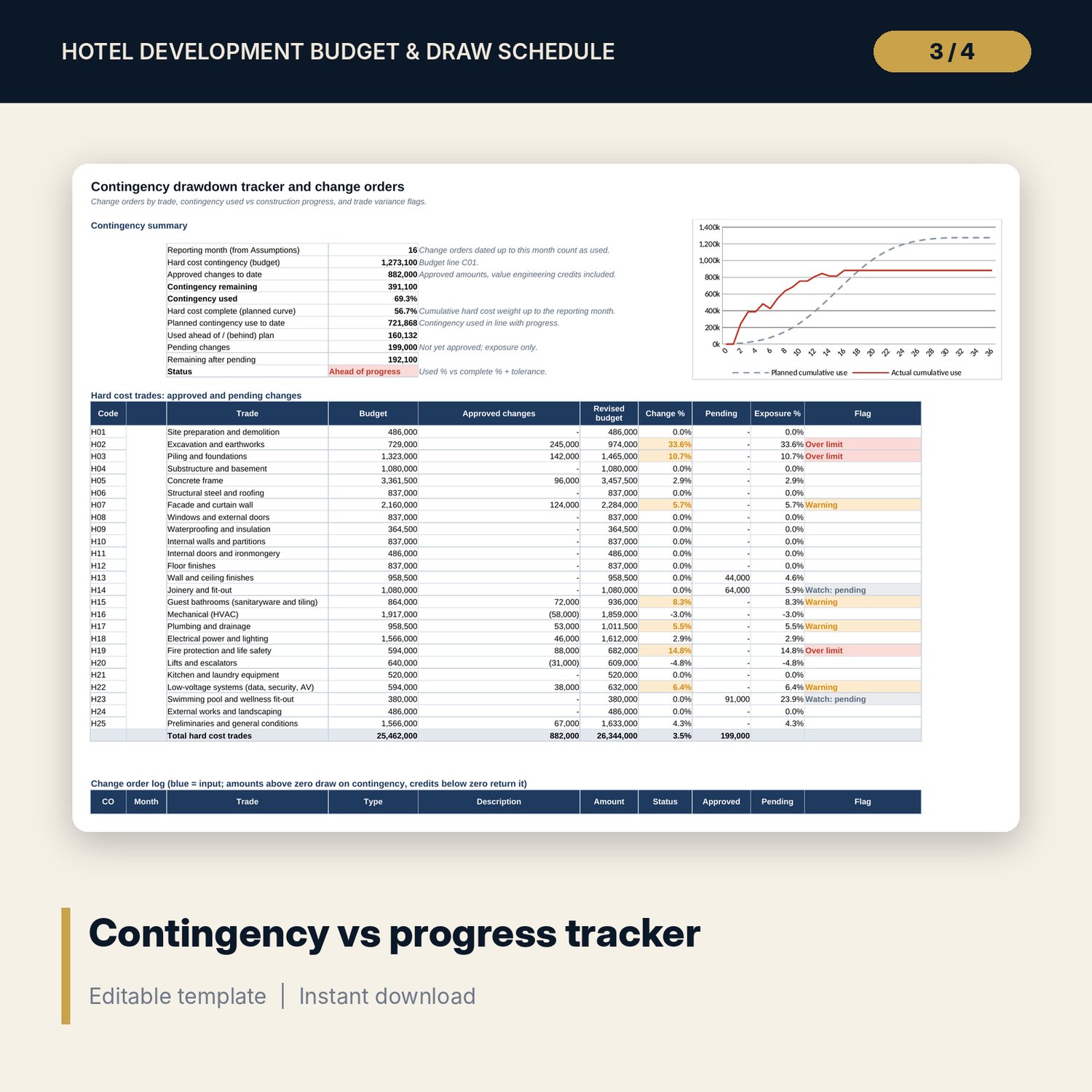
- Contingency tracker: 16 sample change orders with 24 spare rows, 25-trade variance table, monthly planned vs actual drawdown and a chart.
- Dashboard: 10 KPI tiles, a check tile, a cumulative spend S-curve chart, a monthly draws chart, budget by category and the case comparison.
- Budget_Summary: one-page budget, sources and uses and key controls with sign-off lines.
- Hotel_Development_Budget_Draw_Guide.docx and Hotel_Development_Budget_Draw_Guide.pdf: 8-page guide on cost categories, S-curves, funding and capitalised interest, a worked example on the sample results, draw controls, contingency tracking, limitations, a monthly checklist and a glossary.
- README.txt and LICENSE-and-Terms.txt.
How it works
- Enter keys, floor area, start date, construction months, curve, funding method and loan terms.
- Set the basis and rate of every budget line; the model totals cost per key and per m2 and sizes the loan.
- Check each cost group's window and curve; the monthly spend and funding follow at once.
- Read the interest capitalised, reserve gap, LTC and peak draw, and compare curves and funding methods.
- Log change orders monthly and confirm the Checks tab shows ALL OK.
Details
- Formats: XLSX workbook, DOCX guide, PDF guide.
- Language: English.
- Software: Excel 2016 or later, or LibreOffice Calc. No macros, no data tables, no add-ins.
- Monthly model, 24 to 36 month build, one construction loan, any currency.
- Delivery: instant download.
Good to know
- Sample data is illustrative and does not describe any market.
- Not financial or legal advice. Taxes, permits, fees and loan terms are inputs: verify local requirements.
- Confirm cost rates with your quantity surveyor before you rely on them.
- Single-user license.
FAQ
Can I change the construction period?
Yes, from 24 to 36 months. Hard costs, contingency and the other windows tied to the period move with it.
How is interest calculated without a circular reference?
Interest in each month is the opening loan balance x rate / 12. It is added to uses and drawn in the same month, so it never depends on its own draw.
What is the difference between equity first and pro rata?
Equity first spends the equity share before any loan draw, which saves interest. Pro rata splits every draw by the loan share. The case table shows both for every curve.
How does the contingency tracker work?
Log each change order with month, trade, type, amount and status. The tracker compares approved changes with the hard cost contingency and with progress from the curve, and flags trades above your limits.
How do I know the numbers are right?
The Checks tab runs 14 tests, including sources = uses every month, a SUMPRODUCT recalculation of interest and a reconciliation of the monthly spend to the budget. The Method tab shows how each result is built.