



ConsortiaDesk EN — Solo · EU Project & Consortium Management
CONSORTIADESK · EUROPEAN PROJECT COORDINATION
Your consortium.
A clearer view.
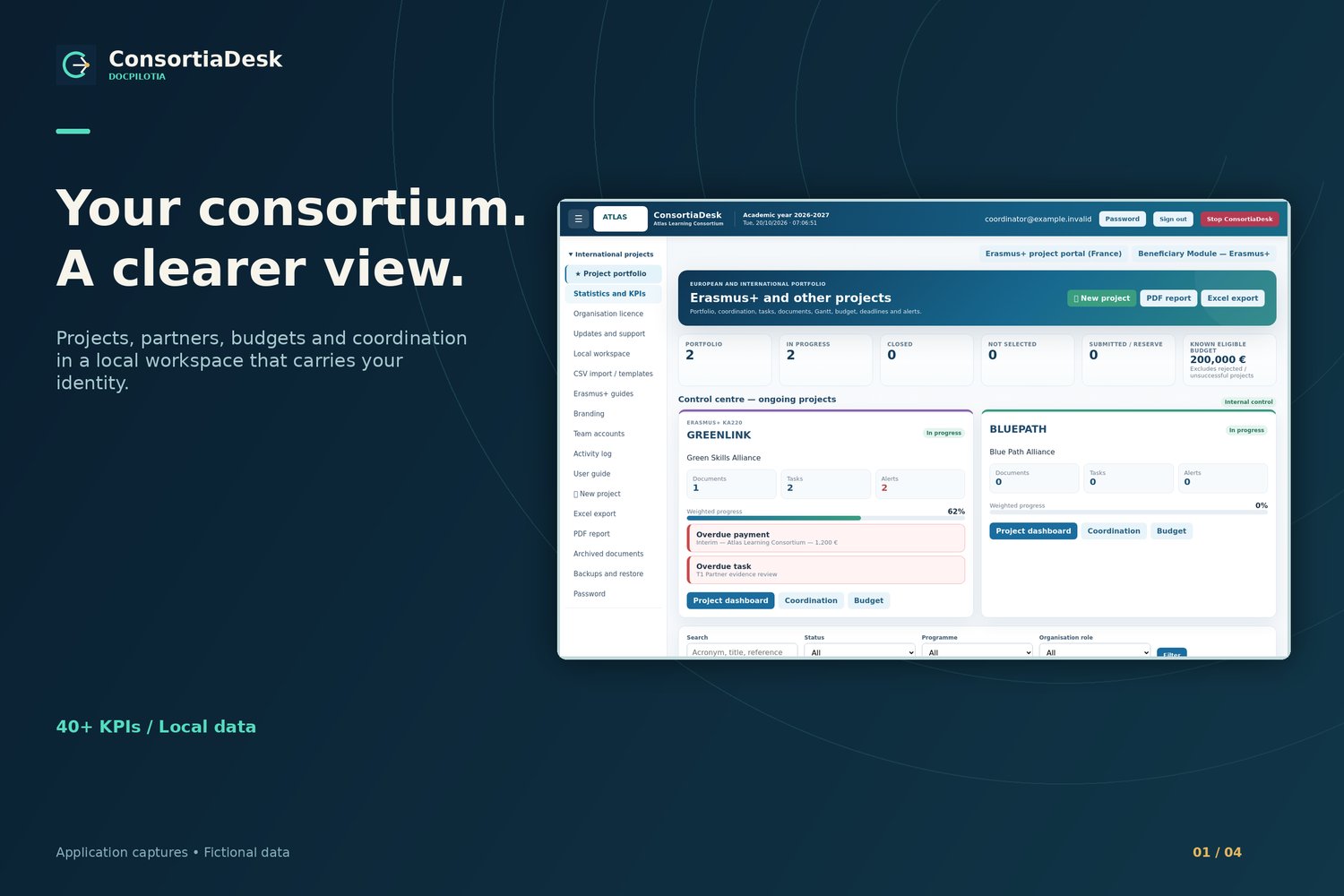
Manage European and international projects in a local workspace that brings partners, deadlines, budgets and documents together. Prepare project meetings, track actions and keep the next steps in sight.
Solo · €249 excl. VAT · One-time purchase · Permanent licence
Less fragmentation. Clearer control.
Budgets in spreadsheets, deadlines in email and evidence across folders make project tracking a job in itself. ConsortiaDesk brings the coordinator’s key information together to reduce searching, surface missing actions and support structured project reviews.
Centralise essential project information
Spot deadlines that need action
Prepare professional project summaries
A project control centre for your organisation
For project offices, international relations teams, educational institutions, associations and consultants supporting consortia. Track an Erasmus+ KA2/KA220 project or an international portfolio, with your organisation’s role recorded as coordinator or partner.
Features built around project coordination
Projects and partners
Keep project references, acronyms, programmes, statuses, dates, budgets, roles, contacts and partner records together. Search and filters help you reach the right file.
Tasks, work packages and deliverables
Record task owners, work packages, priorities, dates and progress. Keep deliverables and Gantt revisions, and identify overdue deadlines.
Budgets and payment schedules
Separate receipts, payments and commitments. Allocate partner budgets across WP1 to WP5 and track planned and actual payment dates.
Dashboard and 40+ KPIs
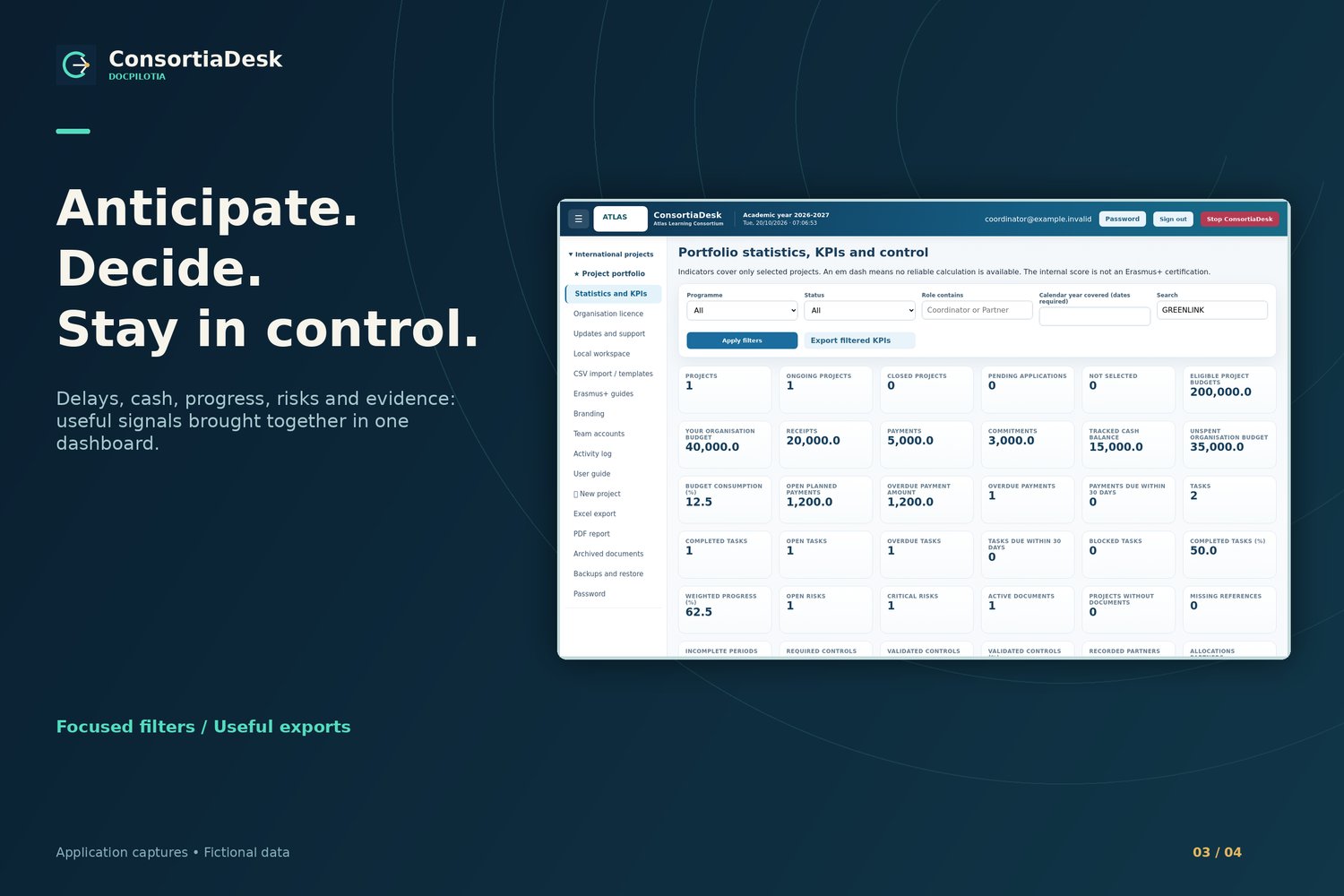
Review active projects, budgets, cash, delays, risks, controls, hours and deliverables. Filter by programme, status, role, year and search.
Coordination and traceability
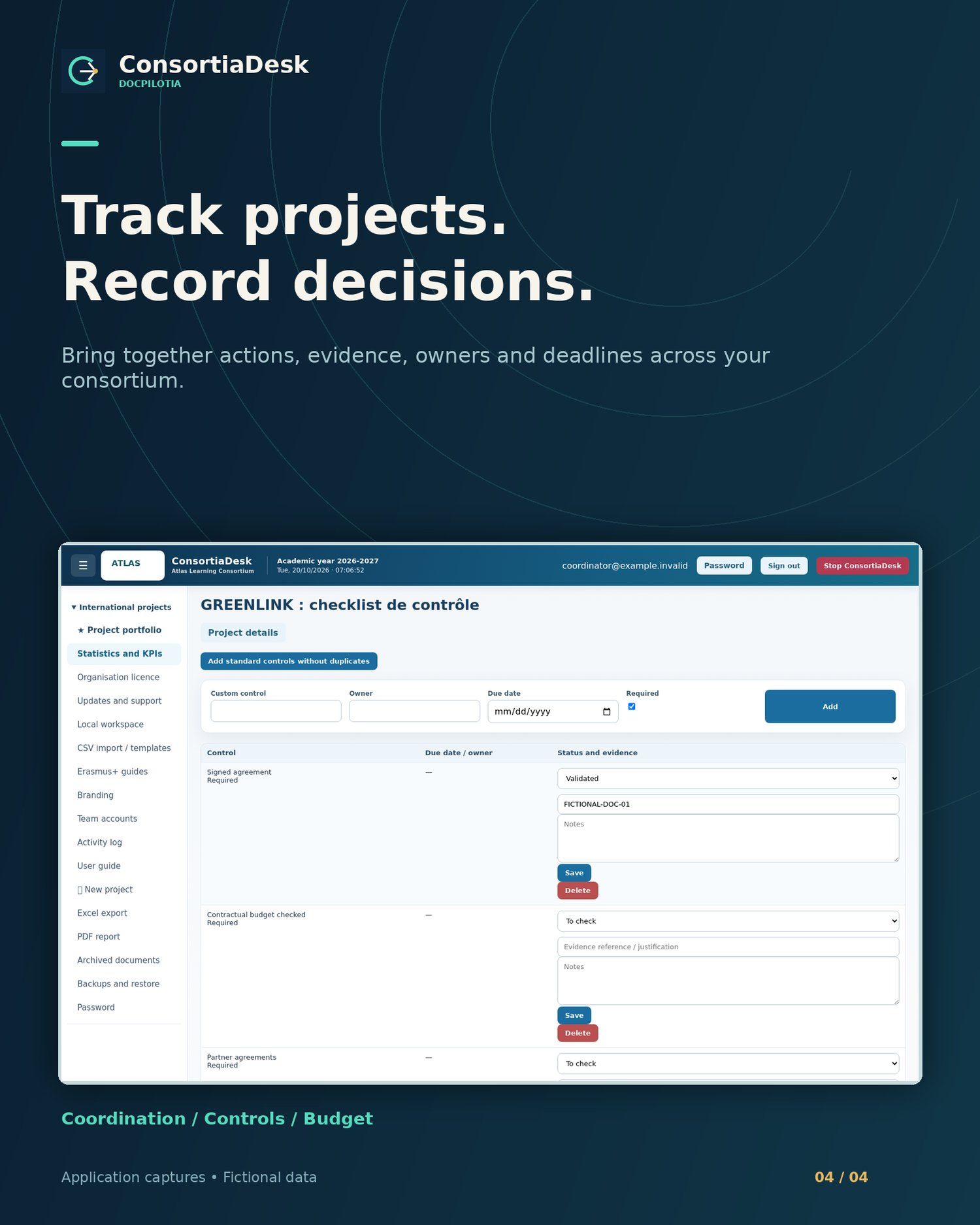
Record meetings, minutes, decisions, discussions, dissemination, evaluations and time. Review the activity log and organise internal checks with evidence references.
Documents and reports
Organise attachments, preview supported documents and retrieve archived files. Export Excel, PDF and CSV reports with your organisation’s name and logo.
Controlled CSV imports
Seven templates cover projects, tasks, partners, payments, budgets, risks and activities. Preview before confirming an import; existing project references are rejected.
Backup and recovery
Create a verified backup containing your database and documents. Stage a restore and apply it at restart. Keep the licence file separately.
From scattered files to structured coordination
1. Install and activate
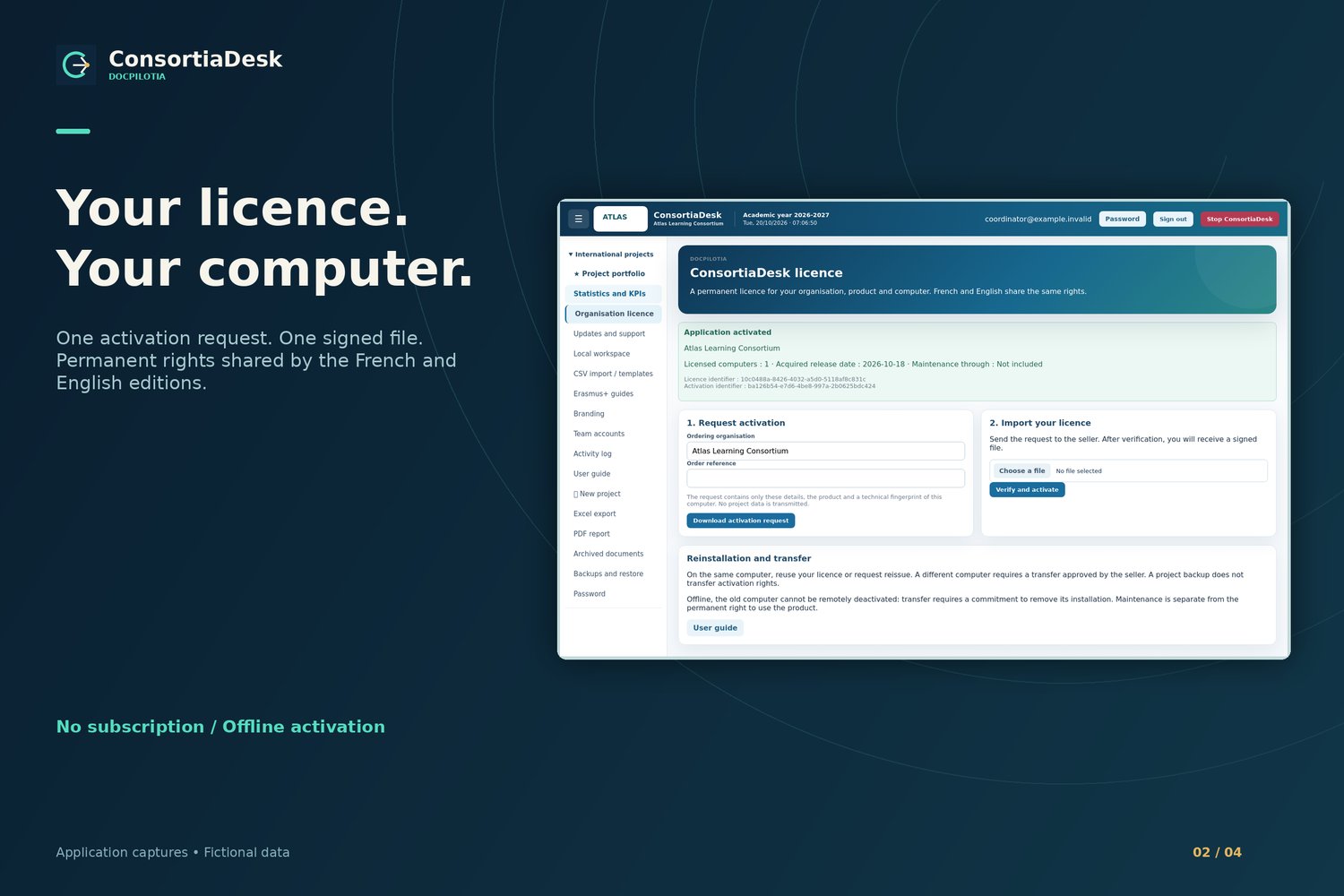
Install the EN edition on Windows, create the organisation and administrator, then exchange the activation request and signed licence with DocPilotIA.
2. Structure
Create or import projects, partners and tasks. Add dates, owners, budgets and documents.
3. Track
Review on-screen alerts, weighted progress and indicators. Record decisions and prepare the next actions.
4. Share summaries
Export reports for project meetings and save regular backups to a separate storage device.
A practical use case: prepare a consortium meeting
A coordinator tracks two projects and five partners. Before a meeting, they filter overdue tasks, check WP allocations, review upcoming payments and retrieve supporting documents. Afterwards, they record decisions, update owners and export a summary. Illustrative workflow; all visuals use fictional data.
Watch the real ConsortiaDesk demonstration
Choose the support that fits your organisation
The local software core is complete. Offers differ by agreed services and the number of licensed computers.
Solo
Permanent licence for one organisation and one computer. Local features, installer and guides. €249 excl. VAT, one-time purchase. No contractual maintenance or updates; mandatory statutory rights remain applicable. Applicable taxes are shown at checkout.
Care
Permanent licence with a 12-month maintenance service under agreed terms: support and compatible publications. Ending maintenance preserves acquired usage rights.
Custom
Configuration, data migration, training or specific development by quotation. Scope, schedule and acceptance criteria are agreed before commitment.
Frequently asked questions
Is ConsortiaDesk a subscription?
Usage rights are permanent for the licensed organisation, product and computer. Optional maintenance is a separate service. Not renewing it does not deactivate the acquired publication.
What computer do I need?
A Windows 10/11 x64 PC with at least 600 MB free, plus space for documents and backups. The application opens in a browser at a local address. No separate Python or server installation is needed.
How does activation work?
After installation and account creation, download the .dprequest using the organisation and order reference. Send it to DocPilotIA, then import the signed .dplicence supplied by the seller. Downloading the kit does not activate the software automatically.
Can I work offline?
Everyday use needs neither a subscription nor a permanent connection. Project data and documents stay on the computer. Initial activation files may be exchanged using another connected computer.
How do the French and English editions work?
FR and EN are separate kits. On the authorised computer they share data and usage rights. Stop one edition before opening the other.
Can partners access the workspace remotely?
This delivery is a local coordination tool. Local accounts do not provide a remote collaboration portal. Exported reports let you share summaries with partners.
Do alerts send emails?
Alerts appear inside the application. Meetings and discussions are internal records; no email or invitation is sent.
Is this official Erasmus+ software?
ConsortiaDesk is independent DocPilotIA software for internal project tracking. It does not certify compliance, replace accounting or automatically submit data to Beneficiary Module.
What is included in the download?
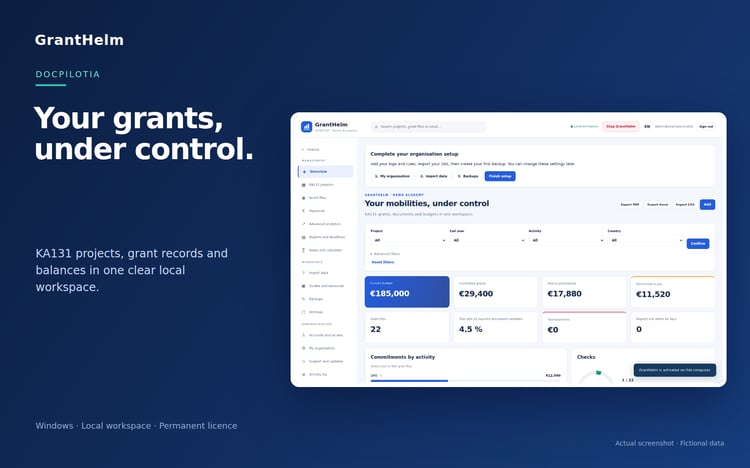
A Windows installer, five PDF and HTML guides, four visuals, a Full HD video with synthetic narration and subtitles, an SRT file and a transcript. No sample accounts or projects are preloaded.
How do backups and updates work?
Create a verified backup and keep it on separate storage. Updates for this delivery use installers supplied by the seller; no active remote update channel is included.
Can I move to another computer?
Reinstallation on the same computer can reuse the licence if its fingerprint is unchanged. Moving computers requires a seller-approved transfer; a project backup does not transfer usage rights.
Give your next project a clearer structure.
Choose your edition and build a more readable project workflow, from the first deadline to the final report.
Explore the DocPilotIA software range
·