
Function Space Revenue Management Toolkit: Meeting and Event Space Utilisation, RevPASM and Enquiry Evaluator
Full description
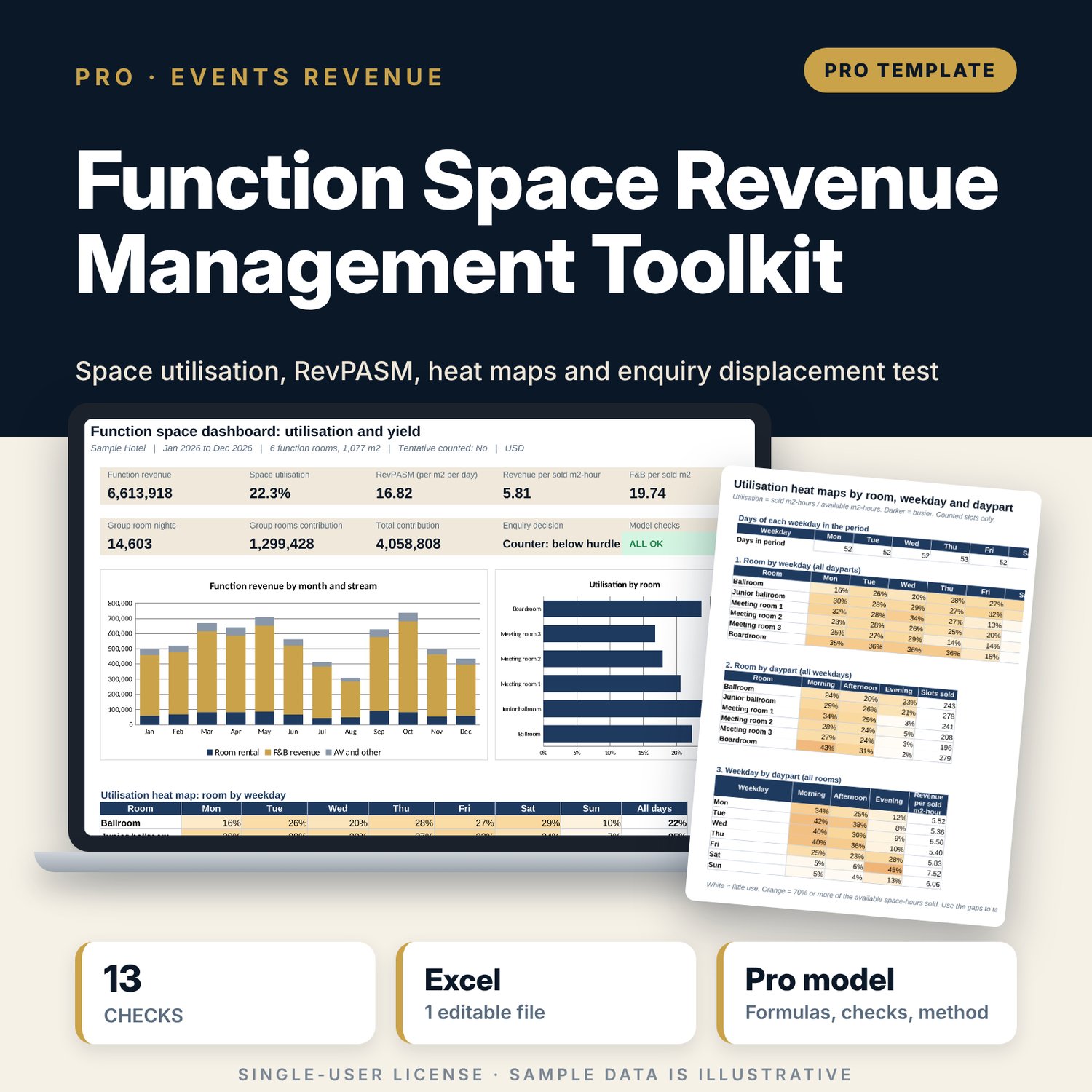
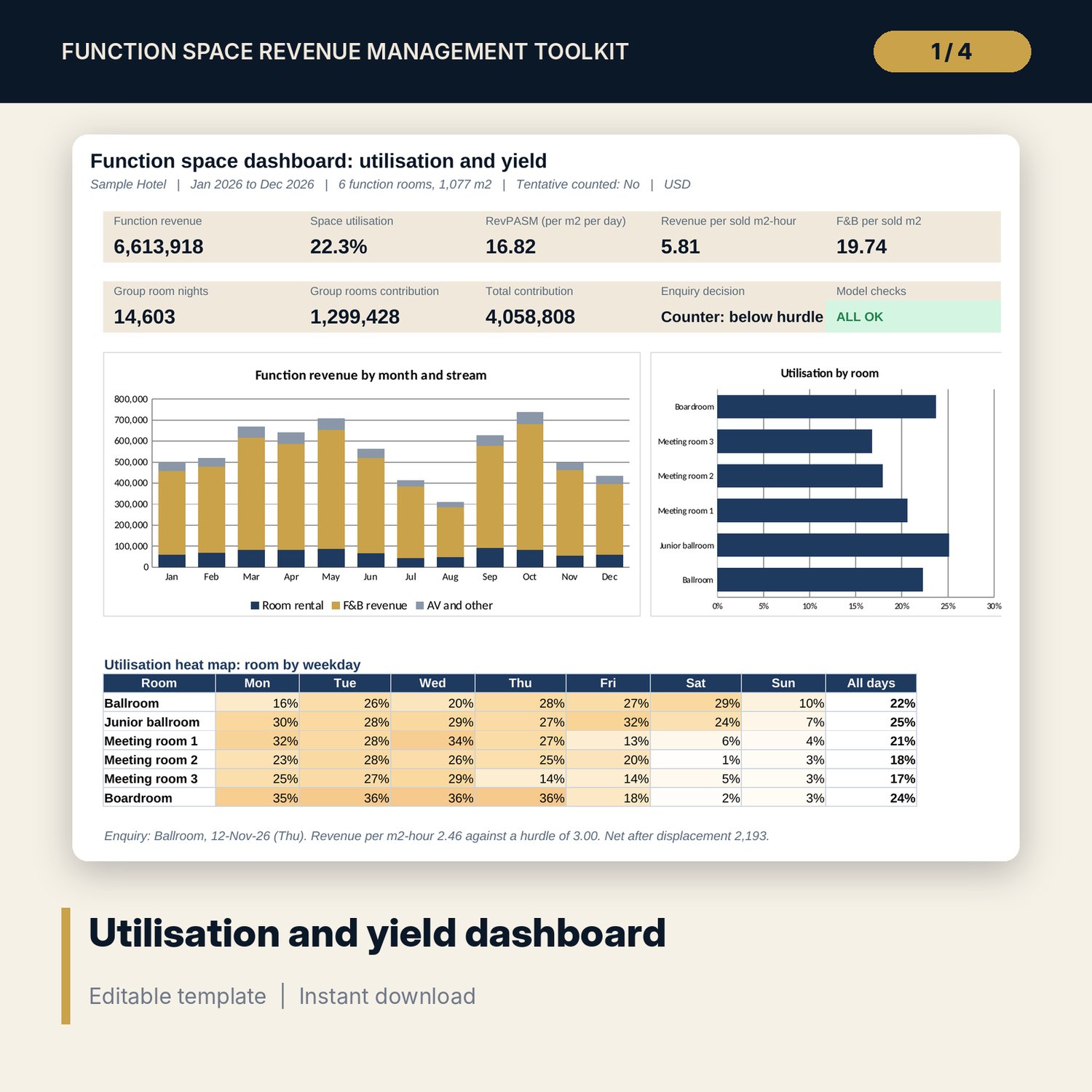
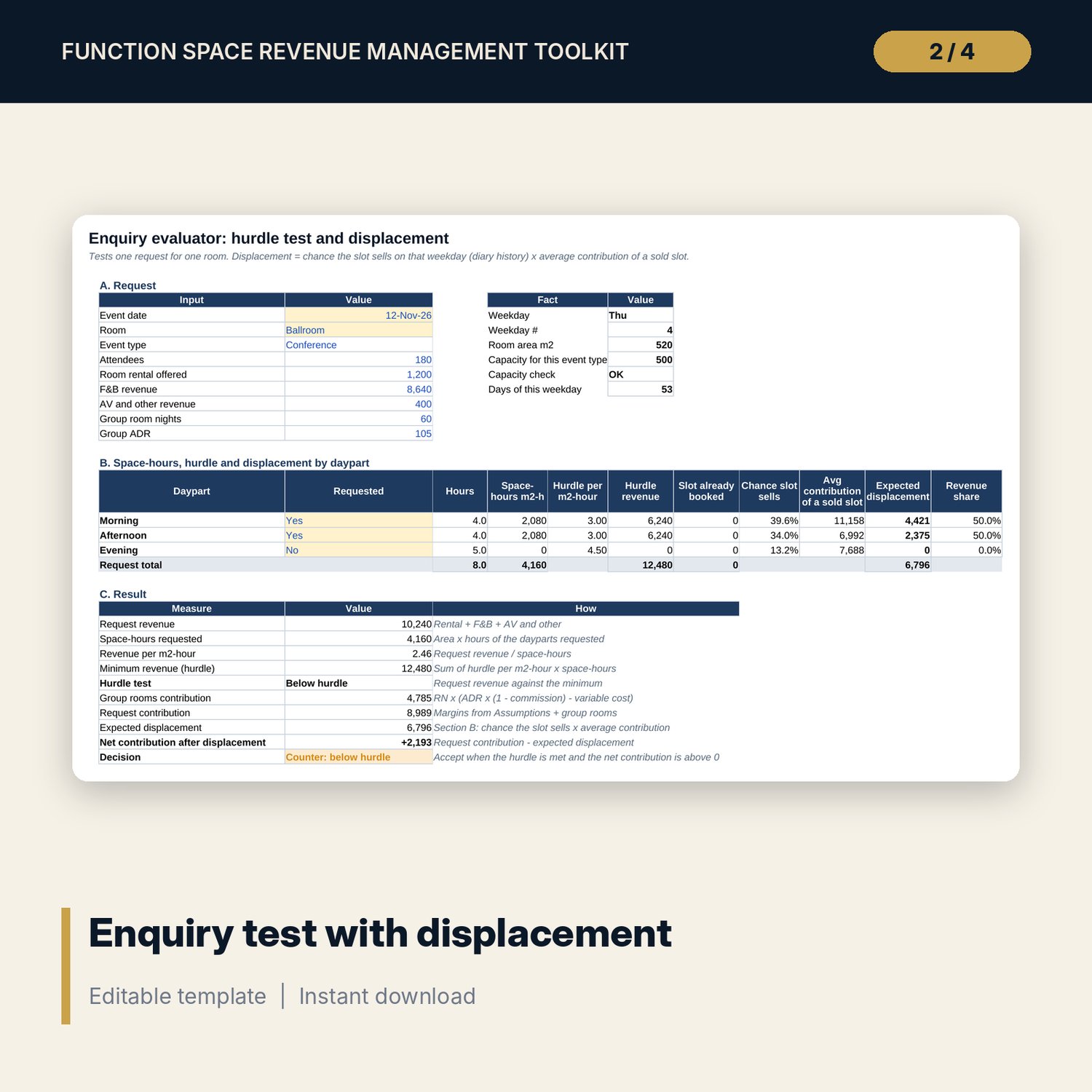
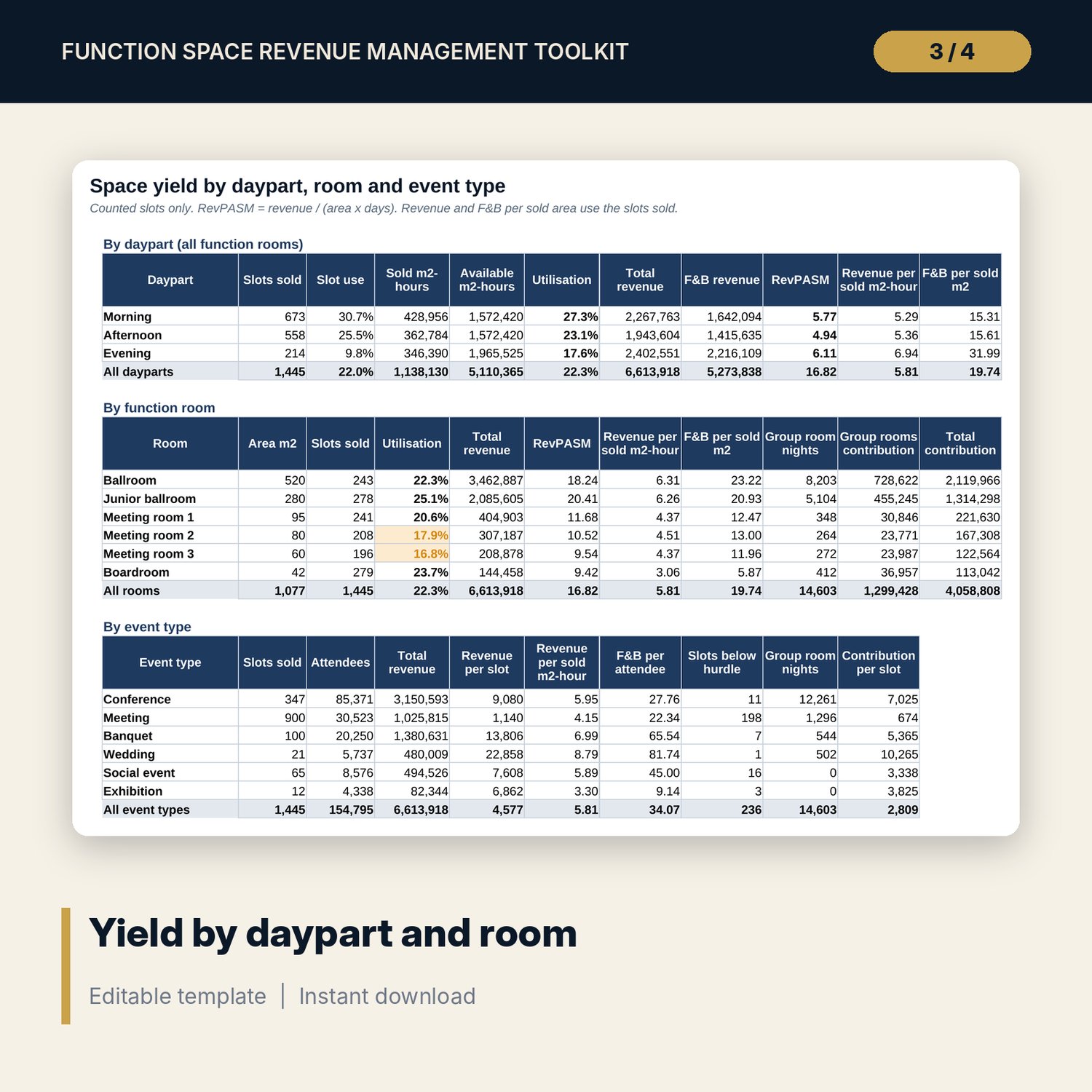
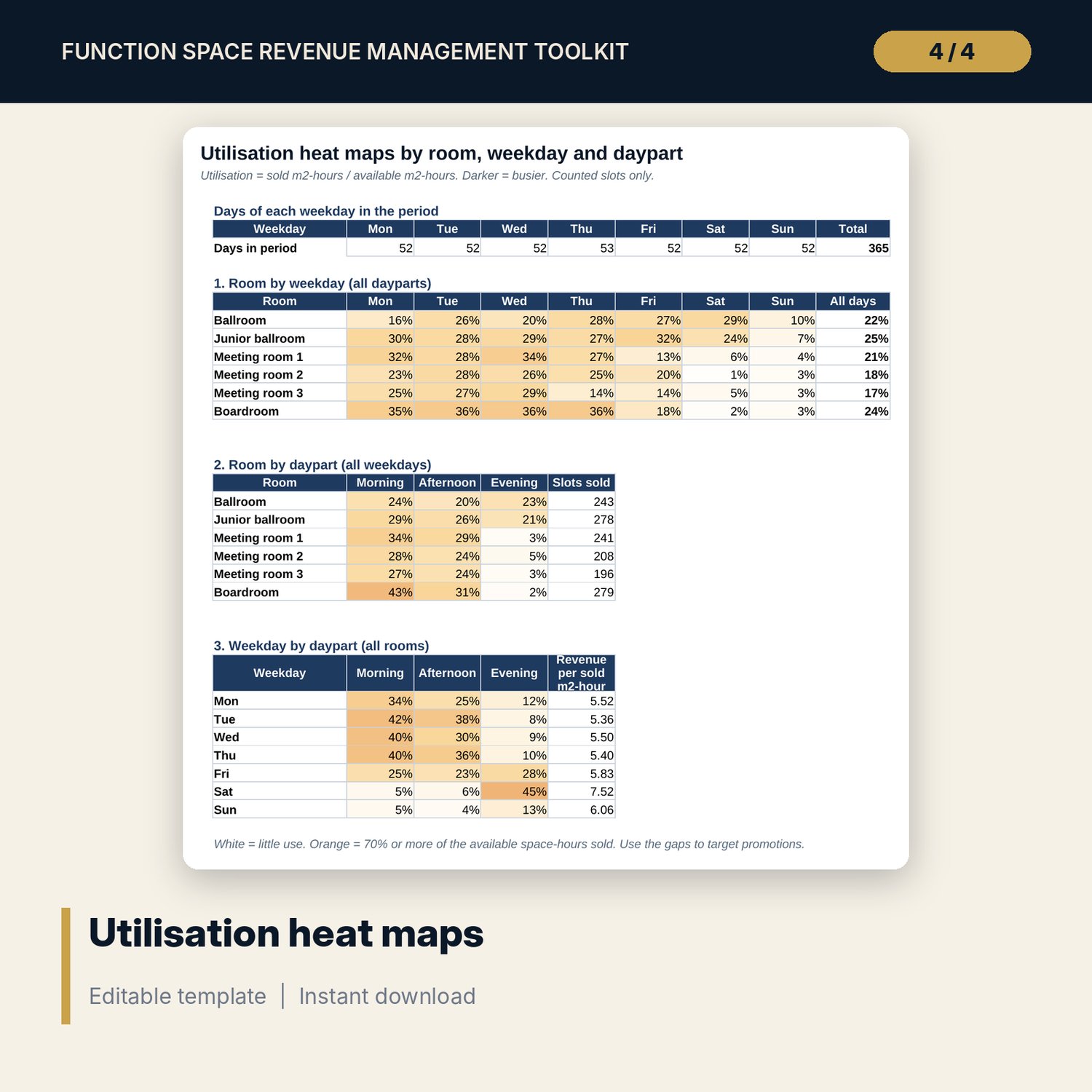
For directors of sales and events, revenue managers and general managers who sell meeting rooms and ballrooms. You log the function diary as one row per room and daypart (morning, afternoon, evening) with attendees, rental, F&B and AV revenue and the group room nights linked to the event. The workbook calculates sold space-hours (square metres x hours), utilisation against available space-hours, RevPASM (revenue per available square metre per day), revenue per sold square-metre hour, F&B per sold square metre, group rooms contribution and total contribution, by daypart, room, event type, month and weekday. Three heat maps show where the space sits empty. The enquiry evaluator tests a new request against a minimum revenue per space-hour, checks the slot and the capacity, and estimates the contribution it is likely to displace from the diary history of that room, weekday and daypart.
Save with a bundle: this workbook is also in the Hotel Revenue & Data Analytics Pro Bundle, 25 workbooks for $59 instead of $319. All 100 Pro workbooks are in the Pro Library for $119, and all 241 templates and workbooks are in the Ultimate Hospitality Library for $149.
What is inside
- Function_Space_Revenue_Management_Toolkit.xlsx: 11 tabs, 27,689 formulas, 4 native charts, 12 drop-down and input rules
- Diary: 1,566 sample slots over 12 months for 6 function rooms, room for 1,800 rows
- Diary_Calc: per slot counted flag, space-hours, revenue per m2-hour against the hurdle, contribution, capacity and clash flags
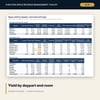
- Yield: utilisation, RevPASM, revenue per sold m2-hour and F&B per sold m2 by daypart, by room and by event type
- Monthly: 12 months of space-hours, revenue by stream, RevPASM, group rooms and contribution, with 2 charts
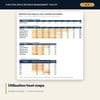
- Heat_Map: room by weekday, room by daypart and weekday by daypart, with colour scales
- Enquiry: hurdle test, slot and capacity checks, expected displacement, net contribution, decision and a 7 x 7 sensitivity grid
- Dashboard (one printed page) with 9 KPI tiles, 2 charts and the heat map, 13 integrity checks, and a Method tab with 17 documented calculations
- README.txt and LICENSE-and-Terms.txt
How it works
- Enter your function rooms with area and capacity, the daypart times and a minimum revenue per m2-hour for each daypart on Assumptions.
- Log the diary: one row per room and daypart, with status, attendees, revenue by stream and linked group room nights.
- Read Yield, Monthly and the heat maps to see which rooms, days and dayparts earn and which sit empty.
- Enter a new request on Enquiry to see whether it clears the hurdle and what it is likely to displace.
- Confirm that Checks shows ALL OK and print the one-page Dashboard.
Details
- Format: one .xlsx workbook, English
- Software: Excel 2016 or later, or LibreOffice Calc 7 or later
- No macros, no external links, no array formulas, no add-ins
- Instant digital download
Good to know
- Sample data is illustrative. Replace it with your own diary.
- Split an event's revenue across its slots; enter group room nights on one row per event so they are not counted twice.
- Displacement is an estimate from the history of the same room, weekday and daypart. Adjust for known future demand.
- Margins and hurdles are planning inputs, not financial advice. Verify local requirements and your own cost reports.
- Single-user license. Do not redistribute.
FAQ
What is a space-hour?
One square metre for one hour. A 100 m2 room booked for a 4-hour morning uses 400 space-hours. Utilisation compares sold with available space-hours.
How do I enter a full-day conference?
As two rows, morning and afternoon, in the same room. Add a third row for an evening dinner. Split the revenue across the rows.
Can I change the dayparts and the rooms?
Yes. Rename the 3 dayparts and set their times on Assumptions, and enter up to 6 function rooms with area and capacity.
How does the enquiry test estimate displacement?
It takes how often that room sold in that daypart on the same weekday over the diary period, and multiplies by the average contribution of a sold slot.
Do tentative bookings count?
Only when you set Count tentative bookings to Yes. They are highlighted on the Diary either way.