Property Condition Assessment & Deferred Maintenance Register: Building Condition Assessment Spreadsheet with Cost to Cure and Remaining Life
Full description
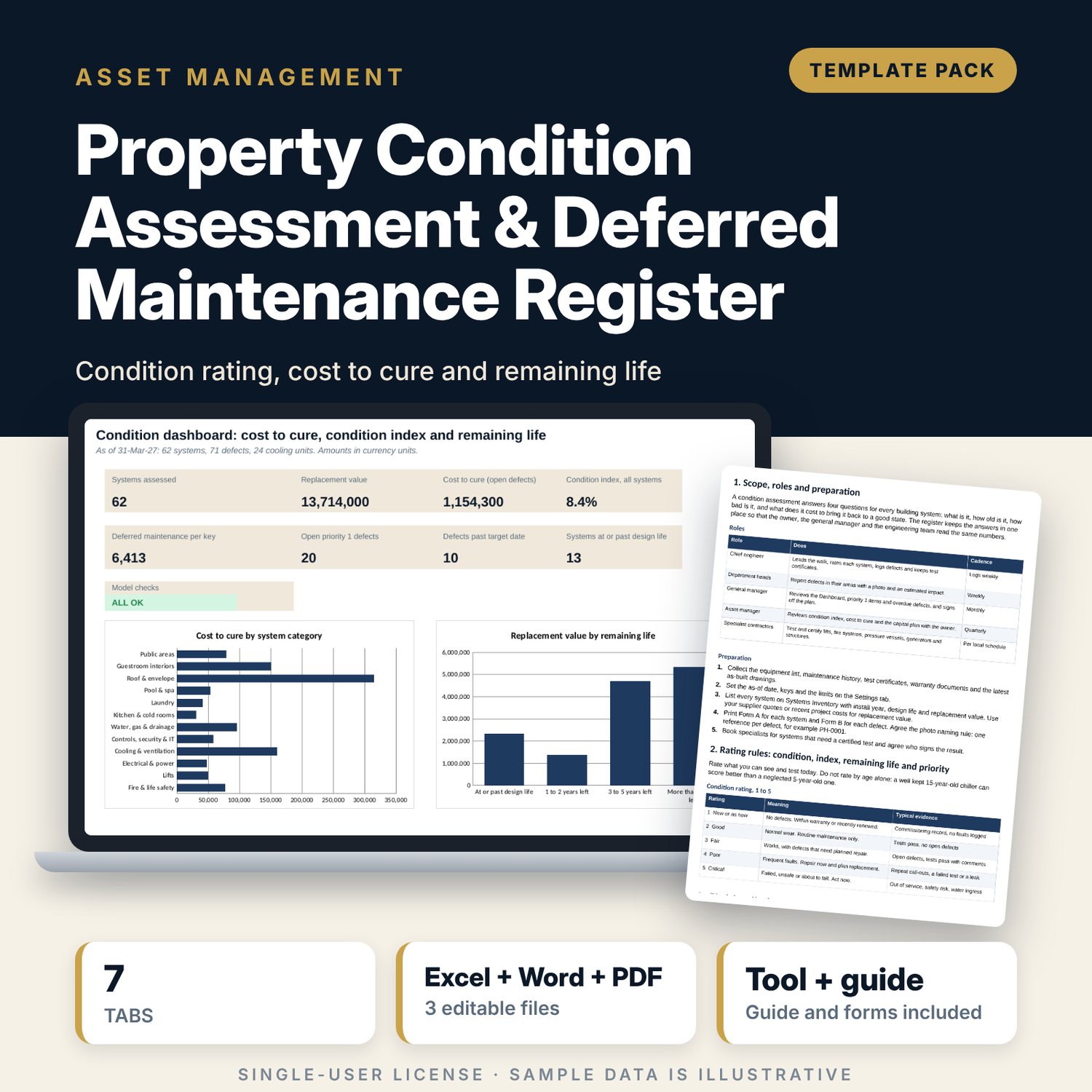
For asset managers, chief engineers, general managers and owners who need one register of what the building has, what shape it is in and what it will cost to put right. The workbook lists 62 sample building systems in 12 categories with install year, design life, a 1 to 5 condition rating, replacement value and warranty end. A defect register of 71 sample items is tied to the systems by id, so cost to cure is the sum of the open defects. The condition index (cost to cure divided by replacement value) gives a Good, Fair, Poor or Critical band, remaining life shows what is near the end, and deferred maintenance per key lets you compare properties. A cooling unit log applies a replace, repair or keep rule. A Word procedure gives the walk-through, rating rules, two forms and the reporting cadence.
What is inside
- Property_Condition_Register.xlsx: 7 tabs, 1,368 formulas, 2 native charts, 21 drop-down and input rules
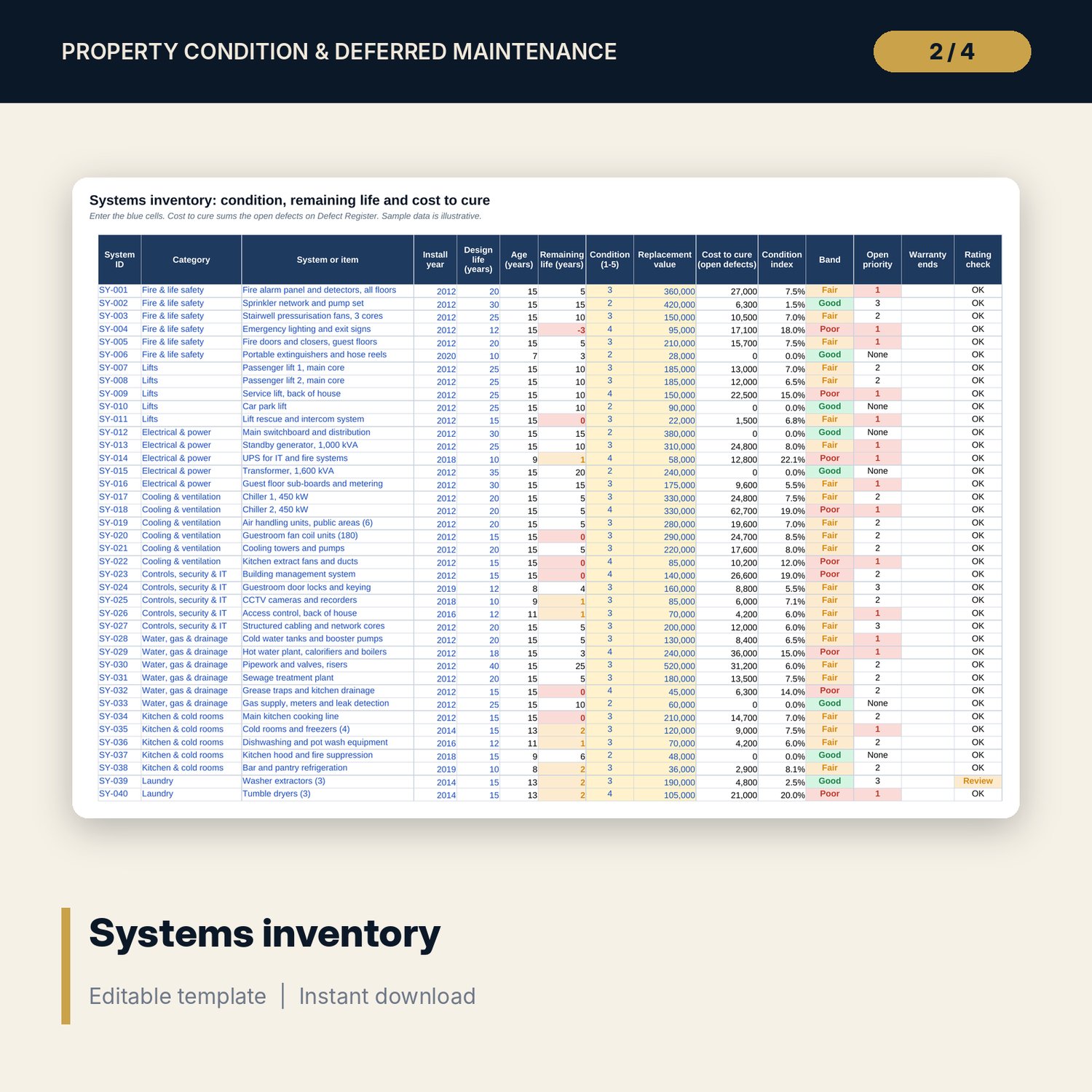
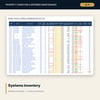
- Systems Inventory: 62 sample systems in 12 categories plus 18 spare rows, with age, remaining life, cost to cure, condition index, band, open priority and a rating check
- Defect Register: 71 sample defects plus 29 spare rows, with type, priority, estimated cost, reporter, target date, days open, warranty rule and flag
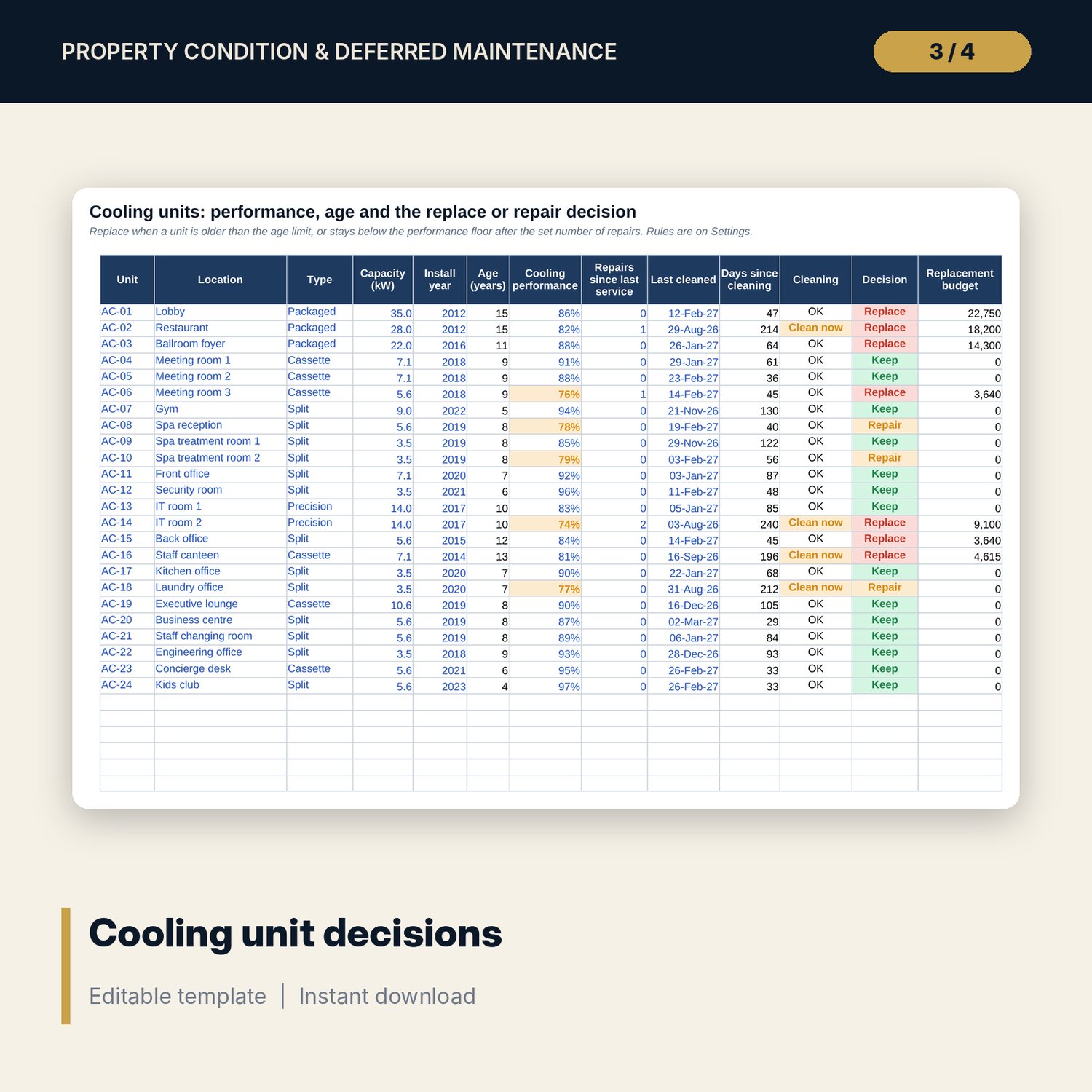
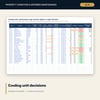
- Cooling Units: 24 sample units plus 6 spare rows, with age, performance, repairs, cleaning date, decision and replacement budget
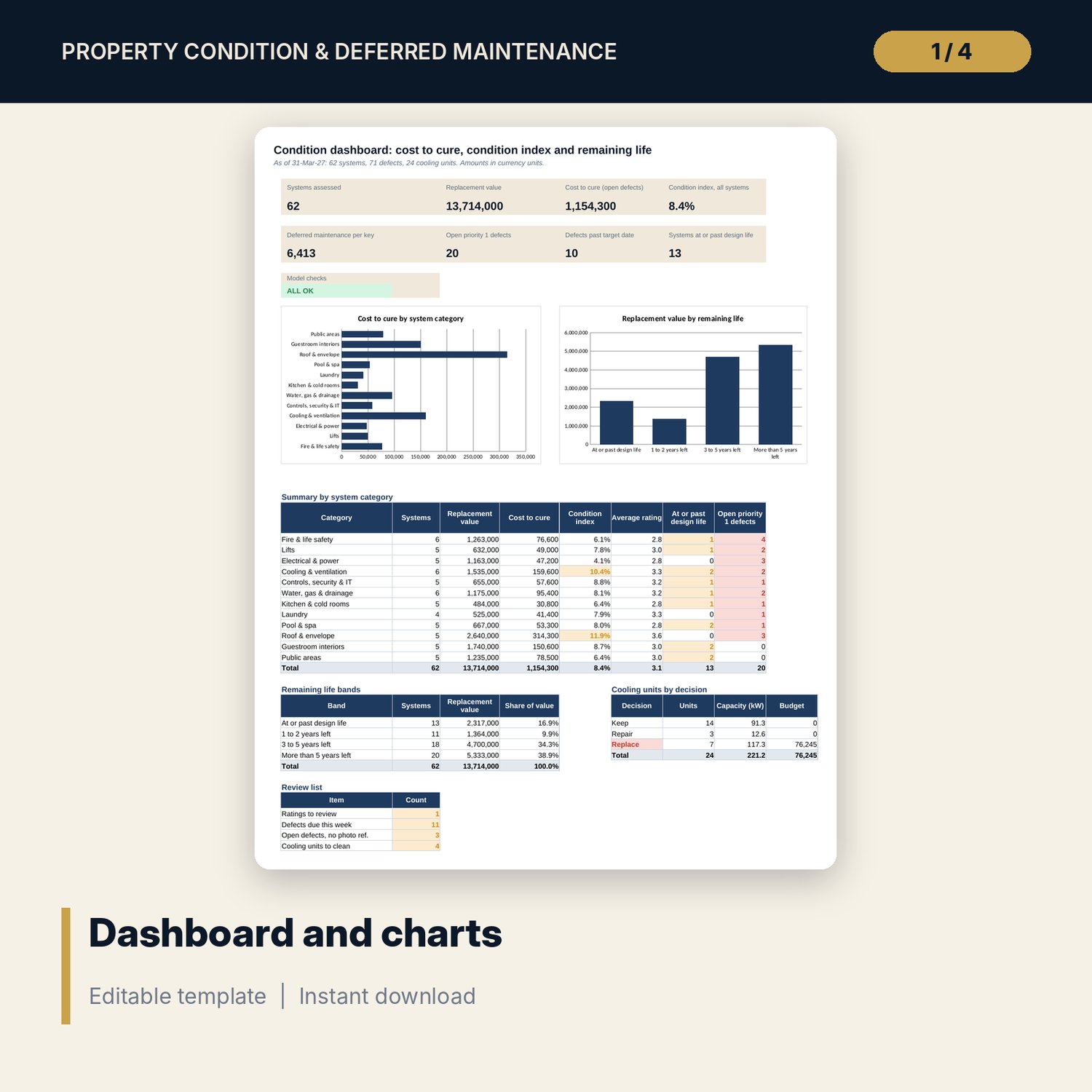
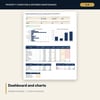
- Dashboard: 8 KPI tiles, a check tile, 2 charts, a summary by category, 4 remaining-life bands and a review list; 8 integrity checks on the Checks tab
- Property_Condition_Assessment_Procedure.docx and PDF: 9 pages with rating rules, a walk-through sequence, a system checklist of 19 lines, 2 forms, warranty and cooling rules, reporting cadence and a worked example
- README.txt and LICENSE-and-Terms.txt
How it works
- Set the as-of date, keys, index limits, priority target days and cooling rules on Settings.
- List each building system with install year, design life, replacement value and a condition rating.
- Log each defect against a system id with type, priority and estimated cost. Close items by setting Status to Done.
- Read the Dashboard monthly, act on the priority 1 and overdue defects, and take the capital list to the owner each quarter.
Details
- Formats: 1 Excel workbook (.xlsx), 1 assessment procedure in Word (.docx) and PDF, English
- Software: Excel 2016 or later, or LibreOffice Calc 7 or later
- No macros, no external links, no data tables, no array formulas
- 3 files plus README and license; instant digital download
Good to know
- Sample data is illustrative. Replace it with your own figures.
- Design lives, index limits, target days and unit costs are editable starting points. Verify local requirements and your supplier figures.
- The files are management tools, not engineering, legal or safety advice. Have specialists inspect lifts, fire systems, pressure vessels and structures.
- Single-user license. Do not redistribute.
FAQ
How is cost to cure calculated?
It is the sum of the open defects on each system. Defects set to Done drop out, so the figure falls as work is finished.
How does the condition index work?
Cost to cure divided by replacement value. The limits for Good, Fair, Poor and Critical are inputs on Settings: 5%, 10% and 30% in the sample.
What does the rating check do?
It flags a system when the 1 to 5 rating and the index band disagree, for example a rating of 4 with a Good band, so the assessor looks again.
How does the cooling unit rule decide?
Replace when a unit is older than the age limit or stays below the performance floor after the set repairs. Repair when it is below the floor with no repair yet. Otherwise keep.
Do I need macros?
No. Every result is a standard worksheet formula.