Restaurant Table Mix & Seat Utilisation Optimizer: Restaurant Table Layout Planner with Seat Occupancy and RevPASH
Full description
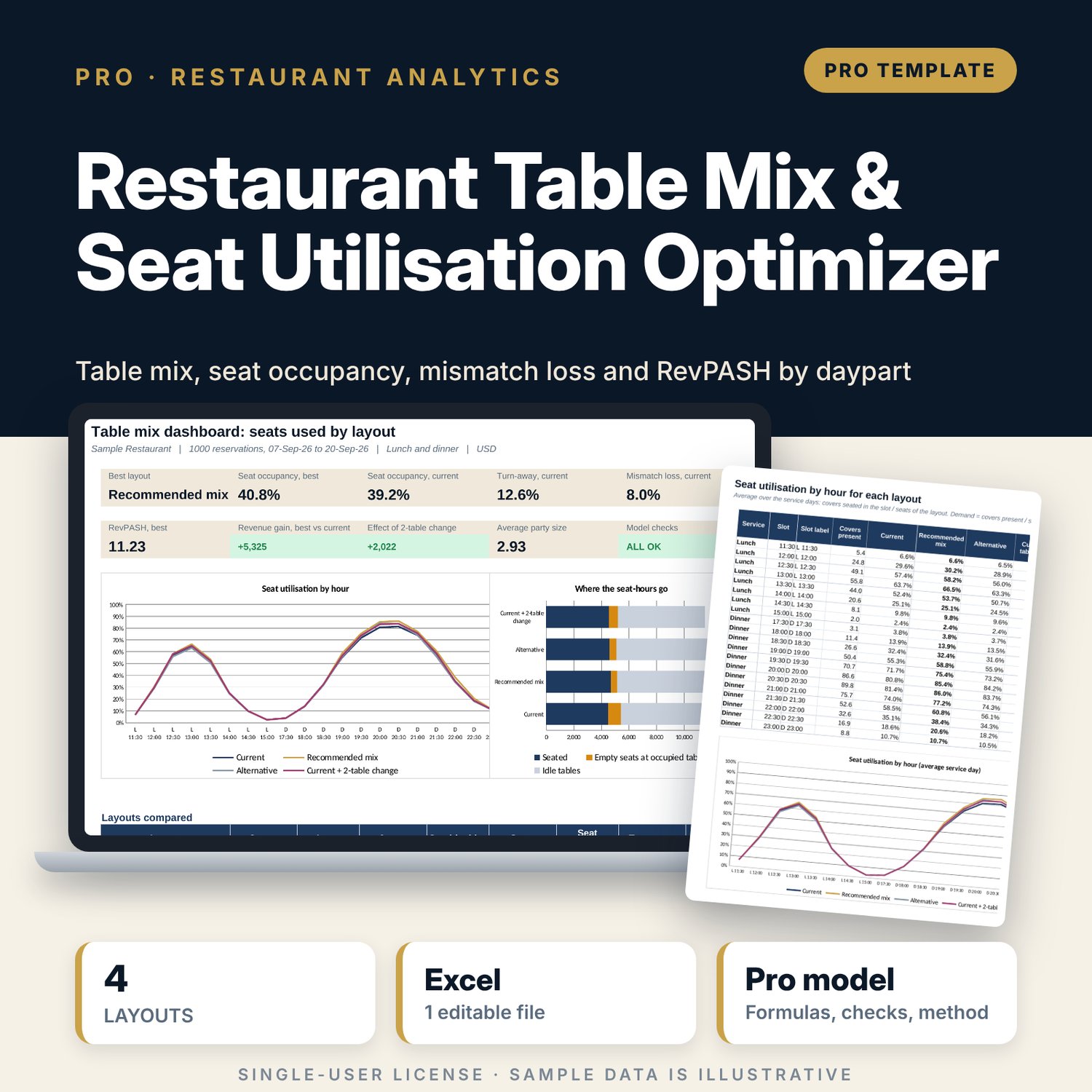
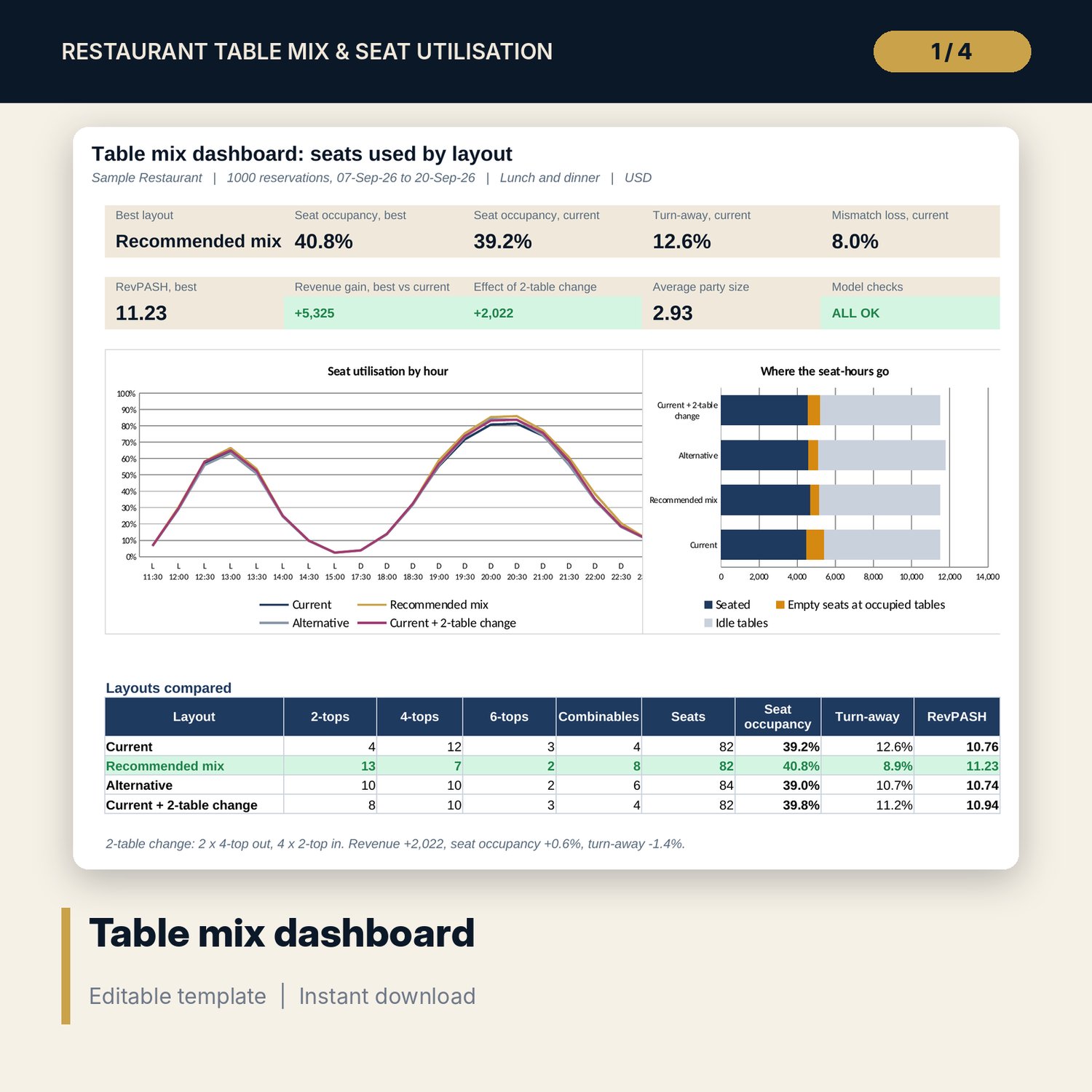
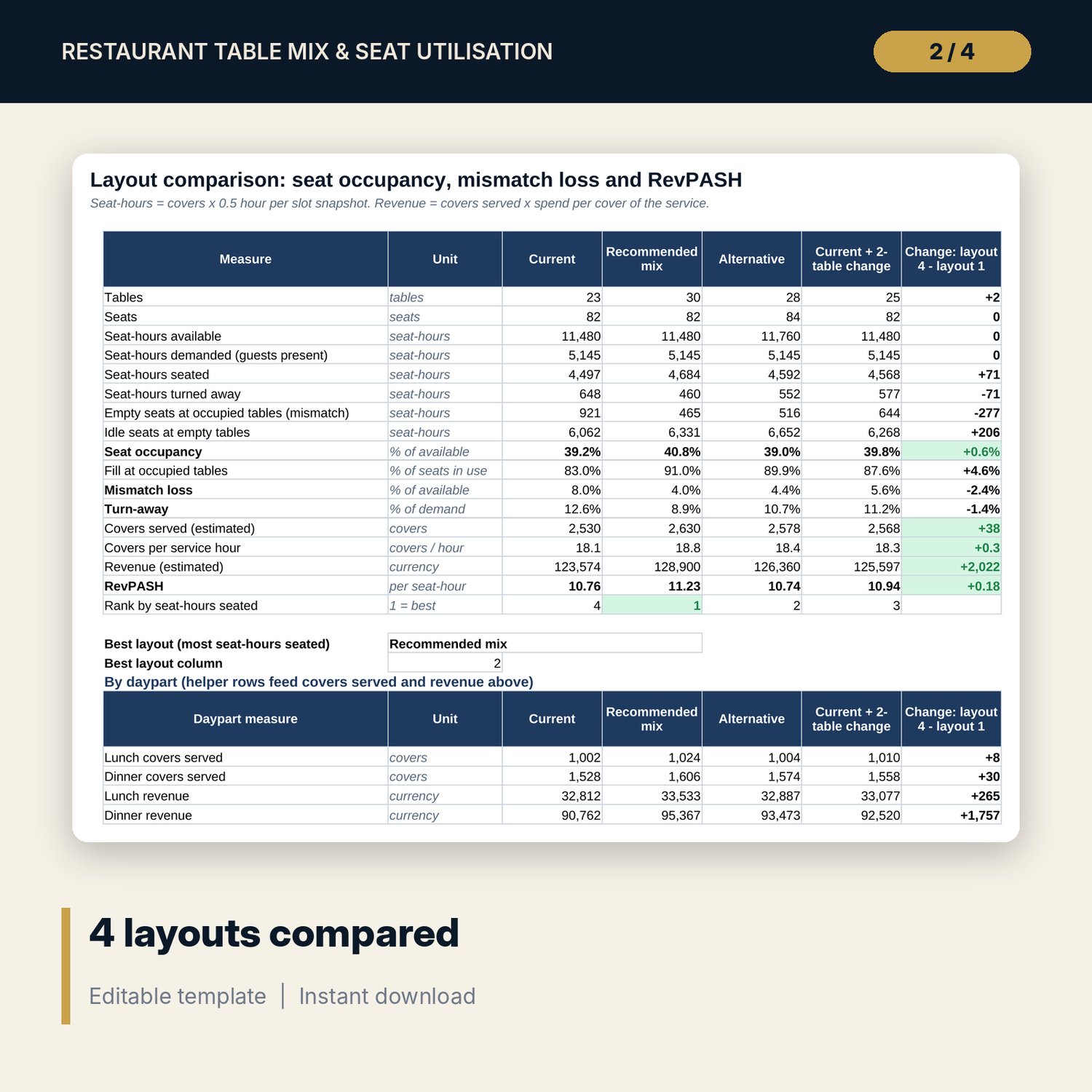
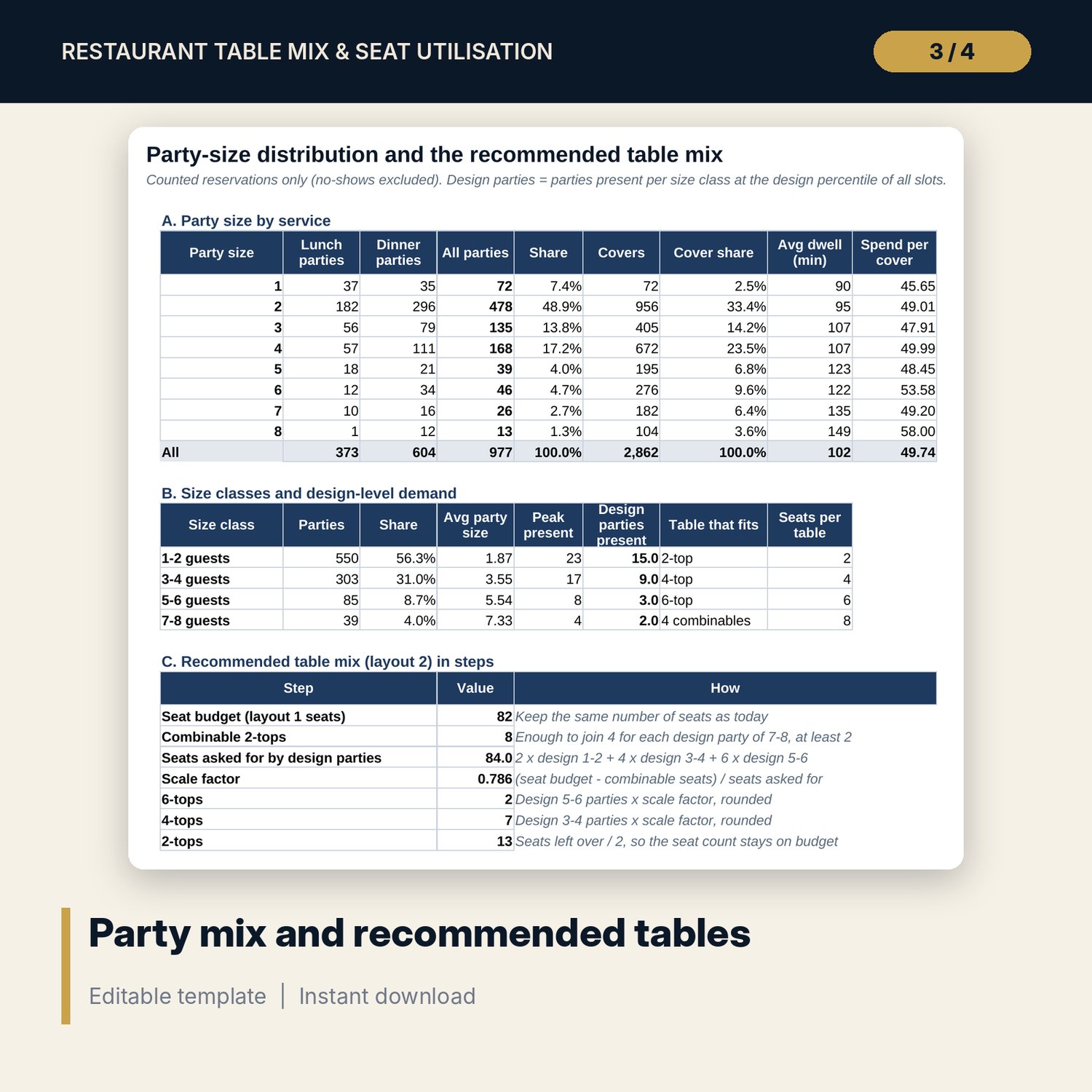
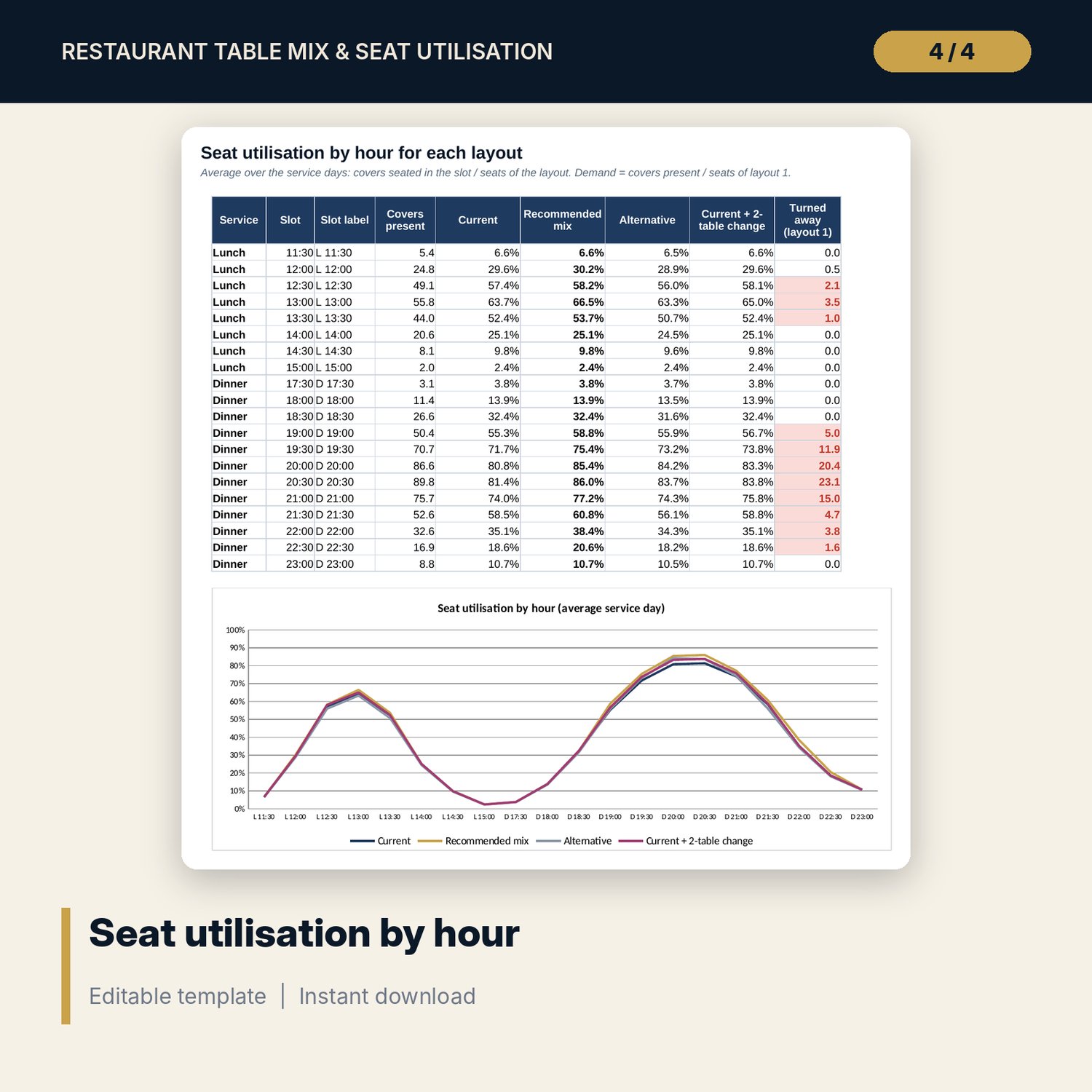
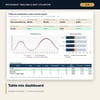
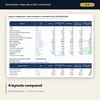
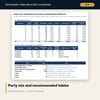
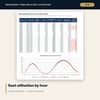
For restaurant managers, F&B directors and owners who want more covers from the same floor. A pair at a 4-top leaves two seats empty, and a busy hour with too few small tables turns guests away. The workbook takes your reservations (arrival time, party size, dwell time, bill) and counts the parties present by size class in every 30-minute slot of every service day. It then seats them in 4 layouts with a smallest-fit rule: 2-tops, 4-tops, 6-tops and combinable 2-tops that join for larger parties. For each layout you get seat occupancy, fill at occupied tables, mismatch loss, turn-away, covers per hour and RevPASH by lunch and dinner, plus seat utilisation by hour. Layout 2 is a recommended mix built from your party-size distribution at a design percentile and kept on your current seat count; layout 4 shows the effect of changing 2 tables.
Save with a bundle: this workbook is also in the Hotel Revenue & Data Analytics Pro Bundle, 25 workbooks for $59 instead of $319. All 100 Pro workbooks are in the Pro Library for $119, and all 241 templates and workbooks are in the Ultimate Hospitality Library for $149.
What is inside
- Restaurant_Table_Mix_Seat_Utilisation_Optimizer.xlsx: 11 tabs, 28,791 formulas, 4 native charts, 10 drop-down and input rules
- Reservations: 1,000 sample reservations over 14 service days (lunch and dinner), room for 1,200
- Party_Mix: party size by service, dwell time and spend per cover by size, design-level demand and the recommended mix in steps
- Demand_Grid: 280 slot snapshots with parties and covers present by size class
- Layout_Engine: the seating cascade for 4 layouts, 14 visible steps each, for every slot
- Compare: 17 measures and 10 daypart measures for the 4 layouts, with the change from the 2-table move
- Hourly: average seat utilisation by slot for each layout, with a chart
- Dashboard (one printed page) with 9 KPI tiles and 2 charts, 12 integrity checks, and a Method tab with 17 documented calculations
- README.txt and LICENSE-and-Terms.txt
How it works
- Enter the first service date, lunch and dinner opening times and your current table layout on Assumptions.
- Paste up to 14 days of reservations: date, service, arrival time, party size, dwell time, bill and status.
- Read the party-size distribution and the recommended mix on Party_Mix.
- Compare the 4 layouts on Compare and Hourly, and test a 2-table change.
- Confirm that Checks shows ALL OK and print the one-page Dashboard.
Details
- Format: one .xlsx workbook, English
- Software: Excel 2016 or later, or LibreOffice Calc 7 or later
- No macros, no external links, no array formulas, no add-ins
- Instant digital download
Good to know
- Sample data is illustrative. Replace it with your own reservations.
- The model seats parties slot by slot from the reservations you enter. Walk-ins count only if you log them as reservations.
- Results are planning estimates. Check floor space, service flow and your local fire code before you move tables.
- Single-user license. Do not redistribute.
FAQ
What is a combinable 2-top?
A 2-top that can stand alone or be pushed together with others: 2 make a 4-top, 3 a 6-top and 4 seat a party of 7 or 8.
How is the recommended mix found?
It takes the number of parties of each size class present at the design percentile of all slots (90% by default) and scales those tables to your current seat count.
Can I test my own layout ideas?
Yes. Layout 1 is your current floor, layout 3 is any alternative you type in, and layout 4 changes 2 tables of the type you choose.
How many days of reservations can I use?
Up to 14 service days of lunch and dinner and 1,200 reservations. Two busy weeks give a fair picture of your party mix.
Does it need macros or add-ins?
No. Every result is a standard worksheet formula.