


How to Sell Ebooks Online | Ultimate Guide for Selling Ebooks in 2026
Last updated: May 15, 2026
“I’ve written an ebook … now what?!”
That’s how a lot of authors feel when they realize they don’t know how to sell ebooks to readers.
Whether you’re just thinking about writing an ebook or you’ve finished one, you need to figure out how you’re going to sell it.
Some authors simply upload their ebook to Amazon and hope for steady passive income, but this often yields no sales at all. Plus, Amazon will take 35% – 70% of any sales you do make (depending on how you price your book).
In this article, we’ll cover some helpful tools you can use to sell your ebooks. We’ll also take an in-depth look at how to launch and market your ebook, how to price it, and more.
Why Sell Ebooks Online? Ebooks vs Print Books
There are several reasons why you might want to sell ebooks online:
1. Earn passive income
Creating and selling ebooks typically requires minimal upfront investment. Unlike physical books, there are no printing or distribution costs involved. Once you’ve written and formatted the ebook, it can be reproduced and distributed indefinitely without incurring additional expenses.
Ebooks can be sold online through various platforms, such as Amazon Kindle, Apple iBooks, or your own website, using free platforms like Payhip. These platforms handle the transaction process and ebook delivery automatically, allowing you to generate income even while you’re sleeping or focusing on other activities.
2. Reach a bigger audience
Millions of people read books electronically on a Kindle device, their phone, or an iPad, which means selling ebooks can help you reach a larger audience than print books. While flipping through the pages of a new book can be fun, reading on a device is becoming increasingly common, especially with backlit, ink-screen devices. Additionally, ebook prices tend to be more affordable than print book prices, making them more accessible to those with less money to spare.
3. Improve accessibility
Ebook formats offer advantages such as adjustable font sizes for visually impaired readers, the option to sync with audiobooks, and backlit screens for easy reading in the dark without eye strain.
Where to Sell Ebooks Online
Let’s start with the basics: where can you actually sell ebooks online?
1. Amazon

Amazon is a huge online marketplace and have been known to have sold at least 487 million Kindle books. Most people who use an e-reader device use a Kindle, so if you put your book into multiple online bookstores, you’re likely to see that most of your sales come from Amazon.
If you sell your ebook exclusively on Amazon, you can get some extra promotional help in exchange. For example, enrolling your book in the “Kindle Unlimited” program allows readers with a Kindle Unlimited subscription to borrow it for free. You will get paid for each book borrowed and read with this program.
The key drawback to using Amazon is that they take a hefty percentage of your royalties. If your book is priced between $2.99 and $9.99 (inclusive), Amazon takes 35%. If your book costs $2.98 or less (or $10.00 or more), Amazon takes 70%. Your earnings are also threatened whenever someone returns your book.
You also won’t get your money very quickly. Amazon only pays out monthly, for sales made 60+ days before the payout date.
2. Smashwords

Smashwords distributes your ebook to multiple channels, including Kobo, Barnes & Noble, and Apple Books. Readers can also buy your ebook directly from the Smashwords website.
If you want to sell your ebook through several different online stores, Smashwords is a great way to do it. They make sure your ebook file is in the right format and upload it to those stores on your behalf. The dashboard is also much cleaner and easier to navigate than Amazon’s.
One major drawback of Smashwords is that your ebook file must be formatted to their exact specifications before you upload it. This may involve stripping out unique formatting (chapter headings, italics, bold, etc) from your ebook, then putting it all back in again manually. There are a number of individuals and companies that can format your manuscript on your behalf for a fee. But that cuts into your bottom line.
It can take a long time to get your earnings. Smashwords only pays out quarterly because of the 30 to 60-day lag in receiving funds from online ebook stores.
3. Payhip
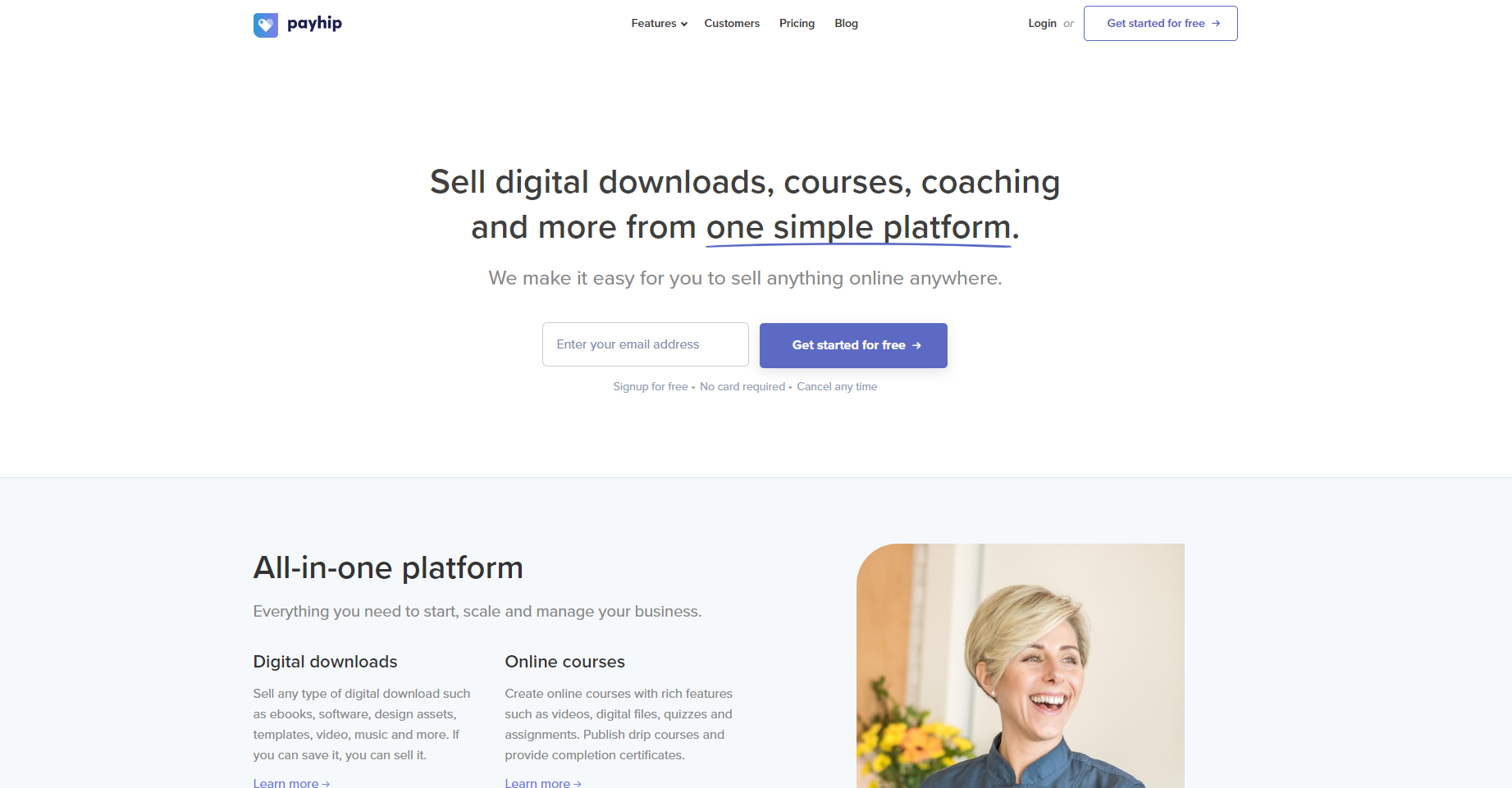
There are lots of online platforms that let you sell ebooks directly from your website, and Payhip is one of the best.
Rather than filling in a ton of information on Amazon about your ebook (like keywords, categories, etc), listing your ebook on Payhip is easy. All you need to do is create an account, upload your ebook file, and set a price.
You’ll have full control over your ebook. With Payhip, you can upload multiple files to package your ebook with bonuses like video content or PDF worksheets. This can be very valuable if you want to position your ebook as a premium product.
When someone buys your ebook, Payhip immediately delivers the file to them on your behalf. You make money from the sale instantly. There’s also no minimum payout. Even if your ebook sells for only $1, you’ll still get paid right away. This is a big advantage over sites like Amazon and Smashwords, which don’t pay out until long after the sale.
Payhip doesn’t take a hefty chunk of royalties from your ebook sales. On Payhip’s free plan, you pay a transaction fee of just 5% of the sale price of each ebook. If you find you’re selling a lot of books each month, you can upgrade to a paid monthly plan with lower or non-existent transaction fees.
(Note: You will still need to pay the applicable fees for your payment gateway, such as PayPal, Stripe, Apple Pay, Google Pay, or 100 other payment gateways.)
Consider reading our comprehensive guide on how to create an author website so you can create an engaging author platform for free.
Sell Ebooks with Payhip
No monthly fees. No tech headaches.
How to Sell Ebooks Online in Three Simple Steps
Finished writing your ebook? Here’s what you need to do to start selling it online and set yourself up for bestseller status:
Step 1: Getting Your Ebook Ready to Sell Online
Editing and Proofreading
Your ebook needs to be well-edited and proofread. That’s non-negotiable. In fact, many ebook authors pay a professional editor and/or proofreader to ensure their ebook has no errors and the story shines through.
If you can’t afford that, at least run your manuscript through automated editing software, such as ProWritingAid. This can help you catch any typos and grammatical mistakes. If possible, have a friend or family member look over the manuscript to see if they spot any mistakes. You might also get feedback directly on how your work “reads” to someone who doesn’t know the subject or story as well as you.
Cover Design
Cover design is critically important. In most cases, you don’t want to do it yourself unless you’re a professional designer and have researched what works in your niche. It’s all too easy to end up with an amateur-looking cover that puts readers off buying your book.
If you can’t afford professional cover design, use a tool like Canva to create a simple cover, and pay special attention to the typography. The good news is that if you’re using Payhip, you can instantly update your cover whenever you want.
Fiction authors in particular need to pay special attention to cover design. The right design will signal your book’s genre. Some subgenres have specific cover design trends that readers look for when searching for their next book.
Add an “About the Author” Page
Make sure you include an “About the Author” page at the end of your book, where you can encourage readers to check out your website as well as your other ebooks or digital products. You can also include information like a short biography, an explanation of what else you offer, and a “call to action” that encourages the reader to do something, like subscribe to your mailing list or download bonus material.
The best place for these links is at the end of your book, but you can also add links to your other books or websites in the acknowledgements or copyright page.
Consider Bundling Your Ebook With Bonus Materials
With Amazon and other ebook retailers, bundling your book with extra materials is tricky. You have to host the bonus files on your website and provide a link in the ebook.
With Payhip, it’s really easy to include extra material. You can simply upload those files along with your ebook itself.
You’ll be able to add great bonuses like:
- Video walkthroughs that demonstrate a key technique discussed in your book.
- Interviews (audio or video) with experts in your field, to bring a different perspective or add more depth.
- Printables to help your reader remember or put into practice what they’ve learned. You might have a printable summary of a key framework in your book, or a worksheet to help the reader put a principle into practice.
- Tools the reader can use.
Box Sets include all volumes in a book series that can be purchased at once (perhaps for a discounted price per volume).
Step 2: Pricing Your Ebook
Many authors struggle to price their ebooks. With a physical book, you need to charge a certain price simply to break even. But with the minimal distribution costs of ebooks, you can set a low price or even make your ebook free. You can also charge highly for specialised information; some ebooks sell for $97 or more.
Read our in-depth guide on ebook pricing here.
A good place to start is by looking at other ebooks in your genre. What are other authors charging?
With fiction, you’ll probably be pricing at $4.99 or lower, unless you’re selling a box set of multiple titles.
Many ebook authors launch their ebook at a special, temporary low price. For instance, they might have a regular price of $19.99 but launch at $9.99. This can be a great way to bring in an initial burst of sales (which is very important the first day and week).
Raising and lowering pricing is easiest on a platform like Payhip, where you can make changes to the listing that reflect immediately. If you’re selling through Amazon, it can take several hours for the price to be changed on the listing after you change it in your KDP dashboard.
Some other key things to keep in mind when pricing your ebook are:
- If you’re selling on Amazon, pricing between $10 – $19.99 will get you less money than pricing at $9.99 because of Amazon’s royalty structure. Plus, you’re unlikely to sell any ebooks above $19.99 on Amazon: buyers on that platform are used to cheap price points.
- Your aim is to maximise profit, not just sales. For instance, if you could sell 10,000 copies of your book at $2 (making $20,000) but 5,000 copies at $5 (making $25,000), it would be better to charge $5.
- A higher price can reassure customers by positioning your ebook as a premium product. If you charge a much lower price than other ebooks in your niche, that may send the wrong message about the quality of your book. If you’re writing fiction, you’ll need to stick to the standard pricing for similar books in your genre, most readers won’t pay $9.99 for a novel from a new author.
- If you’re really stuck, try “pay what you want” pricing. This lets you set a minimum price for your ebook (e.g. $5), and customers can then pay what they want, so long as they meet the minimum price.
Step 3: Make Your Ebook Available to Buy
Once you’ve got your ebook ready and set your price, it’s time to make it available for readers to buy. With Payhip, this is really easy to do. Just go to the Payhip home page, enter your email address, and click the ‘Get started’ button.

You’ll be prompted to choose a password. Type in the password you want to use, then click the ‘Create account’ button. Remember, Payhip accounts are free!

Tip: Set up a way for people to pay for your book. Just click on the Setup checkout button. If you don’t already have a PayPal or Stripe account, create one first.
Your Payhip store means you don’t even need a website! You can just send people to your store page.
For more help on this part of the process, check out our post on selling ebooks on your own website.
How to Market Your Ebook (Before, During, and After launch)
Simply making your ebook available isn’t going to make you rich. You need to market and advertise it so your ideal readers can find it.
Marketing isn’t a one-off event. It’s a constant and integral part of the process. Here are some ideas you can work into your marketing strategy:
Before You Launch Your Ebook
- Get reviews or testimonials you can use in your marketing (e.g. on your book’s sale page or on your website). The easiest way to do this is to send out advance copies of your ebook for free to reviewers and bloggers. Then, use snippets of their review in promotional materials.
- Build an email list. You don’t even need to set up a full website to do this. You could just have an attractive “coming soon” page with a sign-up form so people can join your email list. You can then send updates on your work, alert them to events, and provide useful content that keeps them reading!
- Set up social media profiles for yourself as an author. You should keep these separate from your personal profiles so you don’t bombard your readers with photos of your kids or your latest vacation. Your friends and family probably don’t want to read constant posts about your ebook, either.
- Use data and analytics to your benefit. Some ebook statistics can help you understand your readers better and thus give you the ability to make your marketing strategies more targeted and effective. If you’re selling from your own website, remember to review your store analytics to find useful insights.
During Your Launch
- Make sure people know about your new ebook. Don’t be afraid to tweet or post about it multiple times. Remember that social media algorithms mean that most people in your networks won’t see every post. Definitely send out more than one email to your newsletter list if you have one.
- Encourage your affiliates to promote your ebook. Hopefully, you already have some affiliates on board before your launch. Now is the time to remind them about your book. Send them images they can use (like the book cover) and suggested text they could use for promotional emails and social media posts. If it’s easy for them to promote your ebook, they’ll be more likely to do it.
- Write guest posts for blogs related to your ebook’s audience or subject. This is a great marketing technique for nonfiction, as it lets you reach an audience that’s already interested in your ebook’s topic. By guest posting, you’re getting a sample of your writing and ideas in front of them. Use the bio of your guest post to let people know about your ebook, and link to the best place for them to buy it (probably your website or Payhip store).
- Consider a blog or podcast tour. If you’ve written a novel or other fiction book, a blog or podcast tour can be a great way to get the word out. This is a bit like a traditional book tour, but online. You write guest posts or have interviews with different blogs and podcasts, usually with a post going out on a different site each day. There are companies out there that will arrange blog tours for you, or you can contact blogs yourself.
After You Launch
- Keep promoting your ebook. Lots of authors launch their ebook with a big fanfare, then do nothing. As a result, they’re missing out on a lot more ebook sales. Keep promoting your ebook by running occasional flash sales, mentioning the ebook in your email newsletters, writing more guest posts, or setting up automated social media updates. Even something as simple as adding a link to your ebook in your email signature or your blog’s sidebar can help.
- Write the next ebook. Successful ebook authors very rarely stop with just one book. You might write an e book on a related topic, or even a sequel to your original book. People who’ve bought one ebook from you will often buy another. You’re also more likely to show up in search results!
- Keep an eye on your sales. Payhip provides detailed reports on your sales, and regularly checking these can help you spot what’s working (e.g. whether you made lots of sales on a particular day when you ran a promotion). To see these reports, simply log in to your Payhip account and click the Analytics tab.
Tips for Successfully Selling Ebooks
- Host on your own ecommerce platform. Selling ebooks exclusively on Amazon Kindle can be a great way to generate passive income. However, that’s only one place to sell ebooks. You can also promote on Google Play and, of course, your own website. Most ebooks can be found on an author’s website, so why not consider that an active part of your strategy? You can use Payhip as your digital products ecommerce platform to host your own ebook on your site. Plus, you can also create a landing page for your ebook on your own site where you detail exactly why someone should buy it.
- Write a compelling book description. It’s time to use those writing chops to help with sales. Writing a book description that excites people to read is a key piece for an author. Before someone buys a book, especially if they’re sceptical, they’ll read the description to make sure it’s the right read for their specific situation. So, tell a compelling story that encourages impulse buying.
- Don’t pay for reviews. Honest reviews are key. Even though it can hurt to see a 1 or 2-star review, that feedback can help improve your future books as you continue self-publishing. Don’t be afraid to ask for reviews, but be okay even if it isn’t what you want to see. Those five-star reviews are coming for you. You’ll continue to improve your craft with practice. You can get beta reviews to get early feedback on your books and ensure it’s exactly what people want to read.
- Don’t forget about piracy. Ebook piracy is all too common, especially when selling on a third-party website. If you host your ebook on your own website using Payhip, you can reduce the number of times people download your book, stamp the book with an id, or some other tactic. On Payhip, you can choose the number of times someone downloads your book, most authors choose a maximum of three times, if it’s much more than this it’s possible someone else is downloading your book that didn’t pay for it.
Frequently Asked Questions
Is Selling Ebooks Profitable?
Yes. There are plenty of fiction and nonfiction authors making great money from ebooks – and many have been doing so for years, such as Tim Ferris (nonfiction) and J.F. Penn (fiction). Of course, there are also lots of ebook authors who don’t make much money—for a variety of reasons.
If you’re new to ebook publishing, the easiest way to make a profit is to avoid spending too much upfront. Invest in crucial things like cover design and (if you can afford it), paid editing services. But don’t spend loads of money on advertising, or on buying thousands of print copies of your book. You may find that you don’t recoup the costs.
Successful ebook authors find that it can take several books to build sales momentum (particularly with fiction). So if your first book doesn’t quite bring about your dreams of fame and fortune, don’t give up. Just get on with writing the next book.
Do I Need to Pay Tax on My Sales?
Yes. The money you make from your ebooks is income. You need to pay whatever income taxes apply in your country, and you’ll likely need to register as self-employed (or even as a limited company) as an author if you intend to make this an income stream.
If you’re selling to customers in the EU, you also need to pay EU VAT. You’re expected to pay this even if you’re a resident outside the EU. Payhip automatically takes care of UK & EU VAT for authors who use the platform.
What Ebooks Sell Best?
The most popular ebook genres are children’s fiction, modern literary fiction, classic literary fiction, and fantasy fiction. Overall, people love reading fiction. Creating stories can be a great way to sell ebooks.
The most popular genres within these categories include: fantasy, science fiction, romance, adventure, mystery, and horror. So, the ebooks that sell best tend to be fiction rather than non-fiction. However, if you’re writing non-fiction, autobiographies, cooking, art and photography, and self-help books tend to sell best.
Do You Need An ISBN for Your Book?
An ISBN stands for International Standard Book Number. It’s used to help find your book, especially if there are similar books with the same title. If you’re hosting an ebook on your own website, you don’t need an ISBN. However, if you aren’t going the self-publishing route and are working with a reputable publisher, you’ll need to get one.
What Types of Ebooks Could I Sell?
You can create almost any type of ebook—you’re limited only by your imagination. Ebooks can be very short or very long and cover a wide range of topics. They can include lots of images or feature none at all.
Here are a few ebook sellers on Payhip to inspire you:
- Lynn Seddon – author of ebooks about exploring nature with children
- James Coglan – JavaScript and Git expert
- Joanna Penn – thriller author who also writes nonfiction books for writers
- Lissa’s Raw Food Romance – author of ebooks featuring raw food recipes and meal plans
How Can I Get Paid For My Ebook?
How you get paid for ebook sales (and how quickly you get paid!) depends on how you’re selling your ebooks. Payhip lets you accept payments via both PayPal and Stripe. Stripe is a payment gateway that lets you take credit and debit cards. PayPal payments come into your PayPal account instantly and can then be withdrawn to your bank account.
Amazon pays by slower and more old-fashioned methods, such as direct deposit, wire transfer, and check. Amazon pays monthly, and it takes between 60 and 90 days after you actually sell a book to receive the money. It’s not the most efficient system, and today’s ebook publishers need a more modern way of getting paid.
Ready to start selling your ebook?
Create a Payhip account today (it’s completely free) and start exploring what features make this a great platform for ebook sellers. You can upload your ebook whenever you’re ready! If you need to make changes at any point, you can instantly add or remove files, edit your ebook’s description, change the price, and more. You have the power to make your book exactly the way you want—and get paid for it in a timely and efficient manner.
Get started publishing your ebooks FREE today!
Related Articles
- Ultimate Guide to Marketing An Ebook Online [2026]
- How Much Should I Sell My Ebook For?
- How to Write an Ebook: The Complete 2026 Guide
- How Long Should Your Ebook Be?
- Ebook Design Examples: 10 Inspirational Ideas
- Top Ebook Topic Ideas in 2026: What do readers want?
- How To Automate Social Media To Sell Ebooks
- Ebook Piracy: How Can You Protect Your Ebook?


Payhip
Join over 130,000 creators who have launched their businesses selling digital products, online courses, memberships, coaching, and physical products.
Get started for free today
Comments
40 Comments
I t so helpful and interesting. I want to find fame and future on this field. Thank you very for this article.
Very interesting, thank you so much !
I just want to ask, if it is so interesting to sell ebooks in french on payhip ?
Thank you for a very informative article.
Great article and great platform. I love the way you did not write bad things about Amazon and others. You only pointed out their drawbacks and how payhip has come to correct things. I will do more with payhip. Thank you.
Very good article . . . covers a lot of ground with few stones unturned !
Thank you.
Really helpful article ! Thanks to editor .
This was very informative. Answered all my questions.
Thank you very much. Interesting an informative. You have answered my questions.
The article makes me more enlightened. The basic guidelines and instructions provided are very useful in proceeding further in realizing the dream of becoming a successful publisher. Really helpful
Great article. I’ve been thinking of creating an in a nutshell ebook for content that I write.
This information has the value of having stumbled upon a gold mine. Thank you.
Good day nice info. How does Payhip get paid after an ebook is sold using paypal? Thanks.
Hi Richmond, we take our transaction fee as the purchase happens via PayPal. Or if you are on our monthly plans, we take payments via the bank card that you authorise for us to use.
Hello I am in Canada just wondering if can still sell on Payhip or does it relate only to the UK authors? Thank you.
Hi Theresa, ? yes, you can certainly use Payhip to sell if you are based in Canada or anywhere in the world!
Hello,
Thanks for this really helpful article. I live in France and I’m only allowed to have a PayPal account which is based in France. Could I still sell ebooks on your platform and have the payments linked to my French PayPal account?
Thanks.
Hey Paula,
Yes, you most definitely can connect PayPal to Payhip. As we also integrate with Stripe, you can also connect that if you have one. It’s easy to connect either one of these payment processors, and it can be done within minutes and a few clicks. 🙂
Excellent info over again. Thank you;)
I have several e-books that I would like to publish. Your service seems very good.
1) “Stories That Can Help Put Children to Sleep and Wake Adults Up”
Fables from the folklore of India as told by Swami Satchidananda.
2)” Inner Vacations” (Unique techniques for inner trasformation)
3)” The Book of Paradoxes” (Cleaver contradictions)
4)”Recipeasy” (quick healthy vegan recipes)
5) “Artobiography” (A book version of the life and art of Peter Max from my upcoming YouTube channel
Thanks, Victor! Feel free to sign up and create your Payhip account. 🙂
I appreciate this article, full of details and step by step guide for beginners like me, i’ve been trying to find other ways and platforms to promote my children books
Thank you so much for such an informative article. Ebooks are future and will eventually replace paper books.
This was very interesting and insightful. I am interested in trying the service but need to ask one of your reps a few questions to gain more insight on the services that you provide and recommend based on my mission and vision with selling my digital production.
Respectfully,
Hi Anthony! We’re glad you found it interesting. If you need help, please reach out to us at contact@payhip.com with your questions, and we’ll do our best to provide you with the info and recommendations you need when selling your digital products. 🙂
Does payhip offer pre-orders on Ebooks
Whilst Payhip currently doesn’t have a pre-order feature available, due to the number of requests for it that we have received, it is definitely on its way! There is, however, a workaround solution that might work for you in the meantime, which we cover in this article:https://help.payhip.com/article/144-pre-orders
The eBook being put up for sale is DRM protected?
HI Alvin, it’s very difficult to stop piracy of digital products. They will be shareable which unfortunately is unavoidable, but we do have some features that can help discourage unauthorized sharing:
1. Download limits – You can cap the number of times the customer is able to download the file, so they’ll only be able to share it with a limited number of people.
2. PDF stamping – You can make it so that the customer’s email address is stamped at the top left of the PDF. This makes it less likely that the person will share as they won’t want their email address being public. And, if they do share, you can easily trace it back to them.
Is it possible to create an automated sales funnel within Payhip?
Hi Shane, creating an automated sales funnel within Payhip is not something that we offer at this time. In the meantime, you can manually create a sales funnel by using discounts, upsells, and email marketing through Payhip’s built-in features.
This article is educating and it covers a lot of ground and questions. Thanks.
Hi Akinyemi, we’re happy you found it helpful.
Scrivo dall’Italia. Ho una idea di commercializzazione di un Prompt Book e volevo chiederti qualche consiglio più sulla parte fiscale.
Voi se non ho compreso male versereste direttamente l’IVA ai paesi UE e UK,
– io in regime IVA forfettario devo avere un codice ATECO specifico?
– Ho letto di una procedura “Reverse Charge” dal paese di vendita, di cosa si tratta?
– Ci sono altre informazioni che sono necessarie conoscere da un punto di vista fiscale?
Purtroppo in Italia questi modelli di vendita digitale sono ancora poco conosciuti.
Grazie anticipatamente
Hi Cosimo, yes that’s correct – we would act as your reseller when it comes to digital EU/UK VAT transactions and so we would be responsible for compliance here. We would collect digital EU/UK VAT from your customers and each quarter we would report and pay the tax authorities.
I’m not familiar with ATECO codes, this might be something you can contact your accountant about and they’ll be able to help further here.
Please visit your “Settings > Tax Settings” page and then scroll down to the bottom of the page, you can then check the “Redeem EU VAT company numbers” checkbox. This means if your customer is a company and they are VAT registered in the EU then the reverse charge mechanism will apply so that VAT is removed from their transaction after we’ve validated their VAT ID.
For more on digital EU/UK VAT please see this article: https://help.payhip.com/article/127-digital-eu-vat
I’m a beginner in this field and I need your moral and financial support, as well as your advice.
Hi Fathi, there are free tools you can use free tools like Canva to create you products, and platforms like Payhip let you start without upfront costs. You don’t really need to invest money. 🙂
The best thing to do is research. For now, I suggest taking a bit of time to look at what people are currently looking for or what’s trending. That will give you a better idea of what to create. From there, you can start sharing your work on social media and see what resonates.
I appreciate this article, full of details and step by step guide for beginners like me, i’ve been trying to find other ways and platforms to promote my ebook.
That’s great to hear! Glad we could help 🙂
Hi , Im glad I came across your site. Good , actionable info I can use. Thanks form helping me get it in gear, Ill be back
We’re glad to have you onboard, Richard! 🙂
Leave a Comment