Community & Social Impact Reporting Tracker: Community Impact Report Template and CSR Tracker
Full description
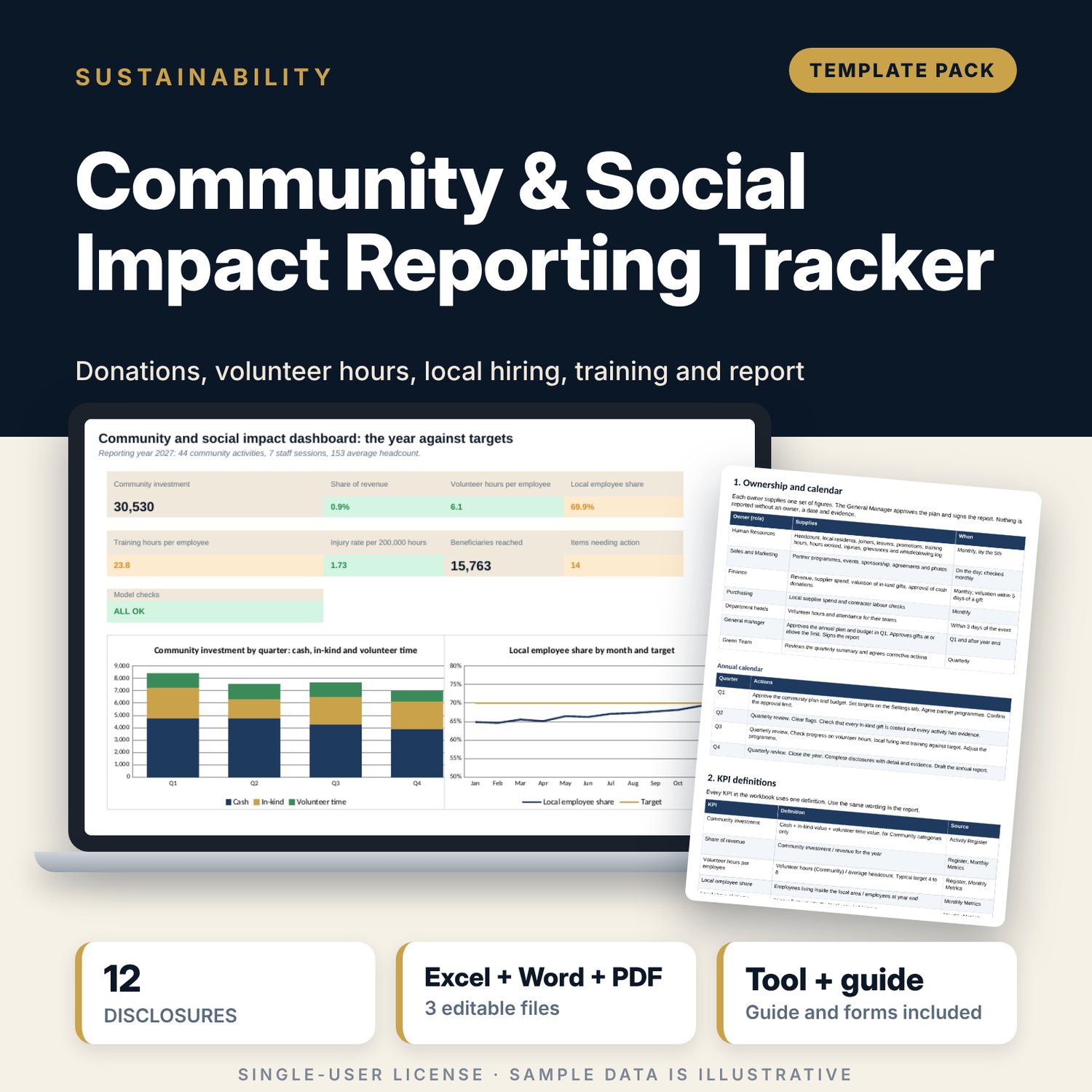
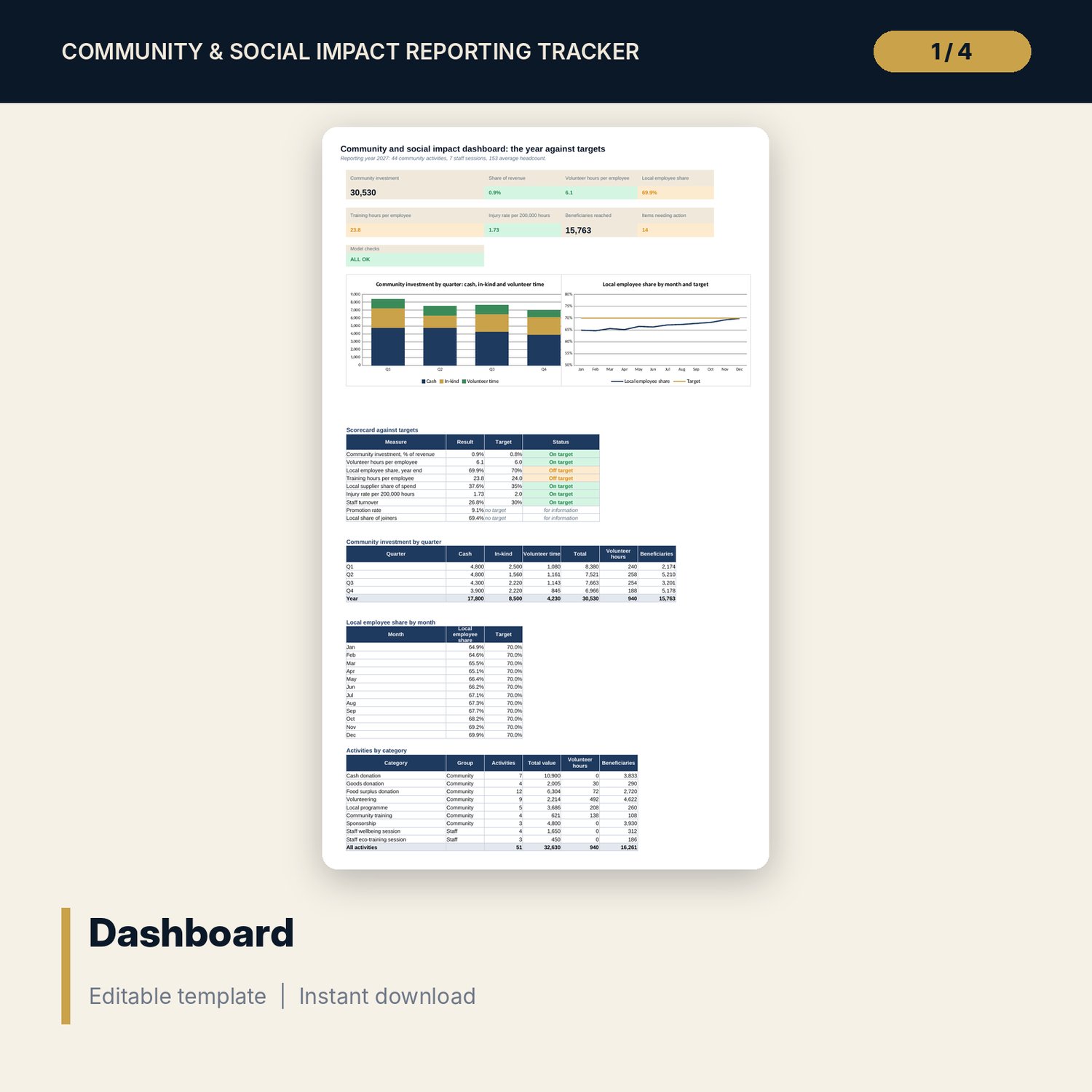
For general managers, HR managers and sustainability leads who must report community and social results to a group, a brand audit or a local committee. The workbook holds an activity register with cash value, in-kind value, volunteer hours, beneficiaries, evidence and approval, a monthly table of people and supplier figures, and the 12 social questions group data requests ask. The Dashboard calculates community investment and its share of revenue, volunteer hours per employee, local employee share, training hours per employee, injury rate, turnover and local supplier share against your targets, and flags activities with no evidence, uncosted gifts and gifts above the approval limit. The Word template gives the annual report, the evidence index and four forms.
What is inside
- Community_Impact_Tracker.xlsx: 7 tabs, 715 formulas, 2 native charts, 17 drop-down and input rules
- Settings: 9 activity categories grouped as Community or Staff, targets, volunteer hour value and approval limit
- Activity Register: 51 sample activities plus 40 spare rows, with quarter, group, total value and a flag column
- Monthly Metrics: 12 months of people, hours and supplier figures with an annual row and 4 ratio columns
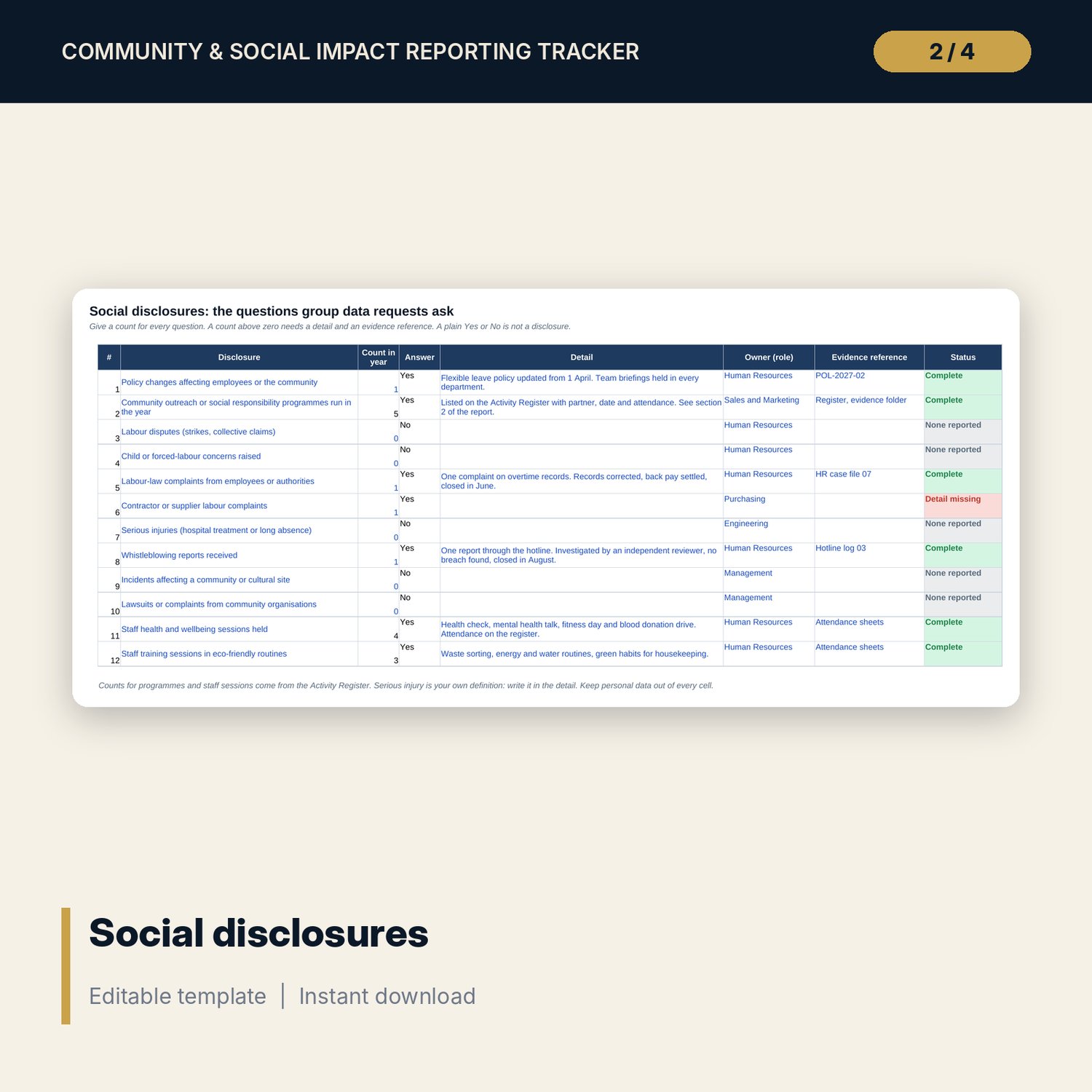
- Disclosures: 12 social questions with count, detail, owner, evidence and a status flag
- Dashboard: 8 tiles, a check tile, 2 charts, a scorecard of 9 measures, and quarterly and category tables; 8 integrity checks on the Checks tab
- Community_Impact_Report_Template.docx and PDF: 10 pages with ownership and calendar, KPI definitions, the annual report template, evidence index, donation approval form, volunteer day plan, partner agreement checklist, beneficiary feedback form and a worked example
- README.txt and LICENSE-and-Terms.txt
How it works
- Set the reporting year, volunteer hour value, targets and approval limit on Settings.
- Log each activity on the register and enter the people and supplier figures each month.
- Answer the disclosure questions with a count, a detail and an evidence reference.
- Read the Dashboard, clear the flags and copy the figures into the Word report.
Details
- Formats: 1 Excel workbook (.xlsx), 1 report template in Word (.docx) and PDF, English
- Software: Excel 2016 or later, or LibreOffice Calc 7 or later
- No macros, no external links, no data tables, no array formulas
- 3 files plus README and license; instant digital download
Good to know
- Sample data is illustrative. Replace it with your own figures.
- Targets, values and limits are inputs. Verify local labour, reporting and data-protection requirements.
- The files are management tools, not legal advice. Keep personal data of employees and beneficiaries out of the files.
- Single-user license. Do not redistribute.
FAQ
How is community investment calculated?
Cash + in-kind value + volunteer hours x the hourly value you set, for Community categories only. Staff wellbeing and eco-training sessions are tracked but not counted.
How is local employee share defined?
Employees living inside the radius you set divided by all employees at year end. You enter the counts each month from HR.
What does the flag column catch?
Missing evidence, in-kind gifts with no cost, gifts at or above the approval limit that are not approved, and dates outside the reporting year.
Can I add activities and categories?
Yes. The register has 40 spare rows and the category list on Settings can be edited.
Do I need macros?
No. Every result is a standard worksheet formula.