Training ROI & Skills Gap Scoring Workbook: Training ROI Calculator and Skills Gap Analysis Template
Full description
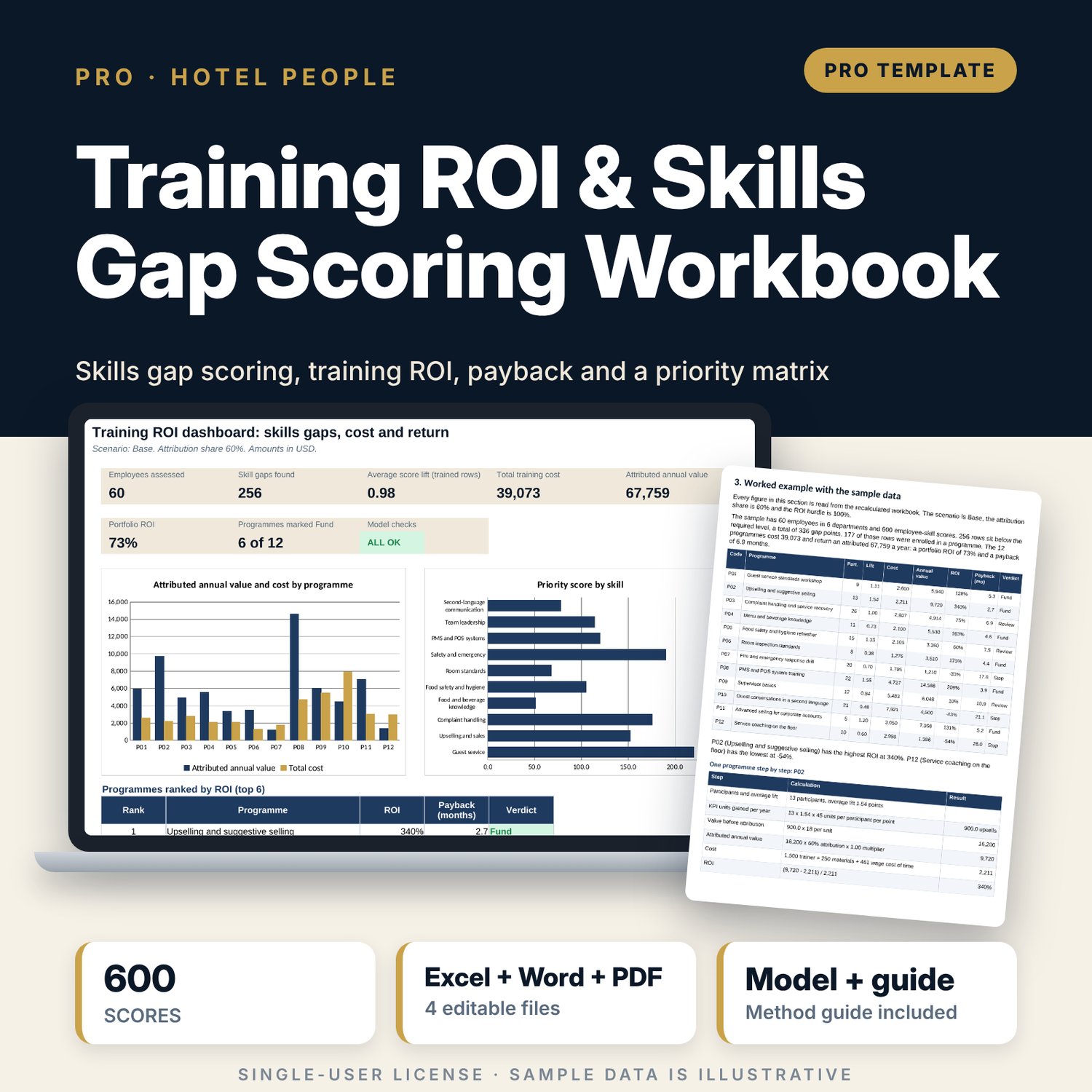
For hotel general managers, HR and training managers and department heads who must decide where the training budget goes and defend it to an owner. The workbook holds 60 employees scored on 10 skills before and after training (600 rows), finds the skills with the largest gaps weighted by criticality, and prices 12 programmes from trainer cost, materials and paid time. Each programme has a KPI estimate with an editable value per unit. The engine calculates score lift, annual value, ROI, payback and rank, places every programme in a priority-against-ROI matrix, and tests value per unit at +25% and -25%. A companion workbook assesses one employee, and a guide shows the method, a worked example and how to defend the budget.
What is inside
- Training_ROI_Skills_Gap_Scoring.xlsx: 10 tabs, 5,182 formulas, 2 native charts, 11 drop-down and input rules, 8 integrity checks and a Method tab with 10 documented calculations
- Skills Matrix: 600 sample rows (60 employees x 10 skills in 6 departments) and 120 spare rows
- Programmes: 12 programmes with trainer, materials, hours, participants, total cost, KPI, value per unit and KPI units per point
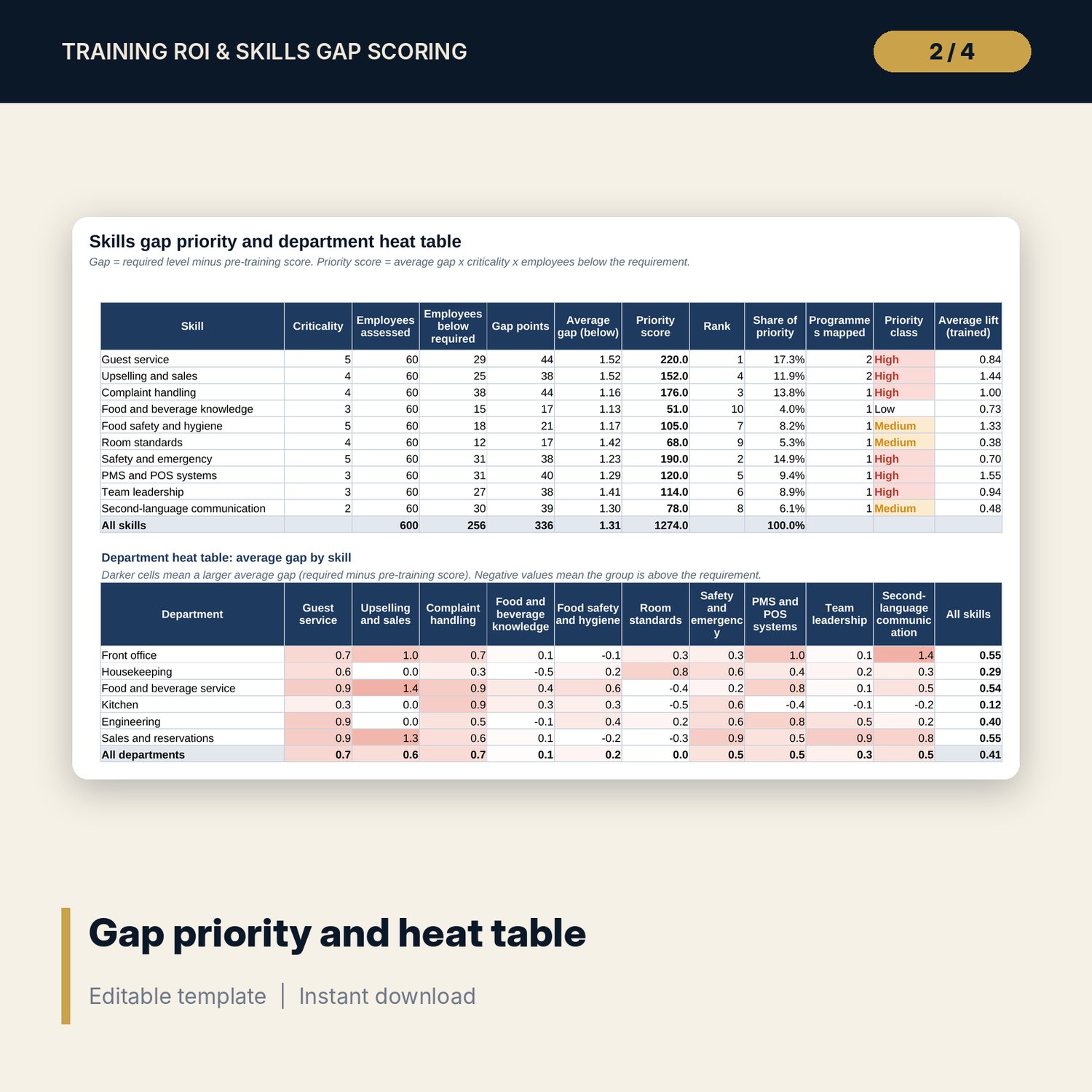
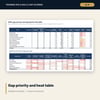
- Gap Priority: gap and priority score for 10 skills and a 6 x 10 department heat table
- ROI Engine: ROI, payback, rank and verdict for 12 programmes, plus a priority-against-ROI matrix with four quadrants
- Scenarios: Base, Upside and Downside with value per unit x1.00, x1.25 and x0.75, and two 5 x 5 sensitivity grids
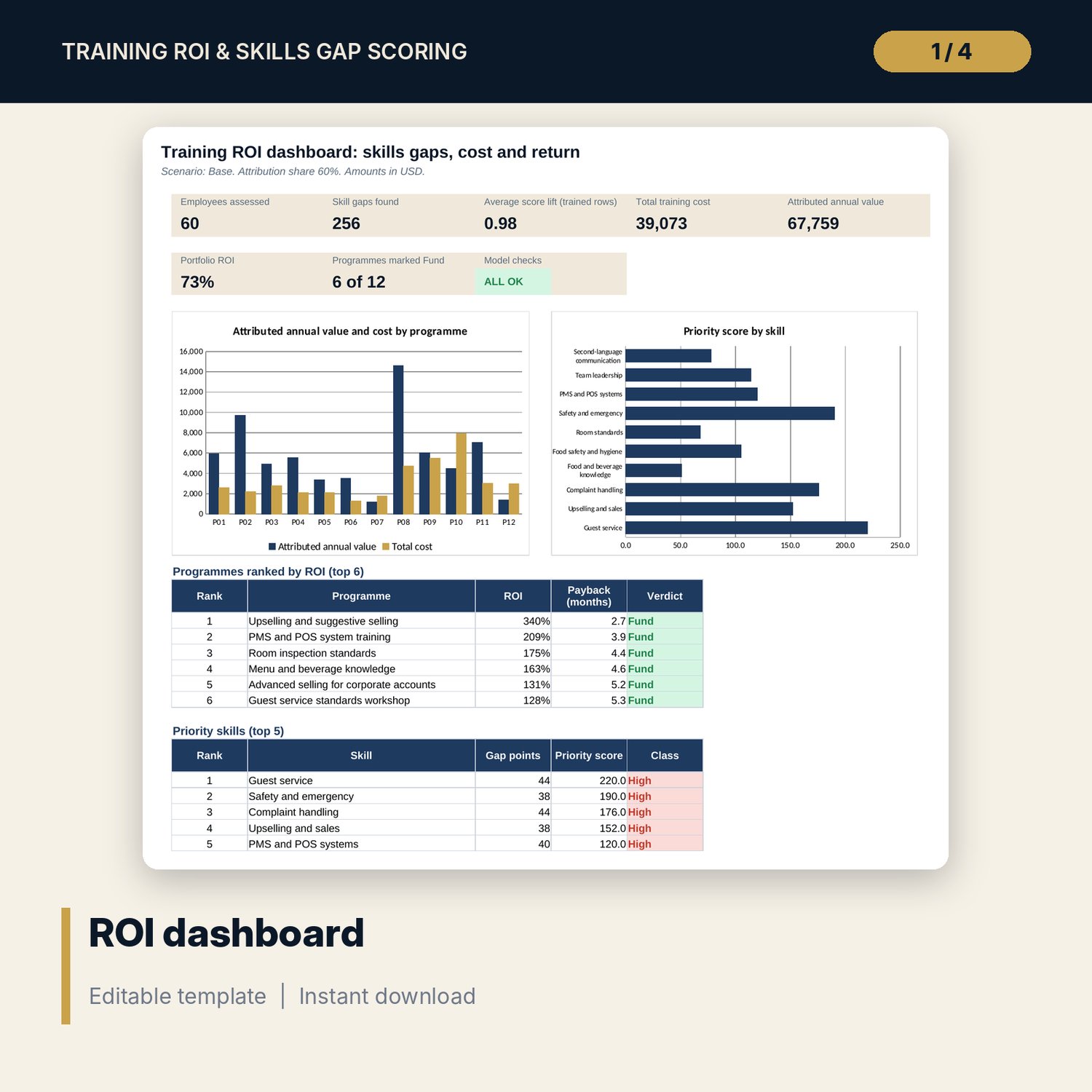
- Dashboard: 8 tiles including the check status, 2 charts, a ranking table and a priority table
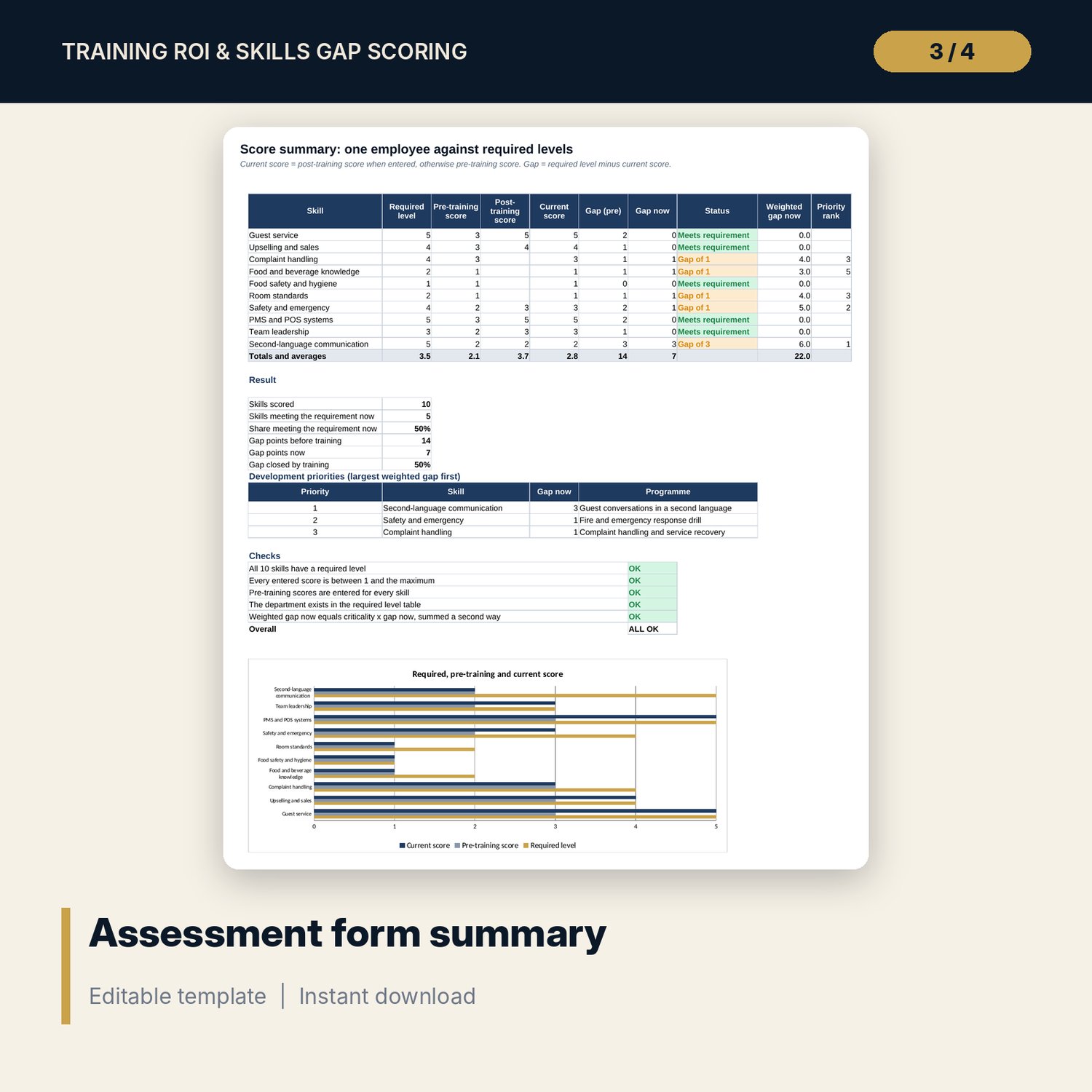
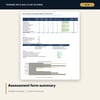
- Training_ROI_Skills_Gap_Assessment_Form.xlsx: 3 tabs, 215 formulas, 1 chart. Assessor inputs, score summary and a printable form for one employee
- Training_ROI_Skills_Gap_Guide.docx and PDF: 8 pages with method, worked example from the workbook, budget defence, mistakes and a checklist
- README.txt and LICENSE-and-Terms.txt
How it works
- Set the attribution share, ROI hurdle and payback limit, then enter skill criticality and the required level and wage for each department.
- Enter your programmes with cost, hours, KPI, value per unit and KPI units per participant per point of lift.
- Replace the sample rows on Skills Matrix with your assessments: pre-training score, programme attended and post-training score.
- Read Gap Priority for the biggest gaps, ROI Engine for ROI and payback, and the matrix for Do first, Fix the design, Quick win or Defer.
- Test the value per unit on Scenarios and read both grids before you present the budget.
Details
- Format: two .xlsx workbooks, one .docx file and its .pdf copy (4 files), English
- Software: Excel 2016 or later, or LibreOffice Calc 7 or later; Word or any word processor for the guide
- No macros, no external links, no data tables, no array formulas
- Instant digital download
Good to know
- Sample data is illustrative: 6 departments, 60 employees. In the sample 6 of 12 programmes are marked Fund at the Base scenario. Replace every figure with your own.
- ROI is an estimate that links score lift to a KPI by assumption. It supports a budget request. It does not prove that training caused the result.
- This is a planning tool, not financial or HR advice. Compliance training may be required by law whatever the ROI. Verify local requirements.
- Single-user license. Do not redistribute.
FAQ
How is the cost of a programme calculated?
Trainer cost plus materials cost plus hours per participant times the hourly wage of each participant. Wages come from the department table on Assumptions.
What is the attribution share?
The part of the KPI change you credit to training. The default is 60%. Change it on Assumptions and every ROI updates.
Can I use my own skills, departments and programmes?
Yes. Rename the 10 skills and 6 departments on Assumptions and the 12 programmes on Programmes. The 120 spare rows take new assessments.
What does the priority matrix do?
It joins skill priority and ROI. High priority with ROI above the hurdle is Do first. High priority with low ROI is Fix the design.
Does it need macros or add-ins?
No. Scenarios and sensitivity grids are standard worksheet formulas.