Small Hotel Owner's One-Page Monthly KPI Report: Monthly KPI Dashboard and Scorecard for Hotels
Full description
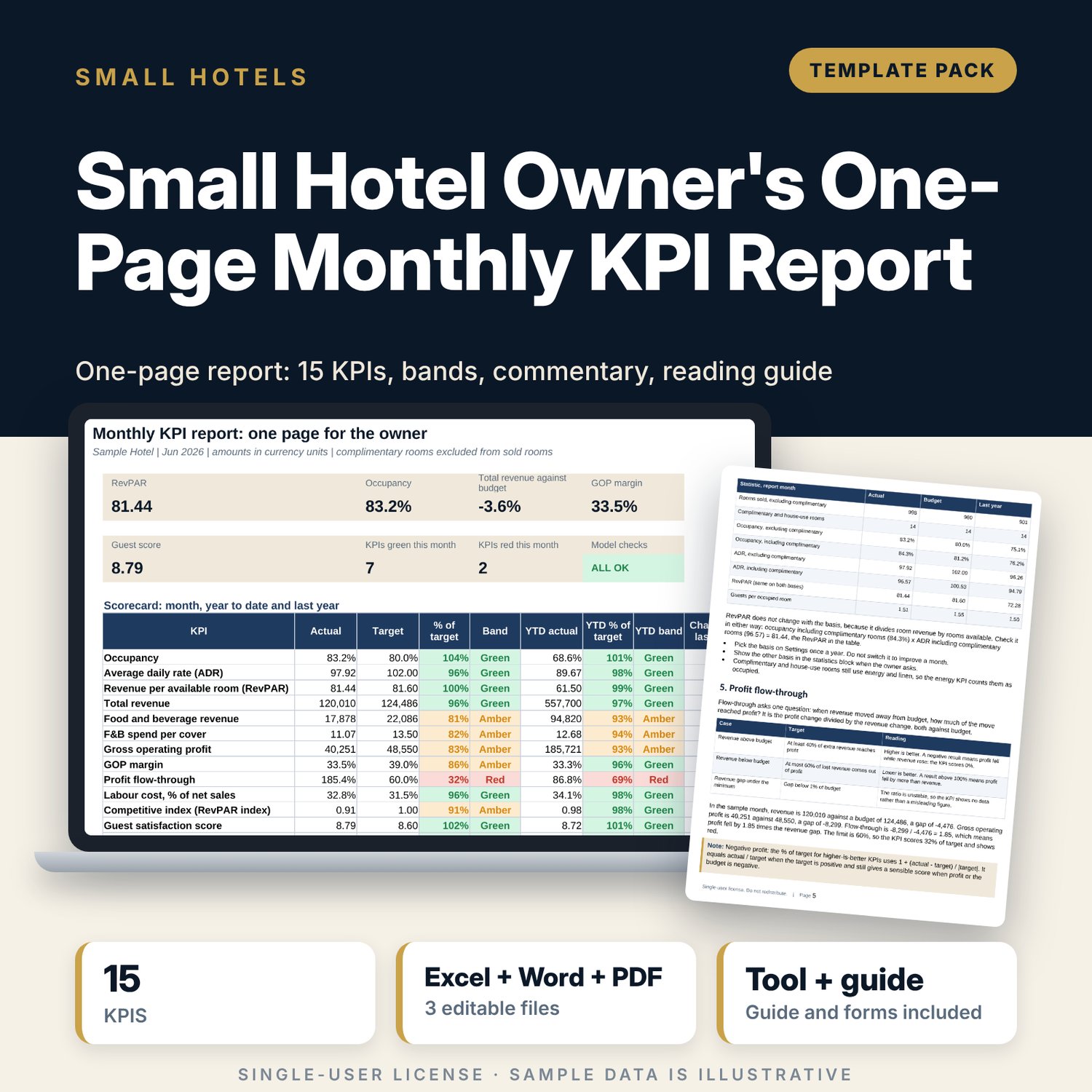
For small hotel owners and general managers who want one page each month that shows whether the property is on target. The workbook takes actual, budget and last-year figures for 12 months and builds 15 KPIs from components: occupancy, ADR, RevPAR, revenue, F&B, profit, margin, flow-through, labour, competitive index, guest and staff scores, energy and direct bookings. Each KPI gets a direction-aware % of target and a green, amber or red band, for the month, year to date and a full-year outlook. The Word guide sets the close calendar, defines every KPI and shows how to write the commentary.
What is inside
- Owner_Monthly_KPI_Report.xlsx: 7 tabs, 935 formulas, 2 native charts, 17 drop-down and input rules
- Inputs: three monthly blocks (actual, budget, last year) with 21 input lines each for actual and last year and 16 for budget, 12 months each
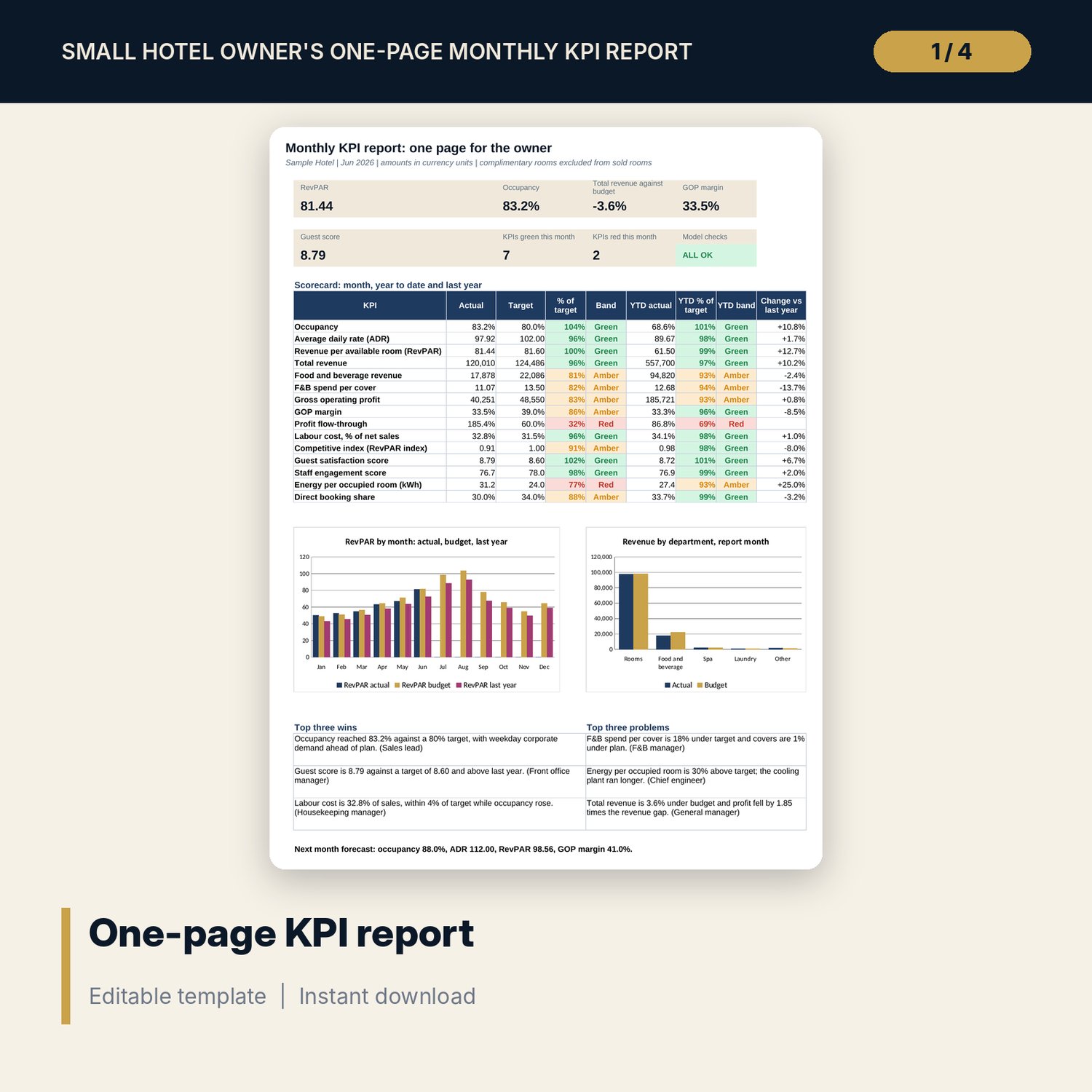
- 15 KPIs: occupancy, ADR, RevPAR, total revenue, F&B revenue, F&B spend per cover, GOP, GOP margin, profit flow-through, labour cost %, competitive index, guest score, staff engagement, energy per occupied room, direct booking share
- Each KPI shows actual, target, % of target and a colour band for the month and year to date, plus last year and a full-year outlook
- Statistics block with occupancy and ADR with and without complimentary rooms, revenue by department and a monthly trend
- Dashboard: one printable page with 7 KPI tiles, a check tile, the scorecard, 2 charts and the commentary; 8 integrity checks on the Checks tab
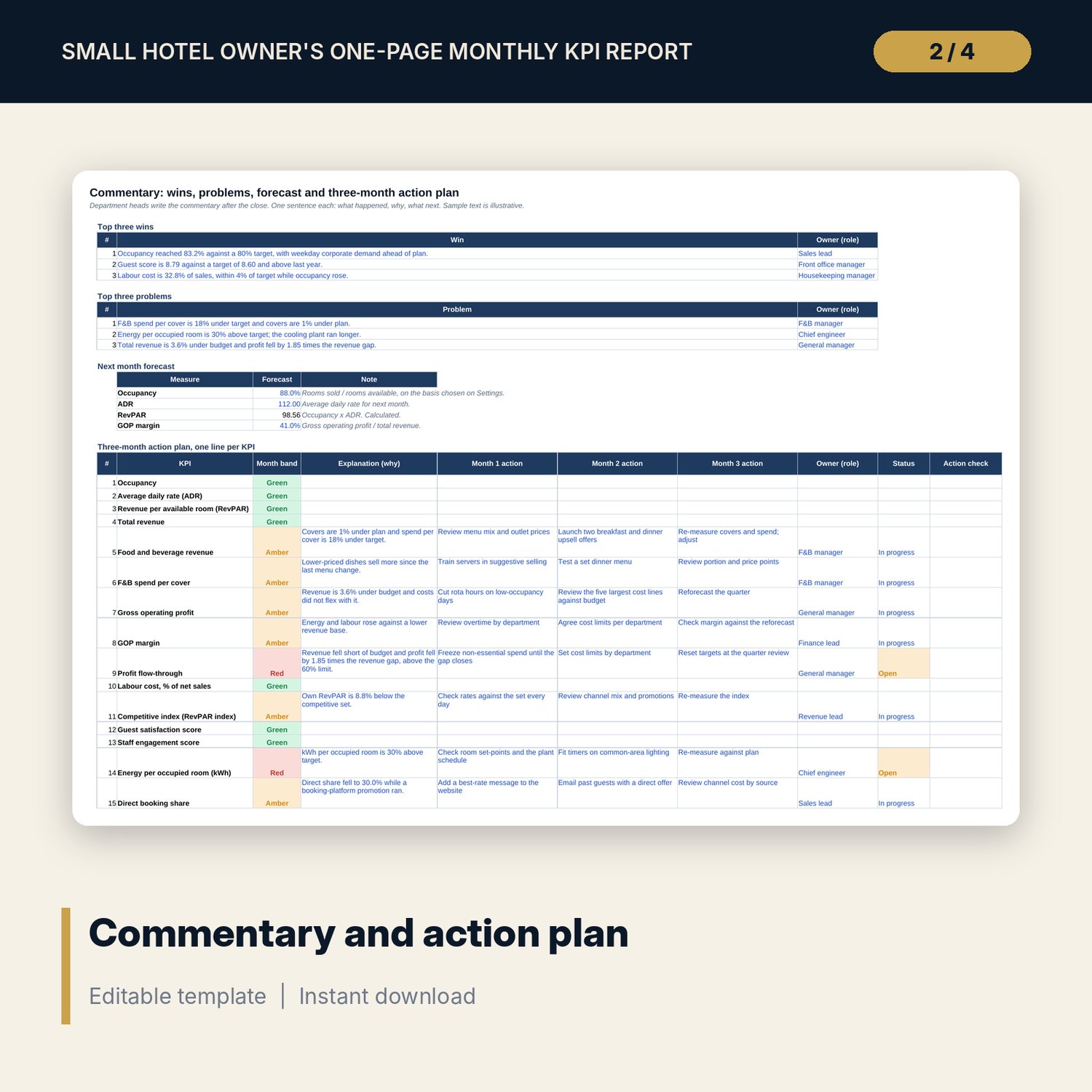
- Commentary: top three wins and problems, next-month forecast and a three-month action plan for each KPI
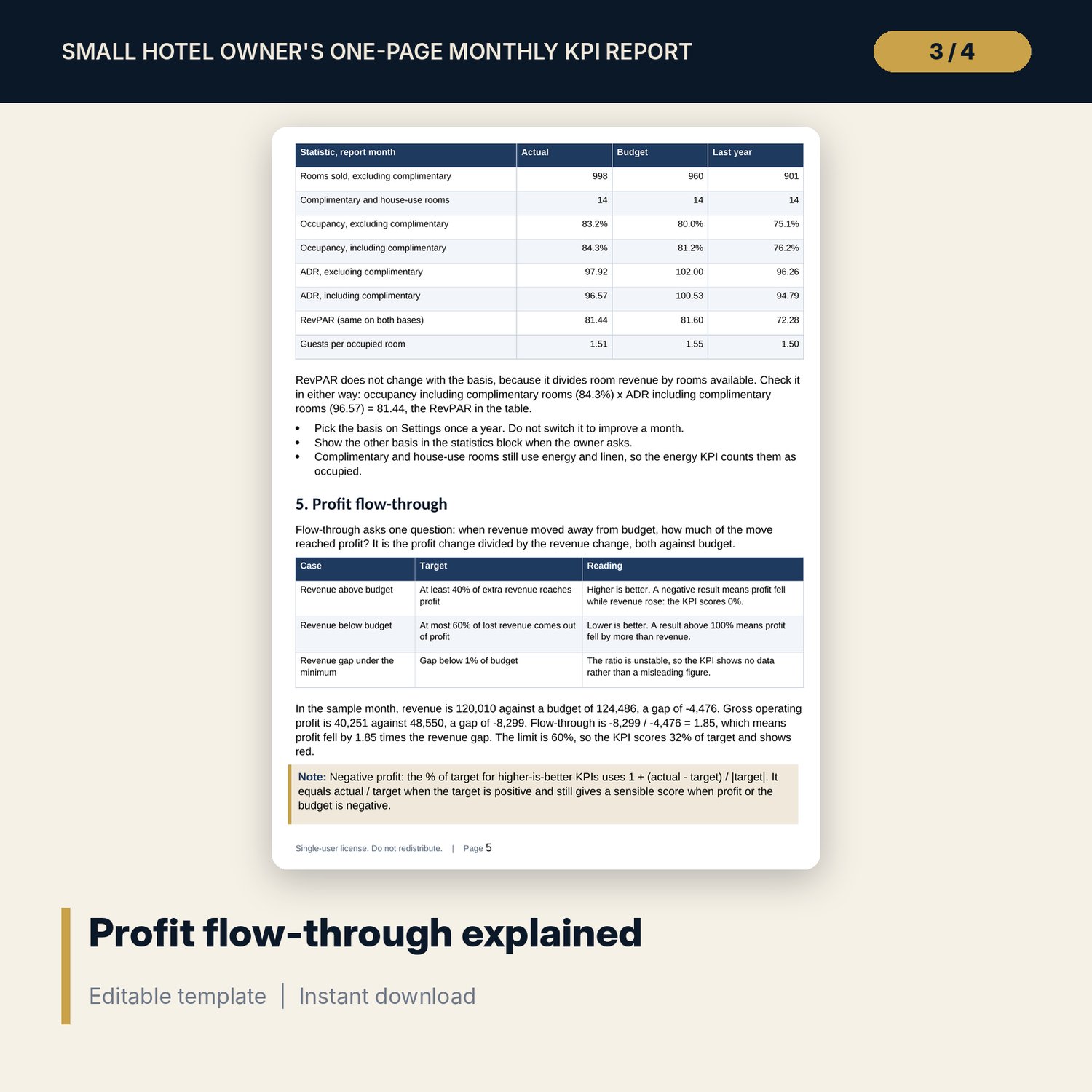
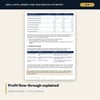
- Monthly_KPI_Reading_Guide.docx and PDF: 10 pages with a monthly close calendar, KPI definitions, the occupancy basis, profit flow-through, a worked example, a commentary form and a checklist
- README.txt and LICENSE-and-Terms.txt
How it works
- Enter the property, report month, rooms built and the complimentary-room basis on Settings.
- Type the actual, budget and last-year figures on Inputs once the month is closed.
- Write the commentary: wins, problems, forecast and an action for every amber or red KPI.
- Print the Dashboard as one page for the owner and check that Checks shows ALL OK.
Details
- Formats: 1 Excel workbook (.xlsx), 1 reading guide in Word (.docx) and PDF, English
- Software: Excel 2016 or later, or LibreOffice Calc 7 or later
- No macros, no external links, no data tables, no array formulas
- 3 files plus README and license; instant digital download
Good to know
- Sample data is illustrative. Replace it with your own figures, targets and bands.
- Targets, colour bands and flow-through limits are your policy. These files are management tools, not accounting, tax or legal advice.
- The competitive-set RevPAR, guest score and staff score come from your own benchmark and survey reports.
- Single-user license. Do not redistribute.
FAQ
How are year-to-date and full-year figures calculated?
Year to date is built from year-to-date totals, not an average of months. The full-year outlook adds the budget for the remaining months to the year-to-date actual.
How does the report handle complimentary rooms?
You choose on Settings whether complimentary and house-use rooms count as sold. The statistics block shows occupancy and ADR both ways and the page states the basis.
What happens when profit is negative?
The % of target uses 1 + (actual - target) / |target|, so a negative profit or budget still gives a sensible score. Missing inputs show no data, not error values.
Can I change the colour bands?
Yes. Green at 95% of target and amber at 80% are inputs on Settings.
Do I need macros?
No. Every result is a standard worksheet formula.