
Management Change Communication Pack: Staff, Guest, Partner and Media Messages with a Tracker
Full description
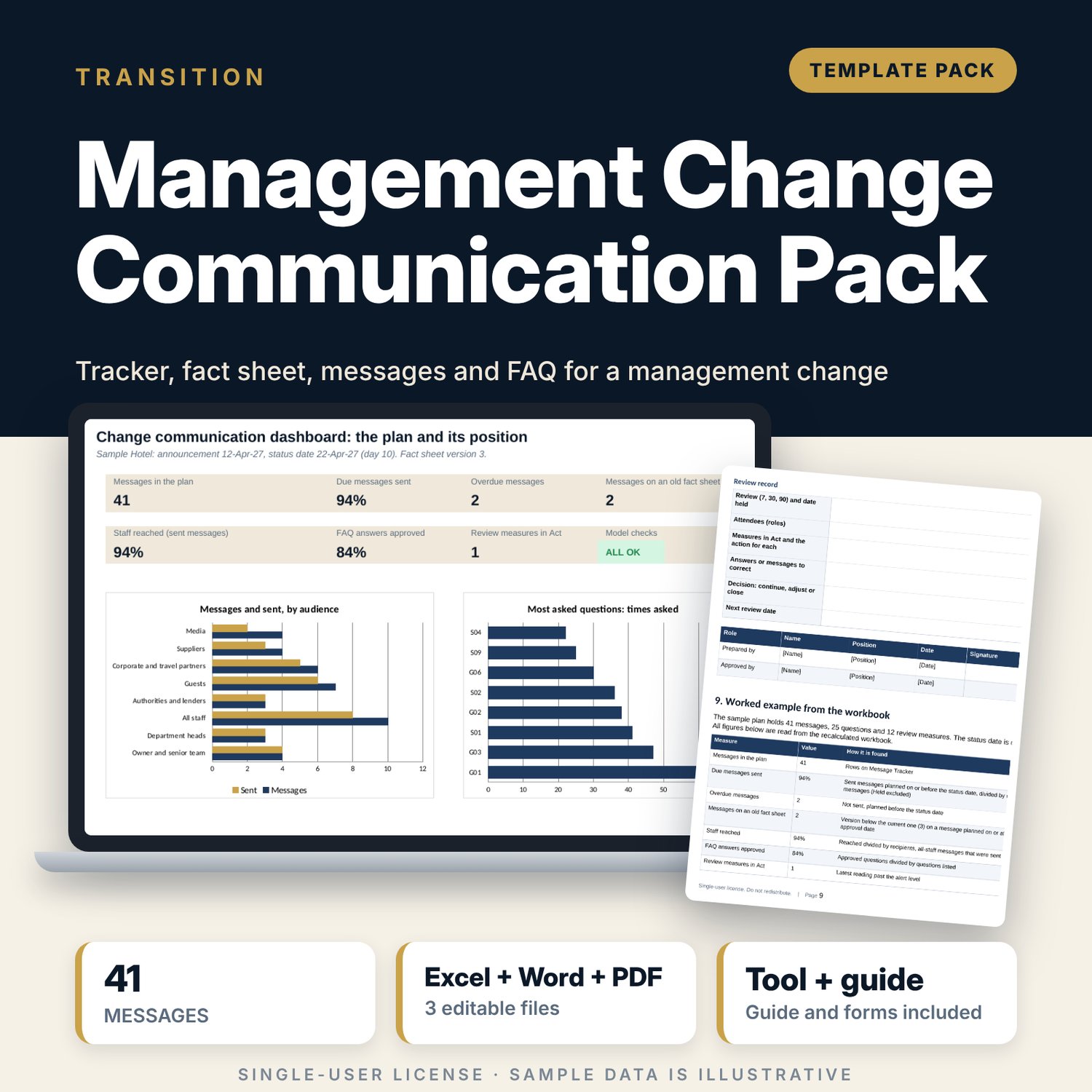
For general managers, owner representatives, HR managers and sales directors who must announce a change of management company, owner or operator without losing staff, guests or partners. The Word pack sets the order of release, a fact sheet form that every message must match, and ready-to-edit messages for staff, department heads, guests, corporate and travel partners, suppliers, authorities and the media, plus 25 FAQ answers and review forms. The tracker workbook plans each message by audience and day, flags overdue messages, messages written on an old version of the fact sheet, first messages outside their window and low reach, tracks FAQ approval and records the day 7, 30 and 90 reviews.
What is inside
- Change_Communication_Tracker.xlsx: 7 tabs, 377 formulas, 2 native charts, 22 drop-down and input rules
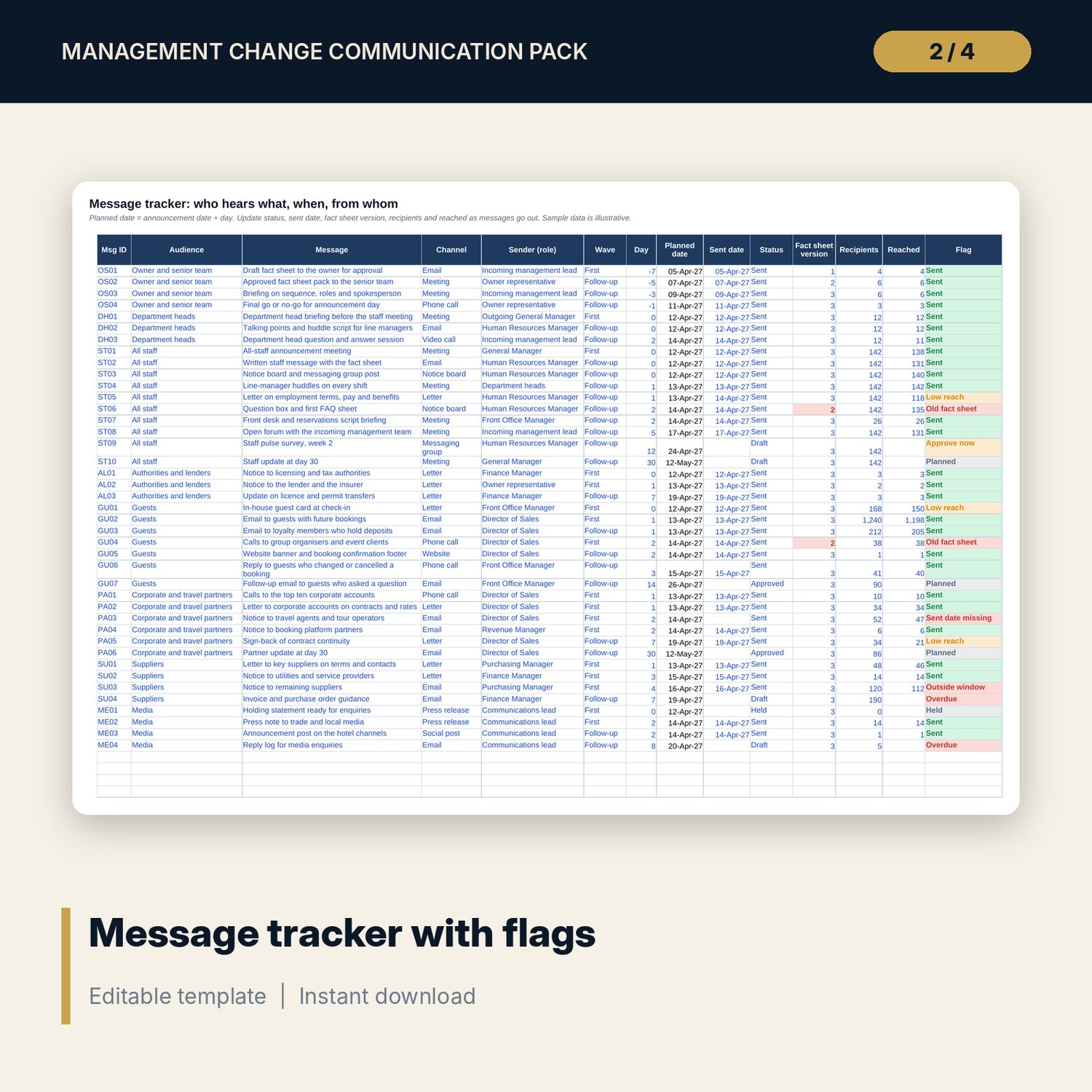
- Message Tracker: 41 sample messages across 8 audiences, 14 columns, 18 spare rows, one flag per message
- FAQ Register: 25 questions with approver, approval status, last review, times asked and a review flag, 8 spare rows
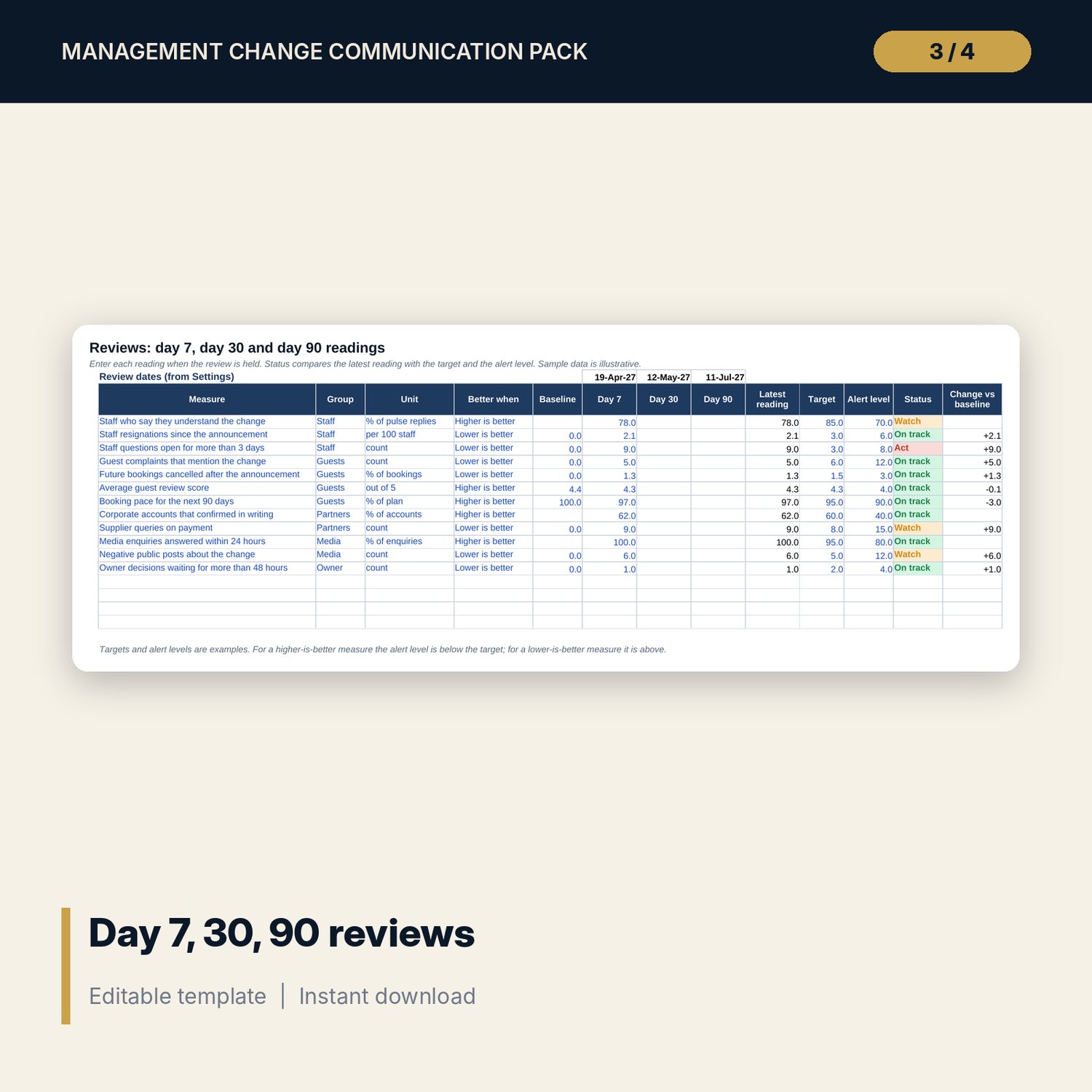
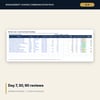
- Reviews: 12 measures with baseline, day 7, 30 and 90 readings, target and alert level, status
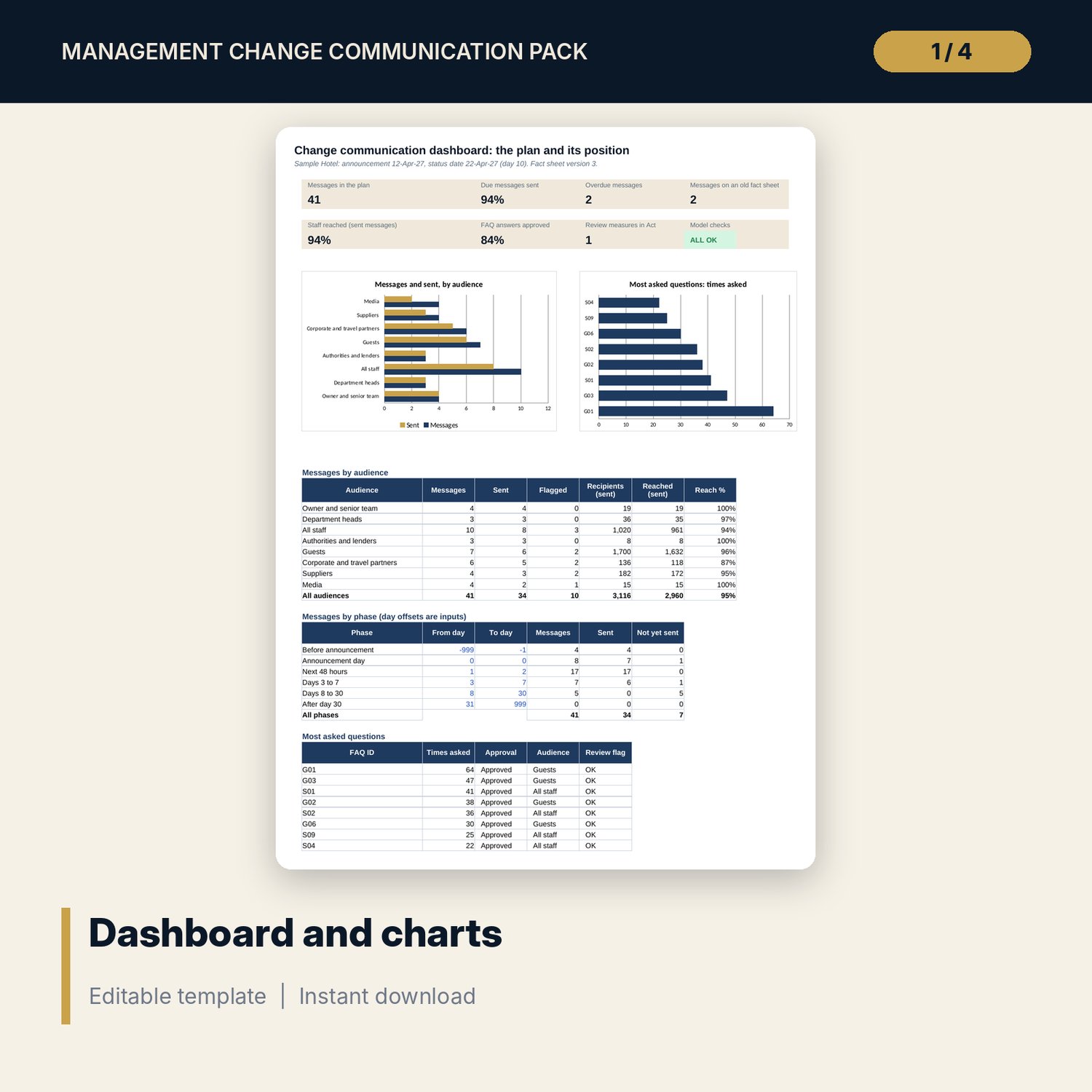
- Dashboard: 7 KPI tiles, a check tile, 2 charts, messages by audience, messages by phase and the most asked questions; 8 integrity checks on the Checks tab
- Change_Communication_Pack.docx and PDF: 10 pages with a 12-step timeline, fact sheet form, staff, guest, partner, supplier, authority and media messages, 25 FAQ answers, review forms and a worked example
- README.txt and LICENSE-and-Terms.txt
How it works
- Complete the fact sheet and get the owner to approve it. Set its version number on Settings.
- Edit the messages in the Word pack and list each one on Message Tracker with its day offset.
- Update status, sent date, recipients and reached as each message goes out. Fix every flagged row.
- Record the answers and approvers on FAQ Register, and the day 7, 30 and 90 readings on Reviews.
Details
- Formats: 1 Excel workbook (.xlsx), 1 Word message pack (.docx) and PDF, English
- Software: Excel 2016 or later, or LibreOffice Calc 7 or later
- No macros, no external links, no data tables, no array formulas
- 3 files plus README and license; instant digital download
Good to know
- Sample data is illustrative. Replace it with your own figures.
- Windows, limits and targets are examples. Employment, consumer and data-protection rules differ by country: verify local requirements and take legal advice before you promise job security, rates or deposits in writing.
- These files are management tools, not legal advice.
- Single-user license. Do not redistribute.
FAQ
What does the tracker flag?
Sent messages with no sent date, messages written on an older fact sheet version, unsent messages past their planned date, first messages outside the audience window, drafts that need approval within two days and sent messages with low reach.
What is the audience window?
The earliest and latest day, counted from the announcement, when the first message to an audience may go out. Staff are day 0, guests day 0 to 2, suppliers day 1 to 3. You can change every window on Settings.
Does it include the message text?
Yes. The Word pack has ready-to-edit messages for each audience and 25 FAQ answers. You fill the [bracketed] fields from your fact sheet.
Can I use it for a rebrand or a change of owner?
Yes. The sequence and the fact sheet work for any change that affects staff, guests and partners. Edit the audience list and the messages to suit.
Do I need macros?
No. Every result is a standard worksheet formula.