

EV Charging Station Business Case for Hotels: Hotel EV Charger Business Case with Payback, NPV and Usage Log
Full description
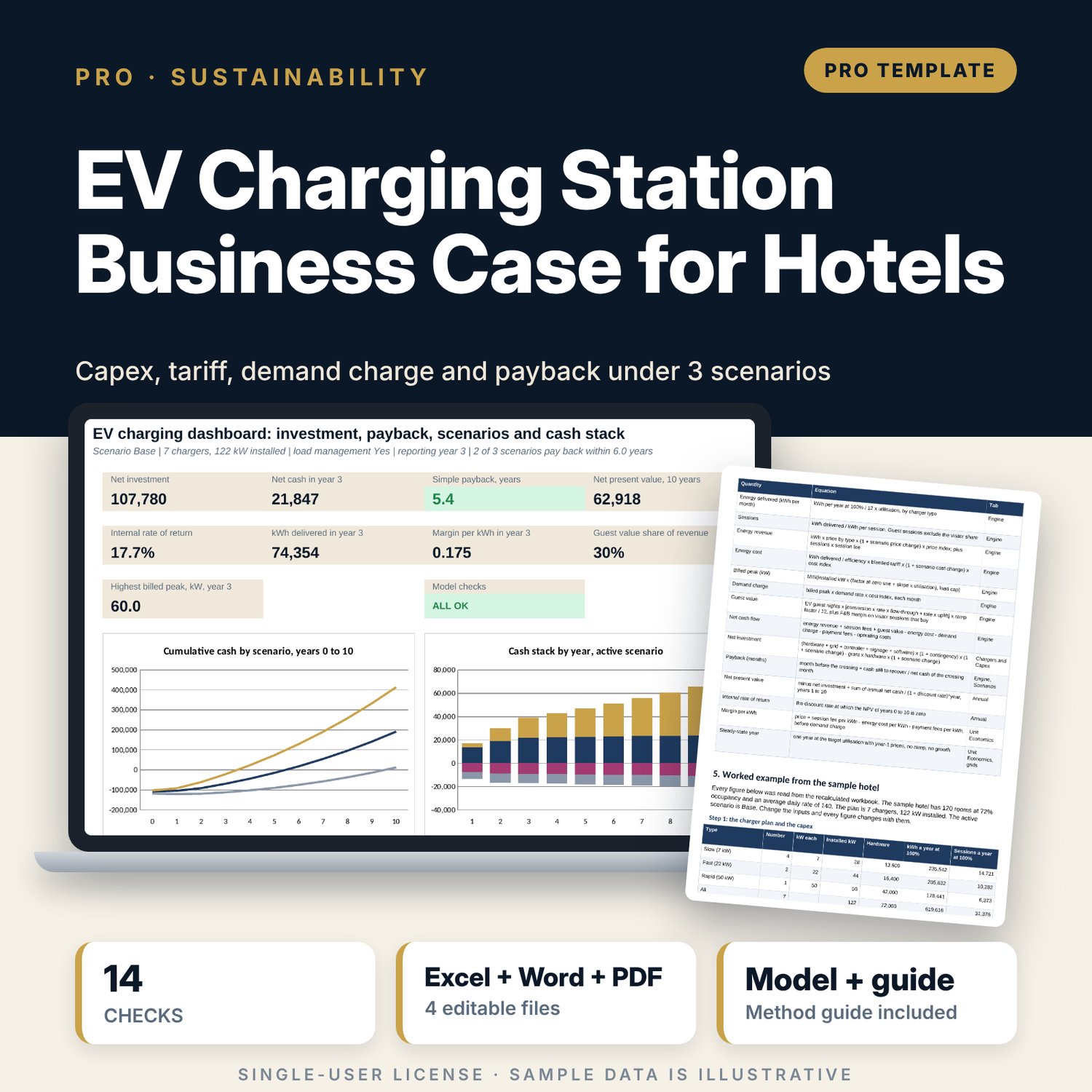
For general managers, chief engineers and finance leads who must decide whether to install guest and visitor chargers. The workbook sizes a plan by charger type, builds the capex, runs 120 months for each of three scenarios with a utilisation ramp, a time-of-use tariff and a demand charge that load management can cap, adds guest value from extra room nights and food and drink sales, and reports simple payback, NPV and IRR. A companion usage log records sessions, downtime and complaints and compares actual utilisation, margin per kWh, tariff mix and availability with the plan each quarter. A 11-page guide explains the method with a worked example.
What is inside
- EV_Charging_Business_Case.xlsx: 10 tabs, 11,918 formulas, 2 native charts, 20 drop-down and input rules
- Assumptions and Chargers and Capex: 3 charger types, a time-of-use tariff with 3 bands, capex lines and a grant, three scenarios (Low, Base, High)
- Unit Economics: margin per kWh by charger type and by tariff band, demand charge with and without load management, a steady-state year
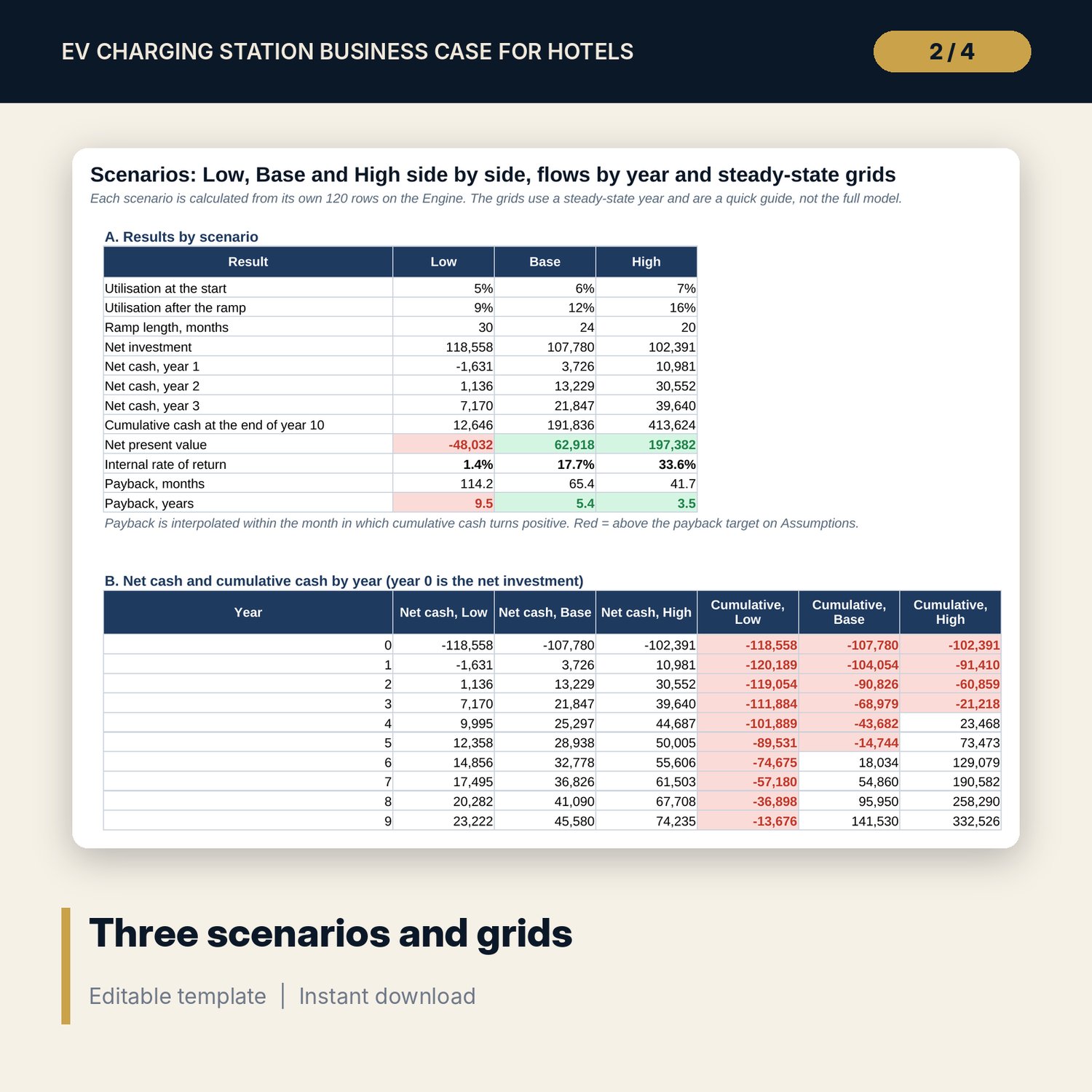
- Engine: 360 monthly rows (3 scenarios x 120 months), one column per step; Annual and Scenarios with NPV, IRR, payback and 3 sensitivity grids
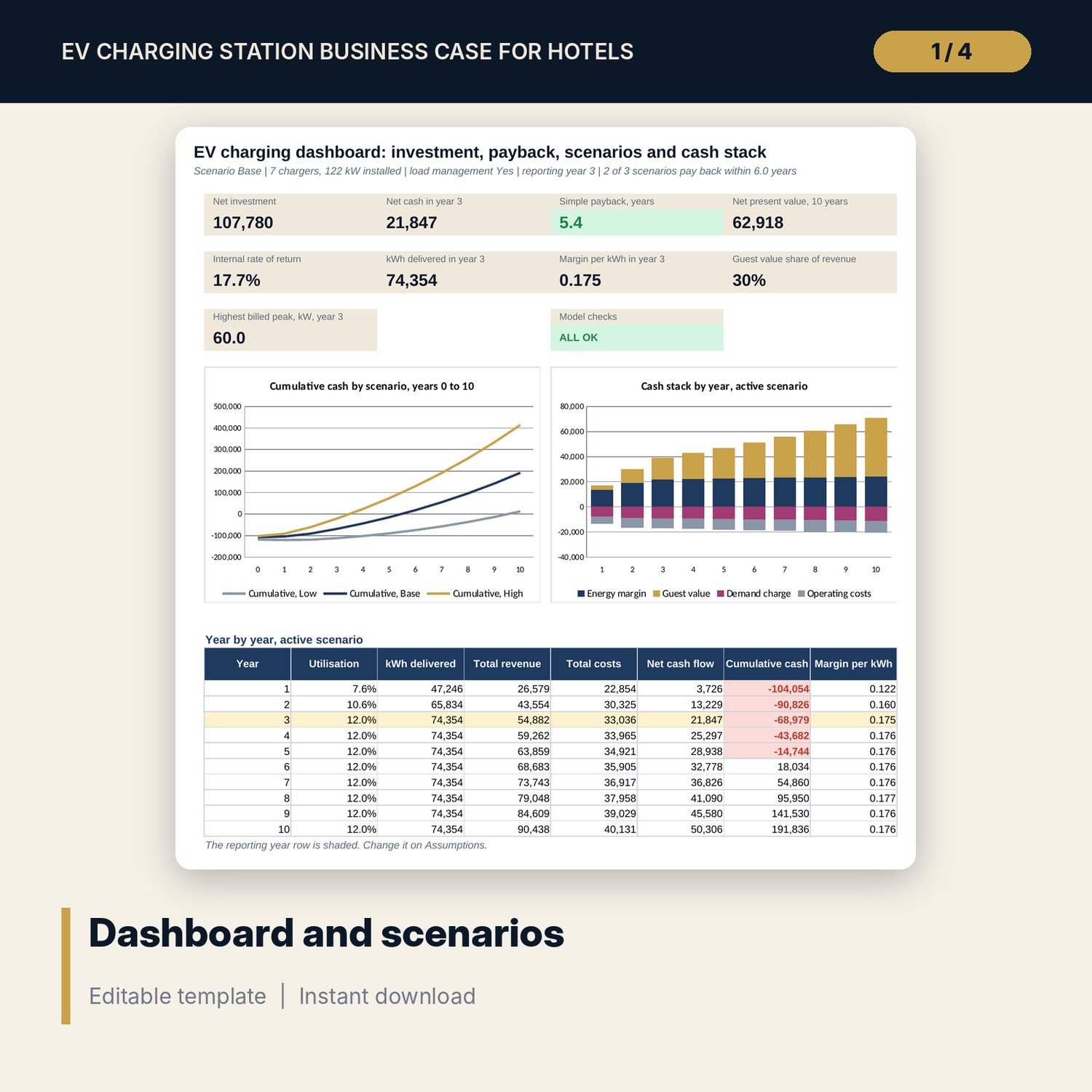
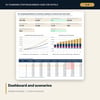
- Dashboard with 9 KPI tiles, a check tile and 2 charts; 14 integrity checks; Method tab with 16 documented calculations
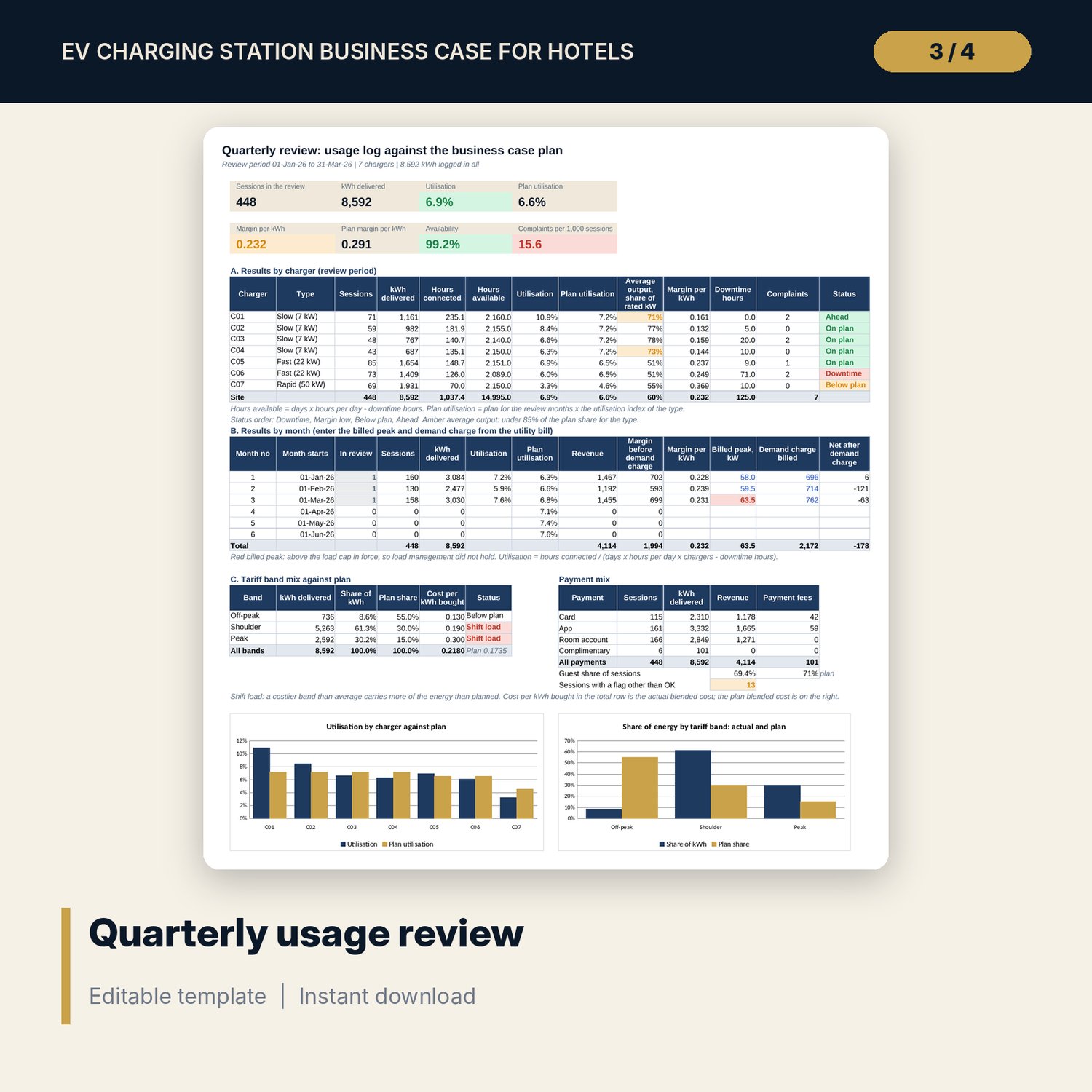
- EV_Charging_Business_Case_Usage_Log.xlsx: 5 tabs, 6,425 formulas, 600 session rows (448 sample sessions), a downtime and complaint log, a quarterly review with 2 charts and 9 checks
- EV_Charging_Business_Case_Guide.docx and PDF: 11 pages with roles, a 16-point pre-install checklist, equations, a worked example read from the workbook, decision rule and common mistakes
- README.txt and LICENSE-and-Terms.txt
How it works
- Enter rooms, occupancy, rate, tariff bands, costs and finance inputs on Assumptions, then choose a scenario.
- Set the charger plan and capex lines on Chargers and Capex.
- Read Unit Economics, Annual, Scenarios and Dashboard. Test the Low case and the grids.
- Log sessions, downtime and complaints in the usage log after go-live.
- Review the quarterly results against the plan and update the business case inputs.
Details
- Formats: 2 Excel workbooks (.xlsx), 1 Word guide (.docx) and its PDF, English
- Software: Excel 2016 or later, or LibreOffice Calc 7 or later
- No macros, no external links, no array formulas
- 4 files plus README and license; instant digital download
Good to know
- Sample data is illustrative. It describes no real hotel.
- Tariffs, demand rates, grants, prices and local rules are inputs. Verify local requirements and your supplier terms.
- Check electrical capacity and fire safety with a qualified engineer and your insurer before you size the chargers. The model is not engineering, tax or financial advice.
- Single-user license. Do not redistribute.
FAQ
Does it include the demand charge?
Yes. The billed peak depends on installed kW and utilisation and can be capped by load management. Unit Economics and a grid show what the cap saves.
How are three scenarios calculated?
Low, Base and High each have their own 120 monthly rows on the Engine. Scenarios shows the results side by side and Annual follows the one you select.
Can I change the number and type of chargers?
Yes. Change the number, kW, cost and sell price by type. Capacity, capex and results follow.
What does the usage log do?
It records each session with a flag for meter, time and room number errors, logs downtime and complaints, and compares utilisation, margin per kWh, tariff mix and availability with the plan.
Do I need macros?
No. Every result is a standard worksheet formula.