
Operator Handover Audit & Document Register: Hotel Handover Checklist, Evidence Audit and Certificate
Full description
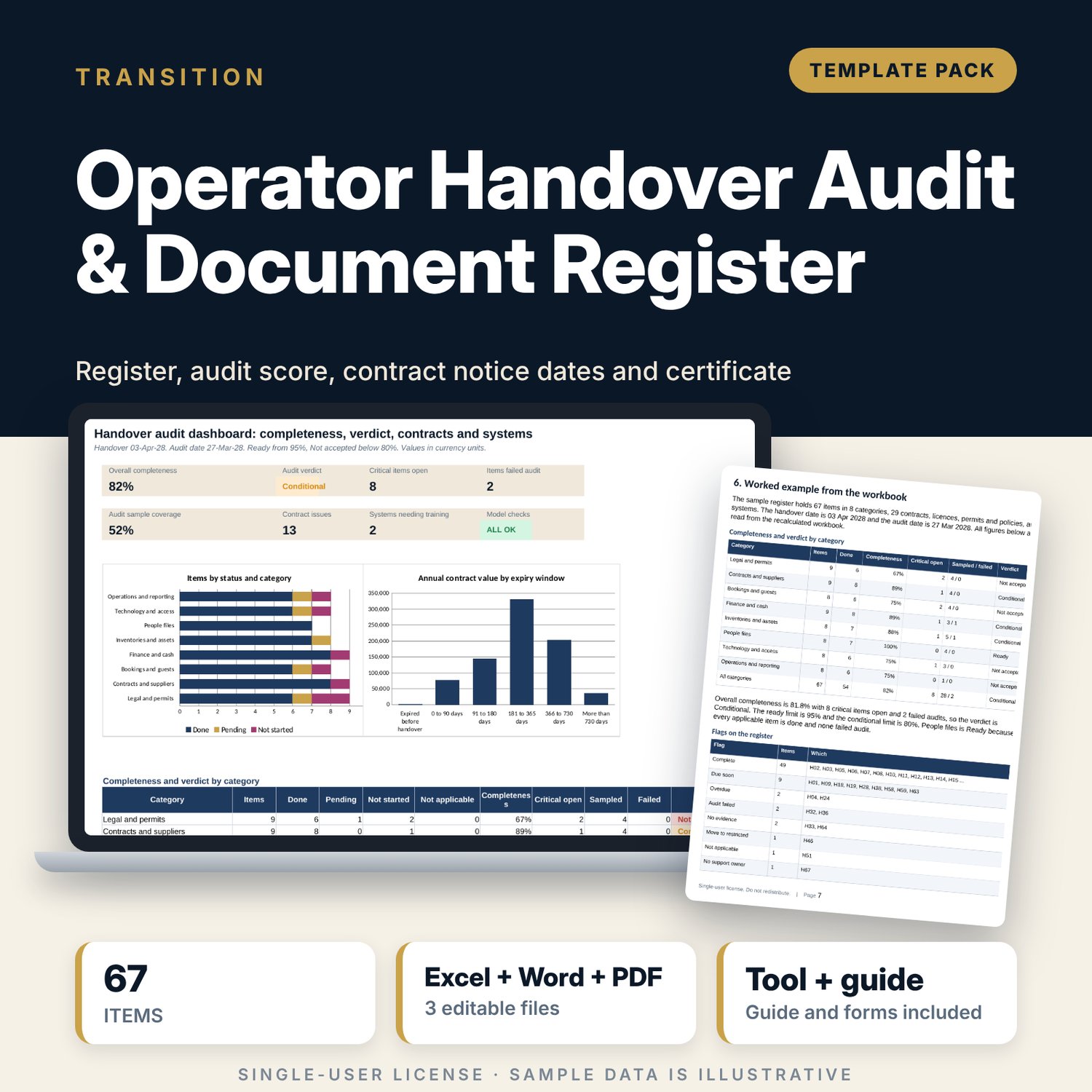
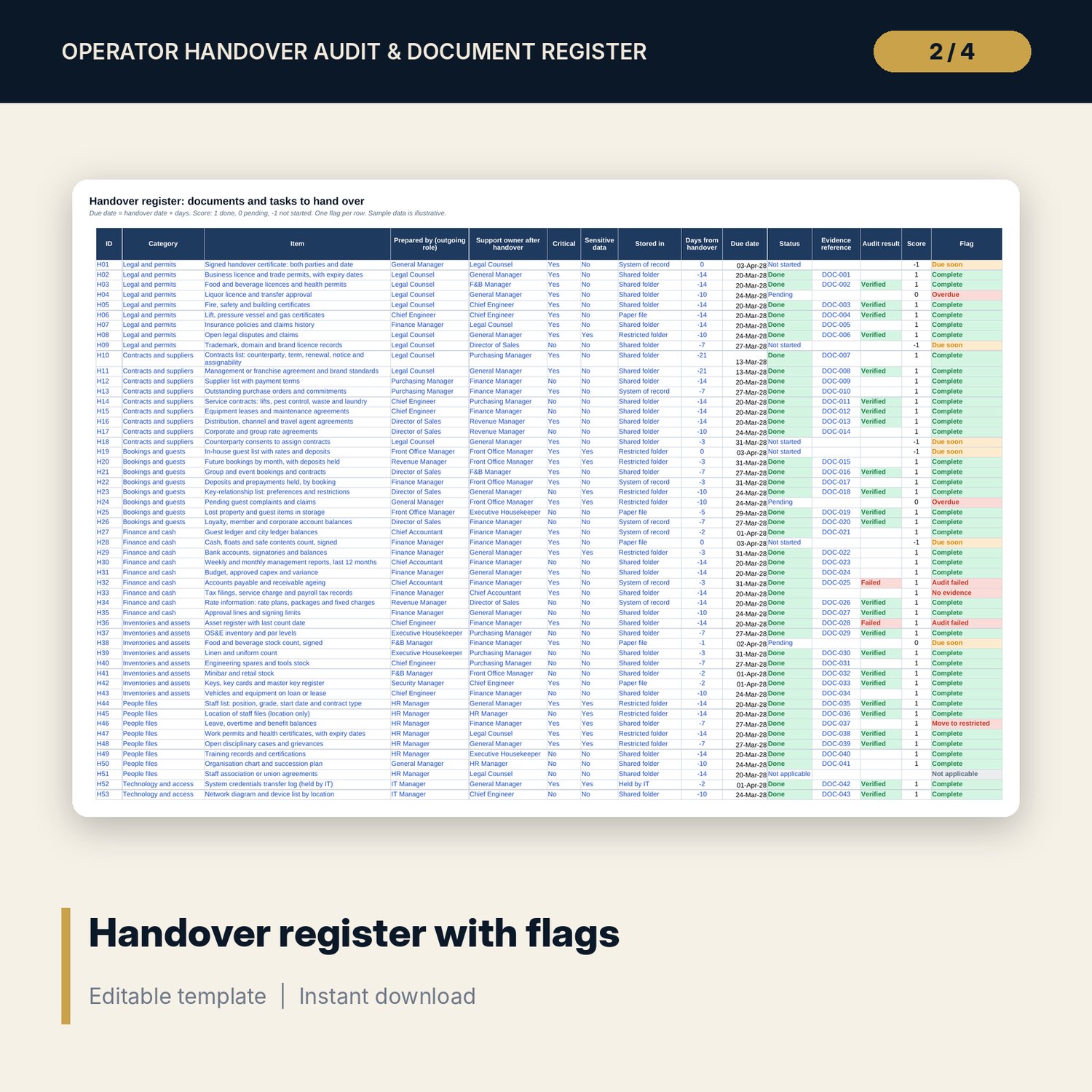
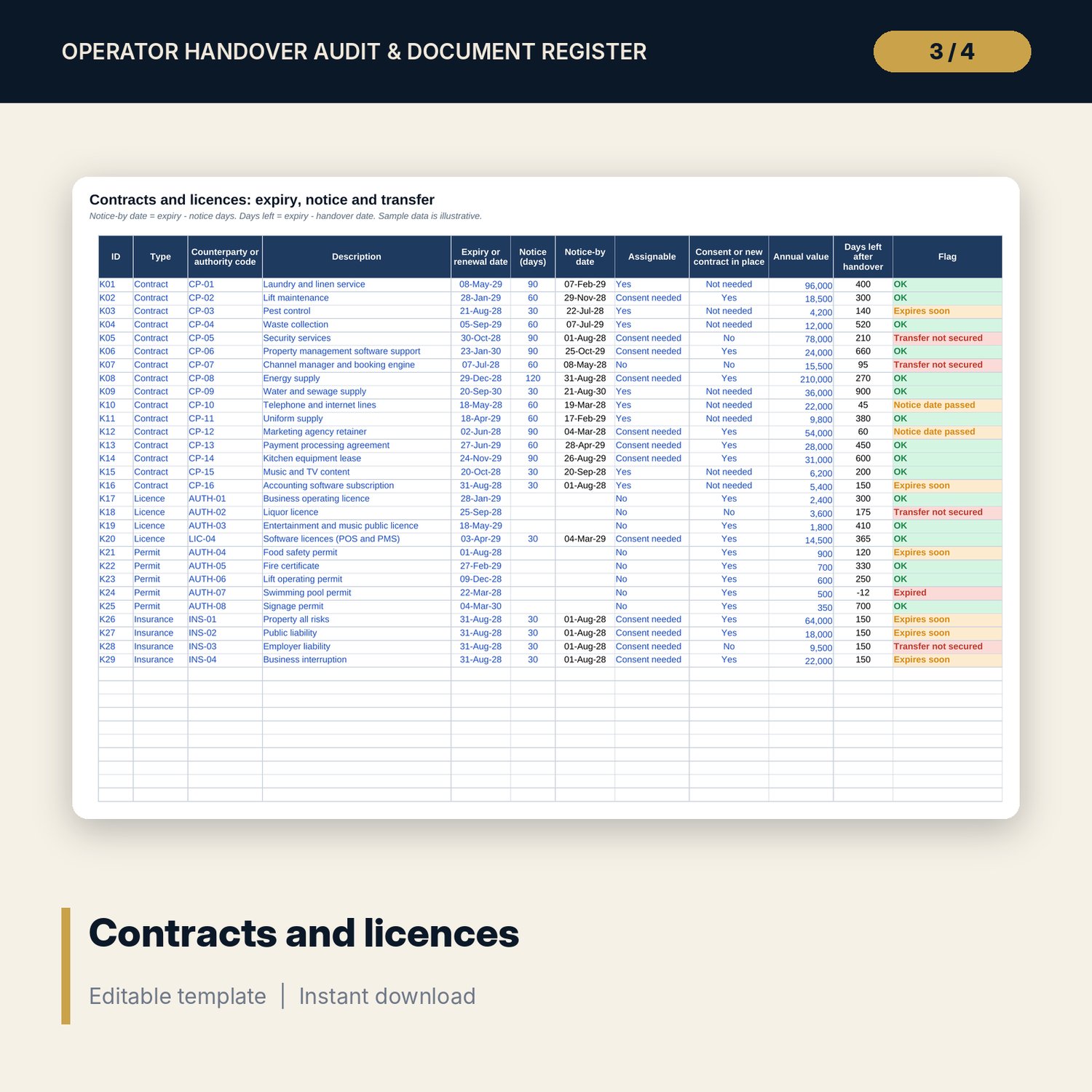
For general managers, owners and asset managers who take over, or hand over, a hotel or resort. Handover Register lists 67 sample documents and tasks in 8 categories. Each row has a support owner, a critical flag, a sensitive-data flag, where it is stored, a due date, a status, an evidence reference and an audit result, and one flag. Completeness is done items divided by applicable items, and the verdict is Ready, Conditional or Not accepted. Contracts and Licences gives notice-by dates, days left and transfer status for 29 sample lines. Systems records a rating out of 10 with a date, credentials and training for 16 systems. The Word document holds the handover form, audit method, forms and the certificate.
What is inside
- Handover_Audit_and_Document_Register.xlsx: 7 tabs, 587 formulas, 2 native charts, 23 drop-down and input rules
- Handover Register: 67 sample items, 15 columns, 20 spare rows, 8 categories, score of 1, 0 or -1 and an audit result
- Contracts and Licences: 29 sample contracts, licences, permits and policies with notice-by date, days left and one flag
- Systems: 16 sample systems with function, units, administrators, rating with date, credentials, training and one flag
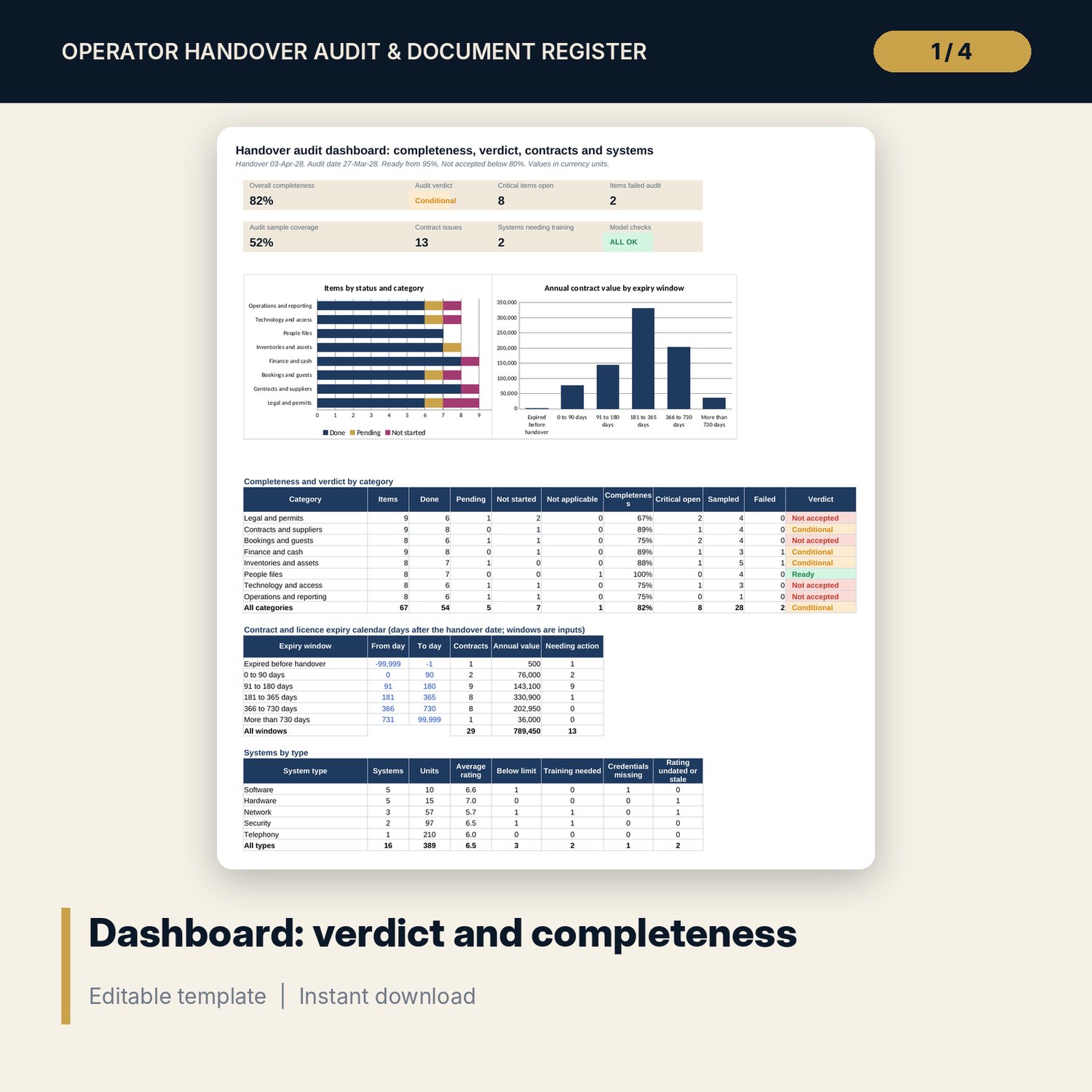
- Dashboard: 7 KPI tiles, a check tile, 2 charts, completeness and verdict by category, an expiry calendar and systems by type; 8 integrity checks on the Checks tab
- Handover_Audit_Procedures_and_Certificate.docx and PDF: 8 pages with the handover form, register standards, audit method, key-relationship, technology and operations sheets, a handover certificate and a worked example
- README.txt and LICENSE-and-Terms.txt
How it works
- Set the handover date, the audit date, the rating bands and the limits on Settings.
- List documents and tasks with owner, due days, status and evidence reference. List contracts, licences and systems.
- Sample done items and record Verified or Failed. Clear the red flags.
- Read the verdict on the Dashboard, list the open items and sign the certificate.
Details
- Formats: 1 Excel workbook (.xlsx), 1 Word document (.docx) and PDF, English
- Software: Excel 2016 or later, or LibreOffice Calc 7 or later
- No macros, no external links, no data tables, no array formulas
- 3 files plus README and license; instant digital download
Good to know
- Sample data is illustrative. Replace it with your own figures.
- Rating bands, limits and the sample target are examples. Transfer rules for licences, contracts and personal data differ by country.
- These files are management tools, not legal advice.
- Single-user license. Do not redistribute.
FAQ
How is the verdict set?
Completeness is done items divided by applicable items. Below the conditional limit the handover is Not accepted. At or above the ready limit with no critical item open and no failed audit it is Ready. Otherwise it is Conditional.
What is the evidence reference for?
A Done item needs a reference or link to the document. A Done item with no reference shows No evidence, so a note saying "link attached" with no link is caught.
How do I keep staff data out of the shared register?
Mark an item as sensitive and say where it is stored. A sensitive item in a shared folder shows Move to restricted. The register records only where a staff file is held.
What triggers a training session?
A system rated below the limit on Settings with training not done. The default limit is 6 out of 10.
Do I need macros?
No. Every result is a standard worksheet formula.