
Energy Performance Contract Evaluation Model: Guaranteed Savings, Owner NPV and Verification Log
Full description
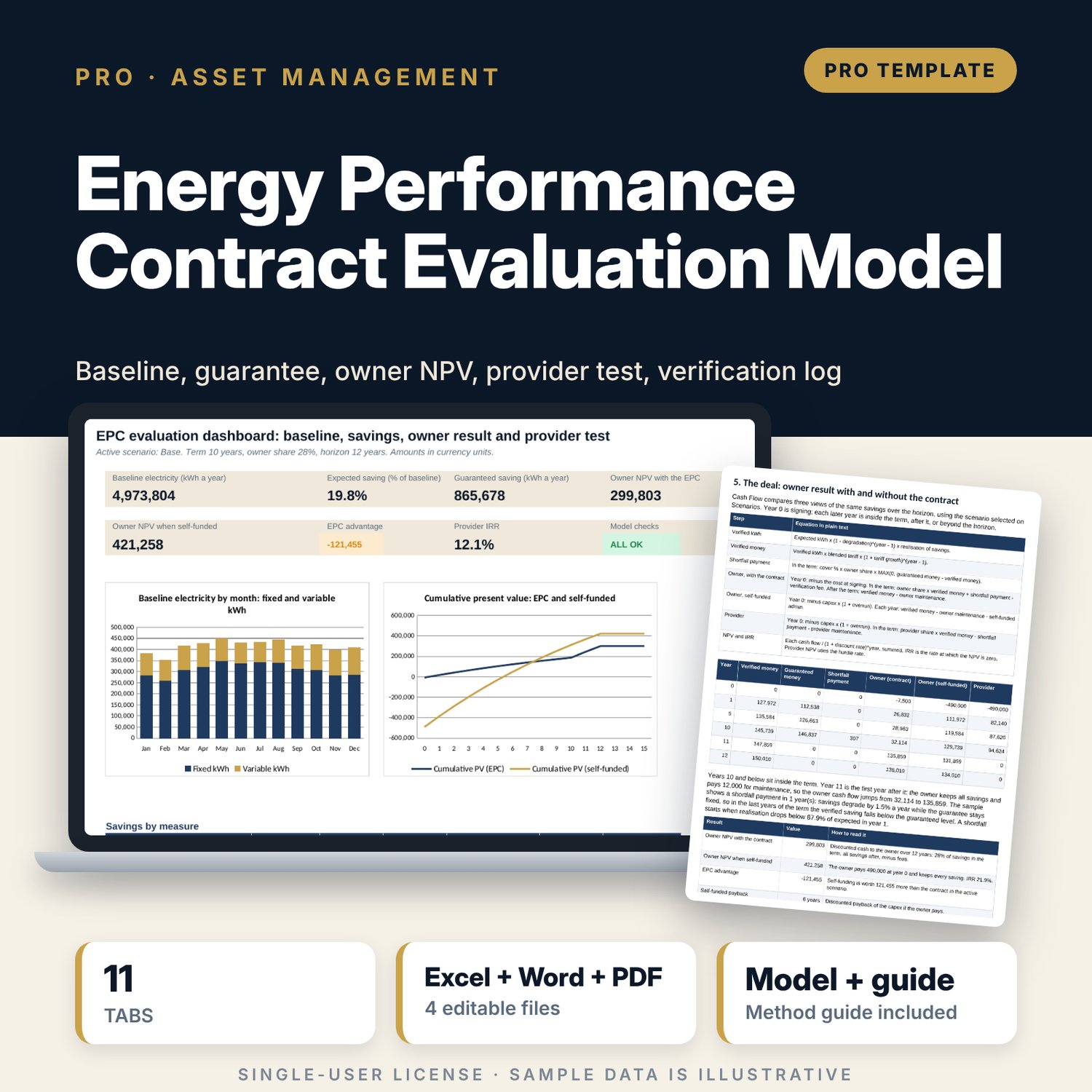
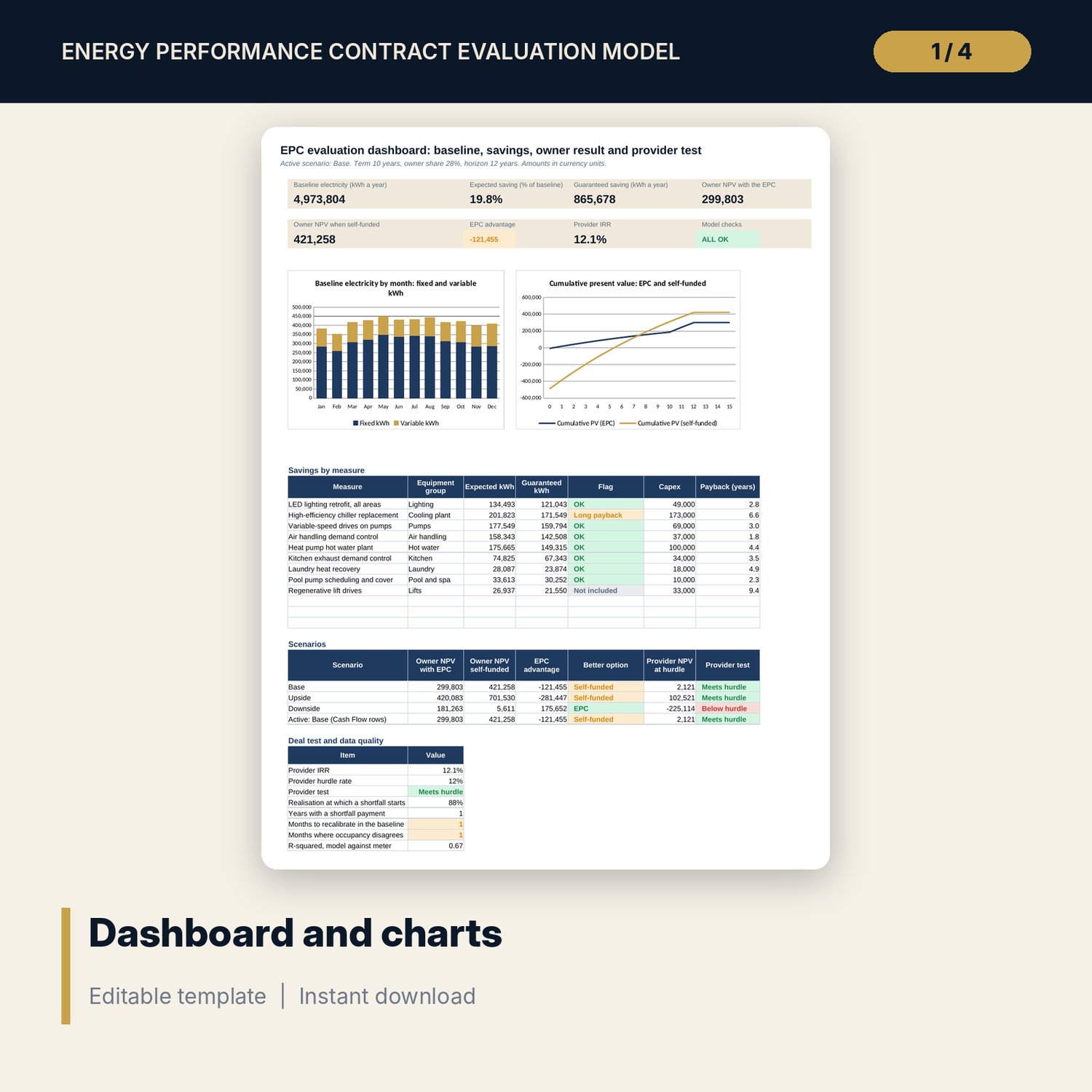
For owners, general managers, asset managers and finance directors who are offered an energy performance contract and need to know whether to sign it. The workbook builds the electricity baseline from the equipment list and 12 months of room nights, tests it against the meter, prices each proposed measure with a guarantee, and runs a 15-year cash flow for the owner with the contract, the owner who pays for the works, and the provider. Owner NPV, EPC advantage, provider IRR and a hurdle test show who gains at which share and term. A companion workbook verifies the savings month by month, and a 11-page guide explains the method with a worked example.
What is inside
- EPC_Evaluation_Model.xlsx: 11 tabs, 1,442 formulas, 2 native charts, 27 drop-down and input rules
- Equipment: 29 sample lines with kW, quantity, hours, diversity and 5 seasonal profiles, plus 6 spare rows, giving the fixed load by month
- Baseline: 12 months of days, room nights, occupancy, modelled kWh against the meter, a Recalibrate flag, an occupancy check, water, fuel and cost
- Measures: 9 measures with saving %, guarantee, capex, payback and lifetime cost per kWh, plus 3 spare rows
- Cash Flow: 15 years for the owner with the contract, the owner who self-funds and the provider, with NPV, IRR, discounted payback and shortfall payments
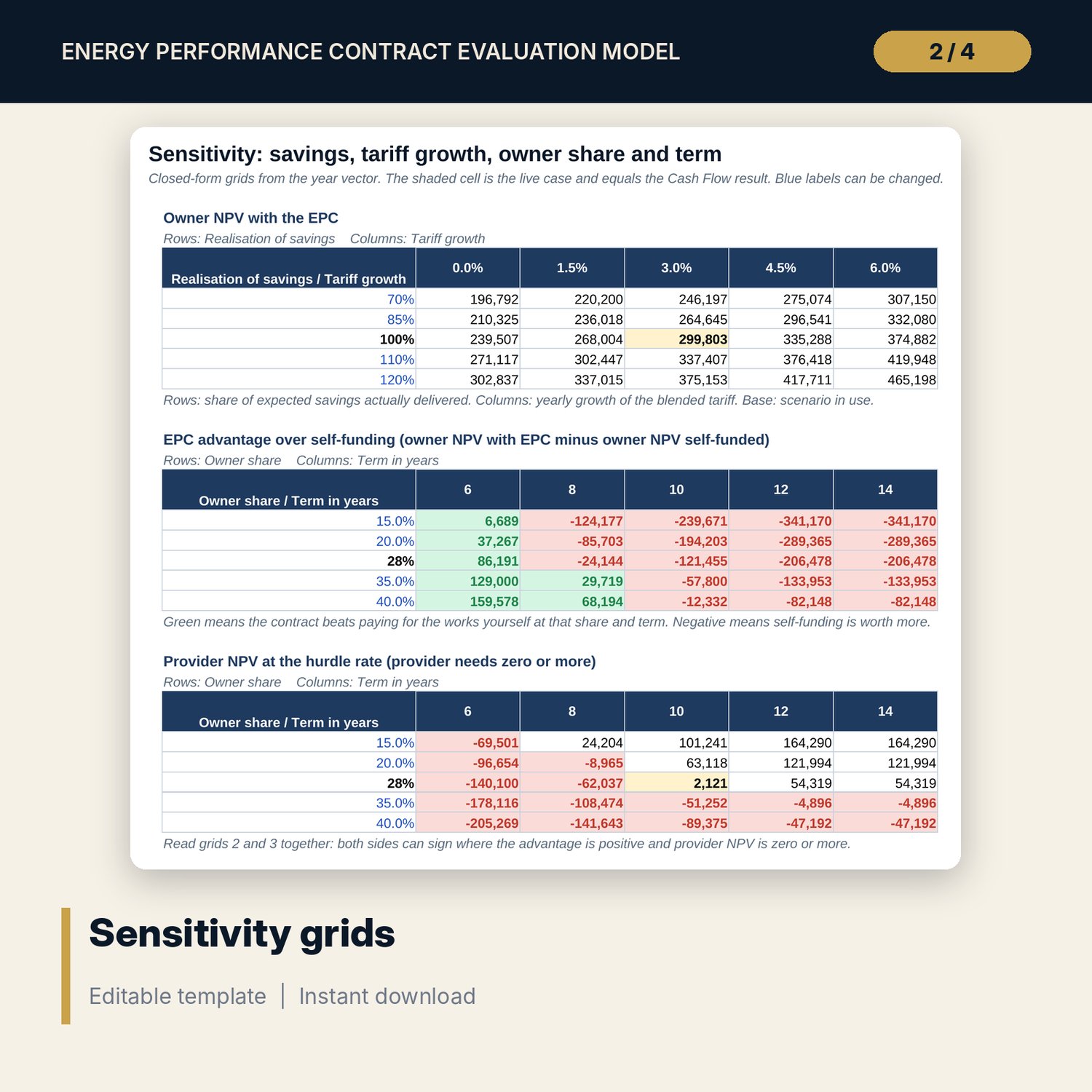
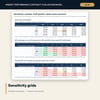
- Scenarios (3 cases) and Sensitivity (75 cells in 3 grids: owner NPV, EPC advantage, provider NPV)
- Dashboard with 7 tiles, a check tile and 2 charts; 11 integrity checks; Method tab with 16 documented calculations
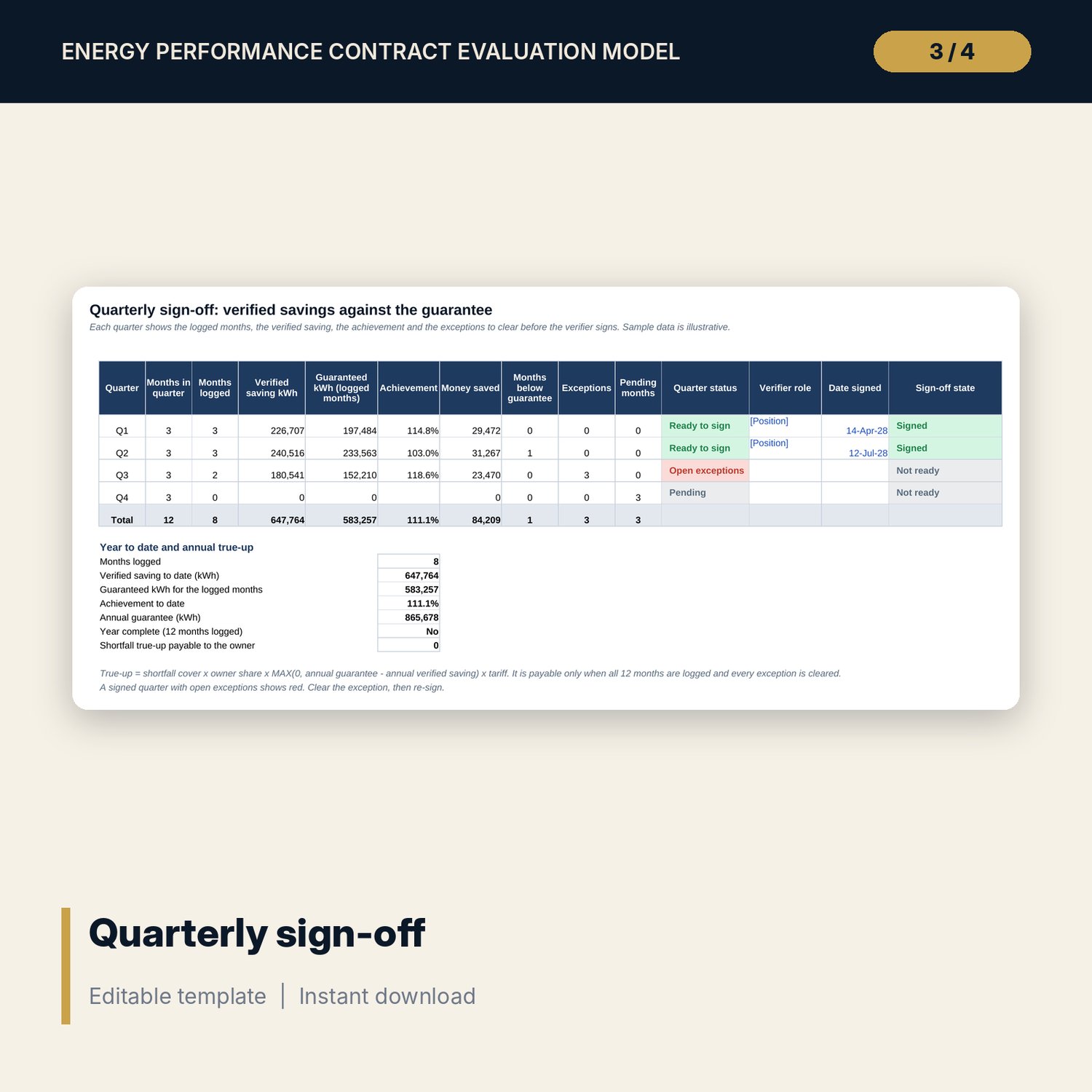
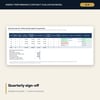
- Energy_Savings_Verification_Log.xlsx: 5 tabs, 252 formulas, a 12-month log with 7 status types, a quarterly sign-off with annual true-up, 8 checks
- EPC_Evaluation_Guide.docx and PDF: 11 pages with 18 contract points, baseline and cash flow equations, a worked example read from the workbooks, scenario grids, a monthly routine, an adjustment request form, a negotiation table, a 12-item checklist and a glossary
- README.txt and LICENSE-and-Terms.txt
How it works
- Enter the keys, tariff bands, contract term, savings share, fees and maintenance on Assumptions, and pick a scenario.
- List the equipment, then enter 12 months of room nights, occupancy and metered kWh. Fix any month marked Recalibrate.
- Enter the saving %, guarantee, capex and life of each measure and mark it Yes or No.
- Compare the owner NPV with the contract and when self-funded, read the provider test, and use the grids to find a share and term both sides can sign.
- Once the contract runs, enter the monthly meter reading in the verification log and prepare the quarterly sign-off.
Details
- Formats: 2 Excel workbooks (.xlsx), 1 guide in Word (.docx) and PDF, English
- Software: Excel 2016 or later, or LibreOffice Calc 7 or later
- No macros, no external links, no data tables, no array formulas
- 4 files plus README and license; instant digital download
Good to know
- Sample data is illustrative. Replace it with your own figures.
- The files are screening tools, not engineering, legal, tax or financial advice. Have your advisers review any contract.
- Tariffs, capex, savings, fees, lives and contract terms are editable examples. Verify local requirements and use supplier quotes.
- Single-user license. Do not redistribute.
FAQ
What does the model compare?
It compares the owner result with the contract (a share of savings during the term, all savings afterwards, minus fees) against the owner paying for the works and keeping every saving, both as net present value over the horizon.
How is the baseline checked?
The fixed load from the equipment list plus a variable load per occupied room night is compared with the metered kWh for each month. A month more than the tolerance away shows Recalibrate, and a room-night and occupancy disagreement shows Mismatch.
Does it model the guarantee?
Yes. Each measure has a guarantee % of its expected saving. If verified savings fall below the guaranteed level during the term, the model adds a shortfall payment to the owner.
Can I use it for a contract that has already started?
Yes. Use the verification log to adjust the baseline, compare the meter with the guarantee each month and prepare the quarterly sign-off and the annual true-up.
Do I need macros or add-ins?
No. Every result is a standard worksheet formula, including the sensitivity grids.