

Headcount Budget & Position Control Register: Position Control Register Template for Hotels
Full description
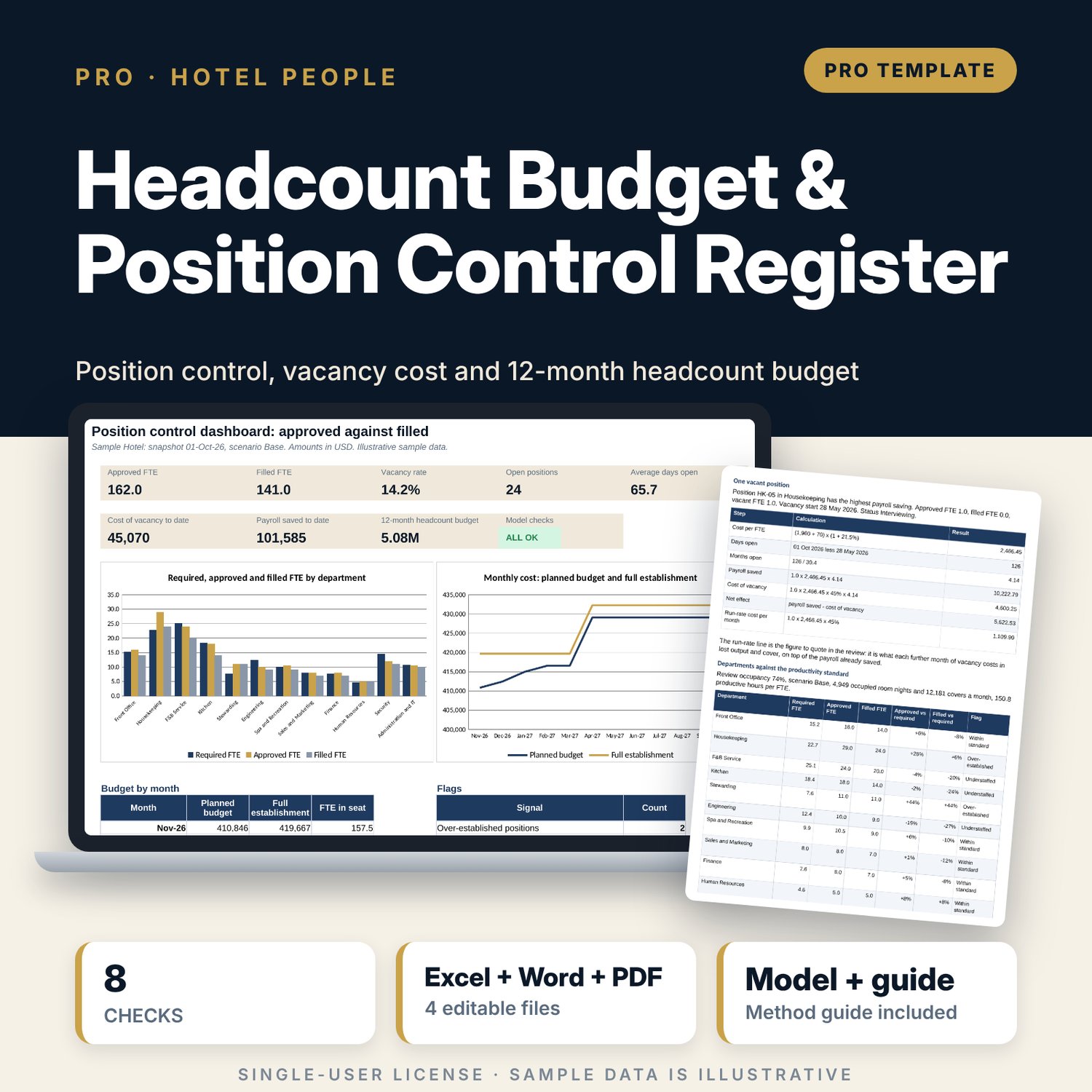
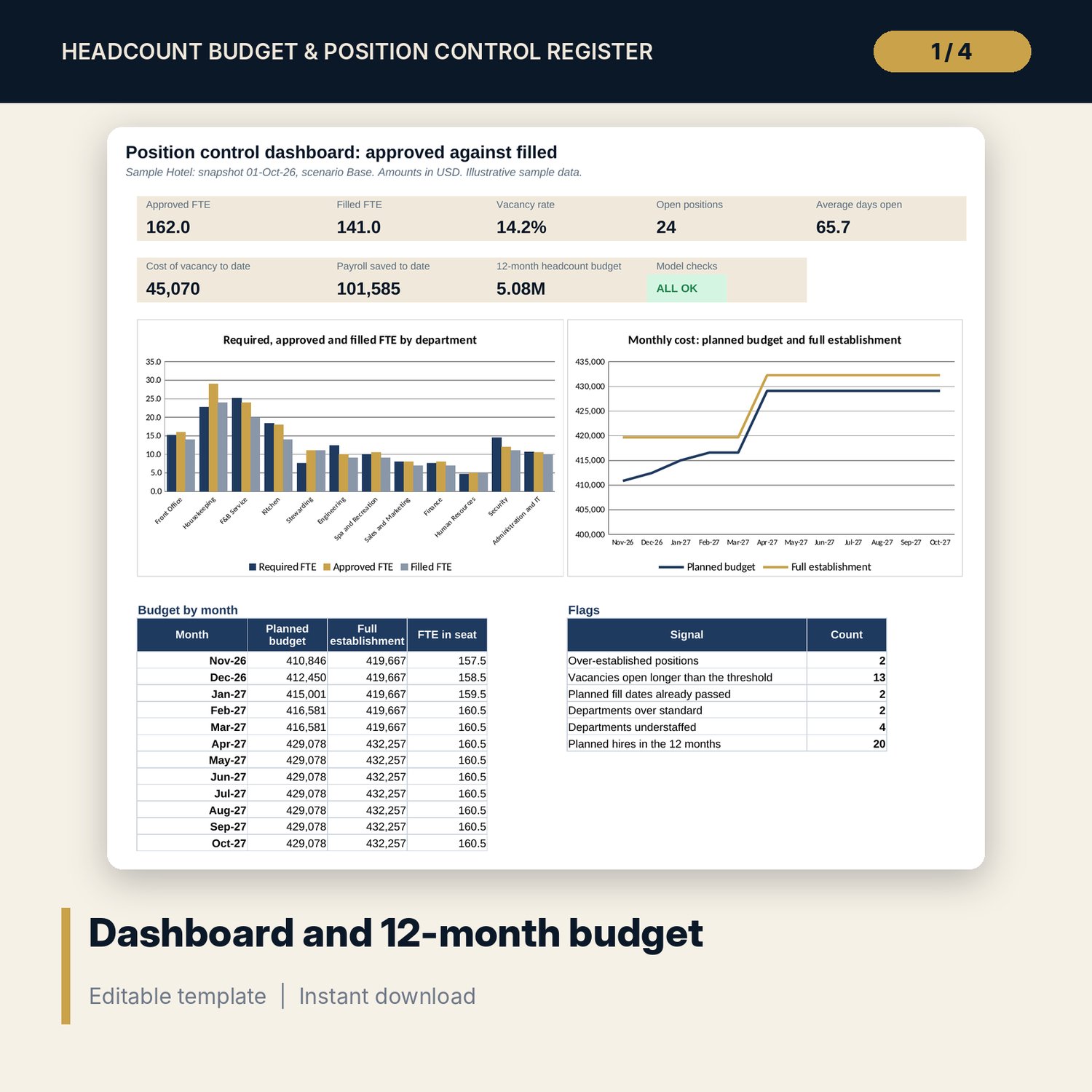
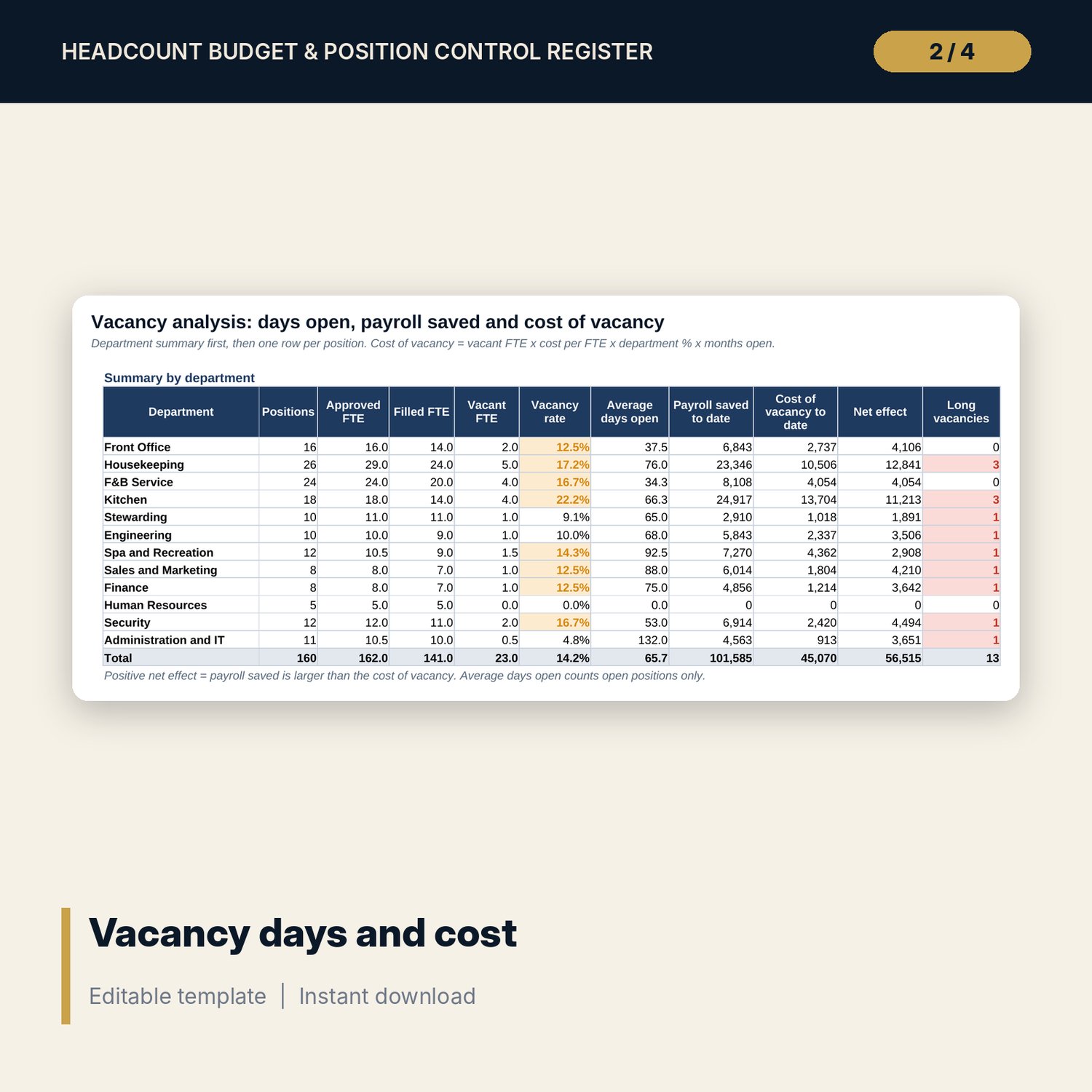
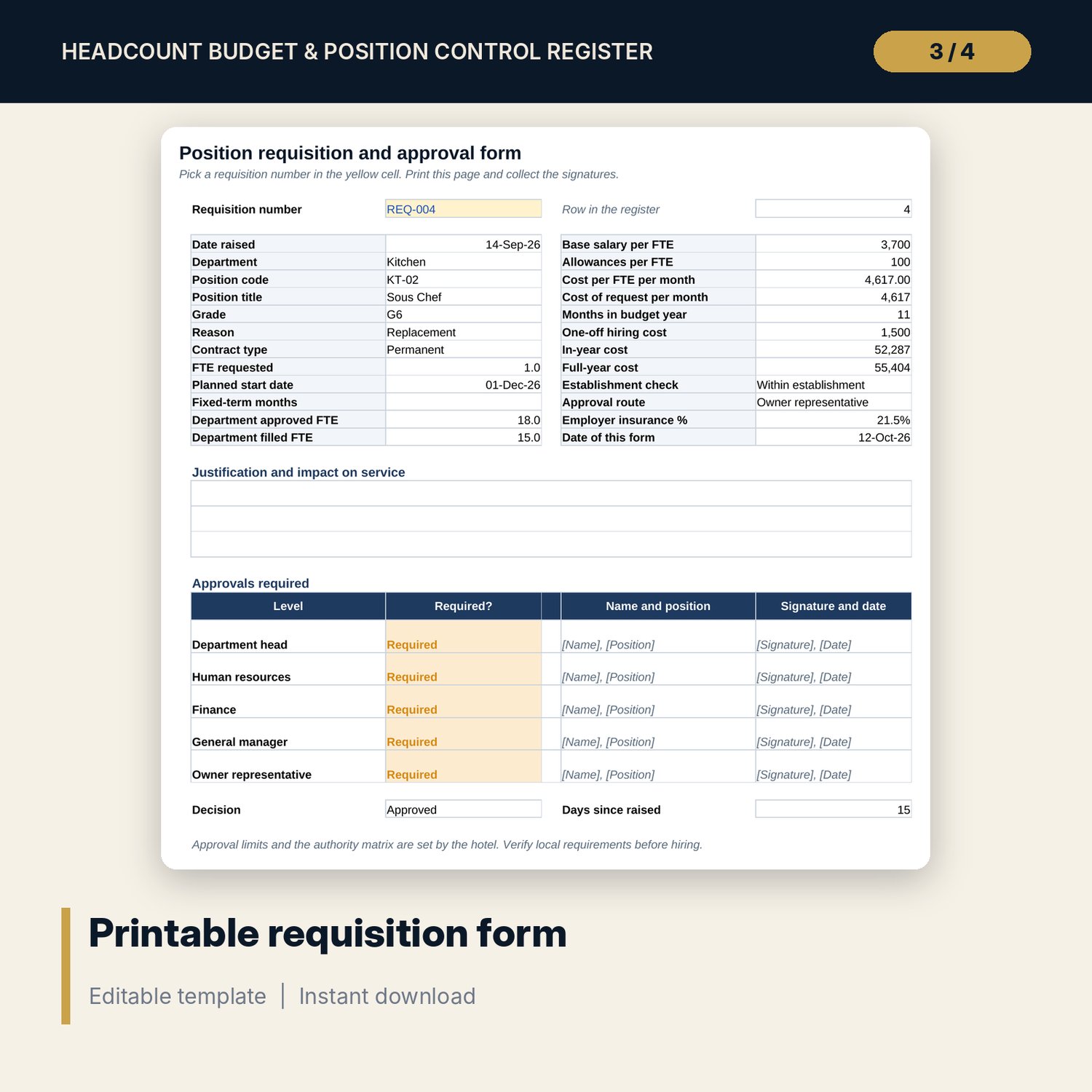
For general managers, HR directors, financial controllers and department heads who need one register of approved positions against filled ones. Each position carries grade, approved and filled FTE, replacement status, vacancy start, planned fill date and monthly cost with insurance. The workbook counts vacancy days, payroll saved and the cost of vacancy, compares required FTE with approved and filled FTE using standards such as hours per occupied room, covers per server and rooms per attendant at a review occupancy, and rolls planned hires into a 12-month headcount budget with a pay review. A scenario switch changes occupancy, outside covers and the vacancy cost multiplier. A companion workbook handles each requisition with cost impact, an approval route by cost limit, an approval log and a printable form. The guide gives the method, a worked example read from the workbook and a monthly review routine.
What is inside
- Position_Control_Register.xlsx: 9 tabs, 7,637 formulas, 2 native charts, 17 drop-down and input rules
- Position Register: 160 sample positions in 12 departments and 20 spare rows, with 7 replacement statuses and automatic flags
- Vacancy Analysis: summary for 12 departments and a row for each of 180 register rows
- Productivity Standards: required FTE for 12 departments and a what-if grid at 5 occupancy levels
- Headcount Budget: FTE in seat and cost for 12 months by department, planned hires and saving against the establishment
- Dashboard with 8 KPI tiles, a check tile and 2 charts; 8 checks; Method tab with 10 documented calculations
- Position_Control_Register_Requisition_Form.xlsx: 3 tabs, 811 formulas, requisition register for 40 requests, approval log and a one-page form, 5 checks
- Position_Control_Register_Guide.docx: 9-page guide with the method, worked example, review routine, mistakes, checklist and glossary
- Position_Control_Register_Guide.pdf: print copy of the guide
- README.txt and LICENSE-and-Terms.txt
How it works
- Enter the snapshot date, first budget month, rooms, insurance %, pay review and scenario on Assumptions.
- Replace the sample positions with your approved establishment and update status and dates for vacancies.
- Set the productivity standard for each department.
- Read Vacancy Analysis, Productivity Standards, Headcount Budget and the Dashboard.
- Raise each hire on the requisition form, collect approvals, then update the register.
Details
- Format: two .xlsx workbooks, one .docx and one .pdf, English
- Software: Excel 2016 or later, or LibreOffice Calc 7 or later; any word processor for the .docx
- No macros, no external links, no array formulas
- 4 files, instant digital download
Good to know
- Sample data is illustrative. Replace it with your own figures.
- The pack is a planning tool, not financial, tax, legal or employment advice. Verify local requirements, contracts and your own approval limits.
- Insurance, pay review, allowances, standards and cost of vacancy are your inputs.
- Single-user license. Do not redistribute.
FAQ
How many positions does the register hold?
180 rows, 160 filled with sample data and 20 spare. All tabs read the full range.
Can I use my own departments and standards?
Yes. Departments, codes and the vacancy cost % are blue cells on Assumptions. Each department's basis, standard and fixed hours are blue cells on Productivity Standards.
How does a vacancy reach the budget?
When its status is marked as a planned hire on Assumptions and a planned fill date is entered. Cost starts in the month of that date.
Does it read my payroll or recruitment system?
No. You enter or paste the data. Nothing is linked to another system.
Does the requisition form work without the main workbook?
Yes. It is a separate workbook with its own inputs, formulas and checks. Copy the position details across by hand.